All Activity
- Past hour
-

Insert a copy of the block at the specified point. CopyRenameBlockV1-5.lsp /Lee Mac/
mhupp replied to Nikon's topic in AutoLISP, Visual LISP & DCL
No error handling. just copies existing block and updates name and insertion point. change 0.0 0.0 0.0 to what you want or use getpoint. ;;----------------------------------------------------------------------------;; ;; Rename Block to New point ;; https://www.cadtutor.net/forum/topic/99155-insert-a-copy-of-the-block-at-the-specified-point-copyrenameblockv1-5lsp-lee-mac/ (defun c:CopyRenameBlock (/ ent obj newobj ed newname) (vl-load-com) (if (setq ent (car (entsel "\nSelect block: "))) (progn (setq obj (vlax-ename->vla-object ent)) (setq newobj (vla-copy obj)) (setq ed (entget (vlax-vla-object->ename newobj))) (setq newname (getstring T "\nNew block name: ")) (entmod (subst (cons 2 newname) (assoc 2 ed) ed)) (entmod (subst '(10 0.0 0.0 0.0) (assoc 10 ed) ed)) ) ) (princ) ) - Today
-

Insert a copy of the block at the specified point. CopyRenameBlockV1-5.lsp /Lee Mac/
CyberAngel replied to Nikon's topic in AutoLISP, Visual LISP & DCL
Do you want to get rid of the "rename only" functionality? If it were me, I'd add the new functionality near the end, after all the validating and bookkeeping is done. In the line with the sssetfirst command (not at that exact spot) the completed copy is added to the current selection set. You could expand that clause to ask for the new location and move the new block from its current location to the new coordinates. Disclaimer: I am only a hobbyist programmer, someone else may find a better solution. -

Insert a copy of the block at the specified point. CopyRenameBlockV1-5.lsp /Lee Mac/
Nikon replied to Nikon's topic in AutoLISP, Visual LISP & DCL
I need to select a block in the drawing, insert a copy of the block at a specified point, and rename the copy. -
Insert a copy of the block at the specified point. CopyRenameBlockV1-5.lsp /Lee Mac/
mhupp replied to Nikon's topic in AutoLISP, Visual LISP & DCL
I had code that would pull from network location if you want a specific type of block. just remember if a block is already defined in the block library of the drawing it will use that instead of fully importing it again. -edit Might want to use steal instead. https://www.lee-mac.com/steal.html -
 hernjj12 joined the community
 -
Hi, everybody. In this code, a copy of the block is superimposed on the original, how to change the code to insert a copy of the block at the specified point. ;;-----------------=={ Copy/Rename Block Reference }==------------------;; ;;----------------------------------------------------------------------;; ;; Author: Lee Mac, Copyright 2013 - www.lee-mac.com ;; ;;----------------------------------------------------------------------;; ;; Version 1.5 - 05-07-2013 ;; ;;----------------------------------------------------------------------;; (defun c:cb nil (LM:RenameBlockReference t)) (defun c:rb nil (LM:RenameBlockReference nil)) (defun LM:RenameBlockReference ( cpy / *error* abc app dbc dbx def doc dxf new old prp src tmp vrs ) (defun *error* ( msg ) (if (and (= 'vla-object (type dbx)) (not (vlax-object-released-p dbx))) (vlax-release-object dbx) ) (if (not (wcmatch (strcase msg t) "*break,*cancel*,*exit*")) (princ (strcat "\nError: " msg)) ) (princ) ) (while (progn (setvar 'errno 0) (setq src (car (entsel (strcat "\nSelect block reference to " (if cpy "copy & " "") "rename: ")))) (cond ( (= 7 (getvar 'errno)) (princ "\nMissed, try again.") ) ( (= 'ename (type src)) (setq dxf (entget src)) (cond ( (/= "INSERT" (cdr (assoc 0 dxf))) (princ "\nPlease select a block reference.") ) ( (= 4 (logand 4 (cdr (assoc 70 (tblsearch "layer" (cdr (assoc 8 dxf))))))) (princ "\nSelected block is on a locked layer.") ) ) ) ) ) ) (if (= 'ename (type src)) (progn (setq app (vlax-get-acad-object) doc (vla-get-activedocument app) src (vlax-ename->vla-object src) old (vlax-get-property src (if (vlax-property-available-p src 'effectivename) 'effectivename 'name)) tmp 0 ) (while (tblsearch "block" (setq def (strcat (vl-string-left-trim "*" old) "_" (itoa (setq tmp (1+ tmp))))))) (while (and (/= "" (setq new (getstring t (strcat "\nSpecify new block name <" def ">: ")))) (or (not (snvalid new)) (tblsearch "block" new) ) ) (princ "\nBlock name invalid or already exists.") ) (if (= "" new) (setq new def) ) (setq dbx (vl-catch-all-apply 'vla-getinterfaceobject (list app (if (< (setq vrs (atoi (getvar 'acadver))) 16) "objectdbx.axdbdocument" (strcat "objectdbx.axdbdocument." (itoa vrs)) ) ) ) ) (if (or (null dbx) (vl-catch-all-error-p dbx)) (princ "\nUnable to interface with ObjectDBX.") (progn (setq abc (vla-get-blocks doc) dbc (vla-get-blocks dbx) ) (vlax-invoke doc 'copyobjects (list (vla-item abc old)) dbc) (if (wcmatch old "`**") (vla-put-name (vla-item dbc (1- (vla-get-count dbc))) new) (vla-put-name (vla-item dbc old) new) ) (vlax-invoke dbx 'copyobjects (list (vla-item dbc new)) abc) (vlax-release-object dbx) (if cpy (setq src (vla-copy src))) (if (and (vlax-property-available-p src 'isdynamicblock) (= :vlax-true (vla-get-isdynamicblock src)) ) (progn (setq prp (mapcar 'vla-get-value (vlax-invoke src 'getdynamicblockproperties))) (vla-put-name src new) (mapcar '(lambda ( a b ) (if (/= "ORIGIN" (strcase (vla-get-propertyname a))) (vla-put-value a b) ) ) (vlax-invoke src 'getdynamicblockproperties) prp ) ) (vla-put-name src new) ) (if (= :vlax-true (vla-get-isxref (setq def (vla-item (vla-get-blocks doc) new)))) (vla-reload def) ) (if cpy (sssetfirst nil (ssadd (vlax-vla-object->ename src)))) ) ) ) ) (princ) ) ;;----------------------------------------------------------------------;; (vl-load-com) (princ (strcat "\n:: CopyRenameBlock.lsp | Version 1.5 | \\U+00A9 Lee Mac " (menucmd "m=$(edtime,$(getvar,date),YYYY)") " www.lee-mac.com ::" "\n:: Available Commands:" "\n:: \"CB\" - Copy & Rename Block Reference." "\n:: \"RB\" - Rename Block Reference." ) ) (princ) ;;----------------------------------------------------------------------;; ;; End of File ;; ;;----------------------------------------------------------------------;;
-
Hello, You can try this by using accore, super fast and no UI
-
You might want to look into using Visual Studio Code, it is replacing the VLIDE in newer AutoCAD versions. I have some links to more information in this thread...
-
Thanks again. I just need to remember that CNTL F9 only works when I do not mouse-click on vlisp console first.
-
Thanks. Good stuff there.
-
Perhaps my tutorial on debugging with the VLIDE will help? https://lee-mac.com/debugvlide.html
-
Thanks for responding. That is correct. I put (vl-bt) in my *error* functions, otherwise I have zero idea where the error occurred. However, I don't know the name of the variable in the errant line of code, only the values. That isn't always easy to spot. I was able to load and run code thru the vlide, but using CNTL-F9 did not show the line where the error occurred, just this dialog. And setting "Break on Error" didn't do what AI told me it would...When it crashes, VLIDE will freeze the execution and highlight the problematic line in your source code.

-
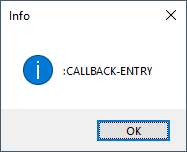
FWIW, the output you are describing comes from the undocumented (vl-bt) function, e.g.: (defun c:test ( / *error* ) (defun *error* ( m ) (vl-bt) (princ)) (/ 1 0) ) Command: TEST Backtrace: [0.50] (VL-BT) [1.46] (*ERROR* "divide by zero") LAP+7 [2.40] (_call-err-hook #<USUBR @0000021d551441b0 *ERROR*> "divide by zero") [3.34] (sys-error "divide by zero") :ERROR-BREAK.29 "divide by zero" [4.26] (/ 1 0) [5.20] (C:TEST) LAP+33 [6.15] (#<SUBR @0000021d55144278 -rts_top->) [7.12] (#<SUBR @0000021d532d8700 veval-str-body> "(C:TEST)" T #<FILE internal>) :CALLBACK-ENTRY.6 (:CALLBACK-ENTRY) :ARQ-SUBR-CALLBACK.3 (nil 0)
-
 amirulafiqqq joined the community
 - Yesterday
-
 karakulx joined the community
 -
https://www.afralisp.net/visual-lisp/tutorials/visual-lisp-editor-part-1.php
-

Having a dumb issue here that Im hoping someone can fix
SLW210 replied to TimC's topic in AutoCAD 3D Modelling & Rendering
If you have the AutoCAD .dwg all you have to do is Modify>Solid Editing>Delete Faces. If stuck with the 3MF file, your 3D Printer software and and filling the hole with a cylinder would probably be the only way. I could have redrawn that in AutoCAD without the holes in the time it took me to type this response. -
Impressive resume, I look forward to looking at the site and your distilled wisdom
-
Thank you for the reply, but sad to say I do not even know how to execute a program from the vlide.
-
Hi If you need to locate where the error occurred during execution, once it has happened, press CTRL-F9 and VLIDE will show you the expression where the error occurred, highlighted. I hope this answers your question correctly
-
 tomacata joined the community
 -
Having a dumb issue here that Im hoping someone can fix
mhupp replied to TimC's topic in AutoCAD 3D Modelling & Rendering
A 3MF (3D Manufacturing Format) file is an advanced, XML-based file type designed specifically for 3D printing and additive manufacturing. It was created to replace the older, limited STL format. Looks to be Solidworks from the extension of the sub parts(.SLDPRT), you need to update the plate sub part. --edit nm looks to be STL. convert the plate stl over to a solid. then you can edit. --edit edit or slice it if its flat and extrude into the thickness getting rlx vibes for some reason -
Back in the day (Autocad 14 or so) the autolisp interpreter would spit out the variable names in the line of code that bombed instead of the values (example below), making it much easier find the problem. This may be a newbie question from an old-timer. I never took the pains to learn the VLIDE. Is there something there that solves the problem? Error: bad argument type: numberp: nil Backtrace: [0.57] (VL-BT) [1.53] (#<SUBR @0000018680e21a98 -lambda-> "bad argument type: numberp: nil") [2.49] (ill-fun-hk "bad argument type: numberp: nil") [3.44] (((MSG) (IF (NOT (MEMBER MSG (QUOTE ("console break" "Function cancelled" "quit / exit abort" "")))) (PROGN (PRINC (STRCAT "\nError: " MSG)) (IF *DEBUG* (VL-BT))))) "bad argument type: numberp: nil") [4.39] (_call-err-hook ((MSG) (IF (NOT (MEMBER MSG (QUOTE ("console break" "Function cancelled" "quit / exit abort" "")))) (PROGN (PRINC (STRCAT "\nError: " MSG)) (IF *DEBUG* (VL-BT))))) "bad argument type: numberp: nil") [5.33] (sys-error "bad argument type: numberp: nil") :ERROR-BREAK.28 nil [6.25] (- nil 8.48089) [7.19] (C:GT) [8.15] (#<SUBR @0000018680872c50 -rts_top->) [9.12] (#<SUBR @00000186807c8700 veval-str-body> "(C:GT)" T #<FILE internal>) :CALLBACK-ENTRY.6 (:CALLBACK-ENTRY) :ARQ-SUBR-CALLBACK.3 (nil 0)
-
 farajo joined the community
 -
 Cliff joined the community
 -
I've now updated this program to support resetting components of the incrementing string back to a given value with a given frequency - the latest version can be downloaded from my site: https://lee-mac.com/numinc.html
-
Having a dumb issue here that Im hoping someone can fix
SLW210 replied to TimC's topic in AutoCAD 3D Modelling & Rendering
We need to know what program you are using to alter this to help you. Do you have the .dwg? Easy enough to fix in AutoCAD with a .dwg. -
 moshouhot joined the community
 - Last week
-

Having a dumb issue here that Im hoping someone can fix
BIGAL replied to TimC's topic in AutoCAD 3D Modelling & Rendering
Can not open may be just my software. What software did you use to make the object ? -
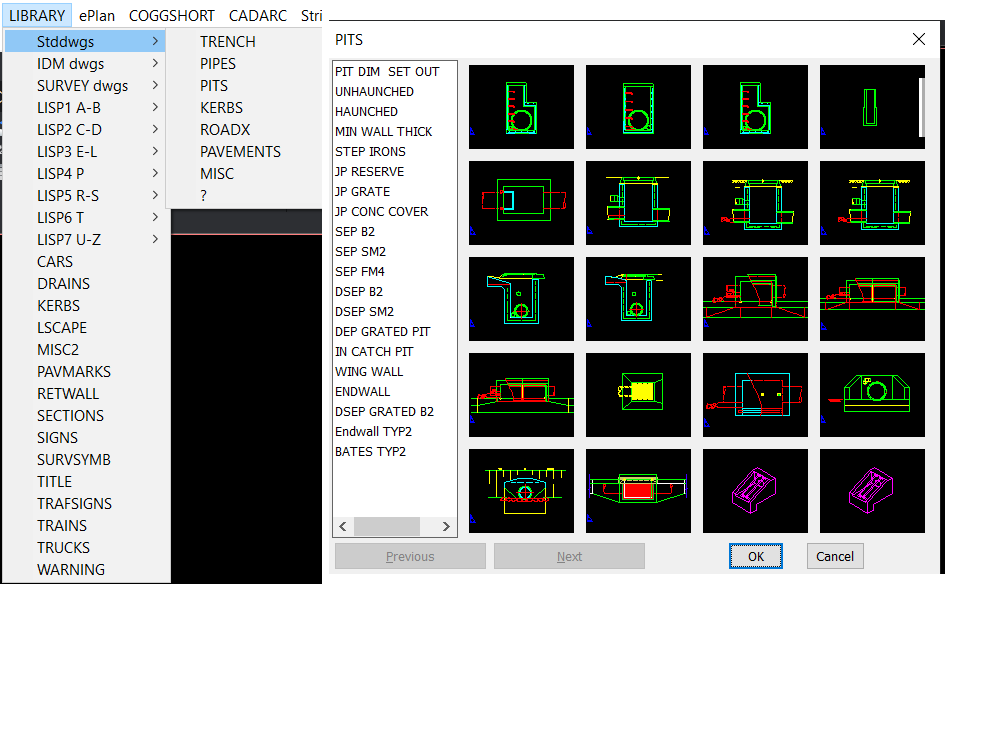
Welcome aboard looks very interesting had a look at the link. Where I used to work we used POP menu's extensively as well as custom commands, This menu had around 130 lisps behind it. I read about workspaces and yes we would save a workspace under each users name, so it was customised to their liking. One thing I did was add a pop menu that had options from another workspace we had CIV3D, so no need to even change workspaces for some often used commands. Then of course there was custom toolbars, if you can use Notepad you can make toolbars and pop menu's. You may be interested in the attached. How to make POP menu.docx
-

Having a dumb issue here that Im hoping someone can fix
TimC posted a topic in AutoCAD 3D Modelling & Rendering
I need to remove the holes in this plate. just like they were never there. I tried making a cylinder and filling it in and it didn't look right I tried a bunch of suggestions from AI and that was a waste of time. If you cant open the 3MF file I can possible get a different older version Mark Macey front plate.3mf -
 engerex joined the community
 -
Yes, I suppose that, as a last resort, it is always possible to select all the linear objects until the perimeter is closed. But this can be quite slow in many cases — especially when you have many boundaries to work with. It’s an important limitation. I’ll try to find out what can be done with regions. I’m not familiar with BricsCAD. But this may end up being yet another reason to give it a try.