All Activity
- Today
-

Import multipage PDF as AutoCAD Objects
SLW210 replied to SLW210's topic in AutoLISP, Visual LISP & DCL
I added the RLX change, I'll check it out when I get back to work. -

Help Appreciated: Force Existing Layer Names to UPPER CASE Not Working
BIGAL replied to Clint's topic in AutoLISP, Visual LISP & DCL
If using a script and running it over multiple dwgs then yes can load a lisp and then run it. The lisp can be very extensive a few lines or even hundreds. Open dwg1 (load "updatelisp") (c:updatelisp) close Y Open dwg2 (load "updatelisp") (c:updatelisp) close Y Open dwg3 (load "updatelisp") (c:updatelisp) close Y -
 hamdy joined the community
 -
 X7ylxL joined the community
 - Yesterday
-

Help on "; error : Automation Error. Property [NAME] not available"
mhupp replied to Clint's topic in AutoLISP, Visual LISP & DCL
While its good coding practice to have basic individual functions so you can see where errors show up or reuse code else where in a later project without having to Frankenstein parts from other longer code. This is simple enough to do all in one function. your notes and ques talk about explode but if their wasn't an error would be deleting. (defun C:QU (/ P SS) (vl-load-com) (setq P (getvar 'PICKSTYLE)) (vla-startundomark (setq Doc (vla-get-activedocument (vlax-get-acad-object)))) (setvar 'PICKSTYLE 1) (princ "\nSelect Entities to Delete: ") (if (setq SS (ssget)) (foreach obj (mapcar 'vlax-ename->vla-Object (vl-remove-if 'listp (mapcar 'cadr (ssnamex SS)))) (vla-delete obj) ) (princ "\n Nothing Selected") ) (setvar 'PICKSTYLE P) (vla-Regen Doc acAllViewports) (princ) ) -
 saf joined the community
 -

Help on "; error : Automation Error. Property [NAME] not available"
Clint replied to Clint's topic in AutoLISP, Visual LISP & DCL
I appreciate and will insert your code and will try it, rlx! -

Help on "; error : Automation Error. Property [NAME] not available"
rlx replied to Clint's topic in AutoLISP, Visual LISP & DCL
untested ;;; (setq g-name (get_groupname (car (entsel)))) (defun GET_GROUPNAME ( ent / d gl o id lst) (setq d (vla-get-activedocument (vlax-get-acad-object)) gl (vla-get-groups d)) (setq o (vlax-ename->vla-object ent) id (vla-get-ObjectID o)) (vlax-for g gl (vlax-for e g (if (equal (vla-get-ObjectID e) id) (setq lst (cons (vla-get-Name g) lst)))(vlax-release-object e))(vlax-release-object g)) (if (vl-consp lst)(car lst)) ) -
 defid joined the community
 -
Help Appreciated: Force Existing Layer Names to UPPER CASE Not Working
Clint replied to Clint's topic in AutoLISP, Visual LISP & DCL
Hi Steven, This is good to know. I will check out BigAL's related post very soon. Your responses are reassuring and well received! My task is to hash out a program that reads from two lists and updates layer names to match the old version to both the current name (UPPERCASE). Thanks, Clint Hill -

Help Appreciated: Force Existing Layer Names to UPPER CASE Not Working
Steven P replied to Clint's topic in AutoLISP, Visual LISP & DCL
Obviously we don't have your batch LISP - I guess your company paid for this and so you are not going to be popular sharing that for all online. LISPs can be added to scripts - both as a command and as code. There are others out there such as ScriptPro and Lee Macs Script Writer which will do this. BigAl will often post snippets of scripts here to batch process files - last one he did was in the last week or so ago. You could even set this up as a stand alone script to do just the one task (see BigAls last example....) The first step for all is to get a LISP working as you want and well on a single file and then to do it as a batch (first time running the batch with a new LISP, perhaps check carefully that it doesn't do anything unexpected on other files). Plenty of examples out there to change layer names from one to another - have a look to see if you see one you like to use, or if there isn't am sure we can put one together - and use what is above as a started if you want to have a go, I think all the code you need is in the examples, just need to think how to change them to your needs -
Help on "; error : Automation Error. Property [NAME] not available"
Clint posted a topic in AutoLISP, Visual LISP & DCL
I obtained the attached program from another. In initial running of this program ONLY, I am experiencing the subject line error. (I run this in BricsCAD V25 & V26) The program continues to run and produces the desired results. IMPORTANT In later runs, it does not appear. BACKGROUND I attempted to debug in the BricsCAD BLADE programming environment (similar to AutoCAD's VLIDE) but have limited experience so far. QUESTIONS What is causing the following error? How do I correct it? -------- COMMAND ERROR MESSAGE ------- Select groups to be exploded: Select entities: Entities in set: 9 Select entities: ; error : Automation Error. Property [NAME] not available ------ Best regards, Clint Hill quickungroup.lsp -
Help Appreciated: Force Existing Layer Names to UPPER CASE Not Working
Clint replied to Clint's topic in AutoLISP, Visual LISP & DCL
Gentlemen, I think it best to explore the following pursuit "B" in a new post. -
Import multipage PDF as AutoCAD Objects
rlx replied to SLW210's topic in AutoLISP, Visual LISP & DCL
maybe its just a matter of name vs effective block name issue , haven't tested that. But I like the routine and maybe gonna extend it a little with above suggestions if I run into a project that could benefit from this. Did find a program , I think it's called able2extact or something , that also has OCR built in but it will set you back around two hundred dollars , lifte time subscription. -
Import multipage PDF as AutoCAD Objects
SLW210 replied to SLW210's topic in AutoLISP, Visual LISP & DCL
I only used it twice and it worked fine on those, latest one was 8 sheets, the first time was a while back not sure how many sheets. IIRC, it may only work on AutoCAD 2024 or newer in this version. Tested on AutoCAD 2026. I did this several months ago and just needed it again yesterday. So @rlx's addition may be needed for older. @BIGAL I thought about do a count, but I don't need it. I'll try to find time to research BricsCAD use. I was working on creating a Layout tab for each sheet, I might get back to it later, busy with paid work right now. Only other update I plan is maybe get more than one PDF, but that will much further down the line. -
Publish as PDF,Purge all and save as dxf binary 2007
Steven P replied to pyou's topic in AutoLISP, Visual LISP & DCL
Mine are 'plotPDF' for full size and then plotPDFA3, plotPDFA4 - no further actions needed - same as BigAL and RLX suggest -
 eastonbray joined the community
 -
++
-
Publish as PDF,Purge all and save as dxf binary 2007
BIGAL replied to pyou's topic in AutoLISP, Visual LISP & DCL
Like @rlx this is a hard coded plot pdf using preset values, our dwg's used layouts one title block. the code is hard coded for a A1 sheet plotted as a A3 size. We just walked through the layouts and plotted. So does not matter what current plot settings are as they are ignored. We had multiple devices PDF, A1, A3 Color, A3 B-W. So code for each. (setvar "textfill" 1) (setvar "fillmode" 1) (COMMAND "-PLOT" "Y" "" "Plot To PDF" "Iso full bleed A3 (420.00 x 297.00 MM)" "m" "LANDSCAPE" "N" "W" "-6,-6" "807,560" "1=2" "C" "y" "Acad.ctb" "Y" "n" "n" "n" pdfName "N" "y" ) -
Import multipage PDF as AutoCAD Objects
BIGAL replied to SLW210's topic in AutoLISP, Visual LISP & DCL
@SLW210 have a look at this by Lee-mac may be useful. I did have problems may be my Bricscad or pdf I am using. https://www.theswamp.org/index.php?PHPSESSID=a86a2d2e880b6079f1d3aee842f41d9d&topic=39001.msg441632#msg441632 This may also be useful once you know count. (if (not AH:getvalsm)(load "Multi Getvals.lsp")) (setq vals (AH:getvalsm (list "Enter Pdf range" "Enter start Pdf number" 6 4 "1" "Enter end Pdf number" 6 4 (RTOS COUNT 2 0)))) ("1" "22")
- Last week
-
Help Appreciated: Force Existing Layer Names to UPPER CASE Not Working
BIGAL replied to Clint's topic in AutoLISP, Visual LISP & DCL
If you google "Win 11 screen capture" it will talk about shift+window+R, nice thing is in web information is how to set the destination directory for the recording. So mine are set high in a drive easy to find compared to default buried in C:\Users -
This does the same thing (ssget "_X" '((0 . "~3DSOLID"))) It's like Marko's above but CONS is not needed.
-
[VLX] SectionSync LITE – Viewport sync along a polyline path (Civil 3D/AutoCAD)
rlx replied to AutoLISP Wizard's topic in AutoLISP, Visual LISP & DCL
First of all , welcome to Cadtutor AutoLisp Wizard! My kind of work is 99% electrical & instrument loop diagrams so I don't often have to work with viewports and when I do its just for simple cabinet views and some instrument layouts. But I do appreciate users who contribute and share their hard work with other users , so although I'm not gonna use it my self , thank you for your contribution. -
[VLX] SectionSync LITE – Viewport sync along a polyline path (Civil 3D/AutoCAD)
BIGAL replied to AutoLISP Wizard's topic in AutoLISP, Visual LISP & DCL
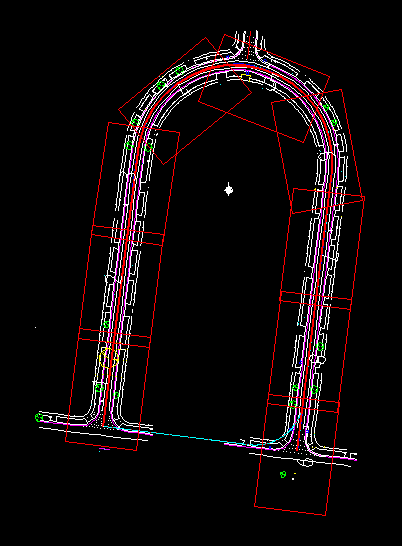
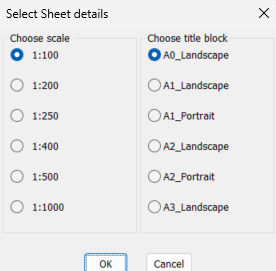
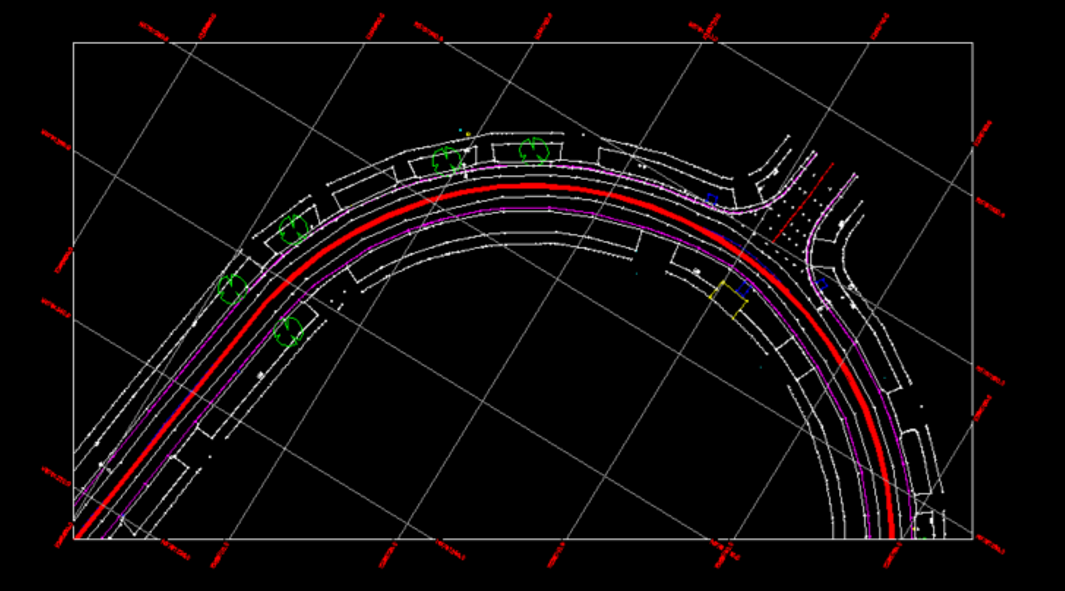
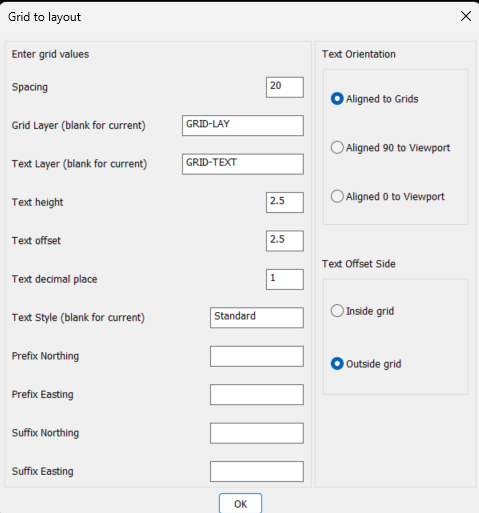
Welcome aboard,. Nice idea doing two vports per sheet. For where I worked it was a plan view at top and the corresponding long section below. We used Civil Site Design as an add on so it did all this in the package. Runs on CIV3D or Bricscad. Yep like this I did years ago, also pick a point, make repeated rectangs based on a hor/ver pattern. All rotate the viewport where required. have done around 70+ in one go. You could move, rotate, add or delete a rectang then make layouts. There may be something in below that you may want to add to your code happy to explain how. Draw rectangs.mp4 Something you may be interested in draws grid in paperspace based on viewport including twisted vport. Has a dcl front end for control of how grid looks.
-
Publish as PDF,Purge all and save as dxf binary 2007
rlx replied to pyou's topic in AutoLISP, Visual LISP & DCL
maybe just something simple as : (setvar "filedia" 0) (command ".-plot" "No" "" "" "" (strcat (getvar 'dwgprefix) (getvar 'ctab) ".pdf") "No" "Yes") (setvar "filedia" 1) -
 seyit joined the community
 -

Publish as PDF,Purge all and save as dxf binary 2007
pyou replied to pyou's topic in AutoLISP, Visual LISP & DCL
How do incorporate publish pdf with present default settings? Basically just (_publish " ") and ENTER, but it keeps asking me for more information , need just pdf export with present default settings as it is. -
its great, thanks
-

Detect Circular Xref in AutoLISP
Ahankhah replied to Ahankhah's topic in AutoLISP, Visual LISP & DCL
Steven, thank you very much. I will review it and get back to you. I truly appreciate your help. -
Detect Circular Xref in AutoLISP
Ahankhah replied to Ahankhah's topic in AutoLISP, Visual LISP & DCL
mhupp, I want AutoLISP code to do that.- 4 replies
-
- 1
-

-
- xref
- circular reference
- (and 2 more)
-
I know that this is old, but did you find a solution? I am wondering if you are sure that you are pathed to the metric pipe catalog?...