All Activity
- Today
-
 mistermn joined the community
 -
IIRC, those are tough to manage on GIS programs with Add-ons made with Python, .NET, etc. Remember, real rivers/roads/ROWs have curves and organic shapes, not just straight lines. I did see some information on how to tackle those, hopefully it can be worked out, but don't expect perfection. As I mentioned, from what my daughter said and what I've seen in various related forums, the GIS pros are using whatever program and add-ons they can to get the bulk of it and cleaning up and filling in manually. Most that are doing those shapes want the main channel center, if needed I would ignore the very wide sections and side pieces and get those as center lines running back to the main channel separately. As your example shows, it would take separate polylines, so it will need to account for those sections and then ran again on the offshoots. You still haven't answered all of the questions asked. What type of work are you doing? What you have posted looks to be Civil and/or GIS work. I'll try some more on this when I can, I have also looked at some different shortest path codes, the last example is way over my head in LISP, I'll concentrate on the previous examples then try to run just the main channel on the last example .dwg. I have a full slate at work again today, but I'll try to jump back on this when I get some things out of the way. Home time is limited, but I'll try to get back on this with QGIS solution, I may see if my daughter's coworkers want to take a shot at these.
-
Are you using a LISP? You posted this in the AutoLISP, Visual LISP & DCL Forum. You'll need to post a .dwg and the LISP you use most likely. What are your computer specifications, graphics card, driver, etc.? You might try turning graphics card hardware acceleration on and off.
-
 Sim_Th joined the community
 -

Can I read and copy Dynamic Block properties to another block reference?
p7q replied to p7q's topic in AutoLISP, Visual LISP & DCL
Thanks for the links. @Lee Mac They’re helpful, but my main problem is already-mirrored block references that I receive from others. I’m looking for an AutoLISP routine/approach to fix text inside existing mirrored blocks, not to control how blocks are mirrored in the first place. Do you have any code or examples that could help with this specific case? -
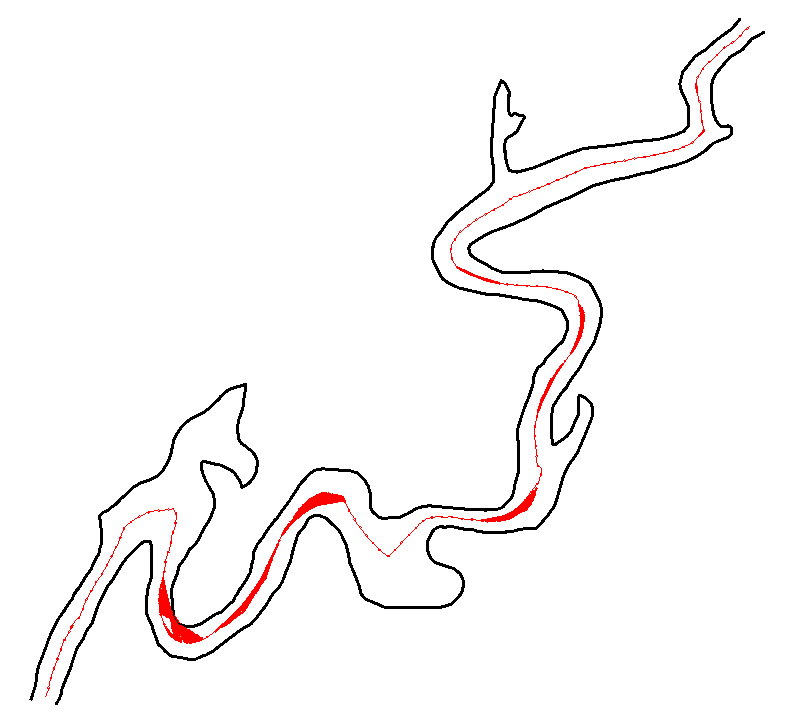
Hi @PGia, wow, you managed to find another example that fails. Good stress testing! The reason mine fails is because it ignores the offset lines that are split in two or more parts. But some of the parts are still be usable and should be used. I looked into fixing this and managed to add those lines, but this resulted in some other problems so I didn't update the code on the earlier post yet. The zigzag problem is coming back on your example. The result below. I really need to find a solution for that, but it looks like I might have to use a path finding algorithm which would slow down the code a lot. Sorting the points by distance on the offset line is not enough anymore.

-

Can I read and copy Dynamic Block properties to another block reference?
Lee Mac replied to p7q's topic in AutoLISP, Visual LISP & DCL
Based on the title of your thread, here's an existing program to match dynamic block properties: https://www.theswamp.org/index.php?topic=44444.msg496892#msg496892 Where mirroring text in blocks is concerned, here's some food for thought: https://www.theswamp.org/index.php?topic=46271.msg513250#msg513250 -
Can I read and copy Dynamic Block properties to another block reference?
p7q replied to p7q's topic in AutoLISP, Visual LISP & DCL
It's so usefull. Thanks @BIGAL for the help on reading/copying dynamic block properties – the approach you suggested for dynamic blocks seems to work quite well in my tests, and it looks like I can keep the dynamic behavior while transferring the values to another block reference. To clarify my actual use-case a bit more (it wasn’t very clear in my original question): What I’m really trying to solve is the situation where a block reference is mirrored, and the text inside that block (TEXT/MTEXT/etc.) becomes mirrored/unreadable. My goal is to “fix” the mirrored text so that it reads normally again, while still keeping the block as a block reference. Right now my algorithm roughly does this: Find mirrored block references (negative X/Y scale). Explode that mirrored block reference. From the resulting entities, create a new block definition. Insert this new block back with adjusted scale/rotation, so that the text appears non-mirrored/readable. This works reasonably well in some limited cases: Non-dynamic blocks Simple blocks without deep nesting But there are some important drawbacks: For dynamic blocks, exploding/rebuilding is not acceptable because I lose all the dynamic behavior (this is why your dynamic-block-based suggestion is very useful there). For blocks with attributes, the whole “explode + rebuild” idea is basically wrong for my use-case: With MIRRTEXT = 0, the attribute text itself is already displayed correctly (not mirrored) in a mirrored block reference, but other TEXT/MTEXT objects inside the same block are still mirrored. If I explode and rebuild that block, I’m just introducing more risk of breaking the attributes, even though they were already visually correct. For nested blocks, doing this recursively at multiple levels becomes very complex and potentially slow. In general, the “explode → rebuild block → insert new block” pattern feels too heavy and fragile if I want to handle all combinations (dynamic, attributes, nesting, etc.). It quickly turns into a very complicated algorithm that I’m not sure is worth the performance and maintenance cost. So my question now is more about design/approach: Is there a better/cleaner way (algorithm or pattern) to fix mirrored TEXT/MTEXT (and similar objects) inside mirrored block references, without relying on a full explode + re-create cycle, and that can coexist more gracefully with dynamic blocks, attributes (which are already correctly oriented with MIRRTEXT=0), and nested blocks? I’m not necessarily asking for full code, more for ideas on how you would approach this problem at a higher level. Any suggestions on a different strategy would be appreciated. -
 wanlongstone changed their profile photo
 -
wanlongstone joined the community
-
 fff joined the community
 -
 richardjunn joined the community
 -
I have been having this issues with the Wipeout command in Autocad 2026 which when you zoomed in, the inside of the wipeout suddenly has random sign or hand sign however it is gone when i zoomed out and it still appears when plotting as well, can anyone help??
-

Publish as PDF,Purge all and save as dxf binary 2007
BIGAL replied to pyou's topic in AutoLISP, Visual LISP & DCL
Post a sample dwg with your title block used in layouts then a plotpdf solution may be easy to provide. - Yesterday
-

Publish as PDF,Purge all and save as dxf binary 2007
pyou replied to pyou's topic in AutoLISP, Visual LISP & DCL
Thank you all, i will give it a try. -
Can I read and copy Dynamic Block properties to another block reference?
BIGAL replied to p7q's topic in AutoLISP, Visual LISP & DCL
Yes ! Your first step is get a copy of lee-mac dynamic block properties.lsp. I like others have used his code with great success. You may need to get all property names first, so you can then get in turn that property value, eg "Distance1", the current visibility state is much easier to get. If you get stuck just post again. https://www.lee-mac.com/dynamicblockfunctions.html -
Don't use CIV3D much anymore but there is the command IMPORTSTYLES if I have the command name correct can choose what is imported from another dwg.
-
Here is another way it makes a radio button dcl on the fly. There is examples how to use in the top of the code. Just save in a support path or add the full path to the (load "Multi Radiobuttons.lsp") Multi radio buttons.lsp
-
Just a follow up. I posted that long before I knew the importance of making sure that the Author of the code is noted as well as where I found the code. All credit goes to Gilles Chanteau. I have no idea where I found that code... It is probably somewhere here on cadtutor. I have since, started making sure that ifo is included as a header in the file, that way it doesn't look like I am trying to take claim for it and also, if/when something stops working I know where to go to address the issue. ~Greg original posting of code: https://www.theswamp.org/index.php?topic=29339.msg350137#msg350137
-
 oscar flores joined the community
 -
Replace/Redefine Block Removing Attributes
oscar flores replied to Foxxy1's topic in AutoCAD Drawing Management & Output
hellow, actually when i delete the only attribute within the block, attsync fail because no block with attributes exist, the block without attribute seem doble text, one of the attribute and the newone, the only way i encounter was explode the block to make a new with different name and "replace the block" with a lisp (i work with autocad lt, this version have a lot less commands), then i found the lisp in this web RB.LSP https://github.com/Fandoozle/AutoCAD/blob/master/RB.lsp -
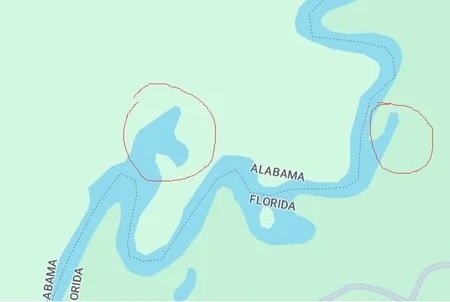
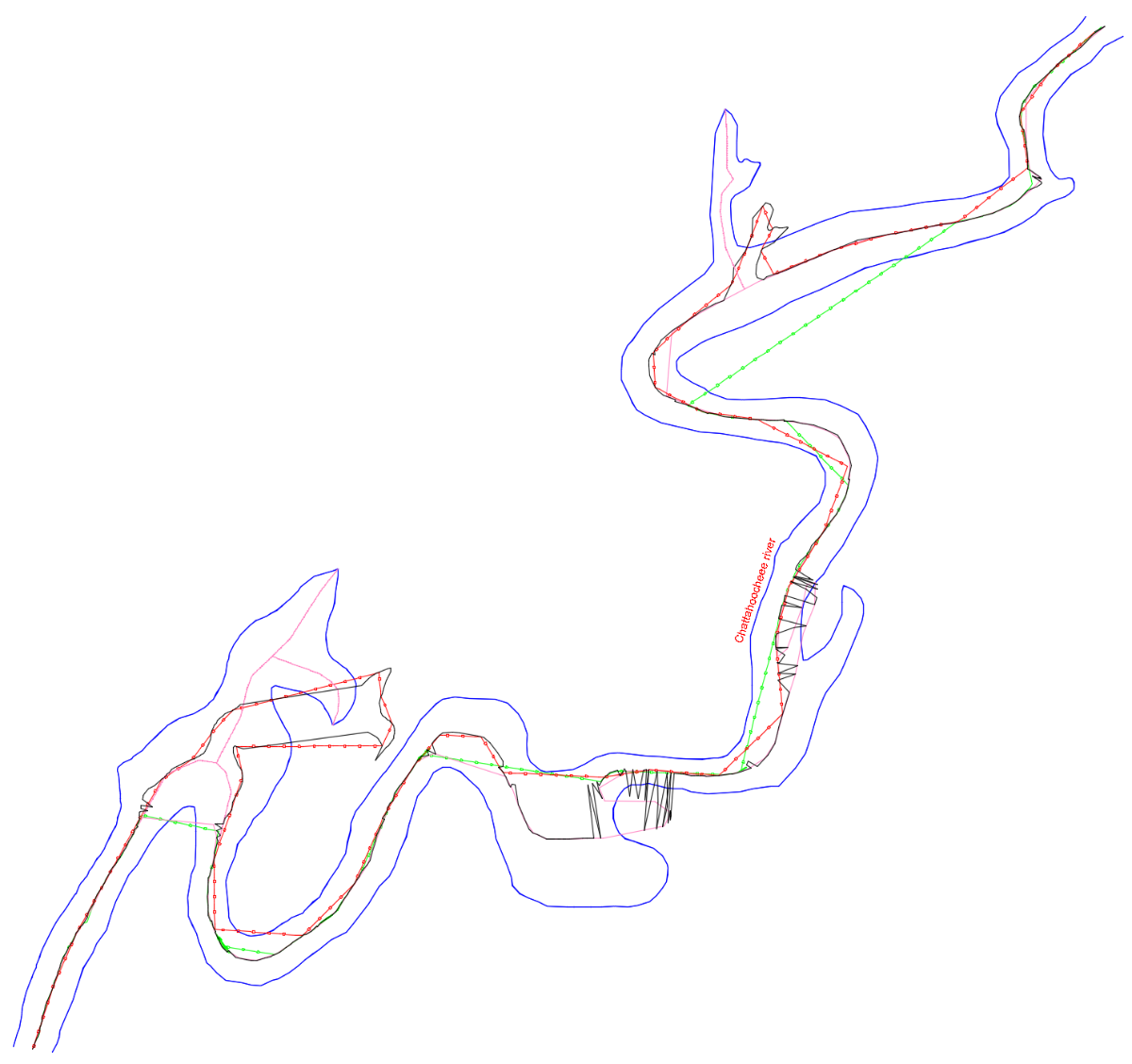
I think the real-world situation may be more complex than what we’ve seen here so far. I took a look at the links that @SLW210 attached and decided to test the Lisp codes proposed up to this point. I looked through my drawings for something that could serve as an example for this problem, but it was like looking for a needle in a haystack. So, in the end, I decided to look for something in the real world that clearly corresponds to this issue — something like this: So I drew those margins and tested all the codes that have appeared in this thread so far. The result was… this! In the drawing, you can see the ones that managed to reach the end. However, the codes by BIGAL, GP_, GLAVCVS, and MarkoRibar couldn't even do that. Here’s the drawing AxisExple4.dwg
-
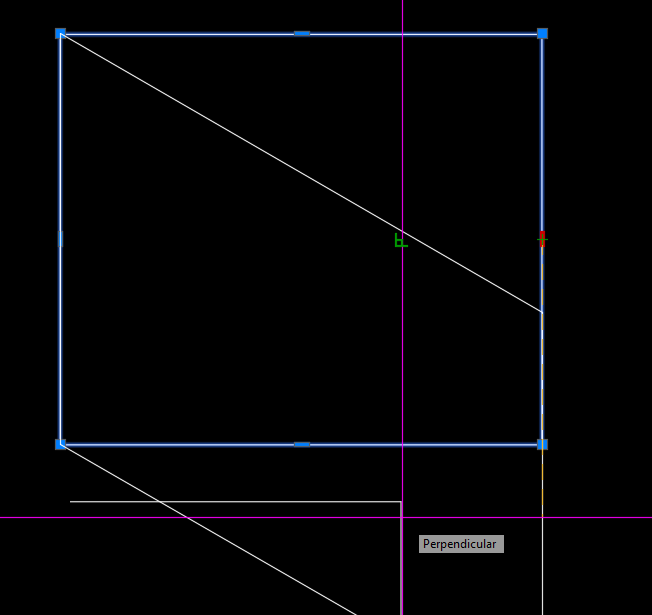
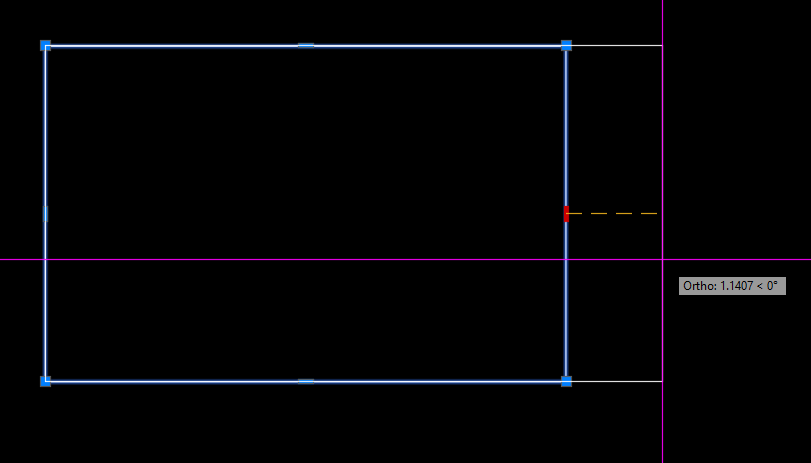
@Nikon Technically - your example could be done with object reactors. Alternatively, you can also use 2D constraints, which have been in AutoCAD since version 2010.
-
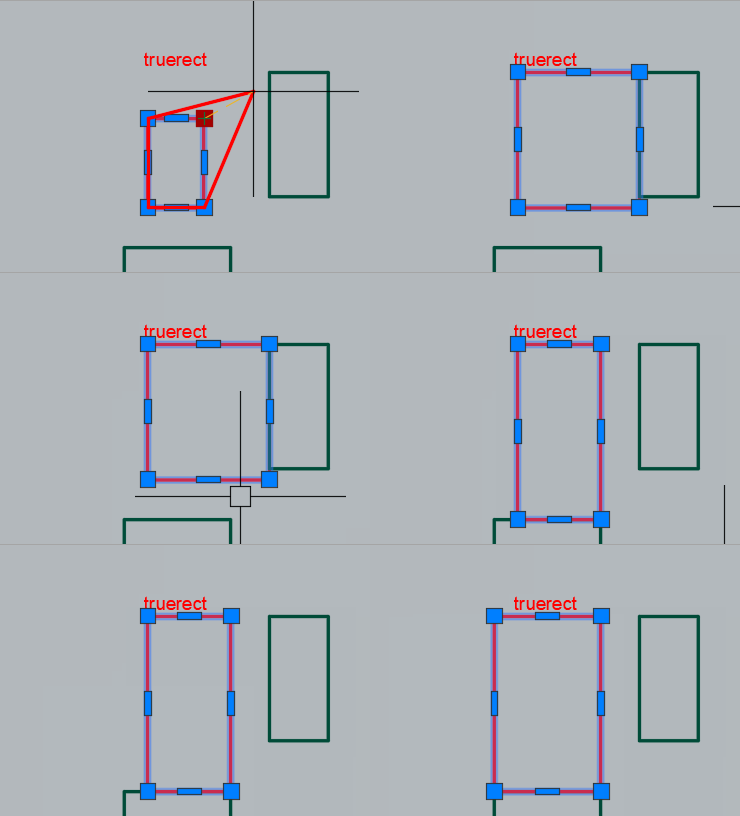
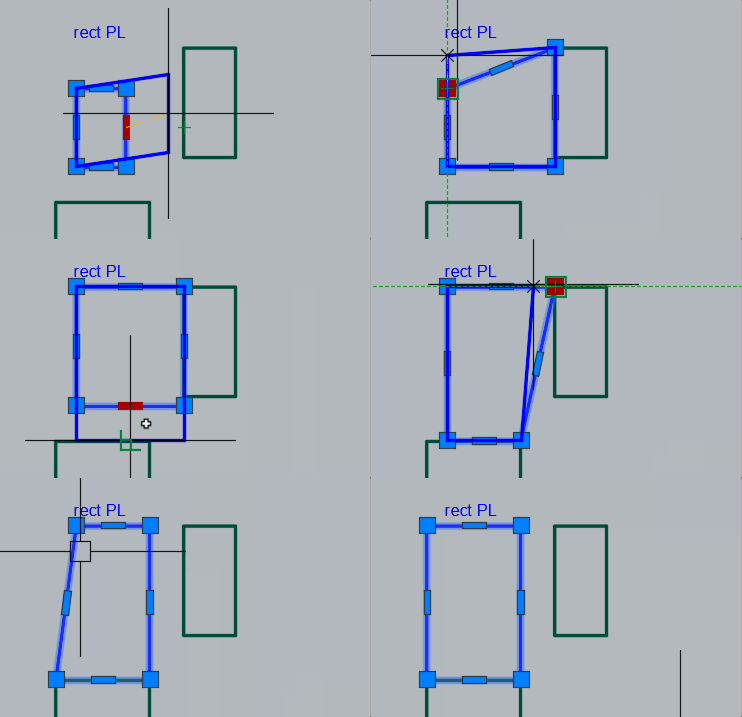
If you only edit the rectangle with this the rectangle will stay true and the editing will be a bit more intuitive because the preview will be a true rectangle as well:
-
I agree with you, I use these bindings. But when I found out how easy it is to change a true rectangle, I "fell in love" with it. I've been working in Autocad since 2000, but I don't remember that it was possible to build such a rectangle back then. I wonder in which version of Autocad was such a command available?
-
@Nikon Like I said - "For What It's Worth". Note also you can shorten the steps slightly by using the PERP object snap.
-
With a true rectangle, there is much less movement to change the position of the sides.
-
 Umpol joined the community
 -
 maxwell242 joined the community
 -
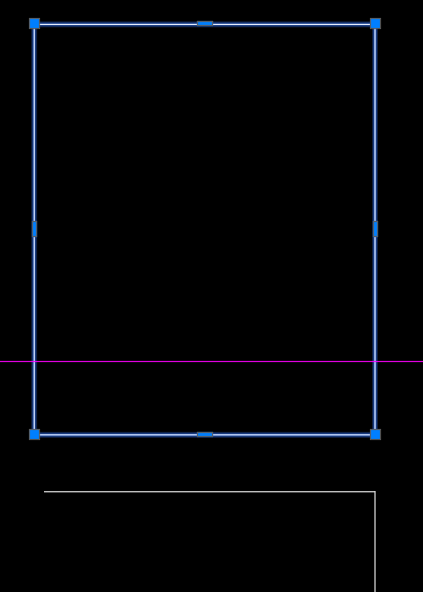
@Nikon FWIW - you can use the midpoint grips to drag the rectangle in straight directions to keep it square.
-
Maybe someone will be able to do it someday.
-
 outofdowntown joined the community
 -
It can be done, but it requires creating a custom object using ObjectARX (C++).
-
It is a pity that there is no creation of a true rectangle in autocad itself!
-
Just a wild guess, did you try using architectural units instead of engineering? That might explain why a 10" pipe is less than 1"; could it be .833", that is, smaller by a factor of 12? or maybe change the drawing units to inches?