All Activity
- Past hour
-
Hello, You can try this by using accore, super fast and no UI
- Today
-
You might want to look into using Visual Studio Code, it is replacing the VLIDE in newer AutoCAD versions. I have some links to more information in this thread...
-
Thanks again. I just need to remember that CNTL F9 only works when I do not mouse-click on vlisp console first.
-
Thanks. Good stuff there.
-
Perhaps my tutorial on debugging with the VLIDE will help? https://lee-mac.com/debugvlide.html
-
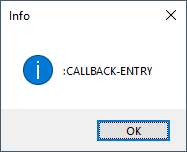
Thanks for responding. That is correct. I put (vl-bt) in my *error* functions, otherwise I have zero idea where the error occurred. However, I don't know the name of the variable in the errant line of code, only the values. That isn't always easy to spot. I was able to load and run code thru the vlide, but using CNTL-F9 did not show the line where the error occurred, just this dialog. And setting "Break on Error" didn't do what AI told me it would...When it crashes, VLIDE will freeze the execution and highlight the problematic line in your source code.

-
FWIW, the output you are describing comes from the undocumented (vl-bt) function, e.g.: (defun c:test ( / *error* ) (defun *error* ( m ) (vl-bt) (princ)) (/ 1 0) ) Command: TEST Backtrace: [0.50] (VL-BT) [1.46] (*ERROR* "divide by zero") LAP+7 [2.40] (_call-err-hook #<USUBR @0000021d551441b0 *ERROR*> "divide by zero") [3.34] (sys-error "divide by zero") :ERROR-BREAK.29 "divide by zero" [4.26] (/ 1 0) [5.20] (C:TEST) LAP+33 [6.15] (#<SUBR @0000021d55144278 -rts_top->) [7.12] (#<SUBR @0000021d532d8700 veval-str-body> "(C:TEST)" T #<FILE internal>) :CALLBACK-ENTRY.6 (:CALLBACK-ENTRY) :ARQ-SUBR-CALLBACK.3 (nil 0)
-
 amirulafiqqq joined the community
 - Yesterday
-
 karakulx joined the community
 -
https://www.afralisp.net/visual-lisp/tutorials/visual-lisp-editor-part-1.php
-

Having a dumb issue here that Im hoping someone can fix
SLW210 replied to TimC's topic in AutoCAD 3D Modelling & Rendering
If you have the AutoCAD .dwg all you have to do is Modify>Solid Editing>Delete Faces. If stuck with the 3MF file, your 3D Printer software and and filling the hole with a cylinder would probably be the only way. I could have redrawn that in AutoCAD without the holes in the time it took me to type this response. -
Impressive resume, I look forward to looking at the site and your distilled wisdom
-
Thank you for the reply, but sad to say I do not even know how to execute a program from the vlide.
-
Hi If you need to locate where the error occurred during execution, once it has happened, press CTRL-F9 and VLIDE will show you the expression where the error occurred, highlighted. I hope this answers your question correctly
-
 tomacata joined the community
 -

Having a dumb issue here that Im hoping someone can fix
mhupp replied to TimC's topic in AutoCAD 3D Modelling & Rendering
A 3MF (3D Manufacturing Format) file is an advanced, XML-based file type designed specifically for 3D printing and additive manufacturing. It was created to replace the older, limited STL format. Looks to be Solidworks from the extension of the sub parts(.SLDPRT), you need to update the plate sub part. --edit nm looks to be STL. convert the plate stl over to a solid. then you can edit. --edit edit or slice it if its flat and extrude into the thickness getting rlx vibes for some reason -
Back in the day (Autocad 14 or so) the autolisp interpreter would spit out the variable names in the line of code that bombed instead of the values (example below), making it much easier find the problem. This may be a newbie question from an old-timer. I never took the pains to learn the VLIDE. Is there something there that solves the problem? Error: bad argument type: numberp: nil Backtrace: [0.57] (VL-BT) [1.53] (#<SUBR @0000018680e21a98 -lambda-> "bad argument type: numberp: nil") [2.49] (ill-fun-hk "bad argument type: numberp: nil") [3.44] (((MSG) (IF (NOT (MEMBER MSG (QUOTE ("console break" "Function cancelled" "quit / exit abort" "")))) (PROGN (PRINC (STRCAT "\nError: " MSG)) (IF *DEBUG* (VL-BT))))) "bad argument type: numberp: nil") [4.39] (_call-err-hook ((MSG) (IF (NOT (MEMBER MSG (QUOTE ("console break" "Function cancelled" "quit / exit abort" "")))) (PROGN (PRINC (STRCAT "\nError: " MSG)) (IF *DEBUG* (VL-BT))))) "bad argument type: numberp: nil") [5.33] (sys-error "bad argument type: numberp: nil") :ERROR-BREAK.28 nil [6.25] (- nil 8.48089) [7.19] (C:GT) [8.15] (#<SUBR @0000018680872c50 -rts_top->) [9.12] (#<SUBR @00000186807c8700 veval-str-body> "(C:GT)" T #<FILE internal>) :CALLBACK-ENTRY.6 (:CALLBACK-ENTRY) :ARQ-SUBR-CALLBACK.3 (nil 0)
-
 farajo joined the community
 -
 Cliff joined the community
 -
I've now updated this program to support resetting components of the incrementing string back to a given value with a given frequency - the latest version can be downloaded from my site: https://lee-mac.com/numinc.html
-
Having a dumb issue here that Im hoping someone can fix
SLW210 replied to TimC's topic in AutoCAD 3D Modelling & Rendering
We need to know what program you are using to alter this to help you. Do you have the .dwg? Easy enough to fix in AutoCAD with a .dwg. -
 moshouhot joined the community
 - Last week
-

Having a dumb issue here that Im hoping someone can fix
BIGAL replied to TimC's topic in AutoCAD 3D Modelling & Rendering
Can not open may be just my software. What software did you use to make the object ? -
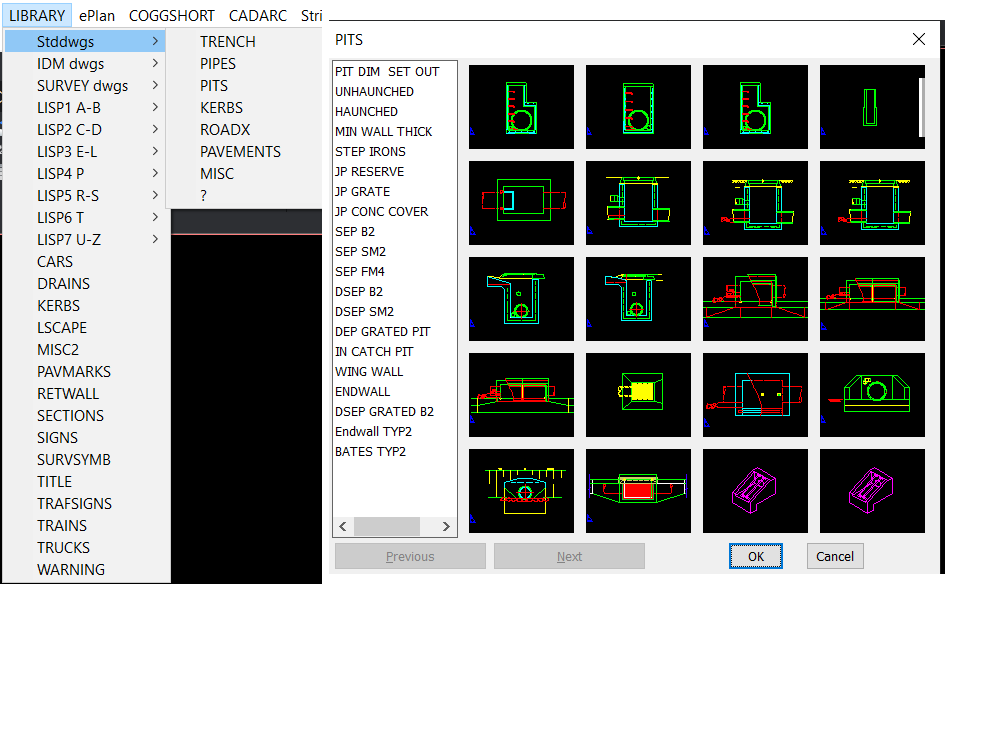
Welcome aboard looks very interesting had a look at the link. Where I used to work we used POP menu's extensively as well as custom commands, This menu had around 130 lisps behind it. I read about workspaces and yes we would save a workspace under each users name, so it was customised to their liking. One thing I did was add a pop menu that had options from another workspace we had CIV3D, so no need to even change workspaces for some often used commands. Then of course there was custom toolbars, if you can use Notepad you can make toolbars and pop menu's. You may be interested in the attached. How to make POP menu.docx
-

Having a dumb issue here that Im hoping someone can fix
TimC posted a topic in AutoCAD 3D Modelling & Rendering
I need to remove the holes in this plate. just like they were never there. I tried making a cylinder and filling it in and it didn't look right I tried a bunch of suggestions from AI and that was a waste of time. If you cant open the 3MF file I can possible get a different older version Mark Macey front plate.3mf -
 engerex joined the community
 -
Yes, I suppose that, as a last resort, it is always possible to select all the linear objects until the perimeter is closed. But this can be quite slow in many cases — especially when you have many boundaries to work with. It’s an important limitation. I’ll try to find out what can be done with regions. I’m not familiar with BricsCAD. But this may end up being yet another reason to give it a try.
-
Hi I am a retired architect with about 40 years professional practice, 30 of which have been focused on AutoCAD as a senior CAD technician and CAD manager in a large office and as a tertiary level teacher of architectural technology and building including a few years teaching AutoCAD at TAFE and QUT. I am wondering whether some of the work I have done developing CAD drawing strategies and support programs might be useful to help AutoCAD users both at beginner level and advanced 2D drafting. What I have to offer will be best explained on my website mycadhelper.com that I have recently been reviewing as a retirement hobby. There are several topics/pages that describe philosophies for the creation of command-aliases, reduction in command-entry-keystrokes, expanded command functionality, a practical automated layer-naming-standard-and-management system allowing coincident-overlay-drafting that focuses on production drawing work-zones. The most obvious aspect of MycadHELPER and its entry point is its clean-screen and keyboard-only input of commands and data supported by its custom carefully designed system of command aliases. I would be interested if anyone, after visiting my website, wishes to use some of my suggestions or even help in polishing it up. mycadhelper.com
-
A few i had laying around ;;----------------------------------------------------------------------------;; ;; ZOOM TO OBJECT AND OUT 5% (defun C:ZZ (/ SS) (if (setq SS (ssget)) (progn (vl-cmdf "_.Zoom" "OB" SS "") (vl-cmdf "_.Zoom" "0.95x") ) ) ) ;;----------------------------------------------------------------------------;; ;; ZOOM TO OBJECT THEN OUT 25% (defun C:ZX (/ SS) (if (setq SS (ssget)) (progn (vl-cmdf "_.Zoom" "OB" SS "") (vl-cmdf "_.Zoom" "0.75x") ) ) )
-
 mieciucha joined the community
 -
Yes, I tend to zoom object then zoom out another 10%, catches most things
-
I'm not sure if zoom object will work in all cases. I tried several shapes including the OP's drawing and sometimes I was zoomed more than the zoom object showed, maybe zoom object and then zoom some more. I personally believe the better option would be to just use BricsCAD as it seems to handle these situations better. I would be curious to know the method they use for pick points for Boundary and Hatch in BricsCAD and if it works correctly in all cases. As discussed, select objects for hatch seems to be the best option for difficult geometry over pick points. It might be an easier code, though IIRC there should be some good codes out there for creating a closed polyline, then making regions so should be easier than working from scratch.
-
 tvha joined the community
 -

how to plot a folder of dwg's to pdf without opening AutoCAD
vudungcom replied to AutoMarcus's topic in AutoCAD Drawing Management & Output
Hello, You can try this app Turbo Plot, by using accore so it supports Headless and multiple workers, it is faster than current software use active X. In setting pls use Acad not Brics. https://drive.google.com/drive/u/1/folders/1ds7cGhJ5FB9hYluPb1ej81CFOsqifPrl