All Activity
- Today
-
I don’t have a lot of lisp routines to test with, only the ones I use to benchmark with, they work, except _VL-TIMES is missing I was able to compile and load Python, most of the simple scripts I tested seem to work, on the fence on whether or not publish anything. There’s some weirdness preventing me from running my unit tests.
-

Rooftop and walls - two questions
oddssatisfy replied to katie.dim's topic in AutoCAD 3D Modelling & Rendering
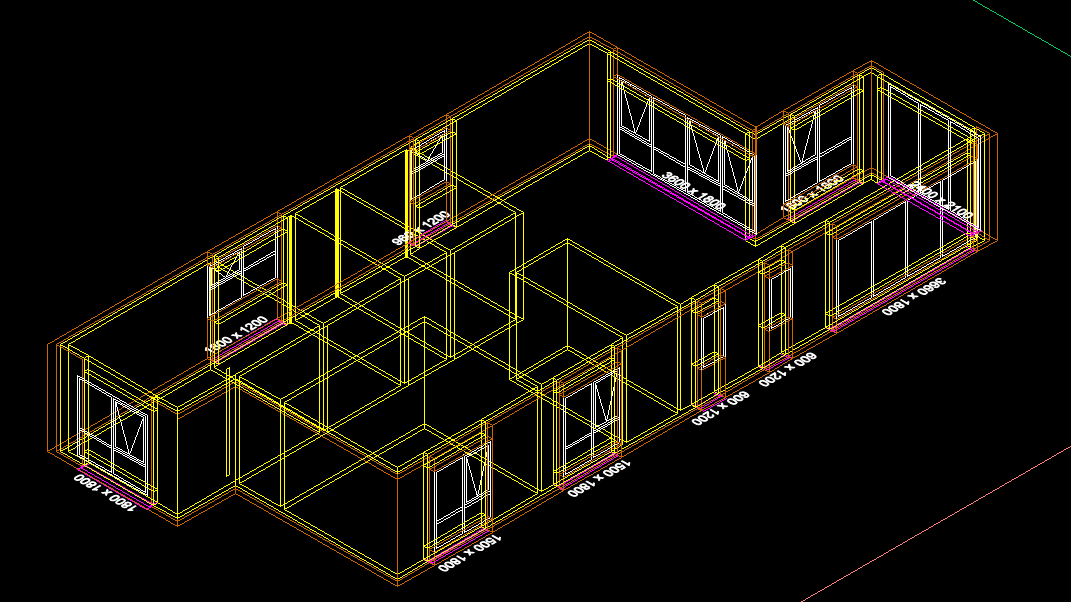
To make walls reach the roof at an angle, you need to use a sloped wall or roof tool, or adjust the wall heights and vertices so each segment follows the desired slope. The white lines between joined boxes are internal edges or seams; to remove them, merge vertices, weld edges, or delete internal edges, and make sure all surfaces have the same material with smooth shading enabled so the lines no longer appear. -
Thanks LRM i do admit the task has a lot of posts and probably skipped over the one about using TIN's.
-
I worked on a package some 30+ years ago using lisp in Intellicad and there was no real problems, a couple of idiosyncrasies, that we had to recode around. No VL at that time, so don't know about current version if VL is supported, perhaps Daniel you can test. Intellicad quotes "he LISP interpreter is an internal API and can even be combined with the macro recording language mentioned above." The Autocad macro is at best useless if you want to edit it any serious way, I would like to know what code is produced by Intellicad if you could look at that as well. I have said before that one cad program macro from many years ago produced VBA code, much like Excel. This a similar example of Intellicad lisp package.

-
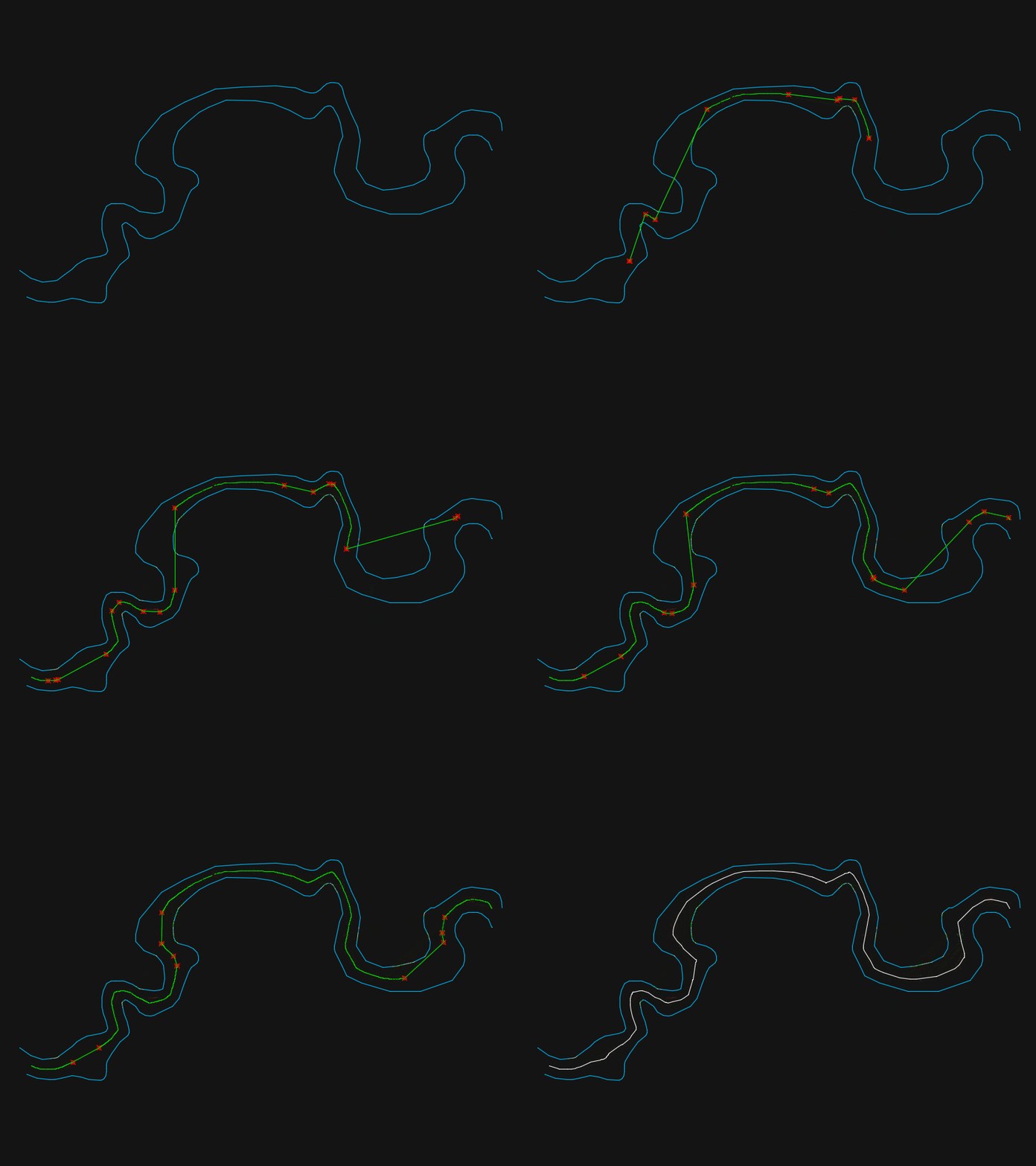
@BIGAL that was the essence of my suggestion about 100 posts ago (October 22). The results rely to heavily on the relative distribution of vertices (quantity and spacing) between the two polylines.
-
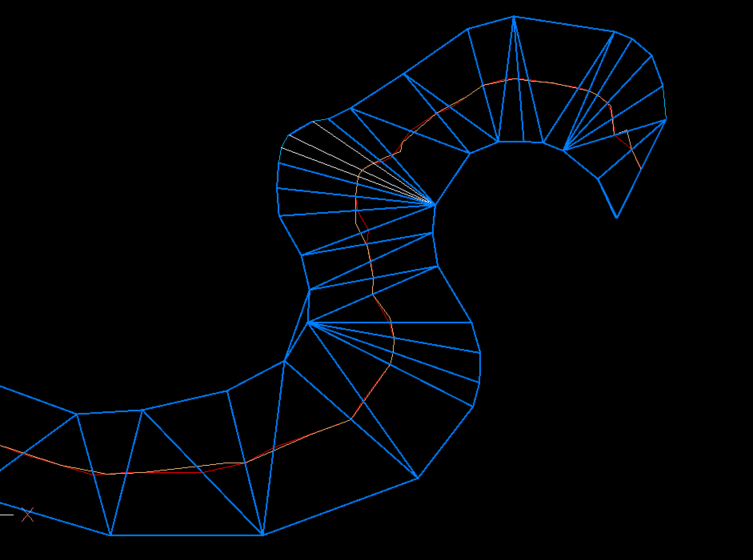
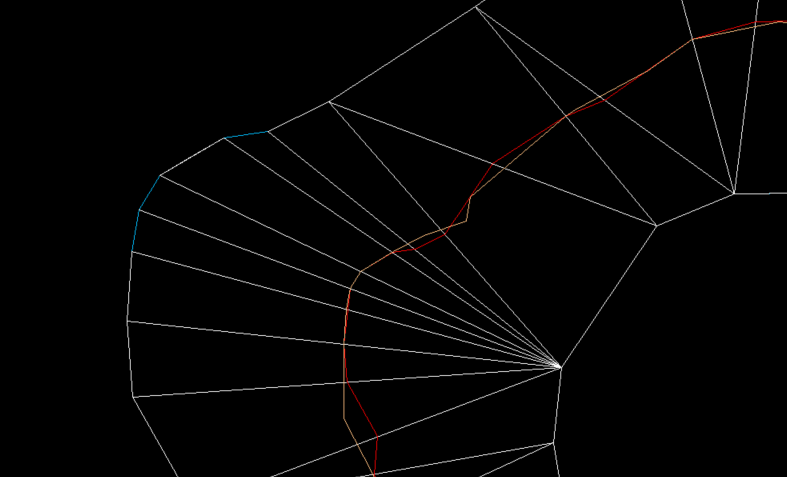
Just thought what would using a TIN, only drawback was TIN needed a lot of editing before joining mid points of mesh or lines. It is close to the orange linework. White lines are just that where TIN's have been removed.
-
 RuyC joined the community
 -

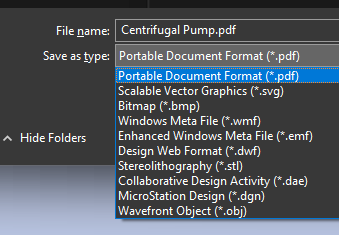
Publish as PDF,Purge all and save as dxf binary 2007
BIGAL replied to pyou's topic in AutoLISP, Visual LISP & DCL
Have a look at (setq lays (layoutlist)) there is no Model in the list created saves a few if and buts. Can use also (setvar 'ctab "Model") so no Doc required. - Yesterday
-

Penn Foster Student Suffering with Oleson Village Map!!!
ReMark replied to AutoCad Student's topic in Student Project Questions
What aspect of the project are you having difficulty with specifically? -

CIVIL 3D - CONVERT POINT CLOUD INTO SURFACE
CyberAngel replied to Carlo Point Cloud's topic in Civil 3D & LDD
As BigAl points out, you'll need to create a surface. An alignment may be helpful in locating things. Contours may help to locate the problem areas. Are the point clouds large, that is, do they cover the whole road? Or are they small, clustered on the damaged places only? Your workflow will be different depending on how much detail you have, how large the problem areas are, and the types and amounts of information you're expected to generate. -
 leonucadom joined the community
 -

Penn Foster Student Suffering with Oleson Village Map!!!
Jarvis replied to AutoCad Student's topic in Student Project Questions
yes, sorry it is the Oleson village project. I am in need of assistance started to project but having a hard time completing. -
this is from the export command edit: I just realized I was playing with PE, and not PE-plus. I think the later has the 3d tools
-
I'll check it out. I'll still see what I can get from Map 3D if time permits.
-
Prices look good. What 3D outputs does it have?
-
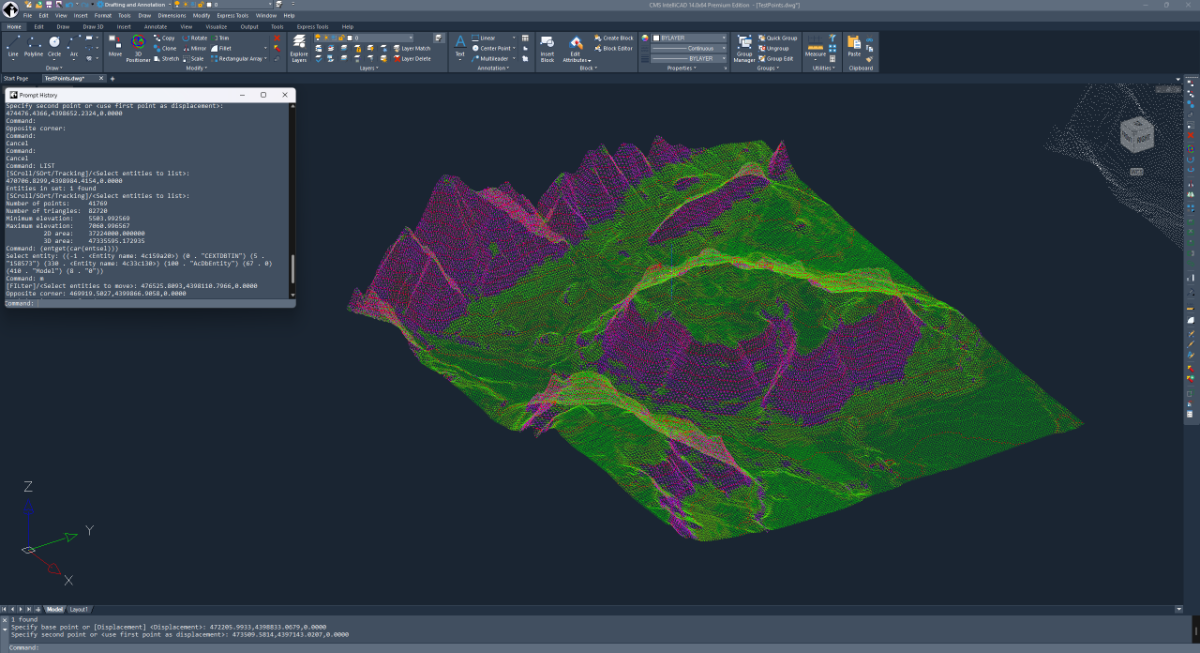
This is totally cool! This is a custom entity github.com/CEXT-Dan/ArxTin I’m very surprised this event worked! And it’s fast! There were three missing functions acedGetCurrentSelectionSet – missing acdbSymUtil()->blockModelSpaceId(pDb) – returns null
-
 Blanka joined the community
 -
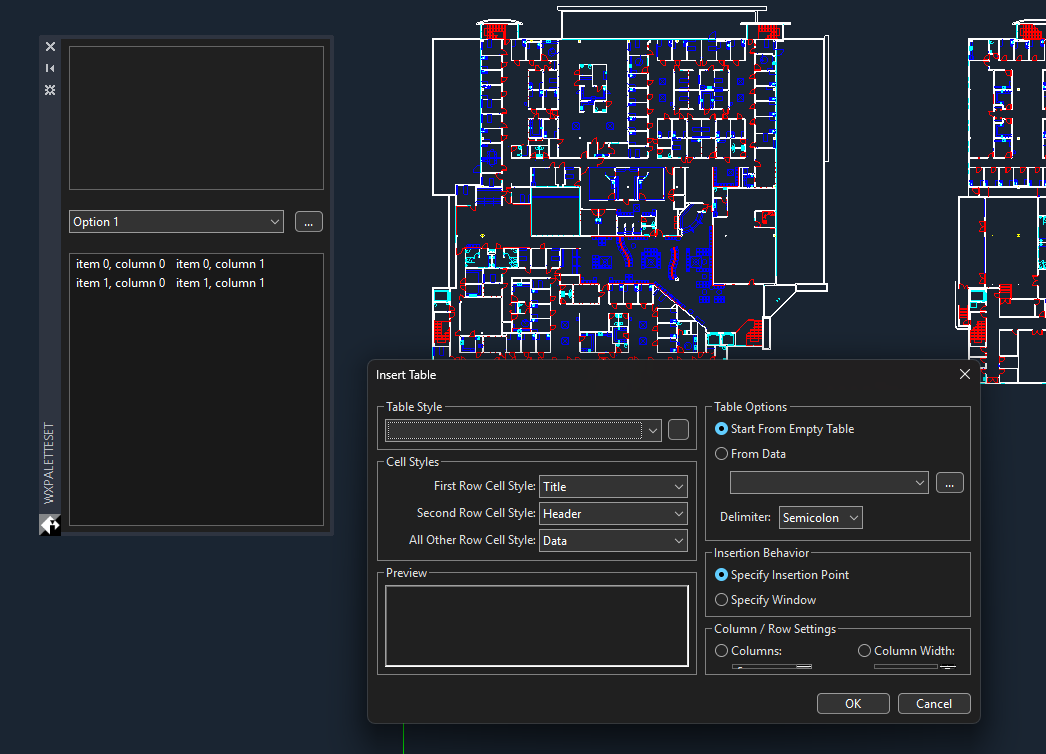
This is a test with wxArx, github.com/CEXT-Dan/WxArx Has a great looking palette, wxDialogs work fine.
-
Let’s setup IRX and see how it compares to ARX I setup an ENV path IRX14 that points to the SDK. I didn’t see any documentation on how to setup a project from scratch. But there is a wizard for visual studio. I’ve had done this before, basically, I brute force it. There is documentation for .NET and ODA stuff.
-
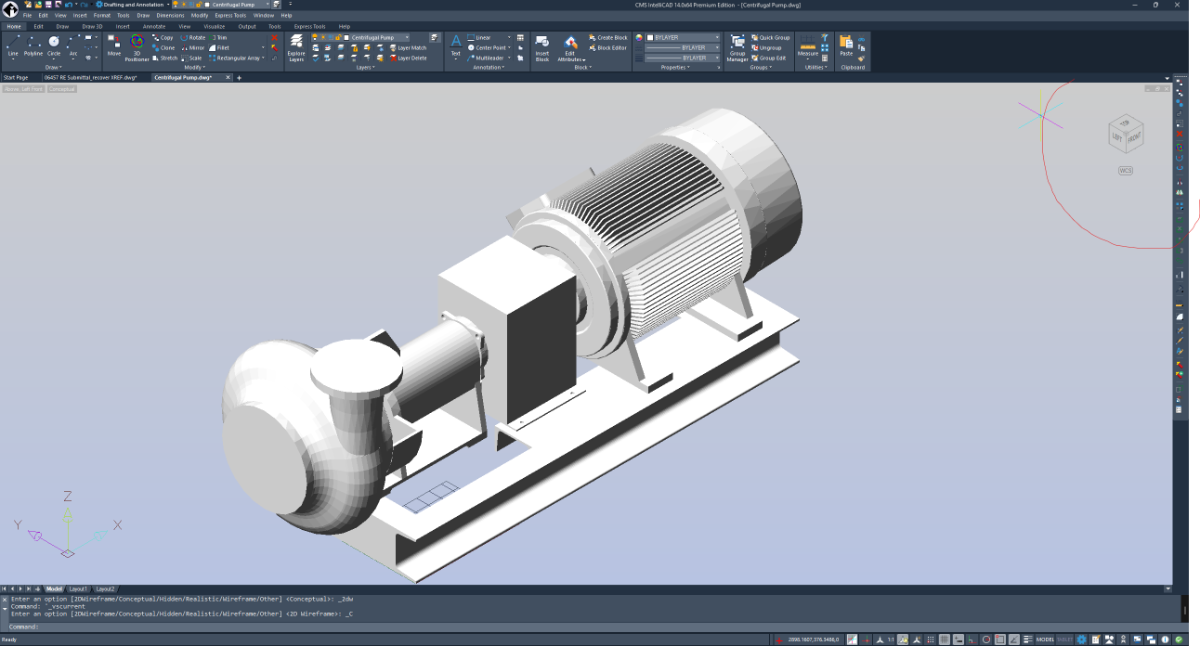
3d looks pretty good, I think the nav tool is pretty cool as its activated on mouse over, though it’s hard to see with some visual styles
-
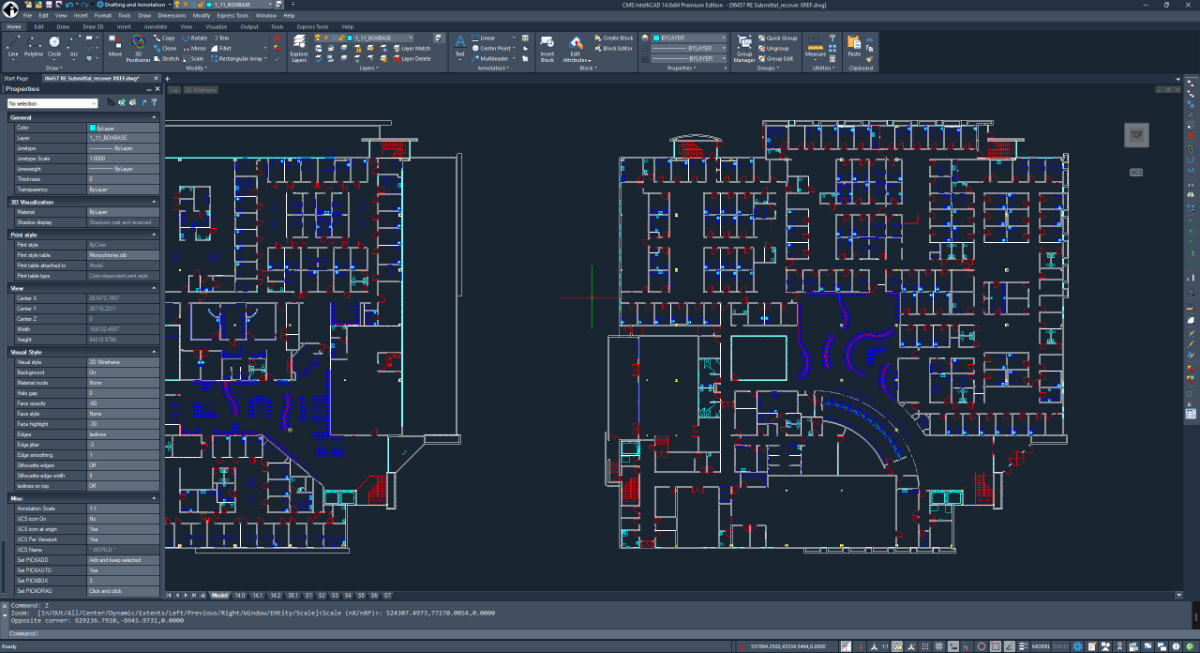
Always been a fan of CMS. I had meant to test out v14 back when it was released, I think I couldn’t find the SDK or something. Anyway, Let’s check it. Good looking interface, Ribbon, menu bar, and title bar. I don’t do drawings much, so I’m mainly going to test out the IRX API. I’ve opened a few good size drawings, it seems responsive, zooming and panning is plenty fast.
-
Nice test case @PGia, it did have some undesirable zigzags on those lines. I made some changes to the code to prevent this from happening. It should create a smooth line again!
-
@SLW210 This weekend i finished a LISP that does exactly what i need, since there doesnt seem te be a regular AutoCAD-Map3D function for this. This code collects all object data on a layer, creates a 'exportprofile' for this specific layer and export this to its own SHP File. Since all EPF files are created for an individual layer, each SHP only gets the assigned ObjectData instead of 'All' objectdata in the DWG. code is based on the Dutch NLCS Cad standard for layer detection versus points/lines/polygons. ;;; ------------------------------------------------------------ ;;; MAPEXP_OD_ALL.LSP ;;; Export each layer to its own SHP using -MAPEXPORT + per-layer EPF ;;; - One SHP per layer in a subfolder: ;;; <DWGNAME>_YYYYMMDD_HHMMSS under the DWG folder ;;; - Uses DWGTITLED: if DWG not saved, alert & abort ;;; - Geometry type controlled by layer name suffix: ;;; * -S -> Point ;;; * -G -> Line ;;; * -GV -> Polygon ;;; Layers without those suffixes fall back to first-entity detection. ;;; - Per-layer Object Data (OD) mapped via ExpressionFieldMappings ;;; - EPF filters by that layer (DoFilterByLayer=1 + LayerList) ;;; - Treats closed polylines as polygons ;;; - Temp EPF is deleted after export ;;; - If SHP already exists: Overwrite via default ENTER, Load Profile? = Y ;;; - SHP filename: all '.' in the *layer name* are changed to ',' in the output file ;;; ------------------------------------------------------------ (vl-load-com) ;;; Global export folder (set in c:MAPEXP_OD_ALL) (setq *mapexp-export-folder* nil) ;;; --- small helpers --- (defun mapexp-get-dwg-folder ( / p ) ;; Use DWGPREFIX; ensure it ends with a backslash (setq p (getvar "DWGPREFIX")) (if (and p (/= p "") (/= (substr p (strlen p) 1) "\\")) (setq p (strcat p "\\")) ) p ) (defun mapexp-pad2 (n) ;; Pad single digit to 2 chars (e.g. 7 -> "07") (if (< n 10) (strcat "0" (itoa n)) (itoa n)) ) (defun mapexp-get-datetime ( / s lst ) ;; Get current date/time using EDTIME (compatible across versions) ;; Returns list: (year month day hour minute second) ;; %Y = year, %m = month, %d = day, %H = hour, %M = minute, %S = second ;; EDTIME format here: "YYYY MM DD HH MM SS" (setq s (menucmd "M=$(edtime,$(getvar,DATE),YYYY MM DD HH MM SS)")) ;; s is like "2025 11 21 14 32 05" ;; Turn it into "(2025 11 21 14 32 05)" and READ it (setq lst (read (strcat "(" s ")"))) lst ) (defun mapexp-get-export-folder ( / base path dt year mon day hh mm ss folder ) ;; Create export folder: ;; <DWGNAME_without_ext>_YYYYMMDD_HHMMSS ;; in the same folder as the DWG (setq path (getvar "DWGPREFIX")) (setq base (vl-filename-base (getvar "DWGNAME"))) ;; Use EDTIME-based datetime function (setq dt (mapexp-get-datetime)) (setq year (itoa (nth 0 dt))) (setq mon (mapexp-pad2 (nth 1 dt))) (setq day (mapexp-pad2 (nth 2 dt))) (setq hh (mapexp-pad2 (nth 3 dt))) (setq mm (mapexp-pad2 (nth 4 dt))) (setq ss (mapexp-pad2 (nth 5 dt))) (setq folder (strcat path "SHP_OD_EXPORT_" base "_" year mon day "_" hh mm ss "\\") ) ;; Create folder if it doesn't exist yet (if (not (vl-file-directory-p folder)) (vl-mkdir folder) ) folder ) (defun mapexp-sanitize-filename ( name / bad i ch ) ;; Replace characters that are invalid in file names (setq bad (list 34 42 47 58 60 62 63 92 124)) ; " * / : < > ? \ | (setq i 0) (while (< i (strlen name)) (setq ch (ascii (substr name (1+ i) 1))) (if (member ch bad) (setq name (strcat (substr name 1 i) "_" (substr name (+ i 2)) ) ) (setq i (1+ i)) ) ) name ) ;;; For the OUTPUT FILE NAME ONLY: ;;; - change '.' to ',' in the layer name ;;; - then sanitize for filesystem (quotes, *, /, :, <, >, ?, \, |) (defun mapexp-make-output-name (lay / s) (setq s lay) ;; Replace all dots with commas (setq s (vl-string-subst "," "." s)) ;; Remove OS-invalid characters but keep spaces, dashes, commas, etc. (setq s (mapexp-sanitize-filename s)) s ) (defun mapexp-first-entity-on-layer ( lay / ss ent ) (setq ss (ssget "X" (list (cons 8 lay)))) (if (and ss (> (sslength ss) 0)) (ssname ss 0) nil ) ) ;;; Fallback geometry detection – if no suffix rule hit (defun mapexp-geometry-type-from-entity ( ent / ed typ flags ) ;; Returns one of "Point" "Line" "Polygon" or nil (setq ed (entget ent)) (setq typ (cdr (assoc 0 ed))) (cond ((member typ '("POINT" "MULTILEADER" "INSERT")) "Point") ((member typ '("LINE" "ARC" "CIRCLE")) "Line") ((member typ '("LWPOLYLINE" "POLYLINE")) (setq flags (cdr (assoc 70 ed))) (if (and flags (= (logand flags 1) 1)) "Polygon" "Line" ) ) ((member typ '("SPLINE")) "Line") ((member typ '("HATCH" "POLYGON")) "Polygon") (T nil) ) ) ;;; Geometry type forced by layer name suffix (defun mapexp-geomtype-from-layername ( lay / ) ;; rules: ;; * -GV -> Polygon ;; * -S -> Point ;; * -G -> Line (cond ((wcmatch lay "*-GV") "Polygon") ((wcmatch lay "*-S") "Point") ((wcmatch lay "*-G") "Line") (T nil) ) ) ;;; Sanitize a string to be a valid FDO property name: ;;; - Only A–Z, a–z, 0–9, _ ;;; - If first char is not a letter or _, prefix with "F_" (defun mapexp-sanitize-fdo-name (s / i ch result) (if (not s) (setq s "FDO_NAME")) (setq result "") (setq i 1) (while (<= i (strlen s)) (setq ch (substr s i 1)) (if (wcmatch ch "[A-Za-z0-9_]") (setq result (strcat result ch)) (setq result (strcat result "_")) ) (setq i (1+ i)) ) ;; make sure first char is letter or _ (if (or (= result "") (not (wcmatch (substr result 1 1) "[A-Za-z_]")) ) (setq result (strcat "F_" result)) ) result ) ;;; Get unique OD table names used on a given layer (defun mapexp-get-od-tables-on-layer (layname / ss i e odtabs tbls tabName) (setq tbls '()) (setq ss (ssget "X" (list (cons 8 layname)))) ; all ents on layer (if ss (progn (setq i 0) (while (< i (sslength ss)) (setq e (ssname ss i) odtabs (ade_odgettables e) ; Map 3D ADE function ) (foreach tabName odtabs (if (and tabName (not (member tabName tbls))) (setq tbls (cons tabName tbls)) ) ) (setq i (1+ i)) ) ) ) (reverse tbls) ) ;;; --- EPF writer: SHP + OD + layer filter --- (defun mapexp-write-epf-with-od ( epfpath geomType layName odTabs / file tabName def_tbl cols col colName colType dataType usedNames outName baseName idx ) ;; geomType must be "Point" "Line" or "Polygon" (setq file (open epfpath "W")) (if (null file) nil (progn ;; Header – based on working AdMapExportProfile structure for SHP (princ "<AdMapExportProfile version=\"2.1.3\">" file) (princ "<LoadedProfileName/>" file) (princ "<StorageOptions>" file) (princ "<StorageType>FileOneEntityType</StorageType>" file) (princ "<GeometryType>" file) (princ geomType file) (princ "</GeometryType><FilePrefix/></StorageOptions>" file) ;; Auto-selection; filter by layer below (princ "<SelectionOptions><UseSelectionSet>0</UseSelectionSet><UseAutoSelection>1</UseAutoSelection></SelectionOptions>" file) (princ "<TranslationOptions>" file) ;; treat closed polylines as polygons (princ "<TreatClosedPolylinesAsPolygons>1</TreatClosedPolylinesAsPolygons>" file) (princ "<ExplodeBlocks>1</ExplodeBlocks>" file) (princ "<LayersToLevels><MapLayersToLevels>0</MapLayersToLevels><LayerToLevelMapping/></LayersToLevels>" file) (princ "</TranslationOptions>" file) (princ "<TopologyOptions><GroupComplexPolygons>0</GroupComplexPolygons><TopologyName/></TopologyOptions>" file) ;; Filter by this layer only (princ "<LayerOptions>" file) (princ "<DoFilterByLayer>1</DoFilterByLayer>" file) (princ "<LayerList>" file) (princ layName file) (princ "</LayerList>" file) (princ "</LayerOptions>" file) (princ "<FeatureClassOptions><DoFilterByFeatureClass>0</DoFilterByFeatureClass><FeatureClassList/></FeatureClassOptions>" file) ;; TableDataType "None" – OD via ExpressionFieldMappings (princ "<TableDataOptions>" file) (princ "<TableDataType>None</TableDataType>" file) (princ "<Name/>" file) (princ "<SQLKeyOnly>0</SQLKeyOnly>" file) (princ "</TableDataOptions>" file) (princ "<CoordSysOptions><DoCoordinateConversion>0</DoCoordinateConversion><CoordSysName/></CoordSysOptions>" file) ;; SHP target (princ "<TargetNameOptions><FormatName>SHP</FormatName></TargetNameOptions>" file) (princ "<DriverOptions/>" file) (princ "<UseUniqueKeyField>0</UseUniqueKeyField><UseUniqueKeyFieldName>AdMapKey</UseUniqueKeyFieldName>" file) ;; ===== OD ExpressionFieldMappings ===== (princ "<ExpressionFieldMappings>" file) (setq usedNames '()) ; track used attribute names to avoid duplicates (foreach tabName odTabs (setq def_tbl (ade_odtabledefn tabName)) ;; ADE table definition ;; def_tbl: (("TableName" . "...") ("Description" . "...") ("Columns" . ( ... ))) (setq cols (cdr (assoc "Columns" def_tbl))) (foreach col cols (setq colName (cdr (assoc "ColName" col))) (setq colType (cdr (assoc "ColType" col))) (if colName (progn ;; Map OD type to EPF Datatype (setq dataType (cond ((and colType (wcmatch (strcase colType) "*INT*")) "IntegerDataType" ) ((and colType (wcmatch (strcase colType) "*REAL*,*DOUBLE*,*FLOAT*,*NUM*")) "DoubleDataType" ) (T "CharacterDataType") ) ) ;; Decide attribute (FDO property) name: ;; - sanitize to valid FDO name ;; - if duplicate, append 2,3,... (setq baseName (mapexp-sanitize-fdo-name colName)) (setq outName baseName idx 1 ) (while (member (strcase outName) usedNames) (setq idx (1+ idx)) (setq outName (strcat baseName (itoa idx))) ) (setq usedNames (cons (strcase outName) usedNames)) ;; <NameValuePair> mapping: ;; <Name>outName</Name> -> FDO-safe property name ;; <Value>:ColName@Table</Value> -> actual OD mapping ;; <Datatype>...</Datatype> (princ "<NameValuePair><Name>" file) (princ outName file) (princ "</Name><Value>:" file) (princ colName file) (princ "@" file) (princ tabName file) (princ "</Value><Datatype>" file) (princ dataType file) (princ "</Datatype></NameValuePair>" file) ) ) ) ) (princ "</ExpressionFieldMappings>" file) (princ "</AdMapExportProfile>" file) (close file) T ) ) ) ;;; --- main export per layer --- (defun mapexp-export-layer-to-shp ( lay / ent geomType dwgFolder shpName shpFull epfFull odTabs ok ) ;; Prefer explicit geometry from layer name; fall back to entity if not matched (setq geomType (mapexp-geomtype-from-layername lay)) (if (null geomType) (progn (setq ent (mapexp-first-entity-on-layer lay)) (if (null ent) (setq geomType nil) (setq geomType (mapexp-geometry-type-from-entity ent)) ) ) ) (if (null geomType) nil (progn ;; Use the global export folder instead of the DWG folder (setq dwgFolder *mapexp-export-folder*) ;; SHP base name: layer name, but '.' -> ',' and OS-invalid chars cleaned (setq shpName (mapexp-make-output-name lay)) (setq shpFull (strcat dwgFolder shpName ".shp")) (setq epfFull (strcat dwgFolder shpName "_temp_export.epf")) ;; OD tables used on this layer (setq odTabs (mapexp-get-od-tables-on-layer lay)) ;; EPF for this geometry type + layer OD + layer filter (setq ok (mapexp-write-epf-with-od epfFull geomType lay odTabs)) (if ok (progn ;; If SHP already exists, we expect Overwrite prompt: ;; This file already exists. Enter an option [Overwrite/Cancel] <Overwrite>: ;; -> we send "" (ENTER) to accept default Overwrite ;; Then: Load Profile? [Yes/No] <No>: -> we send "Y" (princ "\n") (if (findfile shpFull) (command "-MAPEXPORT" "SHP" shpFull "" ; Overwrite? -> ENTER = default Overwrite "Y" ; Load Profile? Yes epfFull "Proceed" ) (command "-MAPEXPORT" "SHP" shpFull "Y" ; Load Profile? Yes (no overwrite prompt) epfFull "Proceed" ) ) ;; Delete temp EPF (if (findfile epfFull) (vl-file-delete epfFull) ) T ) nil ) ) ) ) ;;; --- public command --- (defun c:MAPEXP_OD_ALL ( / lay rec ) (vl-load-com) ;; Check if drawing is saved (if (= (getvar "DWGTITLED") 0) (progn (alert "Deze tekening is nog niet opgeslagen.\n\nSla de DWG eerst op en start MAPEXP_OD_ALL daarna opnieuw." ) (princ) ) (progn (setvar "CMDECHO" 0) ;; Create export folder for this run (setq *mapexp-export-folder* (mapexp-get-export-folder)) (prompt (strcat "\nMAPEXP_OD_ALL – exportfolder: " *mapexp-export-folder* ) ) ;; loop through all layers in the table (setq rec (tblnext "LAYER" T)) (while rec (setq lay (cdr (assoc 2 rec))) ; layer name ;; skip xref layers (contain "|") (if (not (wcmatch lay "*|*")) (mapexp-export-layer-to-shp lay) ) (setq rec (tblnext "LAYER")) ) (setvar "CMDECHO" 1) (prompt "\nMAPEXP_OD_ALL – done.") (princ) ) ) )
-
Is There a Reliable WordPad Online Alternative for Quick Editing?
oddssatisfy replied to oddssatisfy's topic in Autodesk Software General
thanks in advance for any help -
Is There a Reliable WordPad Online Alternative for Quick Editing?
oddssatisfy posted a topic in Autodesk Software General
Hi everyone, I’m looking for recommendations on a good WordPad online option for quick, no-frills document editing. I often need something lightweight to open, write, and save simple text or RTF files without installing full office suites like Microsoft Word. Ideally, it should run directly in a browser, be free or low-cost, and support basic formatting features such as fonts, bold/italic, alignment, and simple file export. Cloud saving or download options would be a bonus. Has anyone found a trustworthy, easy-to-use tool that truly feels like a browser-based version of WordPad? I’d love to hear what you’re using and why you recommend it. - Last week
-

Publish as PDF,Purge all and save as dxf binary 2007
pyou posted a topic in AutoLISP, Visual LISP & DCL
Hi all Could someone help me with this lisp code, please. What I would like : 1) PUBLISH first as pdf ( with existing settings used) and Pause until PUBLISH finished. 2) Delete all Paper spaces and create Default Layout1 3) Purge drawing twice 3) Save as DXF Binary 2007 file. So far I am getting results i need to delete all paper spaces and create default layout1, Purge and saving as dxf Binary 2007 file automatically. Ideally I just want user friendly lisp code to publish pdf on desktop and save smallest file possible as dxf on desktop. (defun c:CleanAndSaveDXF ( / doc lays desktop dwgname fullpath Layout1Obj oldCmdecho ) ;; Save and turn off command echoing (setq oldCmdecho (getvar "CMDECHO")) (setvar "CMDECHO" 0) ;; 1) Keep/create exactly one "Layout1", delete everything else (setq doc (vla-get-ActiveDocument (vlax-get-acad-object)) lays (vla-get-Layouts doc) Layout1Obj nil) (vlax-for lay lays (cond ( (= (vla-get-Name lay) "Model") ) ( (= (strcase (vla-get-Name lay)) "LAYOUT1") (setq Layout1Obj lay) ) ( t (vl-catch-all-apply 'vla-Delete (list lay)) ) ) ) (or Layout1Obj (vla-Add lays "Layout1")) (vla-put-ActiveLayout doc (vla-Item lays "Model")) ;; 2) Ultra-purge (repeat 6 (command "-PURGE" "All" "*" "N")) (command "-PURGE" "Regapps" "*" "N") (command "-PURGE" "Z" "*" "N") (command "-PURGE" "E" "*" "N") ;; 3) Build exact filename (same base name, pure .dxf) (setq desktop (strcat (getenv "USERPROFILE") "\\Desktop\\")) (setq dwgname (vl-filename-base (getvar "DWGNAME"))) (if (or (null dwgname) (= dwgname "")) (setq dwgname "Drawing")) (setq fullpath (strcat desktop dwgname ".dxf")) ;; 4) Remove any existing file (including .dxf.dwg garbage) (foreach ext (list fullpath (strcat fullpath ".dwg")) (if (findfile ext) (vl-file-delete ext)) ) ;; 5) Export as BINARY 2007 DXF (command "._EXPORT" fullpath "2007" "B") ;; 6) One final purge (repeat 2 (command "-PURGE" "All" "*" "N")) ;; === NEW: Run the whole thing ONE MORE TIME automatically === (if (= (getvar "USERI1") 0) ; first run → marker = 0 (progn (setvar "USERI1" 1) ; mark that we are now on the second run (princ "\n--- Running second (final) pass for maximum cleanliness ---\n") (c:CleanAndSaveDXF) ; ← recursive call – runs again immediately (setvar "USERI1" 0) ; reset marker for next time you use the command ) ) ;; Restore original CMDECHO (only on the very last exit) (setvar "CMDECHO" oldCmdecho) (princ (strcat "\nClean BINARY DXF (2007) created → " fullpath "\n")) (princ) ) -
 pcg joined the community
 -
Yes, it's possible. I've been using Drafix CAD since before Windows, and have run it on every version of Windows that MS has released, except for NT, which I never used. I am currently running it on Windows 11 Pro OS build 26200.7171 (current update as of 11/30/2025). How to install and run Drafix CAD Pro on Windows 10. 1) Create a directory on C:\Program Files called Softdesk. 2) Copy all Drafix files (originally contained on four mini-floppy drives) to C:\Program Files\Softdek 3) Search for “windows features” 4) Check “Internet Information Services”, click OK and wait for IIS to install. 5) Search for “IIS”. 6) Select “Internet Information Services Manager”.S 7) In upper left see desktop name. Expand this (click on >) and click on “Application Pools”. Right click on DefaultAppPool 9) Select “Advanced Settings”. 10) Turn on “Enable 32 bit applications. 11) Click OK 12) Reboot How to run on Windows 11: If you didn't have it running on previous versions of Windows, then start from scratch and follow the directions for Windows 10 above. Some of the nomenclature may have changed?, but you should be able to get there. Once you have done that, then you may need to replace ctl3232.dll, which was removed by a Windows 11 update in the fall of 2025. I'm not sure if a later update put it back, but Drafix will tell you if the file is missing. You can find it on an older Windows computer or I can provide it if needed. Next, right click on DFX.EXE, then click on Properties and select the Compatibility tab. Then check the following two items: -Compatibility mode: Run this program in compatilbility mode for: Windows 8 -Settings: Run this program as administrator.
-
 le do joined the community
 -
 MUN joined the community
 -
How did you go about creating the SHP? I don't have MAP at home so I'll have to try some things when I get back to work and double check. But, looking through the QGIS information, that should be the way to go. Exporting object classes to ESRI Shape file from AutoCAD® Map 3D In QGIS same as mentioned before, go to the Layer menu>Select Add Layer > Add Vector Layer. In the dialog, choose File and browse to your shapefile (.shp) location>Click Open to load the shapefile into QGIS. That should be the correct way according to the documentation. Also, I believe QGIS needs AutoCAD 2018 or older files, may be the same with the SHPs, your profile shows AutoCAD 2018, so is that the case here for the Map 3D?