All Activity
- Past hour
-
I'd also like to know what other, more specialized programs can do about this. I'll be following any news on this closely.
-
Hopefully I will have free time after this week to play with this topic again.
-

Dynamic block - align to viewport
SLW210 replied to D_P's topic in AutoCAD Drawing Management & Output
I moved your thread to the AutoCAD Drawing Management & Output Forum. Can you post a drawing? - Today
-
How can I write the code for a batch fillet plugin for images like this?
SLW210 replied to amook147's topic in AutoLISP, Visual LISP & DCL
Did you bother to check the link I posted? The first one in my link from Kent Cooper will do fillet>R>0 if that is the value of FILLETRAD. https://forums.autodesk.com/t5/visual-lisp-autolisp-and-general/fillet-multiple-polyline-all-at-once-by-lisp/m-p/6473166#M130031 The FilletMultiplePolylines will work with 0 radius. https://forums.autodesk.com/t5/visual-lisp-autolisp-and-general/fillet-multiple-polyline-all-at-once-by-lisp/m-p/10151411#M130041 -
 willliam joined the community
 -
all sorted. my 2022 version was set up with regen when changing layouts but my 2026 wasn't set the same meaning i couldn't see the changes when i switched to modelspace without a manual regen
-
strange.. im running same routines on 2022 as i do on 2026. i shall do a bit more investigating. cheers for the info
-
 QQQ joined the community
 -
Hi there, I've created a dynamic block (multiple visibility states) but require it to 'align to viewport'. I have this option when turning MTEXT annotative, and when I first created the block before adding the visibility states, however once the visibility states are added the option to 'align to viewport will not work. The block is to display a power pole. Regardless of the orientation of the window, I require the 'X' on the last option to always be an 'X', not a '+' when the UCS is changed to a 45 degree angle. I have read this is not possible due to the block being dynamic, I have also looked at creating cogo point label styles however, I require all 3 of the above scaled for 0.3, 0.35, 0.4, 0.45m power poles which I'd rather have one block/multiple visibility states. Apologies if what I have said does not make sense I am still very early into my civil3d career. Appreciate any assistance. Cheers,

-

showing zones as a default in the properties of spaces
nod684 replied to ahmedabdallah's topic in Revit MEP
Architects use Rooms while MEP guys use Spaces. You can define your own space. You can also use Space Separator to define the space you need. -
 D_P joined the community
 -
This isn't feature rich as Lee's and uses command quite a bit. never got around to updating it. VP2M.lsp
- Yesterday
-

How can I write the code for a batch fillet plugin for images like this?
Nikon replied to amook147's topic in AutoLISP, Visual LISP & DCL
Lee Mac has a similar code. The FMP_R and fpoly codes perform conjugations with a given radius. Only in these codes it is impossible to set the value radius = 0. Is there a code for interfacing with a radius of 0? There's also the marko_ribar code, but I couldn't verify it. When loading, the message appears: Unknown command. -
 amndfley365 joined the community
 -
Is there a way to Crop images inserted into a dwg?
SLW210 replied to Rosco's topic in AutoCAD General
Not sure about newer AutoCAD LT, but as per the OP, they had no access to IMAGECLIP. Lot's of methods to do this, but, I would use a Viewport or an image editing software if IMAGECLIP wasn't available, sometimes I use more than one method, depending on the look I need. You could always make the image a vector file if not too complicated and you have the correct tools, I sometimes get sent images that need to be vector files. -
How can I write the code for a batch fillet plugin for images like this?
SLW210 replied to amook147's topic in AutoLISP, Visual LISP & DCL
Much like Elvis, the OP seems to have left the building. In case there is a dramatic return, here is a LISP that should work, though unclear what "code" they want or or if this is for an actual plug-in. Solved: Fillet multiple polyline all at once by lisp - Autodesk Community I didn't look at Kent Cooper's version to prompt for a radius, but used the original and added something simple to it. I am sure Kent Cooper's is better. (defun C:FMP_R (/ plss n rad) (setq rad (getdist "\nEnter fillet radius: ")) (if (and rad (> rad 0.0)) (progn (command "_.fillet" "_radius" rad) (if (setq plss (ssget "_:L" '((0 . "LWPOLYLINE")))) (repeat (setq n (sslength plss)) (command "_.fillet" "_polyline" (ssname plss (setq n (1- n)))) ) ) ) ) (princ) ) -

Is there a way to Crop images inserted into a dwg?
EleenD03 replied to Rosco's topic in AutoCAD General
It's funny how this thread has been going since 2009, but the advice is still so relevant! Using IMAGECLIP is definitely the cleanest way to do it, but I’ve also used the 'Wipeout' or 'Mtext mask' trick when I’m in a rush and don't want to mess with boundaries. -
I tried a couple of drawings with multiple tabs and it seems to be working on my AutoCAD 2026. Might be another LISP interfering.
-
 Larchy joined the community
 -
 imranhanif19 joined the community
 -
Dear All When viewing the zone from the space properties I was surprised to find that the zones were added as default. When I asked about this issue, I found that the reason might be that the architect did not create the spaces correctly. My question now is: Are there other possible causes? And how can I make sure that this is actually the reason? According to the BIM workflow, is it the responsibility of the HVAC design engineer to modify them, or should they be corrected by the architect by properly enclosing the spaces? best regards
-
Hi All, i've been using viewport outline for years (props to lee mac, of course) and have noticed after switching to autocad 2026 the vpoa command (thats where it automatically generates outputs for all viewports) doesn't seem to generate the outlines into modelspace anymore. vpo works (thats where you select the viewport first). i tested on autocad 2022 and works fine there. any suggestions how this can be fixed to work with 2026? VPOutlineV1-3.lsp
- Last week
-
Years ago think 40+ there was place a house on a lot inside a Civil package and it did what your asking for, as object moved the distances changed, and then you could accept. if you only want 2 offset dims something can be done if you imply say the left offset and bottom offset, then move object to match those offsets. I dont have code but it may be out there, try using google but with serach words like lot house offset, hopefully something will turn up. Not sure if in CIV3D.
-

How can I write the code for a batch fillet plugin for images like this?
Tsuky replied to amook147's topic in AutoLISP, Visual LISP & DCL
@amook147 Try this With your exemple seem to work's... mdf_gear.lsp -
 GHGHGH joined the community
 -
Am not sure if those are temporary dimensions. They automatically appear when selecting an object, and since they are temporary, they cannot be lock AFAIK. If you want to lock the object, better align it to a reference plane, add a dimension and lock the dimension. another option is create a simple family. Hope it helps.
-
Abdelhady Elkhshen joined the community
-
 ahmedabdallah joined the community
 -
 Marciano joined the community
 -
Hi, many thanks for keep responding. Due to electrical difficulties in UA, i cant check daily, i will try that and ur previous respond and comeback. God bless
-
Not sure if OP is still online, but IMHO, I think this update is better... (defun c:lw_orth ( / un f p lw lwx pl cl ) (defun un ( l / a ll ) (while (setq a (car l)) (if (vl-some (function (lambda ( x ) (equal x a 1e-10))) l) (setq ll (cons a ll) l (vl-remove-if (function (lambda ( x ) (equal x a 1e-10))) (cdr l))) (setq ll (cons a ll) l (cdr l)) ) ) (reverse ll) ) (defun f ( l / i p1 p2 px r ) (if (> (length l) 2) (progn (setq i -1) (while (< (setq i (1+ i)) (1- (length l))) (if (not p1) (setq p1 (nth i l) p2 (nth (1+ i) l)) (setq p1 p2 p2 (nth (1+ i) l)) ) (if (= i 0) (setq r (cons (car l) r)) ) (setq r (cons (if (setq px (p p1 p2 p2)) (setq p2 px) p2) r)) (if (= i (- (length l) 2)) (setq r (cons (last l) r)) ) ) (setq r (reverse r)) (un (apply (function append) (mapcar (function (lambda ( p1 p2 / pp ) (if (setq pp (vl-some (function (lambda ( x ) (if (and (equal (distance p1 p2) (+ (distance p1 x) (distance x p2)) 1e-10) (not (equal x p1 1e-10)) (not (equal x p2 1e-10))) x))) l)) (list p1 pp) (list p1)))) r (append (cdr r) (list (car r)))))) ) ) ) (defun p ( p1 p2 p3 / p21 p22 ) (setq p21 (inters p1 (polar p1 (* 0.5 pi) 1.0) p3 (polar p3 0.0 1.0) nil)) (setq p22 (inters p1 (polar p1 0.0 1.0) p3 (polar p3 (* 0.5 pi) 1.0) nil)) (if (< (distance p2 p21) (distance p2 p22)) p21 p22 ) ) (if (and (setq lw (car (entsel "\nPick polygonal lwpolyline to make its clone orthogonalized..."))) (= (cdr (assoc 0 (setq lwx (entget lw)))) "LWPOLYLINE") (vl-every (function (lambda ( x ) (= (cdr x) 0.0))) (vl-remove-if (function (lambda ( x ) (/= (car x) 42))) lwx)) ) (progn (if (or (= (cdr (assoc 70 lwx)) 1) (= (cdr (assoc 70 lwx)) 129)) (setq cl t) ) (setq pl (mapcar (function (lambda ( p ) (trans p lw 1))) (mapcar (function cdr) (vl-remove-if (function (lambda ( x ) (/= (car x) 10))) lwx)))) (if cl (setq pl (append pl (list (car pl)))) ) (if (> (length pl) 2) (entmake (append (list (cons 0 "LWPOLYLINE") (cons 100 "AcDbEntity") (cons 100 "AcDbPolyline") (cons 90 (length (setq pl (f pl)))) (cons 70 (if cl (1+ (* 128 (getvar (quote plinegen)))) (* 128 (getvar (quote plinegen))))) (assoc 38 lwx) ) (mapcar (function (lambda ( x ) (cons 10 x))) (mapcar (function (lambda ( p ) (trans p 1 lw))) pl)) (list (cons 62 3) (assoc 210 lwx) ) ) ) (prompt "\nPicked lwpolyline with insufficient number of vertices...") ) ) (prompt "\nMissed, or picked entity not polygonal lwpolyline... Better luck next time...") ) (princ) ) (defun c:lw_orth-grread ( / un f p lw lwx pl ppl cl lwn lwnx gr pp pre suf ) (defun un ( l / a ll ) (while (setq a (car l)) (if (vl-some (function (lambda ( x ) (equal x a 1e-10))) l) (setq ll (cons a ll) l (vl-remove-if (function (lambda ( x ) (equal x a 1e-10))) (cdr l))) (setq ll (cons a ll) l (cdr l)) ) ) (reverse ll) ) (defun f ( l / i p1 p2 px r ) (if (> (length l) 2) (progn (setq i -1) (while (< (setq i (1+ i)) (1- (length l))) (if (not p1) (setq p1 (nth i l) p2 (nth (1+ i) l)) (setq p1 p2 p2 (nth (1+ i) l)) ) (if (= i 0) (setq r (cons (car l) r)) ) (setq r (cons (if (setq px (p p1 p2 p2)) (setq p2 px) p2) r)) (if (= i (- (length l) 2)) (setq r (cons (last l) r)) ) ) (setq r (reverse r)) (un (apply (function append) (mapcar (function (lambda ( p1 p2 / pp ) (if (setq pp (vl-some (function (lambda ( x ) (if (and (equal (distance p1 p2) (+ (distance p1 x) (distance x p2)) 1e-10) (not (equal x p1 1e-10)) (not (equal x p2 1e-10))) x))) l)) (list p1 pp) (list p1)))) r (append (cdr r) (list (car r)))))) ) ) ) (defun p ( p1 p2 p3 / p21 p22 ) (setq p21 (inters p1 (polar p1 (* 0.5 pi) 1.0) p3 (polar p3 0.0 1.0) nil)) (setq p22 (inters p1 (polar p1 0.0 1.0) p3 (polar p3 (* 0.5 pi) 1.0) nil)) (if (< (distance p2 p21) (distance p2 p22)) p21 p22 ) ) (if (and (setq lw (car (entsel "\nPick polygonal lwpolyline to make its clone orthogonalized..."))) (= (cdr (assoc 0 (setq lwx (entget lw)))) "LWPOLYLINE") (vl-every (function (lambda ( x ) (= (cdr x) 0.0))) (vl-remove-if (function (lambda ( x ) (/= (car x) 42))) lwx)) ) (progn (if (or (= (cdr (assoc 70 lwx)) 1) (= (cdr (assoc 70 lwx)) 129)) (setq cl t) ) (setq pl (mapcar (function (lambda ( p ) (trans p lw 1))) (mapcar (function cdr) (vl-remove-if (function (lambda ( x ) (/= (car x) 10))) lwx)))) (if cl (setq pl (append pl (list (car pl)))) ) (if (> (length pl) 2) (setq lwn (entmakex (append (list (cons 0 "LWPOLYLINE") (cons 100 "AcDbEntity") (cons 100 "AcDbPolyline") (cons 90 (length (setq ppl (f pl)))) (cons 70 (if cl (1+ (* 128 (getvar (quote plinegen)))) (* 128 (getvar (quote plinegen))))) (assoc 38 lwx) ) (mapcar (function (lambda ( x ) (cons 10 x))) (mapcar (function (lambda ( p ) (trans p 1 lw))) ppl)) (list (cons 62 3) (assoc 210 lwx) ) ) ) ) (prompt "\nPicked lwpolyline with insufficient number of vertices...") ) (vl-cmdf "_.ucs" "_m" (mapcar (function +) (list 0.0 0.0) (getvar (quote viewctr)))) (if (and lwn (setq lwnx (entget lwn)) (setq pre (reverse (member (assoc 39 lwnx) (reverse lwnx)))) (setq suf (list (assoc 210 lwnx)))) (while (= (car (setq gr (grread t))) 5) (setq pp (cadr gr)) (vl-cmdf "_.ucs" "_3p" "_non" (list 0.0 0.0) "_non" pp "") (setq pl (mapcar (function (lambda ( p ) (trans p lw 1))) (mapcar (function cdr) (vl-remove-if (function (lambda ( x ) (/= (car x) 10))) lwx)))) (if cl (setq pl (append pl (list (car pl)))) ) (setq pre (subst (cons 90 (length (setq ppl (f pl)))) (assoc 90 pre) pre)) (entupd (cdr (assoc -1 (entmod (append pre (mapcar (function (lambda ( x ) (cons 10 x))) (mapcar (function (lambda ( p ) (trans p 1 lw))) ppl)) suf))))) ) ) ) (prompt "\nMissed, or picked entity not polygonal lwpolyline... Better luck next time...") ) (princ) ) BTW. As addition to previous version, now there is (grread) implementation... (grsnap) is here unnecessary... HTH. Regards, M.R.
-
You can try changing the tolerance to simplify the result. However, the result will be different from what you get with dexus or GP_ codes because mine is designed so that any point on the center line is equidistant and the interior of the segments never exceeds the user-defined tolerance.
-

Penn Foster Drafting With AutoCAD Structural Drafting Project Sheets 1-7
ReMark replied to CADLEARNER1234's topic in Student Project Questions
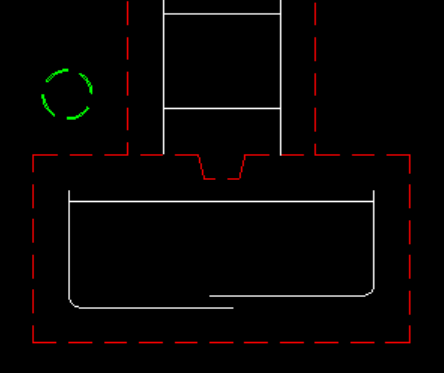
There is only one drainage pipe and it should be round because you are looking at it head on. It is located above and to the left of the first footing on the left. See attached image.
-

Penn Foster Drafting With AutoCAD Structural Drafting Project Sheets 1-7
CADLEARNER1234 replied to CADLEARNER1234's topic in Student Project Questions
I think ive seen most of the images, although i might have missed some. The most complete one i saw was blurry so I couldn't make out the details. The main issue im having (as ive seen so many others have had as well so far) is that the instructions are very vague. Would you be able to give me some feedback on my drawing? I think the one thing im missing is the drainage pipe, I know it should have these parameters: (A 4″ drain is set around the outside of the building, with 3″ clear above the footings to the drain and 3″ clear from the piers to the drain.) but im unsure of how it should look. Should it just be a straight rectangle? Parellel to the columns? On each side? or just on the side with the details? should it have a bend towards the bottom like most drains do in real life? Any feedback is welcome, thank you for taking the time to help me out on this Currently working on this course and hope i can find future employment as a CAD drafter and maybe BIM modeller in the future. -
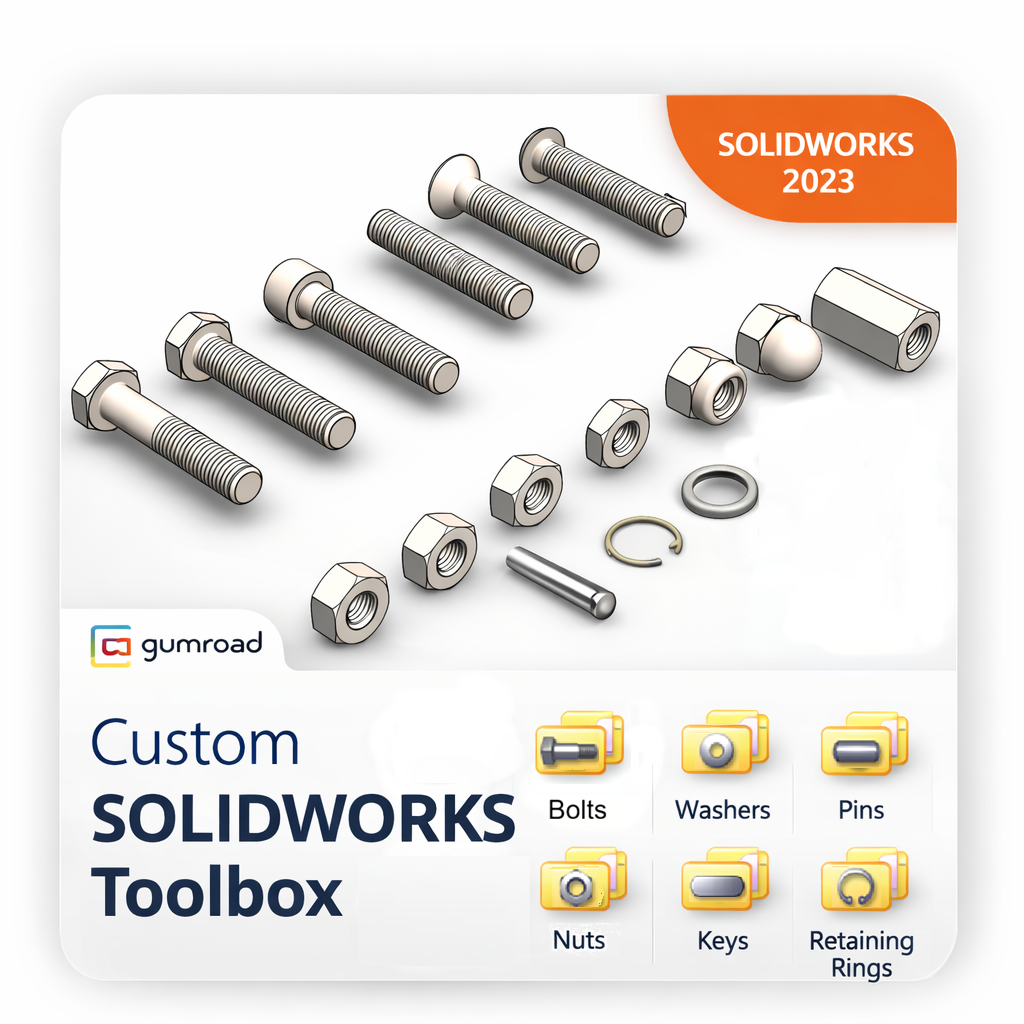
Hi. It is strange that your Solidworks Toolbox Settings window does not show all the possible fasteners. Maybe there is an issue with the installation or your licence. With setting up the toolbox this might help: I learned to set up the toolbox properly first will save you the hassle of wrong sized fasteners later. I use the “create parts” way of work instead of the "configurations" approach. For more info and download, see the link below. It was set up for 2023, but you can update it to newer versions in case you or your company is using a newer version. You Will need a minimum of one “Professional” or “Premium” license. With that system you could theoretically create all the different variant of sizes to be used by other systems with a “Standard” licence. Download fully configured Solidworks 2023 Toolbox here: https://kemnatdv.gumroad.com/l/czlsz