All Activity
- Past hour
-
Hehe reminds me of when I made a shortcut command for one of our customs lisp "Assembly populate".
- Today
-

Select all the lines that are vertical
mhupp replied to Isaac26a's topic in AutoLISP, Visual LISP & DCL
I think you might be getting caught up on the cadr? the list its looking at has the 10 and 11 as the first element so the 2nd element is going to be the x value. (10 370477.766247702 2284988.06147298 0.0) & (11 370477.775905386 2284983.23263075 0.0) the 1e-8 is to aggressive for @Isaac26a sample drawing that is why I added a dynamic fuzz the user can pick if they want true vertical lines just input 0. I started with the x value comparison, but isn't a good option for angled lines as it changes for lines of the same same angle but different lengths. and if you increase to pick up longer lines it will picked shorter lines that have a greater angle. -
only tested this on regular blocks. if you use prefix on anonymous blocks they might not be anonymous anymore. I don't know what would happen so test it first before using it on project files. @Lee Mac let me know if you want this taken down. probably do it Monday anyway. Rename.lsp
-
 KTOBY joined the community
 -

Select all the lines that are vertical
marko_ribar replied to Isaac26a's topic in AutoLISP, Visual LISP & DCL
No Lee... I am quite right in my observation... If only you removed that (not) from test expression (not (equal (cadr (assoc 10 x)) (cadr (assoc 11 x)) 1e-8)), your snippet would work as OP desired (gripped selecting all verticals and angled lines for forthcoming deletion)... -
I wasn't talking about the code
-
Ahh, was that yours RX? Mega apologies - I thought I had taken Lees from earlier in that thread (For this thread, RLX also had some ace code in the thread I linked to above)
-
Thanx Steven , for wiping mine...
-
This is one I was looking at yesterday, sharing here because I am really 12.... 'WipeBottom' will move the defined entity types to the Bottom or Top draw order in a selected block definition. Define the entity types and move direction in the code. Made up because I wanted to split out the selection part of the examples online and use the 2nd part via LISP without user interface. Via LISP I only wanted it to process a single block at a time - selection set processing can be from the calling LISP. Examples out there mostly from Lee Mac - see his website or the link in the code. But apart from that I really wanted to use the LISP command name. (defun c:WIPEBOTTOM ( / MyName MoveType MoveDirection) ;;AcDbTypes: AcDb + .... replace 'movetype' below with these as required ;;AcDbEntity, AcDbLine, AcDbCircle, AcDbArc, AcDbPolyline, AcDbText, AcDbMText ;;AcDbBlockReference, AcDbPoint, AcDbEllipse, AcDbSpline, AcDbHatch, AcDbTable ;;AcDbRasterImage, AcDbLeader, AcDbRay, AcDbXline, AcDbTrace, AcDbWipeout ;;AcDbDimension, AcDbAlignedDimension, AcDbRadialDimension, AcDbDiametricDimension ;;AcDb3PointAngularDimension, AcDbArcDimension, AcDbOrdinateDimension ;;MoveDirections: vla-movetobottom, vla-movetotop (Setq MyName (cdr (assoc 2 (entget (car(entsel "Select Block")))))) ;; block name (setq MoveType "AcDbHatch") (setq MoveDirection "vla-MoveToBottom") (WIPEBOTTOM MyName MoveType MoveDirection) (setq MoveType "AcDbWipeout") (setq MoveDirection "vla-MoveToBottom") (WIPEBOTTOM MyName MoveType MoveDirection) (setq MoveType "AcDbText") (setq MoveDirection "vla-MoveToTop") (WIPEBOTTOM MyName MoveType MoveDirection) ;; MyName: Real Block Name (example "MyBlock"), MoveType "ACDb....", MoveDirection "VLA-MoveTo..." (princ) ) (defun WIPEBOTTOM ( name MoveType MoveDirection / acblk acdoc obj name MoveType) ;;https://www.cadtutor.net/forum/topic/31462-wipeout-inside-blocks-issue/ ;;updated to single block selections only refer to link for selection sets ;Lee Mac 17.06.11 (defun LM:SortentsTable ( space / dict result ) (cond ((not (vl-catch-all-error-p (setq result (vl-catch-all-apply 'vla-item (list (setq dict (vla-GetExtensionDictionary space)) "ACAD_SORTENTS") ) ) ) ) result ) ; end not ( (vla-AddObject dict "ACAD_SORTENTS" "AcDbSortentsTable") ) ) ) ; end defun (setq acdoc (vla-get-activedocument (vlax-get-acad-object))) ;;ACDoc reference (setq acblk (vla-get-blocks acdoc)) ;ACBlocks references (if name (progn ((lambda ( / lst ) (vlax-for obj (vla-item acblk name) ;;name: Block name. For each object in block (if (eq MoveType (vla-get-objectname obj)) ;;if object is required type (setq lst (cons obj lst)) ;; add to list ) ; end if ) ; end vlax-for (if lst (progn ( (eval (read MoveDirection)) ;; turn text move direction into command (LM:SortentsTable (vla-item acblk name)) ;; Sort objects - make into variable and only process once? (vlax-make-variant (vlax-safearray-fill (vlax-make-safearray vlax-vbobject (cons 0 (1- (length lst)))) lst )) ; end vlax-make-variant ) ; end vla-move (vla-regen acdoc acallviewports) ;; move to after lambda?? )) ; end if ; end progn )) ; end lambda ) ;; end progn ) ;; end if name )
-
Ok thanks mhupp. Do you know of a web page which has instructions on how to write LISP code after an object is selected.
-
Give this a try you just make the viewports and zoom inside the viewport the model, you will be asked for a scale and the viewport is rescaled to suit, then the outline is drawn in model. Will fix later the yes no question into the DCL. ; https://www.cadtutor.net/forum/topic/98882-viewport-inset-generator/ ; make rectangs from viewport ; By AlanH Jan 2026 ; resets viewport scale then make outline (defun c:vp2model ( / ent vp p1 p2 sc obj scvp ) (defun AH:domove ( / ) (command "chspace" (entlast) "") (vla-put-activepviewport (vla-get-activedocument (vlax-get-acad-object)) obj) (command "") ) (setq oldsnap (getvar 'osmode)) (setvar 'osmode 0) (alert "Have you zoomed in to viewport ? \n\nIf not then type N or no") (initget "Yes No" 6) (setq ans (getkword "\nContinue Yes or No. ")) (if (= ans "No") (exit)) (command "pspace") (setq ent (car (entsel "\nPick the viewport "))) (setq vp (cdr (assoc (cdr (assoc 69 (entget ent))) (vports)))) (setq p1 (car vp)) (setq p2 (cadr vp)) (setq obj (vlax-ename->vla-object ent)) (setq scvp (vlax-get obj 'customscale)) (setq sc (fix (/ 1000 scvp))) (vlax-put obj 'displaylocked 0) (setq fo (open (setq fname (vl-filename-mktemp "" "" ".dcl")) "w")) (write-line "ddgetvalAH : dialog {" fo) (write-line (strcat " label = \"Set Scale\" ;") fo) (write-line " : column {" fo) (write-line " width =25 ;" fo) (write-line ": edit_box {" fo) (write-line " key = \"Key1\" ;" fo) (write-line (strcat " label = \"Enter scale\" ;") fo) (write-line (strcat " edit_width = 10 ;") fo) (write-line (strcat " edit_limit = 9 ;") fo) (write-line " is_enabled = true ;" fo) (write-line " allow_accept=true ;" fo) (write-line " }" fo) (write-line " }" fo) (write-line "spacer_1 ;" fo) (write-line "ok_cancel;}" fo) (close fo) (setq dcl_id (load_dialog fname)) (if (not (new_dialog "ddgetvalAH" dcl_id)) (exit) ) (set_tile "Key1" (rtos sc 2 0)) (action_tile "accept" "(setq sc (get_tile \"Key1\"))(done_dialog)") (action_tile "cancel" "(done_dialog)") (start_dialog) (unload_dialog dcl_id) (vl-file-delete fname) (vlax-put obj 'customscale (/ 1000 (atof sc))) (vlax-put obj 'displaylocked -1) (command "Rectang" p1 p2) (AH:domove) (command "pspace") (setvar 'osmode oldsnap) (princ) ) (C:vp2model)
-
Hey everyone, I just had the idea for this last night and figured I’d give it a shot, since the logic seemed pretty straightforward using AI. I'm really glad with how it turned out and that I was able to get it working exactly how I wanted. Since it's been so helpful for my own workflow already, I've decided to release it here for everyone to use. If you’ve ever felt the pain of the "Edit-Save-Reload-Restart" cycle just to move a button 2 pixels, this might be for you! DCL Live Bridge essentially gives you a "Hot Reload" for your dialogs. You keep your favorite editor open (Notepad++, VS Code, etc.), hit save, and preview it instantly in AutoCAD. What it does: Live Preview: Open your editor from within CAD, tweak the DCL, and hit Preview. Done. Inline Converter: For those who prefer Inline DCL (keeping everything in one .lsp file), it has a one-click exporter. It handles all the messy quote-escaping and backslashes for you automatically. Smart Error Catching: It actually tells you which line number has a missing semicolon or mismatched brace before the CAD DCL engine crashes. Safety First: It scans your code to make sure you have an exit button (ok_only or is_cancel), so you don't accidentally lock up your CAD session. The Command: DCLB Quick Start: Just load the LSP, run DCLB, and go to Settings to point it to your editor's .exe. It’ll save your preferences to the registry so you only have to do it once. Grab the code on GitHub and also below. It's been working great for my workflow, hopefully, some of you find it useful too! Let me know if you run into any bugs or have ideas. Cheers, Azri DCLBridge.lsp
- Yesterday
-
 annmore398 joined the community
 -

Select all the lines that are vertical
Lee Mac replied to Isaac26a's topic in AutoLISP, Visual LISP & DCL
You're welcome! I'm glad it helps. -
Select all the lines that are vertical
Lee Mac replied to Isaac26a's topic in AutoLISP, Visual LISP & DCL
That's incorrect; my code is only retaining vertical lines (to within a tolerance of 1e-8) - any line for which the x-coordinate of the start point does not match the x-coordinate of the end point (up to the tolerance stated) will be removed from the set. -
 SCHNIPPLES joined the community
 -
Lee's code is above my pay grade. He has CB and RB broken out already maybe ask him nicely to add a feature. RBP - rename block with prefix RBS - rename block with Suffix -edit I think I have code that will do this for regular blocks or maybe it was for text. its been awhile.
-
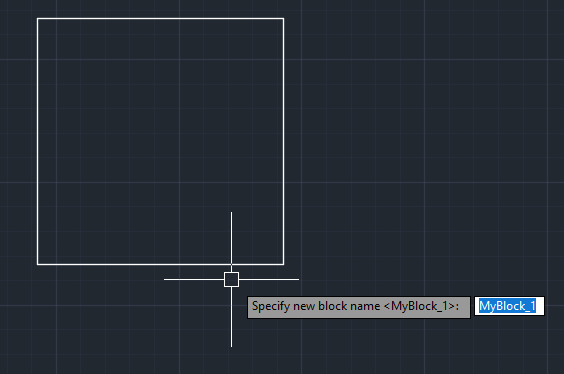
Was looking for something to rename blocks, and have found Lee Mac's code robust since it can handle dynamic blocks, and renames only the particular block selected, so it has a unique name. https://www.lee-mac.com/copyblock.html How can code be adjusted for the following. 1. Select block first, then run code (will right click to select command which runs code). At the moment code is called up, then block is selected. 2. When block name is changed, it will be at the end of the string, based on existing name. Tried to press End on keyboard to get to the end of the name but this won't work, the arrow keys do work but it starts from the beginning. See below.

-

Find the correct direction of picked two points.
Tsuky replied to Dayananda's topic in AutoLISP, Visual LISP & DCL
This ? in dynamic mode... ((lambda ( / pt1 pt2 gap) (initget 1) (setq pt1 (getpoint "\nPick on 1st beam cl: ") pt2 pt1 gap 200 ) (while (equal pt2 pt1) (setq pt2 ((lambda ( / key pt alpha spane crnkL p1 p2) (princ "\nPick 2nd beam cl: ") (while (and (setq key (grread T 4 0)) (/= (car key) 3)) (cond ((eq (car key) 5) (redraw) (setq pt (cadr key)) (setq alpha (angle pt1 pt)) (setq spane (distance pt1 pt)) (setq crnkL (* 0.3 spane)) (cond ((and (>= alpha 0.0) (< alpha (* pi 0.5))) (setq p1 (polar pt (+ alpha ( * 0.5 pi)) gap) p2 (polar p1 (+ alpha pi) crnkL) ) ) ((and (>= alpha (* pi 0.5)) (< alpha pi)) (setq p1 (polar pt (+ alpha ( * 0.5 pi)) gap) p2 (polar p1 (+ alpha pi) crnkL) ) ) ((and (>= alpha pi) (< alpha (* 0.75 pi))) (setq p1 (polar pt (- alpha ( * 0.5 pi)) gap) p2 (polar p1 (+ alpha pi) crnkL) ) ) (T (setq p1 (polar pt (- alpha ( * 0.5 pi)) gap) p2 (polar p1 (+ alpha pi) crnkL) ) ) ) (grdraw pt1 pt 3) (grdraw p1 p2 1) ) ) ) (redraw) (cadr key) )) ) ) (prin1) )) -

Select all the lines that are vertical
Isaac26a replied to Isaac26a's topic in AutoLISP, Visual LISP & DCL
My apologies if I'm not clear in the things I want to be realized, sometimes I think is best that the images make it clear but I'll try to elaborate more on my following posts. thanks for your interest -
Select all the lines that are vertical
Isaac26a replied to Isaac26a's topic in AutoLISP, Visual LISP & DCL
Thank you Lee, you did what I was thinking about, you used the difference in 'x' with a fuzz, also used '(equal )' with the fuzz, thanks as all of your work in the most simple way and in few lines. Amazing all your work, thank you. -
Select all the lines that are vertical
Isaac26a replied to Isaac26a's topic in AutoLISP, Visual LISP & DCL
https://help.autodesk.com/view/ACAD_E/2026/ENU/?guid=GUID-7E85CB8F-B4DA-42F3-ABD3-89342A11EF9B Thank you, with this information is easy to understand how it works, in the information that I had of the command didn't had the fuzz use, guess I have to check on the online site more about the commands again, there might be some things I'm missing -
Select all the lines that are vertical
marko_ribar replied to Isaac26a's topic in AutoLISP, Visual LISP & DCL
It is unclear what should routine do with angled lines that are neither horizontal, nor vertical... Lee's example is removing from sel. set all horizontal lines and thus all angled and verticals are remained for (sssetfirst) deletion upon routine finish... -
 MBarjak joined the community
 -

Text temporarily disappearing
Rooster replied to Rooster's topic in AutoCAD 2D Drafting, Object Properties & Interface
Yes, even though I'm only using basic Arial font I did test with Simplex as well and still have the same problem. Example DWG attached, although I'm certain it's not a drawing-specific issue, as the problem now occurs on any old drawings that I open X.dwg -
Select all the lines that are vertical
Lee Mac replied to Isaac26a's topic in AutoLISP, Visual LISP & DCL
Another - (defun c:test ( / e i s x ) (if (setq s (ssget "_X" '((0 . "LINE")))) (repeat (setq i (sslength s)) (setq i (1- i) e (ssname s i) x (entget e) ) (if (not (equal (cadr (assoc 10 x)) (cadr (assoc 11 x)) 1e-8)) (ssdel e s) ) ) ) (sssetfirst nil s) (princ) ) -

Text temporarily disappearing
SLW210 replied to Rooster's topic in AutoCAD 2D Drafting, Object Properties & Interface
Did you try changing fonts? I think you need to post a .dwg. -
Select all the lines that are vertical
mhupp replied to Isaac26a's topic in AutoLISP, Visual LISP & DCL
Its using the fuzz option. looking for lines that have an angle that doesn't match 90° or 270° +/- the fuzz and removing them from the selection. So if you used 5 it would remove any line that outside of 85-95 and 265-275 You have to check both angles because of how the lines are drawn. https://help.autodesk.com/view/ACAD_E/2026/ENU/?guid=GUID-7E85CB8F-B4DA-42F3-ABD3-89342A11EF9B -
Text temporarily disappearing
Rooster replied to Rooster's topic in AutoCAD 2D Drafting, Object Properties & Interface
In case it helps, here's a demo of the issue... 001.mp4