All Activity
- Today
-

place align block through lisp going wrong
pmadhwal7 replied to pmadhwal7's topic in AutoLISP, Visual LISP & DCL
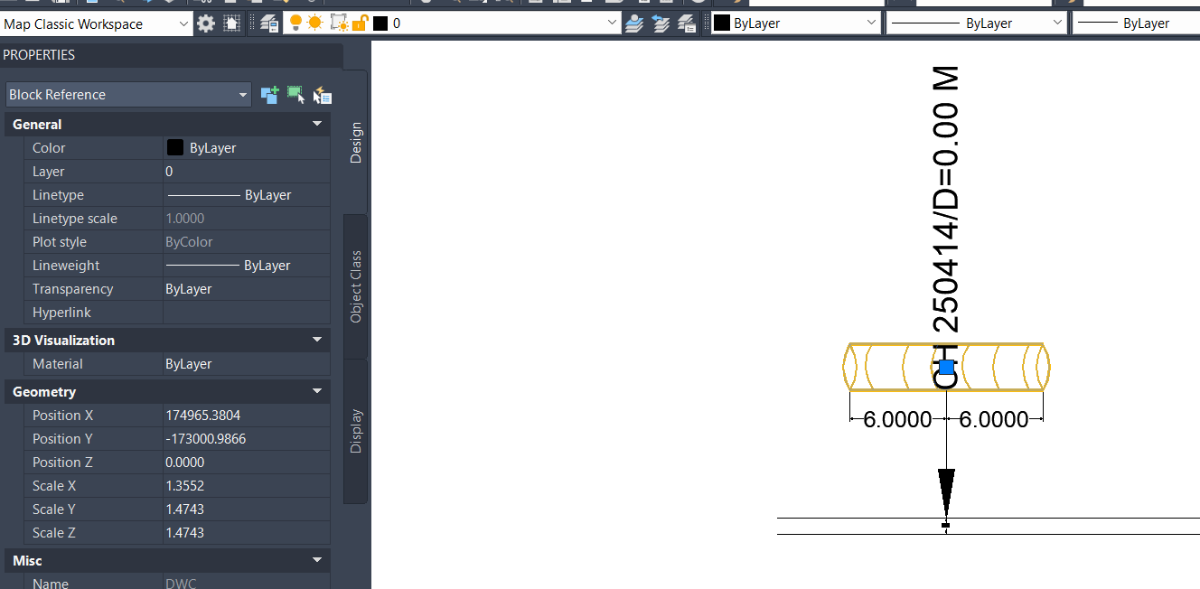
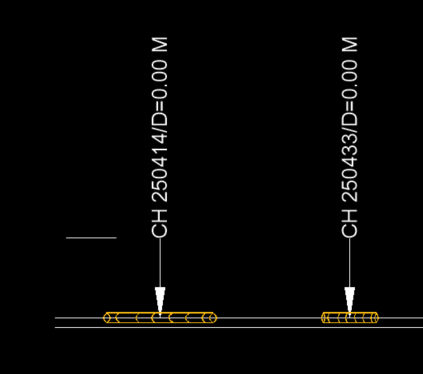
@BIGAL actually this is the chainage which means if we 250.408-250.420=12meter so my dwc pipe length is 12m at this point what i do i was calculate mid difference of those chainage and i was place mid chiange in autocad (as seen my dwg u can check)now i run the lisp which place those block like the align command it work so in taht portion dwc length should be 12 meters 6meters from each side of that 250414 but the isse is block length comming 8m instead of 12soemwhere the differnce is 2m somewhere 4 as the y scale is only for width so thats the not issue because i will change it by selecting all one time also i am not able to uderstand what u mean for 'scaled like 10 x timee' is anything wrong in my block?
-

place align block through lisp going wrong
BIGAL replied to pmadhwal7's topic in AutoLISP, Visual LISP & DCL
The DWC block has a insertion point at mid point, Still not sure about the wrong length and 4m dist. Can you also provide a dwg with before and after so can see how say first 3 blocks should look. add the excel data as MTEXT etc. Yes can read the Excel direct no need for a CSV. Ok understand in Excel from 250.408 to 250.420 so point is (250.408+250.420)/ 2.0 where label is. So need to establish start chainage of pline 250414 compared to start distance away and get that start point X&Y. Your DWC block appears to be scaled like 10 x times. Why is it not 1 unit long say actual is 0.9447 that fits in 1 unit. The scale for 12 would be just that. Also what is Y scale ? Does the block have a fixed height, Y ? Again edit block 1st. Then can do some code to match.
-
 Peter Vu joined the community
 - Yesterday
-
 a.ll.a.a joined the community
 -
 jamgriff joined the community
 -
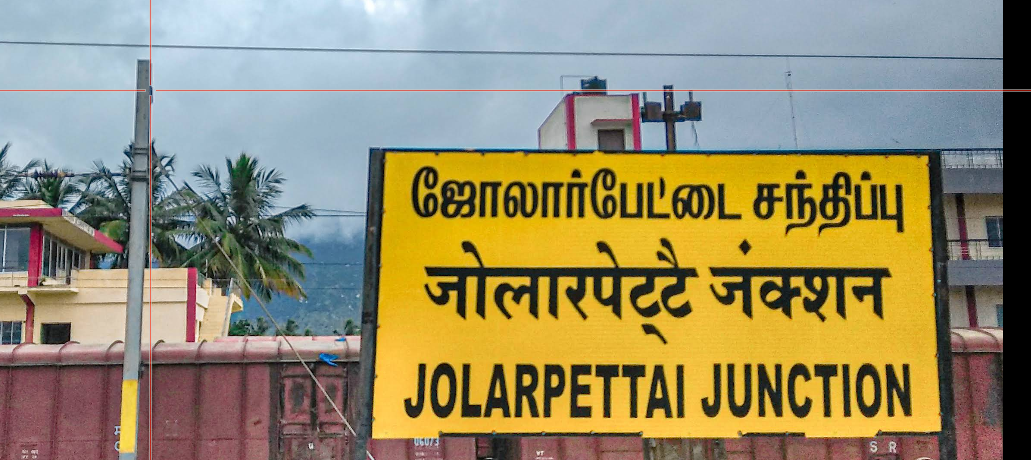
Not sure for ZWCAD, but it Tamil font installed on your computer, you should be able to access it if it is
-
in autocad i need to place block which was align in x scale i have lisp code too but the isseu is the block is placing wrongly i was place mid chainage of the point where i need to place those block but always it placing wrongly l;ike first length of my block is 12m but the code placing 8m 4 m each side i was attached all the input i have can anyone fix this Drawing2.dwg block.dwg PIPE_PlotBlocksFromCSV.lsp PIPE_Block.csv.xls.csv Book1.xlsx
-
@mhuppIt's like this For example , I have layer 1, layer 2 , layer 3 And I want to select layers 1 and 2, add them to the newgroup filter, and name it something like "architect".
-
 dffdfd joined the community
 -
I NEED TO TYPE TAMIL FONT HOW TO DO IN ZWCAD
- Last week
-
 c31 joined the community
 -
 jmorris joined the community
 -
 yousef-M joined the community
 -
 saadahla527 joined the community
 -
 Rhold joined the community
 -

Need a tool for creating 2d outlines for complex 2d drawings
SLW210 replied to Ankit Pandit's topic in AutoLISP, Visual LISP & DCL
As I mentioned already, AutoCAD Architecture is FREE with the Toolset. All you need to do is download it. Architecture Toolset in Autodesk AutoCAD | Features This looks like something Bricscad should incorporate as well. That's the reason I stopped working on the LISP, but I will probably try to get it finished up anyway. -
 Marek_M joined the community
 -

Need a tool for creating 2d outlines for complex 2d drawings
Ankit Pandit replied to Ankit Pandit's topic in AutoLISP, Visual LISP & DCL
Thanks for sharing that and testing it. I’m currently using AutoCAD 2026 (standard), and from what I can see, the AECLINEWORKSHRINKWRAP functionality isn’t available in this version. It looks like it’s part of the Architecture/Civil toolsets, so accessing it would mean moving to something like Civil 3D or the AEC Collection, which is quite a big upgrade just to use this specific functionality. Really appreciate you taking the time to test it though. -
Need a tool for creating 2d outlines for complex 2d drawings
Ankit Pandit replied to Ankit Pandit's topic in AutoLISP, Visual LISP & DCL
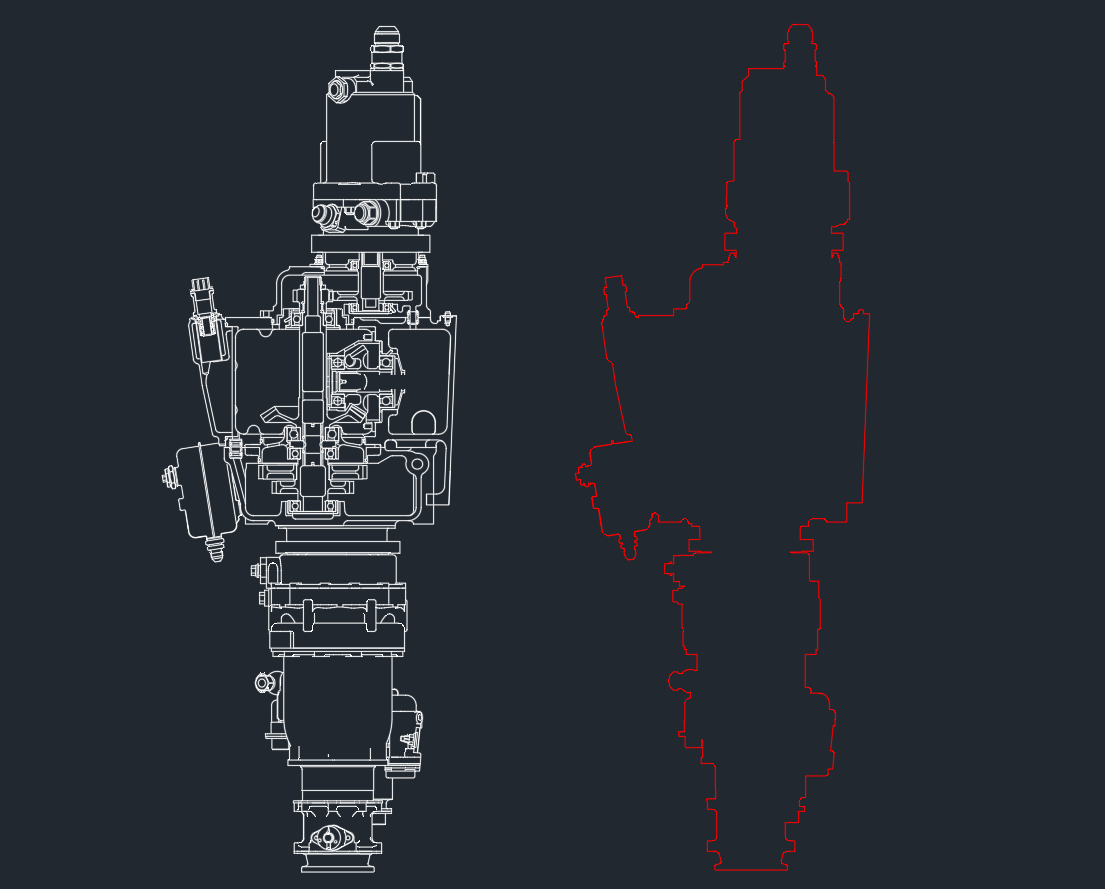
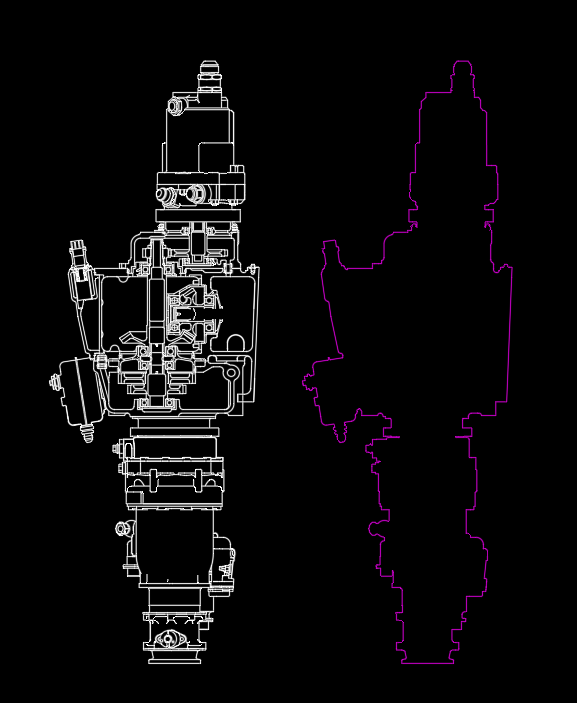
Thanks for pointing that out — I gave it a try on the same drawing. It actually handled the case surprisingly well and produced a clean outer boundary for the full shape, even with the gaps and more complex areas where the other approaches were struggling. Sharing the result here.
-
AutoCAD suitable laptop for a Mechanical Engineering freshman
BIGAL replied to BenG54's topic in Hardware & Operating Systems
Like @SLW210 I think you would be better off with a Windows Intel PC. Other CAD software that has MAC software is often reported as having niggly problems. Until there is a true MAC OS based say Autocad those problems may continue, in saying that there are some true MAC CAD programs out there. Autocad MAC has existed for like 30 years and still no true native version. -
Need a tool for creating 2d outlines for complex 2d drawings
SLW210 replied to Ankit Pandit's topic in AutoLISP, Visual LISP & DCL
Here is the result of the AECLINEWORKSHRINKWRAP in Archtecture. Engine Part Assembly_ArchSWrap.dwg
-

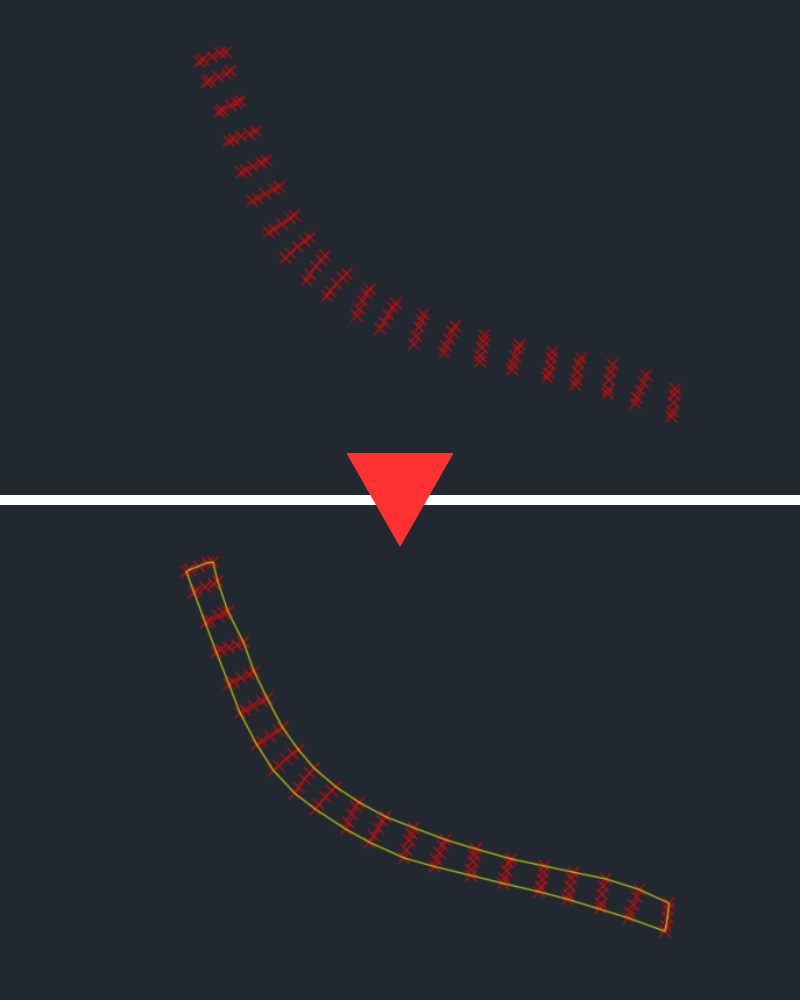
Creating a boundary to a group of points
todo terreno cad replied to Tyke's topic in AutoCAD General
"Doing this manually for 2 hours is insane for production workflows. I developed an AutoLISP solution that automates this. It bypasses the convex hull limitation and extracts the true concave perimeter from COGO points in 1 second. It's packaged in the Todo Terreno CAD Suite on the Autodesk App Store (first month is free). Command is TTC_POLY-PERIMETER. Optimize your time!"
-
Are you talking about layer states?
-
I really need a LISP program to select layers into Layer Filters and name this filter group. Please help me. Thank you!
-

Need a tool for creating 2d outlines for complex 2d drawings
Dahzee replied to Ankit Pandit's topic in AutoLISP, Visual LISP & DCL
@SLW210 Here you go. https://forum.bricsys.com/discussion/40003/extract-outer-boundary-of-2d-drawing#latest -
Need a tool for creating 2d outlines for complex 2d drawings
SLW210 replied to Ankit Pandit's topic in AutoLISP, Visual LISP & DCL
You have to purchase Civil 3D, Architecture is free with AutoCAD. OP still hasn't stated what CAD they are using. -
Need a tool for creating 2d outlines for complex 2d drawings
SLW210 replied to Ankit Pandit's topic in AutoLISP, Visual LISP & DCL
$119 USD, you get 15 day free trial. Most examples didn't show gaps, but looks like the user guide claims Auto Tolerance and Auto island detection. Could you link the discussion on Bricscad for the OP? -
AutoCAD suitable laptop for a Mechanical Engineering freshman
SLW210 replied to BenG54's topic in Hardware & Operating Systems
AutoCAD for Windows has more features than AutoCAD for Mac. Compare Features: AutoCAD for Windows against AutoCAD for Mac -
Need a tool for creating 2d outlines for complex 2d drawings
Dahzee replied to Ankit Pandit's topic in AutoLISP, Visual LISP & DCL
I think this is the product BIGAL was referring to.https://engenext.com/pages/egboundary.html I have no affiliation to this product, I just remember seeing it discussed on the Bricscad forum. -
Need a tool for creating 2d outlines for complex 2d drawings
Ankit Pandit replied to Ankit Pandit's topic in AutoLISP, Visual LISP & DCL
Thanks for all the suggestions, really appreciate you taking the time to look into this. I tried a few of the approaches mentioned — they seem to work quite well on cleaner geometry, but in cases like mine with small gaps and more complex connections, I’m still seeing partial or inconsistent boundaries being generated. I’ve attached a simplified sample from one of my project drawings. This represents the kind of geometry I’m dealing with, where standard methods haven’t been giving consistent results. Curious to see how your approaches handle this case. Engine Part Assembly.dwg -

AutoCAD suitable laptop for a Mechanical Engineering freshman
BenG54 posted a topic in Hardware & Operating Systems
Hi everyone, I’m starting my Mechanical Engineering degree this fall. I want to practice AutoCAD a bit before starting and get a basic understanding of it. I want to buy a laptop with a budget of 2,000-3,000 USD. I am currently looking at the MacBook Pro with the M5 chip and 32GB of RAM. I've seen that it recently beaten RTX5090 GPU in blender and I've heard a lot of praise fot Unified Memory, but I’m concerned about how that translates to a professional engineering workflow, specifically for: AutoCAD: I plan to do both 2D drafting and 3D modeling. I know a native macOS version exists, but are there critical missing features compared to the Windows version? I'm thinking about choosing between Mac Pro M5 or a Windows Workstation/Gaming Laptop with a discrete RTX 50-series GPU. I’d love to hear from anyone who has used Macs for AutoCAD or from Windows users who used a discrete GPU setup. Is the M5’s power enough for AutoCAD and if 32GB RAM is good for basic 3D, or should I just stick to a native Windows machine? Thanks in advance! -
Need a tool for creating 2d outlines for complex 2d drawings
BIGAL replied to Ankit Pandit's topic in AutoLISP, Visual LISP & DCL
@SLW210 CIV3D has Shrinkwrap also. Pity they did not include for plain Acad. If you can work out which dll or ARX may be able to copy correct files to plain Acad. As "TotalBoundary " is no longer available there was a post for a similar product may have been here or at Forums/Autodesk. I remember asking how much but did not get an answer. Try googling. -

Need a tool for creating 2d outlines for complex 2d drawings
mhupp replied to Ankit Pandit's topic in AutoLISP, Visual LISP & DCL
I think I have a solution but would need a test drawing. -
Need a tool for creating 2d outlines for complex 2d drawings
SLW210 replied to Ankit Pandit's topic in AutoLISP, Visual LISP & DCL
I did find this... Lisp to create a boundary around blocks that are not touching. - AutoLISP, Visual LISP & DCL - AutoCAD Forums I should have also mentioned that AutoCAD Architecture FREE toolset has the AECLINEWORKSHRINKWRAP command. -
I moved your thread to the AutoLISP, Visual LISP & DCL Forum. Please post in the correct forum.