All Activity
- Past hour
-

Thoughts on Leadership and Experience in Education
oddssatisfy replied to oddssatisfy's topic in Autodesk Software General
thanks in advance for any help -
Thoughts on Leadership and Experience in Education
oddssatisfy posted a topic in Autodesk Software General
Hello everyone. I’ve been exploring profiles of educational leaders recently and am curious about how their diverse experiences shape their approach. One figure who stands out is Grady Gaston, whose career path and achievements seem to reflect a strong commitment to innovation and student success. How do leaders like this balance administrative responsibilities with community engagement and mentoring? What strategies have you seen work best in fostering growth and collaboration within educational institutions? I’d love to hear perspectives on how professional background influences leadership style, especially in contexts similar to those navigated by Grady Gaston. - Today
-

Confused by scale issue when set to 1:1_1
CyberAngel replied to Bob658's topic in AutoCAD 2D Drafting, Object Properties & Interface
To test my memory, I opened the default drawing, created a new scale 1:1, and drew a couple of objects and a dimension. I made the dimension annotative and gave it the 1:1 scale. I copied those objects to the clipboard. Then I opened a second new drawing, which had our template settings, including a 1:1 scale. I pasted the objects from the clipboard into the second drawing. You'll never guess what happened. The pasted dimension had a scale of 1:1_1. In other words, that's the type of name AutoCAD gives a duplicate scale when it doesn't want you to rename an arbitrarily large group of settings. Does that shed any light on the issue? -

Cleaning up the file
SLW210 replied to Discus84's topic in AutoCAD 2D Drafting, Object Properties & Interface
There are some free and paid apps in the Autodesk Appstore that really do a super job. Not sure if they work on AutoCAD 2010 though and OP refuses to respond to my question on what CAD they use. -
Doesn't AutoCAD LT have Tables that can Datalink to Excel? AutoCAD LT 2025 Help | About Linking a Table to External Data | Autodesk
-

Penn Foster Student Suffering with Oleson Village Map!!!
EmeraldSynth replied to AutoCad Student's topic in Student Project Questions
I truly hope so. I'm just glad to find out I wasn't crazy looking at these instructions and thinking they don't all make sense. But holding out hope for that day when they make the program better and more clear to understand. I wish you well also -
Confused by scale issue when set to 1:1_1
SLW210 replied to Bob658's topic in AutoCAD 2D Drafting, Object Properties & Interface
I have never seen a standard scale of 1:1_1. Scale Type Scale Description Imperial Architectural 1/4" = 1'-0" (1:48) Commonly used for floor plans 1/8" = 1'-0" (1:96) Used for detail drawings 1/2" = 1'-0" (1:24) For larger details or sections 1" = 1'-0" (1:12) Used for large scale details 3/4" = 1'-0" (1:16) Used for specific areas 1" = 10' -0" (1:120) For site plans or larger layouts Imperial Engineering 1" = 10' (1:120) Used in civil engineering 1" = 20' (1:240) Site plans and large infrastructure 1" = 30' (1:360) Larger site layouts 1" = 40' (1:480) Used for extensive projects Metric 1:1 Full scale 1:10 For large models 1:20 Common for architectural plans 1:50 Used for detail and construction plans 1:100 Site plans and larger structures 1:200 Used for overview layouts 1:500 For urban planning diagrams 1:1000 For regional planning Can you post an example .dwg with a non-editable scale? -
Do you have an example drawing that does this?
-

Data management system (DMS) for block database
EleenD03 replied to Philipp's topic in CAD Management
That’s a massive block library! It sounds like the real bottleneck is the 'individual setup' for each export. If you're looking for an 'Excel on steroids,' maybe give Power BI a look? It connects directly to Excel files, and once you set up your 'program' for filtering and summing distances, it stays there. You just refresh the data when you get a new export from Nova or CAD. It's much more visual than a standard spreadsheet. -
Confused by scale issue when set to 1:1_1
Bob658 replied to Bob658's topic in AutoCAD 2D Drafting, Object Properties & Interface
It's causing a plotting issue. The way I work is, model space set to meters and scale is 1:1_1. Paper space is in millimeters. I then set the viewport scale to be whatever I want it to be. I've worked like this since starting using AutoCAD some 25 years ago. Occasionally I get sent a file where this doesn't work and when I look into it, the problem is that for scale 1:1_1 it's set to '1 paper unit = 0.001' drawing unit'. This makes the viewport scale1000 times larger. If I could edit it to be '1 paper unit = 1 drawing unit' it wouldn't be a problem but it won't allow me to edit it. If I'm plotting something at 1:5000 I have to pick the scale 1:5 as a work around. -
 Canute joined the community
 -
There probably is a post like this since it is quite a generic theme, but I didn't find it. OK, so I can't write to excel on LT, but I can write to a .csv; all I need to do is write values then retrieve them through Excel, a .csv should be enough for that, right? Anyway thanks a lot BIGAL.
-

quick xyz coordinates text placed from selected points
Saxlle replied to pavanetc's topic in AutoLISP, Visual LISP & DCL
No worries @pavanetc, just need to know everytime that when you need something, you need to make a good explanation, provide an example drawing and be flexible in explanation to others understand the problems whom you meet. Best regards. -
Was this posted elsewhere ? Ok first answer you can not use LT2024+ as it does not support the "get application" method. Acad full or Bricscad plus others etc are fine. For LT2025 must use read / write a csv. Happy to provide lots of defuns re Excel to and from but not for LT.
-
This might be too general for a question, but how can you pass a string to a certain cell in an Excel file? Is there any good tutorial out there that you know about Excel and AutoLISP?
-
quick xyz coordinates text placed from selected points
Saxlle replied to pavanetc's topic in AutoLISP, Visual LISP & DCL
Agree with that @BIGAL . As @SLW210 mentioned and also agree with that, the @pavanetc need to provide more information if he want to get the best results from lisp. -

quick xyz coordinates text placed from selected points
pavanetc replied to pavanetc's topic in AutoLISP, Visual LISP & DCL
hi engineers! It was amazing!!! great work, I really appreciate everyone in the Lisp community. I was able to relax and forget everything for a while; your code was like a shot of coffee. Thanks to everyone for your time and effort. I’m new to posting topics here, so please forgive me if I made any mistakes. I need to learn lot from yours..... -

Lisp exportar todas las presentaciones
ivaj replied to mikarts's topic in AutoLISP, Visual LISP & DCL
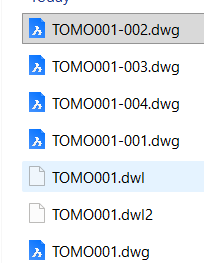
Buenos días Bigal, esa forma si lo sabia colocándole un guion al final del nombre del fichero de autocad "TOMO_", pero cuando quiero publicar al mismo tiempo en PDF, lo tengo que volver a renombrar sin "-" si no me sale con doble "-" osea TOMO--001.pdf. Siento molestarte, pero muchas gracias. -
 452194913 joined the community
 -
There are still bugs in the closed polyline version, such as when drawing the centerline of a building's walls, it may fail or the drawn centerline may not achieve the desired effect.
-
 zyx1029 joined the community
 - Yesterday
-

Logic Issue: CENTERLINE Command Redefined with Layer Change
BIGAL replied to Clint's topic in AutoLISP, Visual LISP & DCL
I am like others as suggested dont use a command word, as your wanting to use a defun then why not just call the defun something shorter, like CENTL.You can use AUTOLOAD to load the actual lisp at the first time you type centl. You would put the "Autoload" in say a custom lisp that is loaded on startup, along with your other AUTOLOAD's (autoload "CENTL" '("CENTL")) (autoload "COPY0" '("COPY0")) (autoload "COPYCOMMAND" '("ZZZ")) (autoload "COVER" '("COVER")) -
Confused by scale issue when set to 1:1_1
BIGAL replied to Bob658's topic in AutoCAD 2D Drafting, Object Properties & Interface
Need some more info, are you talking about plotting settings, we worked in metres, and when plotting just set the 1 printed unit = 1 drawing units, our title block was a A1 and if you checked the size of the title block in a layout it was 641x594. For A3 did 1 print = 2 drawing. Or is it annotation scaling ? -
Small dot appears near MTEXT and cannot be deleted
BIGAL replied to CHAKRADHAR's topic in AutoCAD 2D Drafting, Object Properties & Interface
When asked for a sample dwg you can often use WBLOCK to save a little bit of a dwg into a new dwg, like your text. Then it's not a company copyright problem. -
Lisp exportar todas las presentaciones
BIGAL replied to mikarts's topic in AutoLISP, Visual LISP & DCL
Added the "-" to file name, code updated above.
-
quick xyz coordinates text placed from selected points
BIGAL replied to pavanetc's topic in AutoLISP, Visual LISP & DCL
@Saxlle just a suggestion as the "Points' may not be just that a Autocad "Point" often they are a block. (setq ss (ssget (list (cons 0 "POINT"))) len (sslength ss) x_spacing 1 i 0 ) (while (< i len) (setq ss (ssget (list (cons 0 "POINT"))) (if (= ss nil) (progn (alert "You have not selected any Points \nWill now exit please check objects ") (exit) ) ) (setq len (sslength ss) x_spacing 1 i 0 ) (repeat len -
 El_Che_12345678 joined the community
 -

Penn Foster Student Suffering with Oleson Village Map!!!
007 replied to AutoCad Student's topic in Student Project Questions
Thank you for your kind words. Someday P-F might get their act together and address the problems with their project instructions and their so-called instructors. Good luck in your endeavors now and in the future. -
For Key maps, I use two routines: 1. Lee's Viewport outline https://lee-mac.com/vpoutline.html 2. Change Space Copy (defun c:CHSpaceCopy (/ ss2 ss i) (vl-load-com) (if (setq ss2 (ssadd) ss (ssget "_:L") ) (progn (repeat (setq i (sslength ss)) (ssadd (vlax-vla-object->ename (vla-copy (vlax-ename->vla-object (ssname ss (setq i (1- i)))) ) ) ss2 ) ) (vl-cmdf "_.chspace" ss2 "") ) ) (princ) )