All Activity
- Past hour
-

Penn Foster AutoCAD Applications-Construction assistance (Residential House Project)
TimC replied to TimC's topic in Student Project Questions
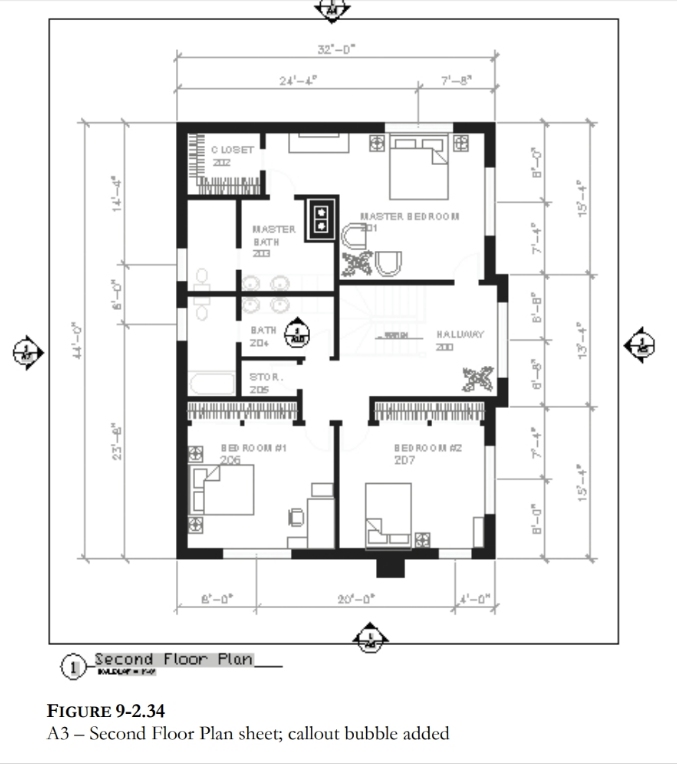
Well, per the usual, lack of info. I have no idea what to put in the callouts or where because we weren't given the info. I wish I had a way to upload the project instructions so you guys could see how rediculous this is with the lack of information and in some cases, blatant wrong information - Today
-
 Omaer joined the community
 -
 loshie joined the community
 -
Please use Code Tags for your code in the future. (<> in the editor toolbar)
-
Re.. the point is to get AutoCAD to perform the Properties vertex highlight but I'm probably correct to say 'they wouldn't prefer. Just is a single click on the Properties/Vertex and up.it.pops. Such a minor benefit but would choose yes if asked. Here's one from the many [matrix..] that does help me. It's from MR Marko Ribar - with other updates.. https://forums.augi.com/showthread.php?125388-End-of-foreach-function But here's my mod of it. CHIV-StartPoint.lsp
- Yesterday
-

Penn Foster AutoCAD Applications-Construction assistance (Residential House Project)
ReMark replied to TimC's topic in Student Project Questions
Callout blocks on floor plans are specialized, often circular or bubble-shaped, graphical symbols used to highlight a specific area, detail, section, or elevation, indicating that more detailed information about that area can be found elsewhere in the drawing set. -
You can get all vertices step 1, Step 2 is enter vertice number place a "X" say as text on vertice. If wrong do again erasing existing "X". An example of get co-ords. (setq plent (entsel "\nPick lwpolyline 2D ")) (if plent (setq co-ord (mapcar 'cdr (vl-remove-if-not '(lambda (x) (= (car x) 10)) (entget (car plent)))))) (princ co-ord) If you have 3D poly's then use (setq obj (vlax-ename->vla-object (car (entsel "\nPick pline ")))) (setq co-ord (vlax-safearray->list (vlax-variant-value (vla-get-coordinates obj))))
-
no show/difference with a 'CONVERTPOLY Enter polyline conversion option [Heavy/Light] <Light>: h' 2d polyline..
-
'CurrentVertex' is not a property of "LWPOLYLINE" objects
-
Penn Foster AutoCAD Applications-Construction assistance (Residential House Project)
TimC replied to TimC's topic in Student Project Questions
I also don't know what they mean about callout blocks for elevation. I cant even read what the callout blocks say in their example with my readers on...lol
-
Penn Foster AutoCAD Applications-Construction assistance (Residential House Project)
TimC replied to TimC's topic in Student Project Questions
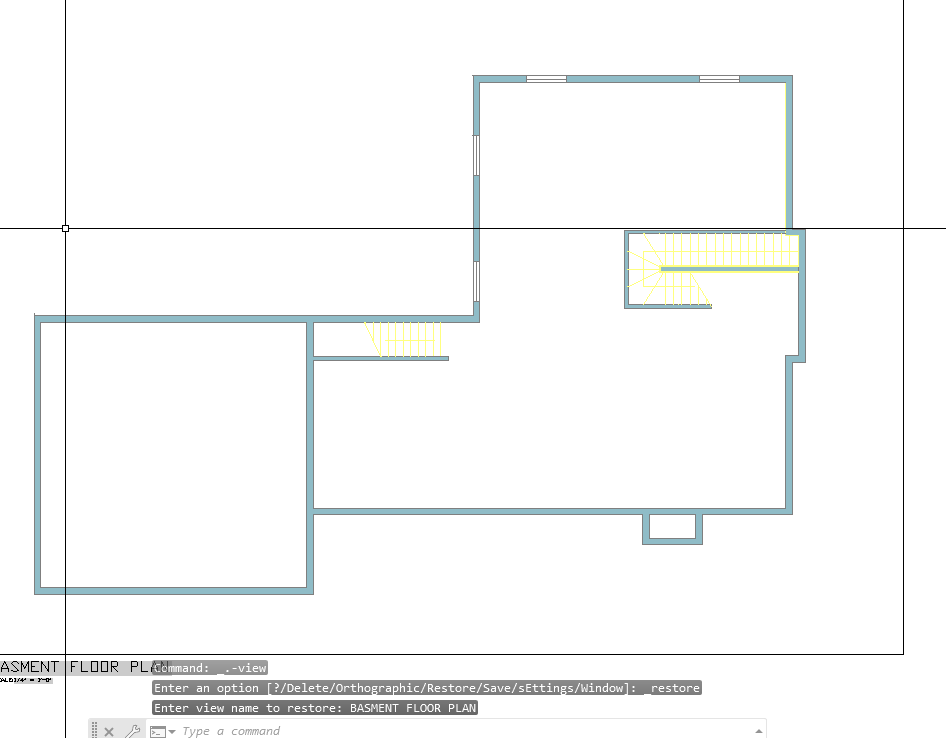
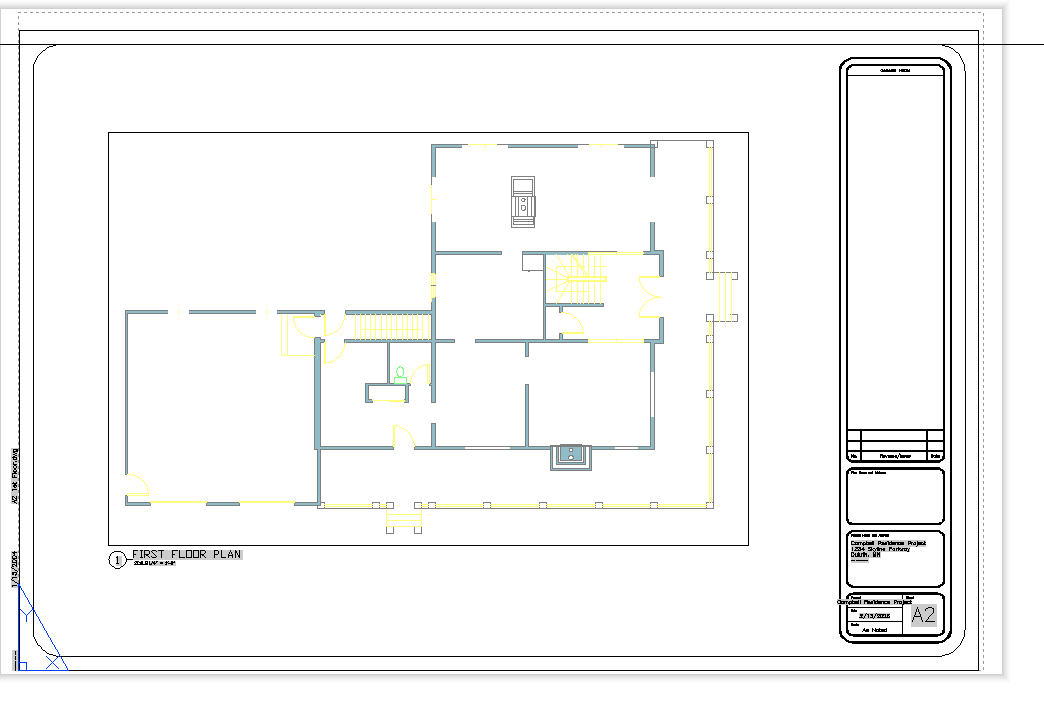
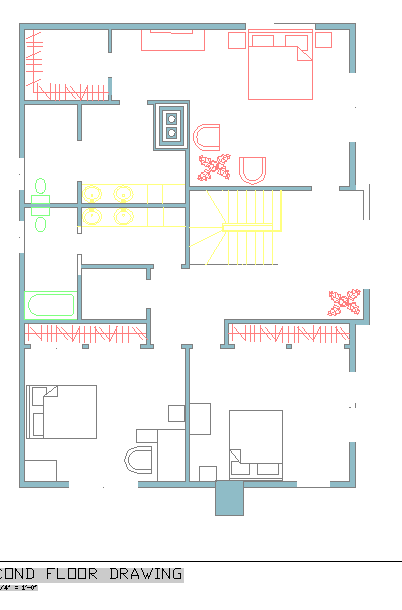
correct. Here's a few of the files. Right now I'm having an issue with missing dimensions and furniture blocks when I upload the drawings into sheets from model space. I made sure no layers were frozen, nothing is on def points, ran an audit....etc Flr-B.dwg Flr-1.dwg FLR-2.dwg Exterior Elevations corrected.dwg Site plan Alternate.dwg Wall Section.dwg Building section.dwg Stair Detail.dwg -
Alright, another Penn Foster student here. Big shocker there, I know. I put all my drawings from model space in to sheets but I lost all my dimensions and some of my furniture blocks. I double checked to be sure I didn't have any frozen layers, nothing is in def points, they're in correct layers, I ran an audit and it found and fixed 0 errors. I'm really new to all this auto cad stuff but apparently my work thinks I need it even though ill never use it. I'm not even ALOUD to have it on my computer at work...lol Any help would be greatly appreciated Flr-B.dwg Flr-1.dwg FLR-2.dwg
-
here's the AI reply to my question: "Activate Current Vertex 'X' marker: as if Clicking on the Current Vertex field on gis Properties, autolisp" here's the code and tried but my a2k might not be able.. can someone try this <short>Vertex.X.lsp? (defun c:Sv ( / ent obj vla-obj vertexNum) (vl-load-com) ;; 1. Select the polyline (setq ent (car (entsel "\nSelect Polyline: "))) (if (and ent (member (cdr (assoc 0 (entget ent))) '("LWPOLYLINE" "POLYLINE"))) (progn (setq vla-obj (vlax-ename->vla-object ent)) ;; 2. Ask for the vertex index (0-indexed) (setq vertexNum (getint "\nEnter vertex index (0 is first): ")) ;; 0) ;; <- my choice (if (and vertexNum (>= vertexNum 0)) (progn ;; 3. Set the CurrentVertex property (Activates the X marker) (vl-catch-all-apply 'vlax-put-property (list vla-obj 'CurrentVertex vertexNum)) ;; 4. Refresh to show the marker (vla-update vla-obj) (redraw) (princ (strcat "\nVertex " (itoa vertexNum) " activated.")) ) ) ) (princ "\nNot a valid polyline.") ) (princ) )
-
Penn Foster AutoCAD Applications-Construction assistance (Residential House Project)
ReMark replied to TimC's topic in Student Project Questions
What are you being asked to create? Since it is an architectural drawing I would say a floor plan, at least two elevations, a section and related details. Is that correct? - Last week
-
Penn Foster AutoCAD Applications-Construction assistance (Residential House Project)
TimC replied to TimC's topic in Student Project Questions
2D -

Penn Foster AutoCAD Applications-Construction assistance (Residential House Project)
007 replied to TimC's topic in Student Project Questions
What specifically is the project? Is it a 2D or 3D drawing that is required? -
Penn Foster AutoCAD Applications-Construction assistance (Residential House Project)
TimC replied to TimC's topic in Student Project Questions
correct. yea that's the book -
Penn Foster AutoCAD Applications-Construction assistance (Residential House Project)
ReMark replied to TimC's topic in Student Project Questions
I tried the link but the furthest I got was to a screen where I was told I don't have access to the book. The title of the book referenced was "Residential Design Using AutoCAD 2023." Sound familiar? -
 burxrecord joined the community
 -
I think a custom DCL front end would be good. Will have a think about it. The extend option is easy just set the default length to 0.0 so any other value means yes. Nikon the dynamic block is a nice idea.
-

Copying a Value into the Clipboard without using Active-X so it can work on LT
BIGAL replied to CivilTechSource's topic in AutoLISP, Visual LISP & DCL
Like @Steven P "Generally I save to the same folder as the CAD file" In the attached file is a plot a range of pdf's a DCL pops up for the range then the plots are done. In the code you will see a command Mk-dir that is used to make a PDF directory. I think we have discussed previously about making menu's as the simplest way of click on a choice and it happens. See image above, keep adding options for users, they don't need to worry about appload or (load."????") I had 8 users, our menu was on a server so would auto update for end users. You will need to change the code to suit your title block and pdf settings have a go. It is set up for title block at 0,0. It is possible to have one lisp but it uses different variables for different output devices and title blocks. A version I have for a client looks at title block name and sets the correct plot size settings. Come back if have a problem, you have my Email ? plotA3Pdfrange.lsp Multi GETVALS.lsp -
The dimension style holds the settings for dimensions not the units, the Units would be used for setting imperial or metric.
-
You need to understand what is a OEM version it is used by software providers as a means to get an Autocad but with their software as the essential item. Refering to OEM document "Deliver products with scaled feature sets at scaled price points and provide an AutoCAD-based platform that cannot be customized or extended by end users." So any outside program lisp or .NET etc can not be ran by you. But you can add programs using the OEM key that is held by the software developer. You would have to go back to them to add. What program did you buy ?
-
Penn Foster AutoCAD Applications-Construction assistance (Residential House Project)
TimC replied to TimC's topic in Student Project Questions
This is what its called "AutoCAD Applications-Construction". Here's a link to the project instructions https://online.vitalsource.com/reader/books/9781630567422/pageid/2 Not sure if you have to sign in to see it or not. Heres a screenshot of the class title. Im going back and fixing stuff currently. I messed up a lot...lol
-
Penn Foster AutoCAD Applications-Construction assistance (Residential House Project)
ReMark replied to TimC's topic in Student Project Questions
A house project? Like for HVAC? What is Penn-Foster calling this project? Where do you normally go to download P-F projects? -
Penn Foster AutoCAD Applications-Construction assistance (Residential House Project)
TimC replied to TimC's topic in Student Project Questions
Well, apparently the house project that I'm working on hasn't been talked about..lol...The instructions are through "VitalSource Bookshelf". Is there a way to download that and my project so I can upload it here somewhere and hopefully someone much more experienced than I am can critique it for me before I submit it? -
Penn Foster AutoCAD Applications-Construction assistance (Residential House Project)
TimC replied to TimC's topic in Student Project Questions
Awesome. Ill look into it. Its too late for the Oleson Village one but Ill look at it anyway just to see exactly what went wrong but honestly the lack of response combined with the horrible instructions (or lack there of) makes it really difficult for someone trying to learn. Thank you fellas. I'm sure Ill have more questions before i submit the final prject -

Dimangular-Vertex Macro Error
zaphod posted a topic in The CUI, Hatches, Linetypes, Scripts & Macros
Hello, I'm trying to create a macro to dimension angles using a vertex starting at 0,0 to 0,1, and then a point. I thought it would be rather simple compared to other things that I have tried. I thought that this would do what I want, but for some reason the first line in the angle is all over the place. Any ideas as to why? ^C^C^C_dimangular;;0,0;0,1;\