Leaderboard




Popular Content
Showing content with the highest reputation on 06/11/2019 in Posts
-
Sorry bout that here you go lol. ChriS
 1 point
 -
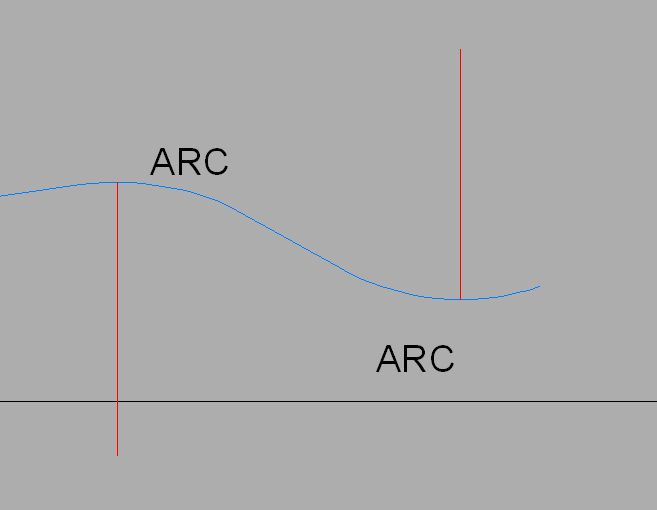
In case nobody writes you a lisp, you can easily find the highest and lowest points of the polyline by drawing a vertical line from the centres of each arc.
1 point
-
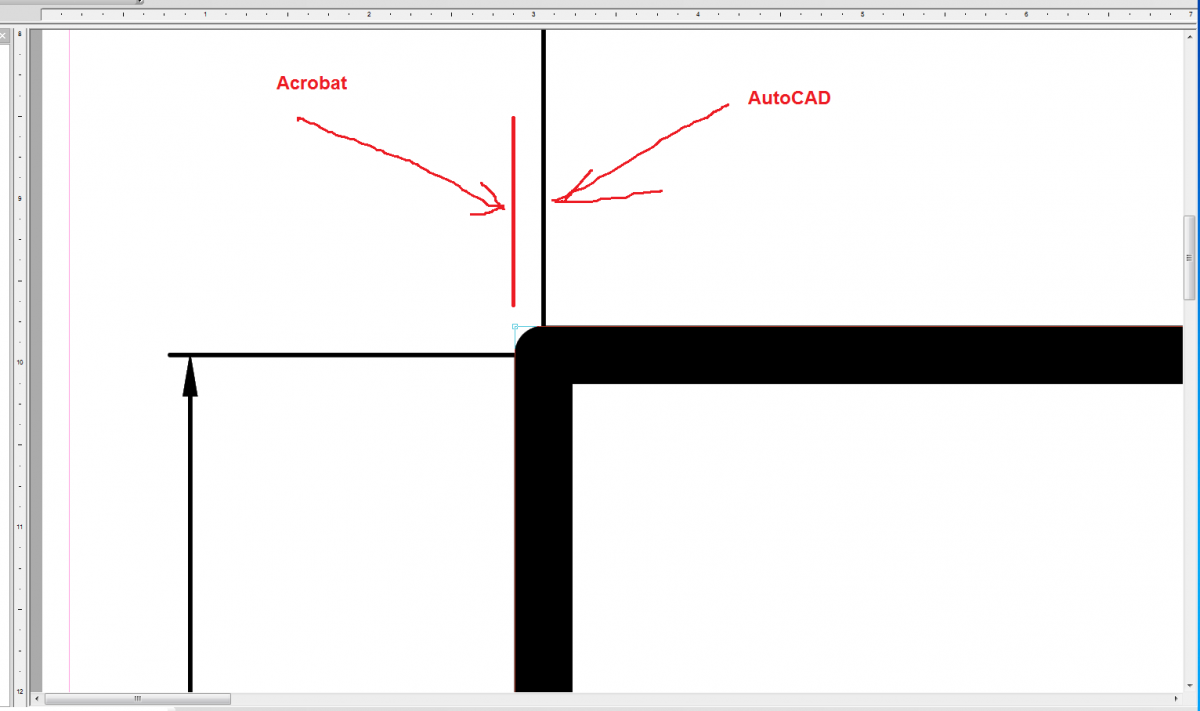
1. I wrote to you earlier - attach an example. Why ignore? 2. The answer is simple - in Acrobat, the measurement is made on the external side of the lines, taking into account the line thickness. In AutoCAD, the measurement in the middle of the line does not depend on the thickness. And Acrobat takes into account the thickness of the line. If you consider that you use the scale, then this leads to a 0.03
1 point
-
See this example.1 point
-
It is a combination of the nature of a PDF and/or Illustrator. Illustrator uses points for measuring and is much less accurate, that's why resolution helps, for a short explanation. They should be using dxf or dwg.1 point
-
For those who find this useful, a LidarTools2019.dll has been added for Civil3D 2019 compatibility.1 point
.thumb.jpg.09a08ecad2685cb2c8053165bd65e191.jpg)