Leaderboard




Popular Content
Showing content with the highest reputation on 11/23/2025 in Posts
-
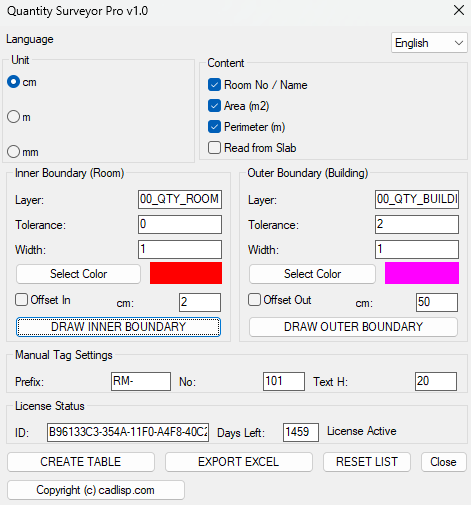
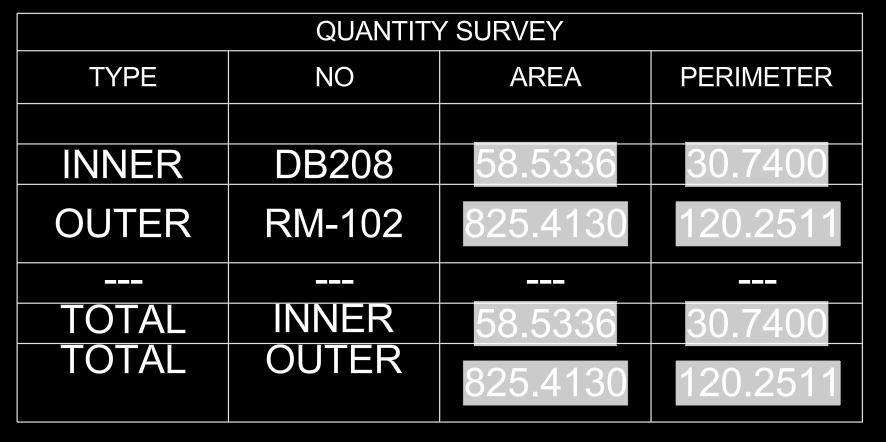
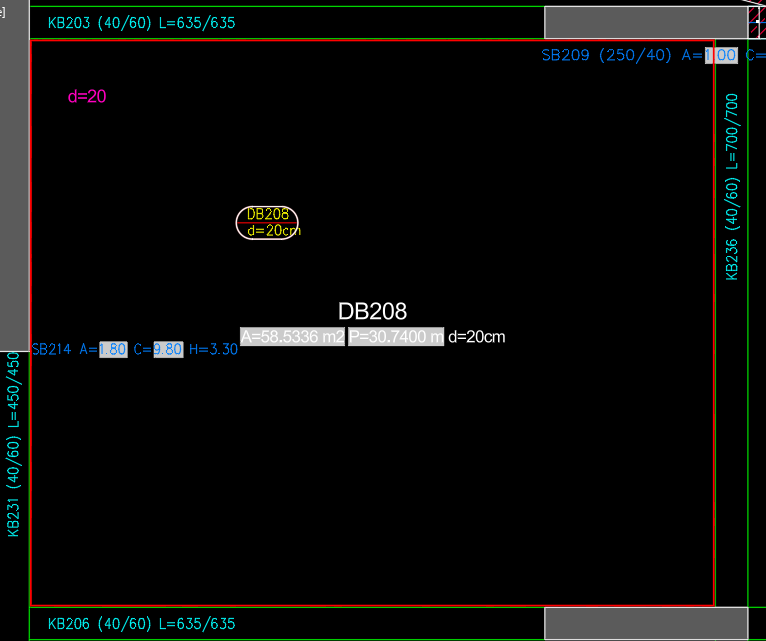
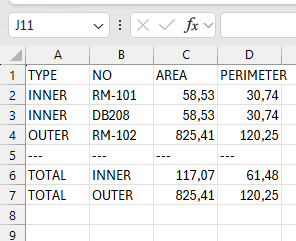
Hi everyone, I’ve been working on a project to automate the tedious process of room quantity takeoffs (Area & Perimeter) in AutoCAD. I know how time-consuming it can be to manually measure every room and transfer data to Excel, so I developed a Lisp plugin called Quantity Surveyor Pro. It's currently v1.0 and completely free for the community. Key Features: ☻Auto-Boundary Detection: Works like the 'Boundary' command but smarter. ☻Smart Tagging: Automatically places Room Name/No tags with area & perimeter. ☻Excel Export: Exports all data to a CSV/Excel file with one click. ☻Table Generation: Creates a summary table inside AutoCAD. I would really appreciate it if you could test it and give me some feedback on how to improve it further. You can download it here: https://cadlisp.com (It supports both English and Turkish languages) Thanks in advance for your support!
 1 point
 -
Per the documentation, (vl-string-translate) replaces by character, not by string. Hence, for the arguments you have specified, the backslash ("\\") will be replaced by the newline character ("\n") and the "P" does not have a replacement character. Instead, since you're looking to substitute one string for another, you should use the (vl-string-subst) function (in a loop so as to replace all occurrences). I have written a String Subst wrapper which you could call in the following way: (LM:stringsubst "\n" "\\P" "Abcdef\\Pghijk\\Plmnop")1 point
-
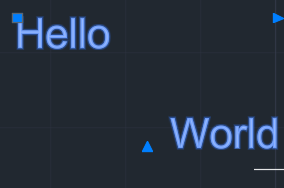
You can build a lisp function in Python that will explode the MText into fragments @Ap.Command() def doit(): try: ps, id, pnt = Ed.Editor.entSel("\nSelect: ", Db.MText.desc()) mt = Db.MText(id) frags = mt.getFragments() val = "" for frag in frags: val += ' ' val += frag[Db.MTextFragmentType.kTextValue] print(frags) print(val) except Exception: print(traceback.format_exc()) [PyGe.Point3d(18.25565516926225,16.52816695203355,0.00000000000000), PyGe.Vector3d(0.00000000000000,0.00000000000000,1.00000000000000), PyGe.Vector3d(1.00000000000000,0.00000000000000,0.00000000000000), 'Hello', None, None, PyGe.Point2d(0.63669849931787,0.20327421555252), 0.2, 1.0, 0.0, 1.0, <PyDb.EntityColor object at 0x000001AD0C1D0F90>, 0, 0, 0, 0, 0, [PyGe.Point3d(0.00000000000000,0.00000000000000,0.00000000000000), PyGe.Point3d(0.00000000000000,0.00000000000000,0.00000000000000)], [PyGe.Point3d(0.00000000000000,0.00000000000000,0.00000000000000), PyGe.Point3d(0.00000000000000,0.00000000000000,0.00000000000000)], [PyGe.Point3d(0.00000000000000,0.00000000000000,0.00000000000000), PyGe.Point3d(0.00000000000000,0.00000000000000,0.00000000000000)], 'Arial', False, False] [PyGe.Point3d(19.29427328818596,15.86150028536689,0.00000000000000), PyGe.Vector3d(0.00000000000000,0.00000000000000,1.00000000000000), PyGe.Vector3d(1.00000000000000,0.00000000000000,0.00000000000000), 'World', None, None, PyGe.Point2d(0.72960436562074,0.20327421555252), 0.2, 1.0, 0.0, 1.0, <PyDb.EntityColor object at 0x000001AD0C1D1770>, 0, 0, 0, 0, 0, [PyGe.Point3d(0.00000000000000,0.00000000000000,0.00000000000000), PyGe.Point3d(0.00000000000000,0.00000000000000,0.00000000000000)], [PyGe.Point3d(0.00000000000000,0.00000000000000,0.00000000000000), PyGe.Point3d(0.00000000000000,0.00000000000000,0.00000000000000)], [PyGe.Point3d(0.00000000000000,0.00000000000000,0.00000000000000), PyGe.Point3d(0.00000000000000,0.00000000000000,0.00000000000000)], 'Arial', False, False] Hello World
1 point
-
I know this query is old, but... Maybe for the path to multiple locations use the Traveling Salesman Problem (TSP) algorithm. @marko_ribar has a LISP on CADTutor. Bellman-Ford algorithm can handle the shortest path from a single source to all other nodes might work.1 point