Leaderboard



Popular Content
Showing content with the highest reputation on 09/15/2026 in Posts
-
Yes, I was working on that for my home computer with 2000i. Since I had some home time today with AutoCAD 2000i, I did some updating to your code. Seems to work great with minimal testing. Here is my Test Code... ; ================================================================ ; Test command ; ================================================================ (defun c:SelectDWGs (/ files) (setq files (pl:getfiledps "Select DWG Files" (getvar "DWGPREFIX") "dwg" 1 ) ) (if files (progn (princ "\nSelected files:" ) (foreach file files (princ (strcat "\n" file ) ) ) ) (princ "\nNo files selected." ) ) (princ) ) pl_getfiledps_2000i.lsp1 point
-
Professionally all updates are via email. Recorded in the company systems and auditable.1 point
-
Works great often do old fashioned DOS to get file names list or use the VL files functions. A suggestion remove "result" from the local variables list. As the answer disappears. Or ; Example: ; (setq files (pl:getfiledps "Select Files" (getvar"dwgprefix") "dwg" 1)) A side comment I have used Powershell with Bricscad and sometimes does not work. Your code may help as you do a deeper dive into running Powershell. I generally only do a "Power shell and script" I have used it to change programs, I jump to Excel from CAD.1 point
-
One observation: in older versions of AutoCAD (2000 and 2002, at least), 'vla-get-HWND' applies to the Document object rather than the Acad object.1 point
-
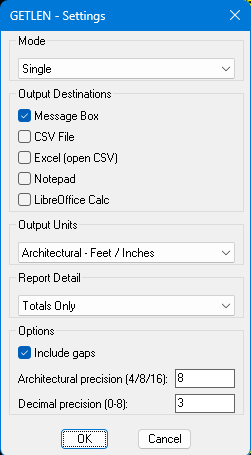
The latest version is now in the first post. I used the @BIGAL codes for MS Excel and LibreOffice Calc, all credit given. Hopefully works in non-AutoCAD programs as well, it worked in AutoCAD 2000i on my home computer, batch wasn't an available option, so I may or may not see why. I forgot how much better Calc looks than Excel, it really looked better with my dark theme, I might need to work on my Excel at work. I just used a quickly made Metric drawing, so hopefully everything is correct, I know getting metric measurements in my Imperial drawings is correct. It now has option for the complete report or just the totals. It also gives the actual measurement of a scaled block and the 1:1 total. It also should first ask to save the CSV in the same folder as the drawing now.
 1 point