Leaderboard




Popular Content
Showing content with the highest reputation since 08/26/2026 in Posts
-
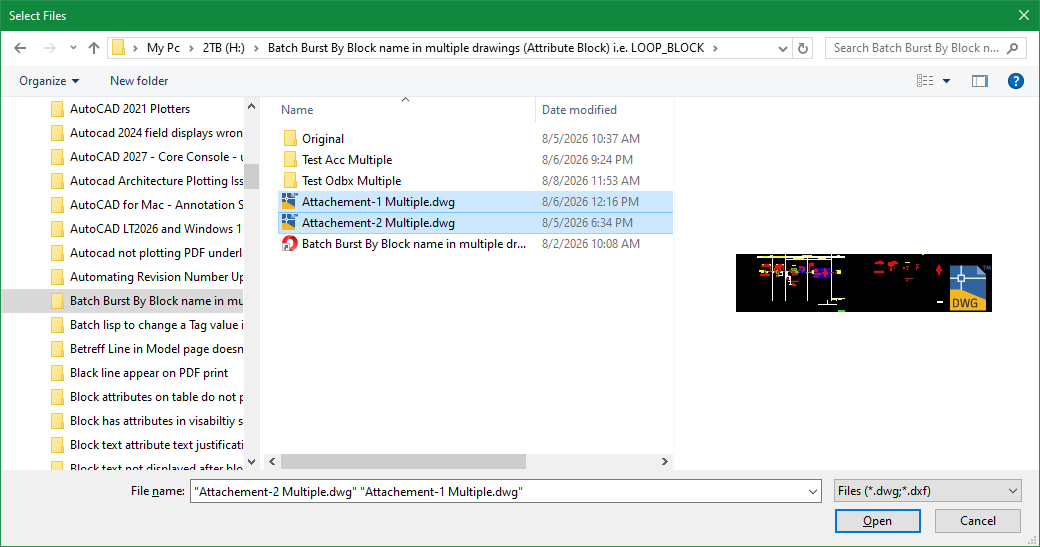
Attached is an improved version of getfiled that implements powershell with the option to select single or multiple files returning a list of the selected item(s): Examples: (pl:getfiledps "Select Files" (getvar"dwgprefix") "dwg" 0) ; for single selection of file type dwg (pl:getfiledps "Select Files" (strcat (getenv "userprofile") "\\downloads") "dwg;dxf" 1) ; for multiple selection of file types dwg & dxf Feedback & comments are welcome. pl_getfiledps.lsp
 5 points
 -
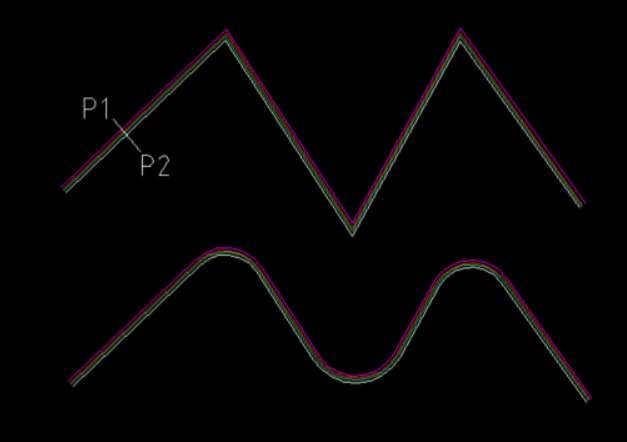
Another way to do it: transform lines, polylines/polyarcs, circles or arcs into mutilines. This way we retain the properties of the chosen multiline style. Arcs are simulated with segments. ;; ListBox (gile) ;; Boite de dialogue permettant un ou plusieurs choix dans une liste ;; ;; Arguments ;; title : le titre de la boite de dialogue (chaîne) ;; msg ; message (chaîne), "" ou nil pour aucun ;; keylab : une liste d'association du type ((key1 . label1) (key2 . label2) ...) ;; flag : 0 = liste déroulante ;; 1 = liste choix unique ;; 2 = liste choix multipes ;; ;; Retour : la clé de l'option (flag = 0 ou 1) ou la liste des clés des options (flag = 2) ;; ;; Exemple d'utilisation ;; (listbox "Présentation" "Choisir une présentation" (mapcar 'cons (layoutlist) (layoutlist)) 1) (defun ListBox (title msg keylab flag / tmp file dcl_id choice) (setq tmp (vl-filename-mktemp "tmp.dcl") file (open tmp "w") ) (write-line (strcat "ListBox:dialog{label=\"" title "\";") file ) (if (and msg (/= msg "")) (write-line (strcat ":text{label=\"" msg "\";}") file) ) (write-line (cond ((= 0 flag) "spacer;:popup_list{key=\"lst\";") ((= 1 flag) "spacer;:list_box{key=\"lst\";") (T "spacer;:list_box{key=\"lst\";multiple_select=true;") ) file ) (write-line "}spacer;ok_button;}" file) (close file) (setq dcl_id (load_dialog tmp)) (if (not (new_dialog "ListBox" dcl_id)) (exit) ) (start_list "lst") (mapcar 'add_list (mapcar 'cdr keylab)) (end_list) (action_tile "accept" "(or (= (get_tile \"lst\") \"\") (if (= 2 flag) (progn (foreach n (str2lst (get_tile \"lst\") \" \") (setq choice (cons (nth (atoi n) (mapcar 'car keylab)) choice)) ) (setq choice (reverse choice)) ) (setq choice (nth (atoi (get_tile \"lst\")) (mapcar 'car keylab))) ) ) (done_dialog)" ) (start_dialog) (unload_dialog dcl_id) (vl-file-delete tmp) choice ) (defun def_bulg_pl (ls lb flag_closed / ls lb rad a l_new) (if (not (zerop flag_closed)) (setq ls (append ls (list (car ls))))) (while (cadr ls) (if (zerop (car lb)) (setq l_new (append l_new (list (car ls)))) (progn (setq rad (/ (distance (car ls) (cadr ls)) (sin (* 2.0 (atan (abs (car lb))))) 2.0) a (- (/ pi 2.0) (- pi (* 2.0 (atan (abs (car lb)))))) ) (if (< a 0.0) (setq a (- (* 2.0 pi) a))) (if (or (and (< (car lb) 0.0) (> (car lb) -1.0)) (> (car lb) 1.0)) (setq l_new (append l_new (reverse (cdr (reverse (bulge_pts (polar (car ls) (- (angle (car ls) (cadr ls)) a) rad) (car ls) (cadr ls) rad (car lb))))))) (setq l_new (append l_new (reverse (cdr (reverse (bulge_pts (polar (car ls) (+ (angle (car ls) (cadr ls)) a) rad) (car ls) (cadr ls) rad (car lb))))))) ) ) ) (setq ls (cdr ls) lb (cdr lb)) ) (append l_new (list (car ls))) ) (defun bulge_pts (pt_cen pt_begin pt_end rad sens / inc ang nm p1 p2 lst) (setq inc (angle pt_cen (if (< sens 0.0) pt_end pt_begin)) ang (+ (* 2.0 pi) (angle pt_cen (if (< sens 0.0) pt_begin pt_end))) nm (fix (/ (rem (- ang inc) (* 2.0 pi)) (/ (* pi 2.0) 36.0))) ) (repeat nm (setq p1 (polar pt_cen inc rad) inc (+ inc (/ (* pi 2.0) 36.0)) lst (append lst (list p1)) ) ) (setq p2 (polar pt_cen ang rad) lst (append lst (list p2)) ) (if (< sens 0.0) (reverse lst) lst) ) (defun c:polyarc2ml ( / jspl nbr l_mlstyl sel_styl ent dxf_ent typent name_layer closed lst l_bulg e_next dxf_next oldlayer oldosm key_mod scale_ml) (princ "\nSelect polylines/lines/circles/arcs for transform to multilines: ") (setq jspl (ssget '((0 . "*POLYLINE,LINE,CIRCLE,ARC") (-4 . "<NOT") (-4 . "&") (70 . 124) (-4 . "NOT>"))) nbr 0 ) (cond (jspl (setq l_mlstyl (mapcar 'cdr (vl-remove-if-not '(lambda (x) (= (car x) 3)) (dictsearch (namedobjdict) "ACAD_MLINESTYLE") ) ) ) (while (not (setq sel_styl (listbox "Multilines style" "Choose a Multiline style" (mapcar 'cons l_mlstyl l_mlstyl) 1)))) (setvar "cmlstyle" sel_styl) (initget "Top Zero Bottom") (setq key_mod (getkword (strcat "\nGive justification type [Top/Zero/Bottom] <" (cond ((eq (getvar "cmljust") 0) "Top" ) ((eq (getvar "cmljust") 1) "Zero" ) ((eq (getvar "cmljust") 2) "Bottom" ) ) ">: " ) ) ) (if key_mod (cond ((eq key_mod "Top") (setvar "cmljust" 0)) ((eq key_mod "Zero") (setvar "cmljust" 1)) ((eq key_mod "Bottom") (setvar "cmljust" 2)) ) ) (setq scale_ml (getdist (strcat "\nGive scale for multiline <" (rtos (getvar "cmlscale")) ">: "))) (if scale_ml (setvar "cmlscale" scale_ml)) (setq oldlayer (getvar "clayer") oldosm (getvar "osmode")) (setvar "osmode" 0) (setvar "cmdecho" 0) (command "_.ucs" "_world") (repeat (sslength jspl) (setq typent (cdr (assoc 0 (setq dxf_ent (entget (setq ent (ssname jspl nbr)))))) name_layer (cdr (assoc 8 dxf_ent)) ) (cond ((eq typent "LWPOLYLINE") (setq closed (boole 1 (cdr (assoc 70 dxf_ent)) 1) lst (mapcar '(lambda (x) (trans x ent 1)) (mapcar 'cdr (vl-remove-if '(lambda (x) (/= (car x) 10)) dxf_ent))) l_bulg (mapcar 'cdr (vl-remove-if '(lambda (x) (/= (car x) 42)) dxf_ent)) lst (def_bulg_pl lst l_bulg closed) ) ) ((eq typent "POLYLINE") (setq closed (boole 1 (cdr (assoc 70 dxf_ent)) 1) e_next (entnext ent) ) (while (= "VERTEX" (cdr (assoc 0 (setq dxf_next (entget e_next))))) (if (zerop (boole 1 223 (cdr (assoc 70 dxf_next)))) (setq lst (cons (trans (cdr (assoc 10 dxf_next)) ent 1) lst) l_bulg (cons (cdr (assoc 42 dxf_next)) l_bulg) ) ) (setq e_next (entnext e_next)) ) (setq lst (reverse lst) l_bulg (reverse l_bulg) lst (def_bulg_pl lst l_bulg closed) ) ) ((eq typent "LINE") (setq lst (list (trans (cdr (assoc 10 dxf_ent)) 0 1) (trans (cdr (assoc 11 dxf_ent)) 0 1)) closed 0 ) ) ((eq typent "CIRCLE") (setq lst (bulge_pts (trans (cdr (assoc 10 dxf_ent)) ent 1) (polar (trans (cdr (assoc 10 dxf_ent)) ent 1) 0.0 (cdr (assoc 40 dxf_ent))) (polar (trans (cdr (assoc 10 dxf_ent)) ent 1) (- (* 2.0 pi) (/ (* pi 2.0) 36.0)) (cdr (assoc 40 dxf_ent))) (cdr (assoc 40 dxf_ent)) 1 ) lst (append lst (list (car lst))) closed 1 ) ) ((eq typent "ARC") (setq lst (bulge_pts (trans (cdr (assoc 10 dxf_ent)) ent 1) (polar (trans (cdr (assoc 10 dxf_ent)) ent 1) (cdr (assoc 50 dxf_ent)) (cdr (assoc 40 dxf_ent))) (polar (trans (cdr (assoc 10 dxf_ent)) ent 1) (cdr (assoc 51 dxf_ent)) (cdr (assoc 40 dxf_ent))) (cdr (assoc 40 dxf_ent)) 1 ) closed 0 ) ) ) (cond (lst (setvar "clayer" name_layer) (command "_.mline") (foreach n lst (command n)) (if (not (zerop closed)) (command "_close") (command "")) (entdel ent) ) ) (setq nbr (1+ nbr) lst nil l_bulg nil) ) (command "_.ucs" "_previous") (setvar "clayer" oldlayer) (setvar "osmode" oldosm) (setvar "cmdecho" 1) ) (T (princ "\nSelect is empty")) ) (prin1) )4 points
-
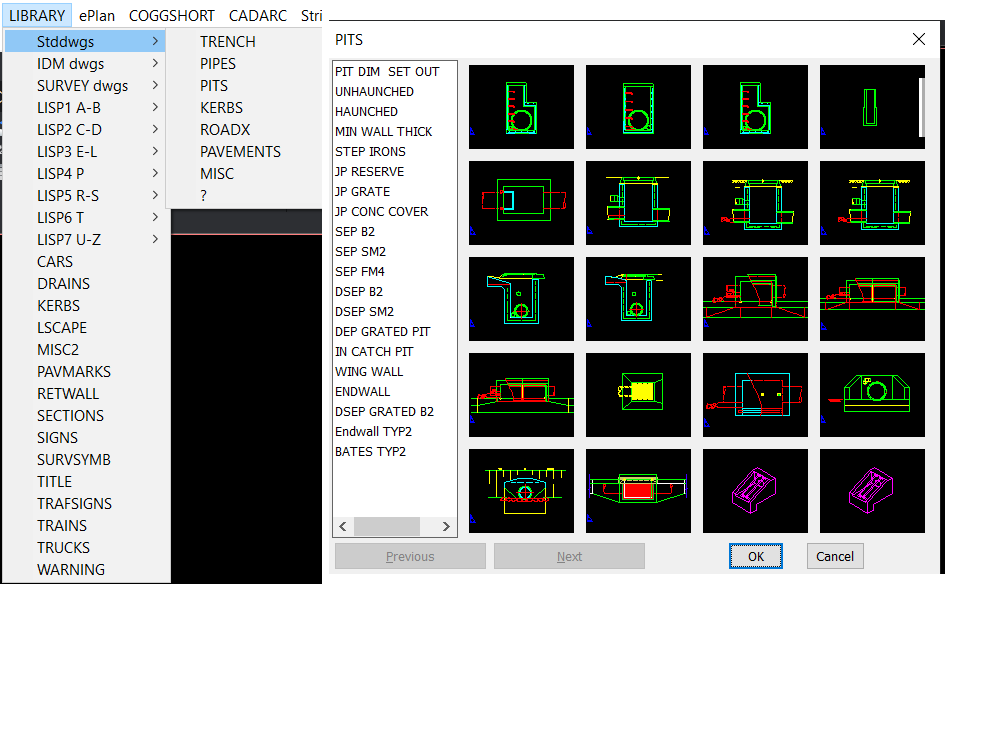
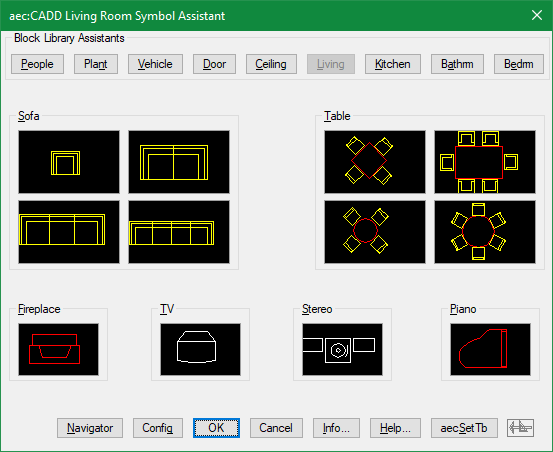
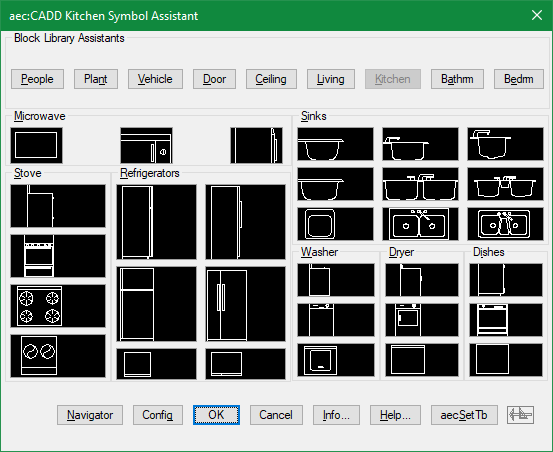
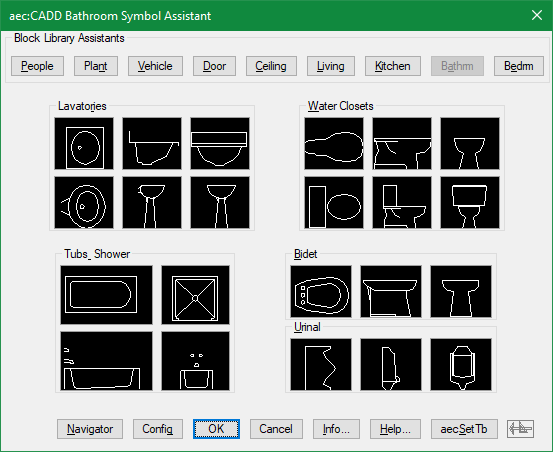
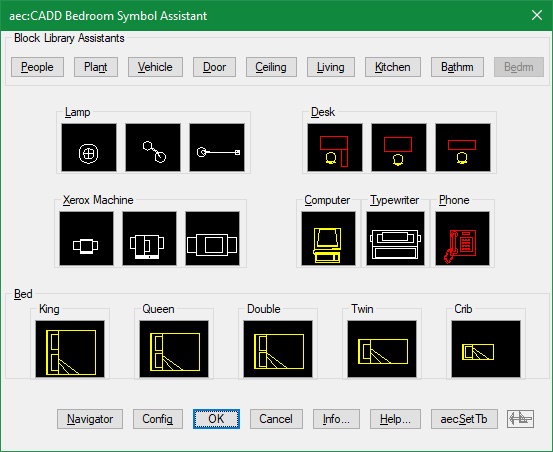
If you go old fashioned this is built into a pop menu. If you can use Notepad then you can make one. Note the Next and Previous inbuilt options. But I also have 2x2, 3x3, 4x4 and so on dcl's they are used when relevant to limited choices in code via an image pick.
4 points
-
You can give this a try: (defun filePicker (directory filename extension / appHandle des pickedFile pickedFiles shell tmp tmpopen tmpoutput line) ;; Multi-file FilePicker using PowerShell OpenFileDialog ;; Returns a list of selected full file paths. ;; Returns nil if Cancel is pressed. (cond ;; Create temporary .BAT file ((and (setq tmp (vl-filename-mktemp nil nil ".bat")) (setq des (open tmp "w")) (write-line (strcat "<# : chooser.bat\n" ":: launches a File... Open sort of file chooser\n" "@echo off\n" "setlocal\n" "for /f \"delims=\" %%I in ('powershell -noprofile \"iex (${%~f0} | out-string)\"') do (\n" " echo %%~I\n" ")\n" "goto :EOF\n" ": end Batch portion / begin PowerShell hybrid chimera #>\n" "Add-Type -AssemblyName System.Windows.Forms\n" "$f = New-Object System.Windows.Forms.OpenFileDialog\n" "$f.InitialDirectory = \"" directory "\"\n" "$f.FileName = \"" filename "\"\n" "$f.Filter = \"" (cond ((= "dwg" (strcase extension t)) "AutoCAD Drawing (*.dwg)|*.dwg") ((= "dxf" (strcase extension t)) "AutoCAD DXF (*.dxf)|*.dxf") (t "All Files (*.*)|*.*") ) "\"\n" "$f.FilterIndex = 1\n" "$f.DefaultExt = \"" extension "\"\n" "$f.Multiselect = $true\n" "$f.ShowHelp = $true\n" "if ($f.ShowDialog() -eq [System.Windows.Forms.DialogResult]::OK) {\n" " $f.FileNames | ForEach-Object { $_ }\n" "}" ) des ) ) (not (close des)) (setq tmpoutput (vl-filename-mktemp nil nil ".txt")) (setq shell (vla-getinterfaceobject (vlax-get-acad-object) "WScript.shell")) (setq appHandle (vl-catch-all-apply 'vlax-invoke (list shell 'Run (strcat "cmd /c " tmp " > " tmpoutput) 0 :vlax-false))) (vlax-release-object shell) (not (vl-catch-all-error-p appHandle)) (setq tmpopen (open tmpoutput "r")) (while (setq line (read-line tmpopen)) (if (/= line "") (setq pickedFiles (append pickedFiles (list line)) ) ) ) (close tmpopen) (setq pickedFile pickedFiles) ) ((setq pickedFile (getfiled "" (strcat directory filename) extension 0)) (setq pickedFile (list pickedFile)) ) ) (if (and tmp (setq tmp (findfile tmp))) (vl-file-delete tmp) ) (if (and tmpoutput (setq tmpoutput (findfile tmpoutput))) (vl-file-delete tmpoutput) ) pickedFile )3 points
-
Yes, I was working on that for my home computer with 2000i. Since I had some home time today with AutoCAD 2000i, I did some updating to your code. Seems to work great with minimal testing. Here is my Test Code... ; ================================================================ ; Test command ; ================================================================ (defun c:SelectDWGs (/ files) (setq files (pl:getfiledps "Select DWG Files" (getvar "DWGPREFIX") "dwg" 1 ) ) (if files (progn (princ "\nSelected files:" ) (foreach file files (princ (strcat "\n" file ) ) ) ) (princ "\nNo files selected." ) ) (princ) ) pl_getfiledps_2000i.lsp3 points
-
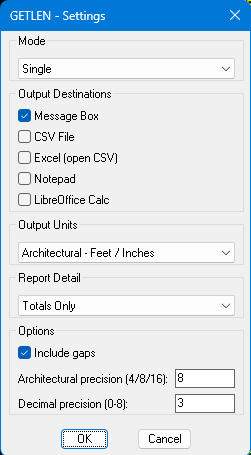
The latest version is now in the first post. I used the @BIGAL codes for MS Excel and LibreOffice Calc, all credit given. Hopefully works in non-AutoCAD programs as well, it worked in AutoCAD 2000i on my home computer, batch wasn't an available option, so I may or may not see why. I forgot how much better Calc looks than Excel, it really looked better with my dark theme, I might need to work on my Excel at work. I just used a quickly made Metric drawing, so hopefully everything is correct, I know getting metric measurements in my Imperial drawings is correct. It now has option for the complete report or just the totals. It also gives the actual measurement of a scaled block and the 1:1 total. It also should first ask to save the CSV in the same folder as the drawing now.
3 points
-
From @Steven P's thread. AutoLISP Code Scroll down to Blk_Lib.lsp Blk_Lib.dcl Blk_Lib.doc Also some information on making these types of DCL. Getting Started with Dcl Dialogs just scroll down for DCLs with slide images and Image buttons. This is pretty good as well. https://www.theswamp.org/index.php?topic=20878.msg253445#msg2534453 points
-
In another post there was questions about changing Mline styles for existing Mlines. So answered that and thought what about adding fillets to a mline. Wel as we know you can not do that, so did it this way. Converting the individual mlines to plines then filleting the plines produced. The fillet radius changing matching the offsets. ; Convert mline to plines and add a rdius. ; By AlanH Aug 2026 (defun LWPoly (lst cls) (entmakex (append (list (cons 0 "LWPOLYLINE") (cons 100 "AcDbEntity") (cons 100 "AcDbPolyline") (cons 90 (length lst)) (cons 70 cls)) (mapcar (function (lambda (p) (cons 10 p))) lst))) ) (defun c:ml2plrad ( / oldsnap pt1 pt2 ent obj obj2 co-ords dict col lst x) (setq oldsnap (getvar 'osmode)) (setvar 'osmode 0) (setq pt1 (getpoint "\nPick 1st point for drag ")) (setq pt2 (getpoint pt1 "\nPick 2nd point ")) (setq pts (list pt1 pt2)) (setq ent (ssname (ssget "F" pts (list (cons 0 "Mline"))) 0)) (setq obj (vlax-ename->vla-object ent)) (setq styleName (vla-get-StyleName obj)) (setq lay (vlax-get obj 'layer)) (setvar 'clayer lay) (setq co-ords (vlax-get obj 'coordinates)) (vla-delete obj) (setq pts2 '() x 0) (repeat (/ (length co-ords) 3) (setq pts2 (cons (list (nth x co-ords)(nth (1+ x) co-ords)) pts2)) (setq x (+ x 3)) ) (setq dict (dictsearch (cdr (assoc -1 (dictsearch (namedobjdict) "ACAD_MLINESTYLE"))) styleName)) (setq offsets (mapcar 'cdr (vl-remove-if-not '(lambda (x) (= (car x) 49)) dict))) (setq col (mapcar 'cdr (vl-remove-if-not '(lambda (x) (= (car x) 62)) dict))) (setq col (cdr col)) ; ignore 1st color (setq lst '() x 0) (repeat (length col) (setq lst (cons (list (nth x offsets)(nth x col)) lst)) (setq x (1+ x)) ) (LWPoly pts2 0) (setvar 'filletrad (getreal "\nEnter Fillet radius for most outside offset ")) (command "fillet" "P" (entlast)) (setq x 1) (repeat (- (length col) 1) (setq obj2 (vlax-ename->vla-object (entlast))) (vlax-put obj2 'color (nth (1- x) col)) (vla-offset (vlax-ename->vla-object (entlast)) (- (nth x offsets)(nth (1- x) offsets))) (setq x (1+ x)) ) (setq obj2 (vlax-ename->vla-object (entlast))) (vlax-put obj2 'color (nth (1- x) col)) (setvar 'osmode oldsnap) (princ) ) (c:ml2plrad)
3 points
-
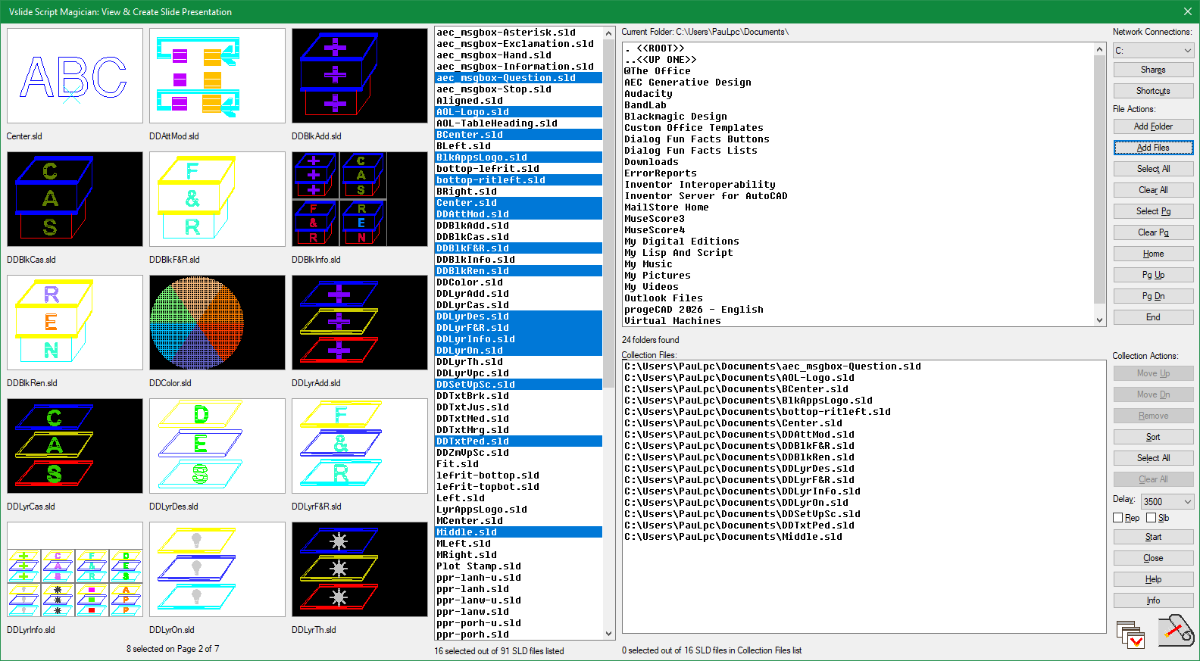
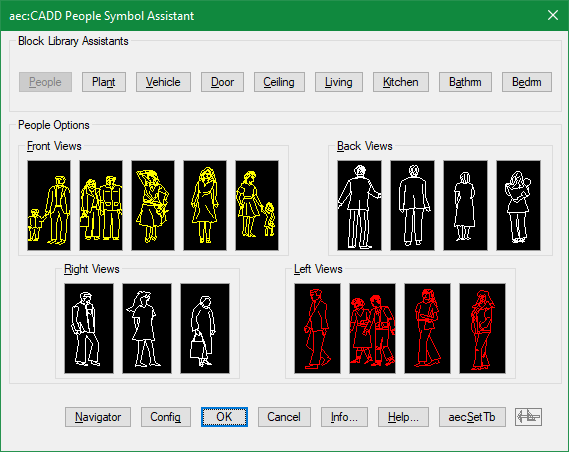
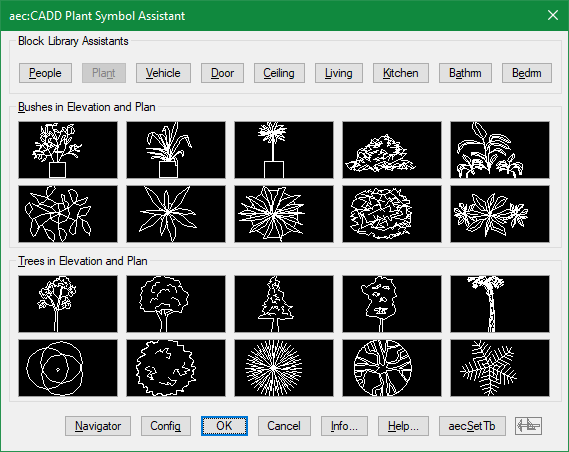
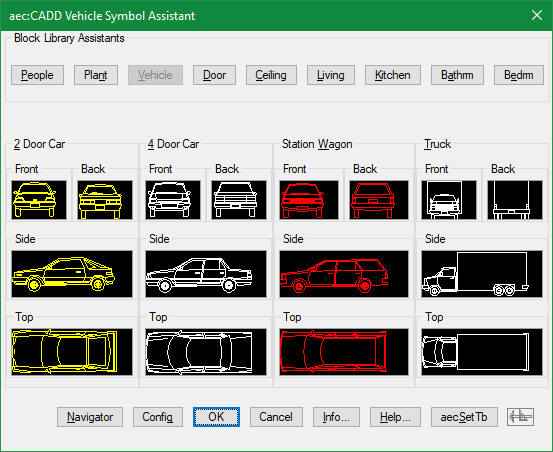
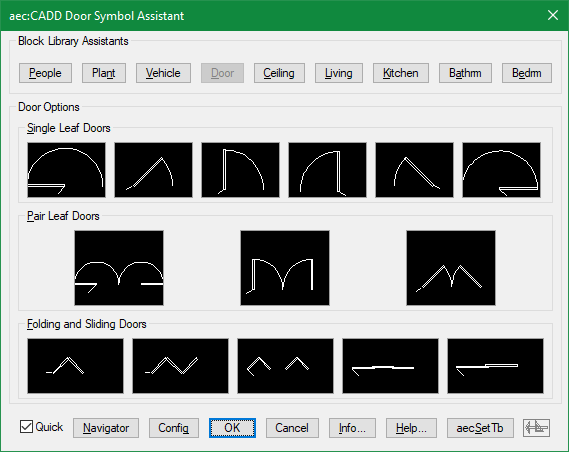
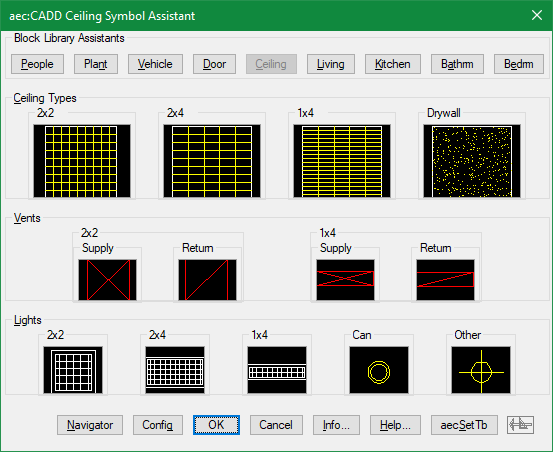
Not sure if this is considered elegant but sure takes advantage of the number of image tiles that can be spread onto a giant custom dialog to preview slide files. This is a screen capture of SMV (SMVslide) which is one of the commands included in my free Script Magician App:
3 points
-
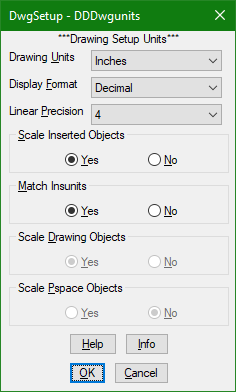
@Dadgad Actually I even went as far as creating a lisp command so I can make the selections to dwgunits within a dcl gui instead of looking at the dull command line interface. https://marketplace.autodesk.com/apps/5190d5ec-0b6a-4b70-b089-2753abcb8e3a?priceId=bfbb3227-aa55-4923-b9e6-7fe3db0a0a5b
2 points
-
This is something I hate to do, but sometimes I'm in a hurry. One title block may be different in some fundamental way. I can't just explode it, because I'll lose all the information in the attributes. There's not enough time to create an entire block for one sheet, and why bother when there's only one? So it's time to Burst a move (sorry).2 points
-
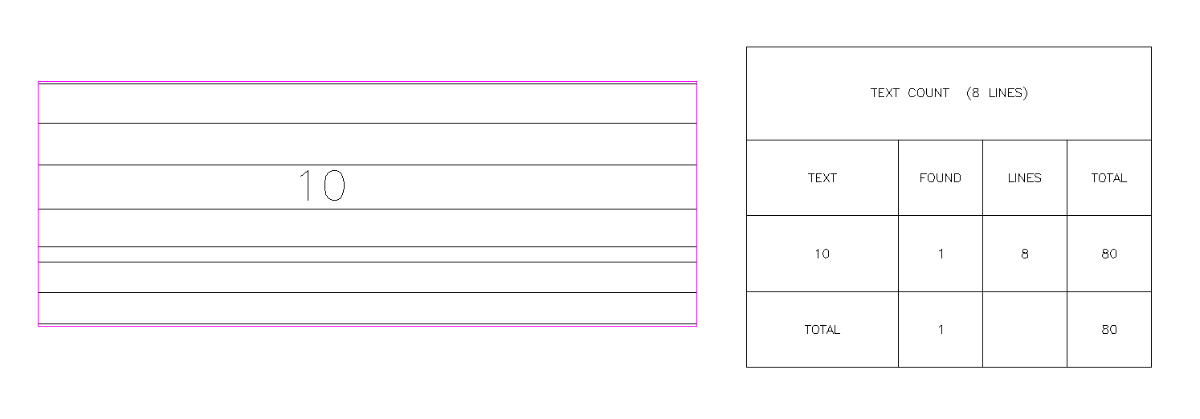
I put in to Claude Opus 5. Attached is the result. It took a couple of minutes or so, with one revision. LTCOUNT_1.lsp
2 points
-
I am curious to understand what the problem is. Right now, I am working 400 km away from home and only have access to an old PC running Windows 10 and AutoCAD 2002. I must say that this code actually works for me. I will try testing it soon on a more recent version of AutoCAD, and then perhaps I’ll add a further comment.2 points
-
I usually just keep it docked on the right side and use ctrl+1 to open it if needed. any of these will open properties (command "Properties") (command "PR") (command "CH") (command "MO")2 points
-
I added a note in the file where to change to keep PowerShell open. ; ---------------------------------------------------------- ; Wait until PowerShell finishes. ; ---------------------------------------------------------- (vlax-invoke-method shell "Run" cmd 0 ; <=== Change 0 to 1 if you want PowerShell to stay open. :vlax-true ) (vlax-release-object shell) ) ) I was running some tests at work to see if there was a method to determine if PowerShell was blocked to give a message... (princ "\nPowerShell access is blocked.") (princ "\nPowerShell access is allowed.")) Right now all I get on the commandline is... error: Automation Error. Description was not provided. Though I had to get to some of my "paid to do" work done yesterday. This is probably above my pay grade. I just realized who the OP is, a big time Guru over at Autodesk forums and AUGI.2 points
-
I don't know if there was ever another LISP/Program to do this type of get length at least I never found one, my original just did what I needed, I have since made it more generally useful (I hope). As per the drawing I will attach, I just need to get the length of the center between the inner and outer of the perimeter of guards, etc. to determine the unrolled length. Normally the guards are 3D and I create the profiles with SOLPROF which creates an anonymous block (I used to change these with UNANON) or sometimes in the past I have used SOLVIEW and SOLDRAW, the same issue arises that you just can't select them and get the profile length. So originally that's what this LISP was created to do (I still have some of the older basic versions). I have upgraded it to it's current state and also still working on another version, but only small enhancements. For inside a block that is scaled, you will need to multiply the results by the scale factor, working through a viewport the viewport needs to be active, so I might tackle those issues as well as make a more detailed CSV. I also will try to make sure it works in non-AutoCAD like BricsCAD, CMS IntelliCAD, nanoCAD, etc. when I get time. I lightly tested in most situations, I have no idea how it acts on non-uniformly scaled blocks, though. It handles gaps and slight overlaps, I have some settings at the top, hopefully with enough instructions to modify on your own. Where I work (except for the machine shop which uses decimal inches) they use Architectural units, I did not double check this in Metric, so if someone would report back on that it would help. Guard Test Met.dwg BlkLenTest.dwg GETLEN_2.1.lsp GETLEN_3.0 (2).lsp2 points
-
Been playing quite a bit with Gilles Chanteau's kdtree lisp app published at theSwamp kd-tree (AutoLISP). So decided to turn it into a dll to use from autolisp. I am attaching the C# code below and a bat file to compile it for Autocad 2017. The dll will create the following function for autolisp: KDtreeLisp.dll Reference & Command SyntaxIn AutoLISP documentation standards, optional parameters are enclosed in square brackets [optional]. (KD-BUILD pointList [dimensions] [customHandle]) Builds a KD-Tree spatial index from a list of points. Arguments: pointList: LIST — List of 2D or 3D point lists ((x y z) ...). dimensions (optional): INT — 2 for 2D $(X,Y)$ or 3 for 3D $(X,Y,Z)$. Default is 2. customHandle (optional): STR — Custom string handle identifier. Returns: STR handle (e.g., "<KD-TREE-1>" or "<KD-TREE-SURVEY>"), or nil on failure. (KD-NEAREST handle targetPoint [count] [maxRadius]) Finds the nearest n points to a target point. Arguments: handle: STR — KD-Tree handle string. targetPoint: LIST — Target point (x y z). count (optional): INT — Number of nearest points to retrieve. Default is 1. maxRadius (optional): REAL or INT — Maximum search radius limit. Points farther than this distance are ignored. Returns:If count = 1 (or omitted): A single point (x y z). If count > 1: A list of points ((x1 y1 z1) (x2 y2 z2) ...). (KD-NEAREST-INFO handle targetPoint [count] [maxRadius]) Finds nearest points with detailed metadata. Arguments: handle: STR — KD-Tree handle string. targetPoint: LIST — Target point (x y z). count (optional): INT — Number of points to retrieve. Default is 1. maxRadius (optional): REAL or INT — Maximum search radius limit. Returns: A list of detailed entries (((x y z) index distance) ...). (KD-RANGE handle centerPoint radius) Finds all points inside a fixed search radius without a count limit. Arguments: handle: STR — KD-Tree handle string. centerPoint: LIST — Center search coordinate (x y z). radius: REAL or INT — Search radius. Returns: A list of all enclosed points ((x1 y1 z1) (x2 y2 z2) ...) sorted by distance, or nil if none are found. (KD-FREE [handle]) Frees tree memory. Arguments: handle (optional): STR — Tree handle to free. If omitted, clears all active trees. Returns: INT — Number of trees removed. Once you've compiled the C#, kdtreelisp.dll will be created and ready to use in Autocad. using System; using System.Collections.Generic; using Autodesk.AutoCAD.DatabaseServices; using Autodesk.AutoCAD.Geometry; using Autodesk.AutoCAD.Runtime; namespace KdTreeLisp { // ========================================== // 1. DATA STRUCTURES & TREE ENGINE // ========================================== public class KdItem { public Point3d Point { get; set; } public int Id { get; set; } public KdItem(Point3d pt, int id) { Point = pt; Id = id; } } public class KdNode { public Point3d Point { get; set; } public int Id { get; set; } public KdNode Left { get; set; } public KdNode Right { get; set; } public KdNode(Point3d point, int id) { Point = point; Id = id; } } public class NeighborResult : IComparable<NeighborResult> { public KdNode Node { get; set; } public double DistanceSq { get; set; } public NeighborResult(KdNode node, double distSq) { Node = node; DistanceSq = distSq; } public int CompareTo(NeighborResult other) { return other.DistanceSq.CompareTo(this.DistanceSq); } } public class KdTree { public KdNode Root { get; private set; } public int ActiveDimensions { get; private set; } public void Build(List<KdItem> items, int activeDimensions) { ActiveDimensions = Math.Max(1, Math.Min(3, activeDimensions)); Root = BuildRecursive(items, 0); } private KdNode BuildRecursive(List<KdItem> items, int depth) { if (items == null || items.Count == 0) return null; int axis = depth % ActiveDimensions; items.Sort(delegate(KdItem a, KdItem b) { return GetAxisValue(a.Point, axis).CompareTo(GetAxisValue(b.Point, axis)); }); int medianIndex = items.Count / 2; KdNode node = new KdNode(items[medianIndex].Point, items[medianIndex].Id); node.Left = BuildRecursive(items.GetRange(0, medianIndex), depth + 1); node.Right = BuildRecursive(items.GetRange(medianIndex + 1, items.Count - (medianIndex + 1)), depth + 1); return node; } public double CalculateDistanceSq(Point3d p1, Point3d p2) { double dx = p1.X - p2.X; double dy = p1.Y - p2.Y; if (ActiveDimensions == 2) { return dx * dx + dy * dy; } double dz = p1.Z - p2.Z; return dx * dx + dy * dy + dz * dz; } // K-Nearest Neighbor Search with Optional Maximum Radius Limit public List<NeighborResult> FindNearest(Point3d target, int count, double maxRadius = double.MaxValue) { List<NeighborResult> heap = new List<NeighborResult>(); if (Root == null || count <= 0) return heap; double maxDistSq = (maxRadius == double.MaxValue) ? double.MaxValue : maxRadius * maxRadius; SearchNearest(Root, target, count, maxDistSq, heap, 0); // Sort ascending by distance before returning heap.Sort(delegate(NeighborResult a, NeighborResult b) { return a.DistanceSq.CompareTo(b.DistanceSq); }); return heap; } private void SearchNearest(KdNode current, Point3d target, int count, double maxDistSq, List<NeighborResult> heap, int depth) { if (current == null) return; double distSq = CalculateDistanceSq(current.Point, target); // Accept point only if inside maximum distance threshold if (distSq <= maxDistSq) { if (heap.Count < count) { heap.Add(new NeighborResult(current, distSq)); heap.Sort(); } else if (distSq < heap[0].DistanceSq) { heap[0] = new NeighborResult(current, distSq); heap.Sort(); } } int axis = depth % ActiveDimensions; double diff = GetAxisValue(target, axis) - GetAxisValue(current.Point, axis); KdNode primary = diff < 0 ? current.Left : current.Right; KdNode secondary = diff < 0 ? current.Right : current.Left; SearchNearest(primary, target, count, maxDistSq, heap, depth + 1); // Pruning condition: check if secondary subtree could contain points closer than current worst candidate double currentSearchRadiusSq = (heap.Count < count) ? maxDistSq : Math.Min(heap[0].DistanceSq, maxDistSq); if (diff * diff < currentSearchRadiusSq) { SearchNearest(secondary, target, count, maxDistSq, heap, depth + 1); } } // Range Search: Retrieves ALL points within radius public List<NeighborResult> RangeSearch(Point3d center, double radius) { List<NeighborResult> results = new List<NeighborResult>(); if (Root == null || radius < 0) return results; double radiusSq = radius * radius; SearchRangeRecursive(Root, center, radiusSq, results, 0); results.Sort(delegate(NeighborResult a, NeighborResult b) { return a.DistanceSq.CompareTo(b.DistanceSq); }); return results; } private void SearchRangeRecursive(KdNode current, Point3d center, double radiusSq, List<NeighborResult> results, int depth) { if (current == null) return; double distSq = CalculateDistanceSq(current.Point, center); if (distSq <= radiusSq) { results.Add(new NeighborResult(current, distSq)); } int axis = depth % ActiveDimensions; double diff = GetAxisValue(center, axis) - GetAxisValue(current.Point, axis); if (diff < 0) { SearchRangeRecursive(current.Left, center, radiusSq, results, depth + 1); if (diff * diff <= radiusSq) { SearchRangeRecursive(current.Right, center, radiusSq, results, depth + 1); } } else { SearchRangeRecursive(current.Right, center, radiusSq, results, depth + 1); if (diff * diff <= radiusSq) { SearchRangeRecursive(current.Left, center, radiusSq, results, depth + 1); } } } private double GetAxisValue(Point3d pt, int axis) { switch (axis) { case 0: return pt.X; case 1: return pt.Y; default: return pt.Z; } } } // ========================================== // 2. AUTOLISP INTERFACE BRIDGE // ========================================== public class LispBridge { private static readonly Dictionary<string, KdTree> _trees = new Dictionary<string, KdTree>(); private static int _treeCounter = 1; // Signature: (KD-BUILD pointList [dimensions] [customHandle]) [LispFunction("KD-BUILD")] public static TypedValue BuildTree(ResultBuffer args) { if (args == null) return new TypedValue((int)LispDataType.Nil); TypedValue[] arr = args.AsArray(); List<KdItem> items = new List<KdItem>(); int idCounter = 0; int requestedDimensions = 2; string customHandle = null; foreach (TypedValue tv in arr) { if (tv.TypeCode == (int)LispDataType.Point3d) { items.Add(new KdItem((Point3d)tv.Value, idCounter++)); } else if (tv.TypeCode == (int)LispDataType.Point2d) { Point2d pt2 = (Point2d)tv.Value; items.Add(new KdItem(new Point3d(pt2.X, pt2.Y, 0.0), idCounter++)); } else if (tv.TypeCode == (int)LispDataType.Int16 || tv.TypeCode == (int)LispDataType.Int32) { requestedDimensions = Convert.ToInt32(tv.Value); } else if (tv.TypeCode == (int)LispDataType.Text) { customHandle = Convert.ToString(tv.Value); } } if (items.Count == 0) return new TypedValue((int)LispDataType.Nil); KdTree tree = new KdTree(); tree.Build(items, requestedDimensions); string handle = string.IsNullOrEmpty(customHandle) ? string.Format("<KD-TREE-{0}>", _treeCounter++) : string.Format("<KD-TREE-{0}>", customHandle.ToUpper()); _trees[handle] = tree; return new TypedValue((int)LispDataType.Text, handle); } // Signature: (KD-NEAREST handle targetPoint [count] [maxRadius]) [LispFunction("KD-NEAREST")] public static ResultBuffer FindNearest(ResultBuffer args) { if (args == null) return null; List<TypedValue> values = ExtractValues(args); if (values.Count < 2) return null; if (values[0].TypeCode != (int)LispDataType.Text) return null; string handle = Convert.ToString(values[0].Value); if (!_trees.ContainsKey(handle)) return null; KdTree tree = _trees[handle]; if (tree.Root == null) return null; Point3d target; if (values[1].TypeCode == (int)LispDataType.Point3d) { target = (Point3d)values[1].Value; } else if (values[1].TypeCode == (int)LispDataType.Point2d) { Point2d p2 = (Point2d)values[1].Value; target = new Point3d(p2.X, p2.Y, 0.0); } else { return null; } int count = 1; if (values.Count > 2 && (values[2].TypeCode == (int)LispDataType.Int16 || values[2].TypeCode == (int)LispDataType.Int32)) { count = Convert.ToInt32(values[2].Value); } double maxRadius = double.MaxValue; if (values.Count > 3) { TypedValue v = values[3]; if (v.TypeCode == (int)LispDataType.Double || v.TypeCode == (int)LispDataType.Int16 || v.TypeCode == (int)LispDataType.Int32) { maxRadius = Convert.ToDouble(v.Value); } } List<NeighborResult> results = tree.FindNearest(target, count, maxRadius); if (results.Count == 0) return null; ResultBuffer res = new ResultBuffer(); if (count == 1) { res.Add(new TypedValue((int)LispDataType.Point3d, results[0].Node.Point)); } else { res.Add(new TypedValue((int)LispDataType.ListBegin)); foreach (NeighborResult item in results) { res.Add(new TypedValue((int)LispDataType.Point3d, item.Node.Point)); } res.Add(new TypedValue((int)LispDataType.ListEnd)); } return res; } // Signature: (KD-NEAREST-INFO handle targetPoint [count] [maxRadius]) [LispFunction("KD-NEAREST-INFO")] public static ResultBuffer FindNearestInfo(ResultBuffer args) { if (args == null) return null; List<TypedValue> values = ExtractValues(args); if (values.Count < 2) return null; if (values[0].TypeCode != (int)LispDataType.Text) return null; string handle = Convert.ToString(values[0].Value); if (!_trees.ContainsKey(handle)) return null; KdTree tree = _trees[handle]; Point3d target; if (values[1].TypeCode == (int)LispDataType.Point3d) target = (Point3d)values[1].Value; else if (values[1].TypeCode == (int)LispDataType.Point2d) target = new Point3d(((Point2d)values[1].Value).X, ((Point2d)values[1].Value).Y, 0.0); else return null; int count = 1; if (values.Count > 2 && (values[2].TypeCode == (int)LispDataType.Int16 || values[2].TypeCode == (int)LispDataType.Int32)) count = Convert.ToInt32(values[2].Value); double maxRadius = double.MaxValue; if (values.Count > 3) { TypedValue v = values[3]; if (v.TypeCode == (int)LispDataType.Double || v.TypeCode == (int)LispDataType.Int16 || v.TypeCode == (int)LispDataType.Int32) maxRadius = Convert.ToDouble(v.Value); } List<NeighborResult> results = tree.FindNearest(target, count, maxRadius); if (results.Count == 0) return null; ResultBuffer res = new ResultBuffer(); res.Add(new TypedValue((int)LispDataType.ListBegin)); foreach (NeighborResult item in results) { res.Add(new TypedValue((int)LispDataType.ListBegin)); res.Add(new TypedValue((int)LispDataType.Point3d, item.Node.Point)); res.Add(new TypedValue((int)LispDataType.Int32, item.Node.Id)); res.Add(new TypedValue((int)LispDataType.Double, Math.Sqrt(item.DistanceSq))); res.Add(new TypedValue((int)LispDataType.ListEnd)); } res.Add(new TypedValue((int)LispDataType.ListEnd)); return res; } // Signature: (KD-RANGE handle centerPoint radius) [LispFunction("KD-RANGE")] public static ResultBuffer RangeSearch(ResultBuffer args) { if (args == null) return null; List<TypedValue> values = ExtractValues(args); if (values.Count < 3) return null; if (values[0].TypeCode != (int)LispDataType.Text) return null; string handle = Convert.ToString(values[0].Value); if (!_trees.ContainsKey(handle)) return null; KdTree tree = _trees[handle]; Point3d center; if (values[1].TypeCode == (int)LispDataType.Point3d) center = (Point3d)values[1].Value; else if (values[1].TypeCode == (int)LispDataType.Point2d) center = new Point3d(((Point2d)values[1].Value).X, ((Point2d)values[1].Value).Y, 0.0); else return null; double radius = 0.0; TypedValue rVal = values[2]; if (rVal.TypeCode == (int)LispDataType.Double || rVal.TypeCode == (int)LispDataType.Int16 || rVal.TypeCode == (int)LispDataType.Int32) { radius = Convert.ToDouble(rVal.Value); } else { return null; } List<NeighborResult> results = tree.RangeSearch(center, radius); if (results.Count == 0) return null; ResultBuffer res = new ResultBuffer(); res.Add(new TypedValue((int)LispDataType.ListBegin)); foreach (NeighborResult item in results) { res.Add(new TypedValue((int)LispDataType.Point3d, item.Node.Point)); } res.Add(new TypedValue((int)LispDataType.ListEnd)); return res; } // Signature: (KD-FREE [handle]) [LispFunction("KD-FREE")] public static TypedValue FreeTree(ResultBuffer args) { if (args == null) { int count = _trees.Count; _trees.Clear(); return new TypedValue((int)LispDataType.Int32, count); } List<TypedValue> values = ExtractValues(args); if (values.Count == 0 || values[0].TypeCode != (int)LispDataType.Text) { int count = _trees.Count; _trees.Clear(); return new TypedValue((int)LispDataType.Int32, count); } string handle = Convert.ToString(values[0].Value); bool removed = _trees.Remove(handle); return new TypedValue((int)LispDataType.Int32, removed ? 1 : 0); } private static List<TypedValue> ExtractValues(ResultBuffer resbuf) { List<TypedValue> list = new List<TypedValue>(); foreach (TypedValue tv in resbuf.AsArray()) { if (tv.TypeCode != (int)LispDataType.ListBegin && tv.TypeCode != (int)LispDataType.ListEnd) { list.Add(tv); } } return list; } } } ymg KDtreeLisp.cs Build.bat2 points
-
@Danielm103 Well I did managed to scrape some milliseconds. However not where it counts in the pairing. Most of the gain in collection of entities. So in the end it is still gile's code. ymg Command: PAIRKD --------- TIMING ------------------------------- Collecting entities: 236 milliseconds Building kdTree: 67 milliseconds Pairing lines and texts: 34 milliseconds Coloring lines and texts: 123 milliseconds Total Elapsed Time: 460 milliseconds Total Number of Groups: 102 using System; using System.Collections.Generic; using System.Diagnostics; using System.Linq; using System.Threading.Tasks; using Gile.AutoCAD.R20.Geometry; using Autodesk.AutoCAD.EditorInput; using Autodesk.AutoCAD.ApplicationServices; using Autodesk.AutoCAD.DatabaseServices; using Autodesk.AutoCAD.Geometry; using Autodesk.AutoCAD.Runtime; using AcAp = Autodesk.AutoCAD.ApplicationServices.Core.Application; [assembly: CommandClass(typeof(PairLinesWithTextsR17.Commands))] namespace PairLinesWithTextsR17 { public class Commands { private struct EntityPosition { public Entity Entity { get; } public Point3d Position { get; } public EntityPosition(Entity entity, Point3d position) { Entity = entity; Position = position; } } [CommandMethod("PAIRKD")] public void ParallelPairTextsWithLines3() { // Force GC collection prior to timing to avoid GC halts during execution GC.Collect(); GC.WaitForPendingFinalizers(); Stopwatch stopwatch = Stopwatch.StartNew(); Document doc = AcAp.DocumentManager.MdiActiveDocument; Database db = doc.Database; Editor ed = doc.Editor; RXClass lineClass = RXObject.GetClass(typeof(Line)); RXClass textClass = RXObject.GetClass(typeof(DBText)); // Pre-allocate generous capacity to prevent memory reallocations List<EntityPosition> midLines = new List<EntityPosition>(16384); List<EntityPosition> textList = new List<EntityPosition>(16384); using (doc.LockDocument()) using (Transaction tr = db.TransactionManager.StartOpenCloseTransaction()) { LayerTable lt = (LayerTable)tr.GetObject(db.LayerTableId, OpenMode.ForRead); ObjectId lineLayerId = lt.Has("1") ? lt["1"] : ObjectId.Null; ObjectId textLayerId = lt.Has("4") ? lt["4"] : ObjectId.Null; BlockTableRecord modelSpace = (BlockTableRecord)tr.GetObject( SymbolUtilityServices.GetBlockModelSpaceId(db), OpenMode.ForRead); // 1. Fast Collection Phase foreach (ObjectId id in modelSpace) { RXClass rxClass = id.ObjectClass; if (rxClass == lineClass) { Line line = (Line)tr.GetObject(id, OpenMode.ForRead); if (line.LayerId == lineLayerId) { Point3d midPoint = new Point3d( (line.StartPoint.X + line.EndPoint.X) * 0.5, (line.StartPoint.Y + line.EndPoint.Y) * 0.5, (line.StartPoint.Z + line.EndPoint.Z) * 0.5 ); midLines.Add(new EntityPosition(line, midPoint)); } } else if (rxClass == textClass) { DBText text = (DBText)tr.GetObject(id, OpenMode.ForRead); if (text.LayerId == textLayerId) { Point3d pos = (text.Justify == AttachmentPoint.BaseLeft) ? text.Position : text.AlignmentPoint; textList.Add(new EntityPosition(text, pos)); } } } EntityPosition[][] textGroups = textList .GroupBy(t => ((DBText)t.Entity).TextString) .Select(g => g.ToArray()) .ToArray(); long t1 = stopwatch.ElapsedMilliseconds; // 2. KdTree Construction KdTree<EntityPosition> lineTree = new KdTree<EntityPosition>(midLines, ml => ml.Position, 2); long t2 = stopwatch.ElapsedMilliseconds; // 3. Parallel pairing (Math + Spatial Search) int numGroups = textGroups.Length; HashSet<Entity>[] uniqueGroupEntities = new HashSet<Entity>[numGroups]; Parallel.For(0, numGroups, i => { EntityPosition[] group = textGroups[i]; HashSet<Entity> uniqueSet = new HashSet<Entity>(group.Length * 2); for (int j = 0; j < group.Length; j++) { EntityPosition textItem = group[j]; uniqueSet.Add(textItem.Entity); Entity nearestLine = lineTree.GetNearestNeighbour(textItem.Position).Entity; uniqueSet.Add(nearestLine); } uniqueGroupEntities[i] = uniqueSet; }); long t3 = stopwatch.ElapsedMilliseconds; // 4. Sequential Database Modification Phase for (int i = 0; i < numGroups; i++) { int colorIndex = (i % 255) + 1; HashSet<Entity> uniqueSet = uniqueGroupEntities[i]; foreach (Entity entity in uniqueSet) { if (entity.ColorIndex != colorIndex) { if (!entity.IsWriteEnabled) { entity.UpgradeOpen(); } entity.ColorIndex = colorIndex; } } } long t4 = stopwatch.ElapsedMilliseconds; stopwatch.Stop(); ed.WriteMessage($"\n--------- TIMING -------------------------------"); ed.WriteMessage($"\nCollecting entities: {t1} milliseconds"); ed.WriteMessage($"\nBuilding kdTree: {t2 - t1} milliseconds"); ed.WriteMessage($"\nPairing lines and texts: {t3 - t2} milliseconds"); ed.WriteMessage($"\nColoring lines and texts: {t4 - t3} milliseconds\n"); ed.WriteMessage($"\nTotal Elapsed Time: {t4} milliseconds"); ed.WriteMessage($"\nTotal Number of Groups: {numGroups}"); tr.Commit(); } } } } pairkd.dll2 points
-
(that was an awesome thread....) Yes, that was the start of me making the above, and using BigAl for inspiration2 points
-
Hi, The GeometryExtensions.NET library provides a generic KdTree<T> class which uses parallel computation for building the tree. It also provides an example of Point3dTree class but can used with any type of object providing a 'getPosition' function. // public KdTree(IEnumerable<T> source, Func<T, Point3d>?getPosition, int dimension) var tree = new KdTree<BlockReference>(blockList, br => br.Position, 2);2 points
-
In ARX you would use these for general cleanup AcDbDatabase::eraseEmptyObjects(kAllEmptyObj) AcDbDatabase::purge (AcDbObjectIdArray&) # may require multiple passes AcDbDatabase::purge (AcDbObjectIdGraph&) # single pass I made a python sample here. https://www.theswamp.org/index.php?topic=60192 For something like overkill, AcGeCurveCurveInt3d is the go-to class. As it gives overlap information Here’s another python sample for finding overlapping polylines https://www.theswamp.org/index.php?topic=59828 Proxies, you can erase, or call swapid on a non-owned object. AutoCAD won’t save orphaned objects Of course with these types of methods, you must let the end user confirm the operation, as BigAl mentions, they can be destructive2 points
-
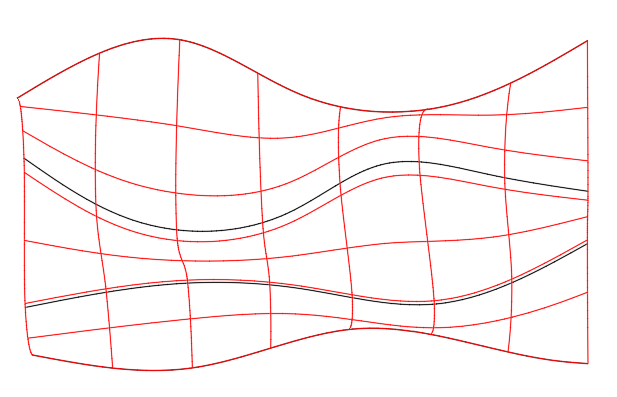
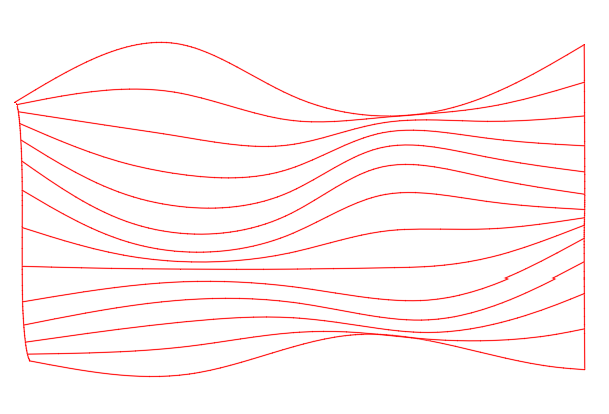
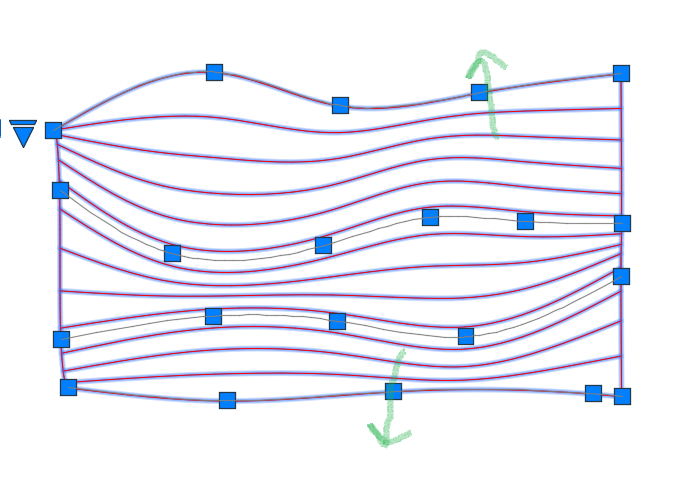
Create several splines on the XY plane then move each one in Z so that they have increasing Z values from one spline to the next. In this example the z values for the splines are 0.0, 2, 4, and 6. Use LOFT to create a surface from the splines (shown in red). From the Properties panel, change the U isoline property to a larger value (e.g.,12) and the V isoline value to 0. Select the surface and move the grips to localy adjust the spacing between isolines to meet your requirements. Note, the green arrows show grips that have been moved to increase spacing between adjacent isolines. Unfortunatly, if you need individual polylines or splines on the XY plane you will need to use SECTION to create them individually. For example,section the surface paralle to the XY plane through points at (0,0,0.5), (0,0,1), (0,0,1.5), etc.
2 points
-
I have always dimensioned in paper space. Never have experienced any problems. No need to assign multiple scale factors.2 points
-
You could also add these 2, purgezerolangth and purgezerotxt, they will remove some entities but not generally make a massive change to size. (defun PurgeZeroLengths ( / MySS Fuzz acount DelSS MyEnt EndA EndB) ;; for within blocks (setq MySS (ssget (list (cons 0 "LINE,SPLINE,LWPOLYLINE,POLYLINE,ARC,CIRCLE,ELLIPSE")))) (setq Fuzz 0.0001) ; Fuzz factor to delete very short entities (setq acount 0) (setq DelSS (ssadd)) (while (< acount (sslength MySS)) (setq MyEnt (ssname MySS acount)) (if (equal (vlax-curve-getDistAtParam MyEnt (vlax-curve-getEndParam MyEnt)) 0) (progn (setq DelSS (ssadd MyEnt DelSS)) ) ) ; end if ;;If less then a length (if (< (vlax-curve-getDistAtParam MyEnt (vlax-curve-getEndParam MyEnt)) Fuzz) (progn (setq DelSS (ssadd MyEnt DelSS)) ) ) ; end if (setq acount (+ acount 1)) ) ; end while (princ "\nDeleting ")(princ (sslength DelSS))(princ " lines") (command "erase" DelSS "") (princ) ) ;;;;;;;;;;;;;;;;;;;;;;;;;;;;;;;;;;;;;; ;;;;;;;;;;;;;;;;;;;;;;;;;;;;;;;;;;;;;; (defun c:PurgeZeroTexts ( / MySS acount DelSS MyEnt MyText) (setq MySS (ssget (list (cons 0 "*TEXT")(cons 1 "")))) (setq acount 0) (setq DelSS (ssadd)) (if MySS (progn (while (< acount (sslength MySS)) (setq MyEnt (ssname MySS acount)) (setq MyText (cdr (assoc 1 (entget MyEnt)))) (if (equal MyText "") (progn (setq DelSS (ssadd MyEnt DelSS)) ) ) ; end if (setq acount (+ acount 1)) ) ; end while (princ "\nDeleting ")(princ (sslength DelSS))(princ " lines") (command "erase" DelSS "") ) ; end progn (progn (princ "No zero content texts found") ) ) ; end if (princ) )2 points
-
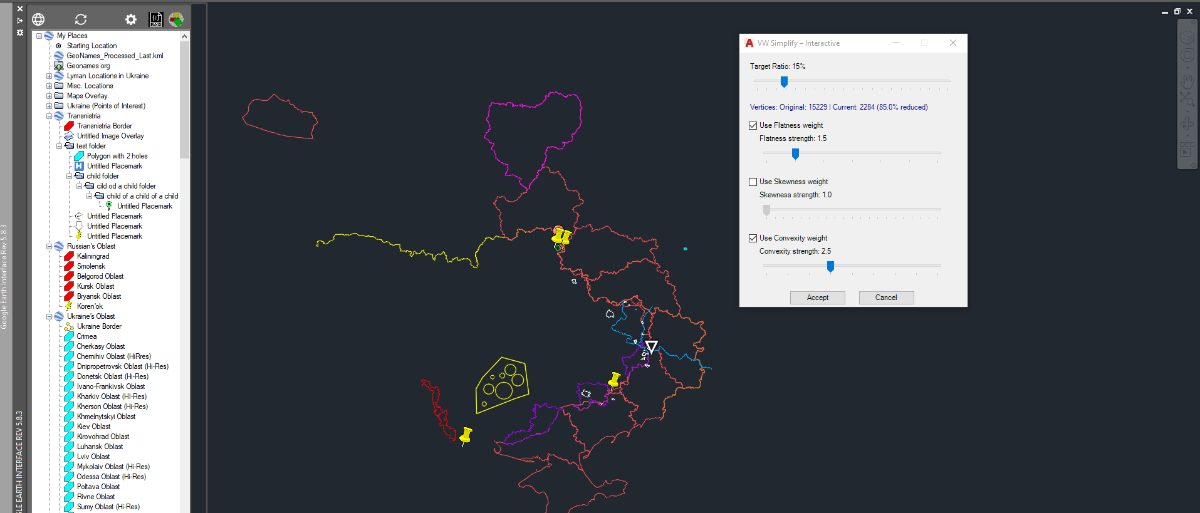
Here's another Net app to facilitate the simplification of polyline with lots of segments. I am including the code and a bat file to compile it for Autocad 2017. Once you've compiled VWSimplifyInteractive.cs into VWSimplifyInteractive.dll, Netload it into autocad. New comand VWSimplifyInteractive will now be available to trhe command line or Autolisp. If you run the command you will be asked to select a polyline. The selected poly will be copied in Magenta,then a dialog box with 3 sliders will appear to let you vary the parameter of the simplification. The polyline is simplified in real-time and you can adjust the parameters until you Accept or Cancel. Note that your original polyline remains untouched and that the simplified one is place on layer "Simplified Poly" with color Green. once you press Accept. Here's the C# code: // VWSimplifyInteractive.cs // Interactive Visvalingam + Zhou-Jones for AutoCAD 2017 using System; using System.Collections.Generic; using System.Drawing; using System.Windows.Forms; using Autodesk.AutoCAD.ApplicationServices; using Autodesk.AutoCAD.DatabaseServices; using Autodesk.AutoCAD.EditorInput; using Autodesk.AutoCAD.Geometry; using Autodesk.AutoCAD.Runtime; using AcApp = Autodesk.AutoCAD.ApplicationServices.Application; [assembly: CommandClass(typeof(VWSimplify.InteractiveCommands))] namespace VWSimplify { public class InteractiveCommands { [CommandMethod("VWSimplifyInteractive", CommandFlags.Modal | CommandFlags.Session)] public void Run() { Document doc = AcApp.DocumentManager.MdiActiveDocument; if (doc == null) return; Editor ed = doc.Editor; PromptEntityOptions peo = new PromptEntityOptions("\nSelect polyline to simplify: "); peo.SetRejectMessage("\nOnly LWPOLYLINE allowed."); peo.AddAllowedClass(typeof(Polyline), true); PromptEntityResult per = ed.GetEntity(peo); if (per.Status != PromptStatus.OK) return; ObjectId srcId = per.ObjectId; // Create and show the modeless form var form = new SimplifyForm(srcId); AcApp.ShowModelessDialog(form); } } public class SimplifyForm : Form { private ObjectId _srcId; private ObjectId _previewId = ObjectId.Null; private TrackBar tbPercent; private CheckBox chkFlat, chkSkew, chkConv; private TrackBar tbFlat, tbSkew, tbConv; private Label lblPercent, lblVertices, lblFlat, lblSkew, lblConv; private Button btnAccept, btnCancel; // Current parameters private double _percent = 15.0; private bool _useFlat = true; private bool _useSkew = false; private bool _useConv = true; private double _flatStrength = 1.5; // reasonable start private double _skewStrength = 1.0; private double _convStrength = 2.5; // reasonable start public SimplifyForm(ObjectId srcId) { _srcId = srcId; InitializeComponent(); this.Shown += SimplifyForm_Shown; } private void SimplifyForm_Shown(object sender, EventArgs e) { UpdatePreview(); // First preview once form is displayed } private void InitializeComponent() { this.Text = "VW Simplify – Interactive"; this.Size = new Size(380, 445); this.FormBorderStyle = FormBorderStyle.FixedDialog; this.MaximizeBox = false; this.StartPosition = FormStartPosition.CenterScreen; int y = 15; // Percentage lblPercent = new Label() { Left = 15, Top = y, Width = 330, Text = "Target Ratio: 15%" }; tbPercent = new TrackBar() { Left = 15, Top = y + 20, Width = 330, Minimum = 1, Maximum = 100, Value = 15, TickFrequency = 5 }; tbPercent.ValueChanged += (s, e) => { _percent = tbPercent.Value; lblPercent.Text = "Target Ratio: " + _percent + "%"; UpdatePreview(); }; y += 65; // Vertex Counter Label lblVertices = new Label() { Left = 15, Top = y, Width = 330, Text = "Vertices: Original: - | Current: - (-%)", ForeColor = Color.DarkBlue }; y += 25; // Flatness chkFlat = new CheckBox() { Left = 15, Top = y, Text = "Use Flatness weight", Checked = true, Width = 200 }; chkFlat.CheckedChanged += (s, e) => { _useFlat = chkFlat.Checked; tbFlat.Enabled = _useFlat; UpdatePreview(); }; y += 25; lblFlat = new Label() { Left = 30, Top = y, Width = 300, Text = "Flatness strength: 1.5" }; tbFlat = new TrackBar() { Left = 30, Top = y + 20, Width = 300, Minimum = 10, Maximum = 40, Value = 15, // 1.0 – 4.0 TickFrequency = 5 }; tbFlat.ValueChanged += (s, e) => { _flatStrength = tbFlat.Value / 10.0; lblFlat.Text = "Flatness strength: " + _flatStrength.ToString("0.0"); UpdatePreview(); }; y += 65; // Skewness chkSkew = new CheckBox() { Left = 15, Top = y, Text = "Use Skewness weight", Checked = false, Width = 200 }; chkSkew.CheckedChanged += (s, e) => { _useSkew = chkSkew.Checked; tbSkew.Enabled = _useSkew; UpdatePreview(); }; y += 25; lblSkew = new Label() { Left = 30, Top = y, Width = 300, Text = "Skewness strength: 1.0" }; tbSkew = new TrackBar() { Left = 30, Top = y + 20, Width = 300, Minimum = 10, Maximum = 30, Value = 10, Enabled = false }; tbSkew.ValueChanged += (s, e) => { _skewStrength = tbSkew.Value / 10.0; lblSkew.Text = "Skewness strength: " + _skewStrength.ToString("0.0"); UpdatePreview(); }; y += 65; // Convexity chkConv = new CheckBox() { Left = 15, Top = y, Text = "Use Convexity weight", Checked = true, Width = 200 }; chkConv.CheckedChanged += (s, e) => { _useConv = chkConv.Checked; tbConv.Enabled = _useConv; UpdatePreview(); }; y += 25; lblConv = new Label() { Left = 30, Top = y, Width = 300, Text = "Convexity strength: 2.5" }; tbConv = new TrackBar() { Left = 30, Top = y + 20, Width = 300, Minimum = 10, Maximum = 50, Value = 25, // 1.0 – 5.0 TickFrequency = 5 }; tbConv.ValueChanged += (s, e) => { _convStrength = tbConv.Value / 10.0; lblConv.Text = "Convexity strength: " + _convStrength.ToString("0.0"); UpdatePreview(); }; y += 70; // Buttons btnAccept = new Button() { Text = "Accept", Left = 80, Top = y, Width = 90 }; btnCancel = new Button() { Text = "Cancel", Left = 190, Top = y, Width = 90 }; btnAccept.Click += BtnAccept_Click; btnCancel.Click += BtnCancel_Click; this.Controls.AddRange(new Control[] { lblPercent, tbPercent, lblVertices, chkFlat, lblFlat, tbFlat, chkSkew, lblSkew, tbSkew, chkConv, lblConv, tbConv, btnAccept, btnCancel }); this.FormClosing += (s, e) => CleanupPreview(false); } private void UpdatePreview() { Document doc = AcApp.DocumentManager.MdiActiveDocument; if (doc == null) return; int originalCount = 0; int simplifiedCount = 0; using (DocumentLock dl = doc.LockDocument()) using (Transaction tr = doc.TransactionManager.StartTransaction()) { Polyline src = tr.GetObject(_srcId, OpenMode.ForRead) as Polyline; if (src == null) { tr.Commit(); return; } originalCount = src.NumberOfVertices; List<Point2d> simplified = Simplify(src, _percent, _useFlat, _useSkew, _useConv, _flatStrength, _skewStrength, _convStrength); if (simplified == null || simplified.Count < 2) { tr.Commit(); return; } simplifiedCount = simplified.Count; BlockTableRecord btr = (BlockTableRecord)tr.GetObject(doc.Database.CurrentSpaceId, OpenMode.ForWrite); // Erase old preview polyline if it exists if (!_previewId.IsNull && !_previewId.IsErased) { DBObject oldObj = tr.GetObject(_previewId, OpenMode.ForWrite, false); if (oldObj != null) { oldObj.Erase(); } _previewId = ObjectId.Null; } // Construct new polyline Polyline preview = new Polyline(); for (int i = 0; i < simplified.Count; i++) { preview.AddVertexAt(i, simplified[i], 0, 0, 0); } preview.Closed = src.Closed && simplified.Count >= 3; preview.ColorIndex = 6; // Magenta preview.ConstantWidth = 0; btr.AppendEntity(preview); tr.AddNewlyCreatedDBObject(preview, true); _previewId = preview.ObjectId; tr.Commit(); } // Update UI vertex stats if (originalCount > 0) { double reduction = 100.0 * (1.0 - ((double)simplifiedCount / originalCount)); lblVertices.Text = string.Format("Vertices: Original: {0} | Current: {1} ({2:0.0}% reduced)", originalCount, simplifiedCount, reduction); } AcApp.DocumentManager.MdiActiveDocument.Editor.Regen(); } private void BtnAccept_Click(object sender, EventArgs e) { Document doc = AcApp.DocumentManager.MdiActiveDocument; if (doc == null) return; using (DocumentLock dl = doc.LockDocument()) using (Transaction tr = doc.TransactionManager.StartTransaction()) { if (!_previewId.IsNull && !_previewId.IsErased) { Polyline preview = tr.GetObject(_previewId, OpenMode.ForWrite) as Polyline; if (preview != null) { // Ensure layer exists LayerTable lt = (LayerTable)tr.GetObject(doc.Database.LayerTableId, OpenMode.ForRead); ObjectId layerId; if (!lt.Has("Simplified Poly")) { lt.UpgradeOpen(); LayerTableRecord ltr = new LayerTableRecord(); ltr.Name = "Simplified Poly"; ltr.Color = Autodesk.AutoCAD.Colors.Color.FromColorIndex( Autodesk.AutoCAD.Colors.ColorMethod.ByAci, 3); // green layerId = lt.Add(ltr); tr.AddNewlyCreatedDBObject(ltr, true); } else layerId = lt["Simplified Poly"]; preview.LayerId = layerId; preview.Color = Autodesk.AutoCAD.Colors.Color.FromColorIndex( Autodesk.AutoCAD.Colors.ColorMethod.ByLayer, 256); // Add XData with parameters AddXData(preview, tr, doc.Database); _previewId = ObjectId.Null; // prevent cleanup from erasing it } } tr.Commit(); } this.Close(); } private void BtnCancel_Click(object sender, EventArgs e) { CleanupPreview(true); this.Close(); } private void CleanupPreview(bool erase) { if (_previewId.IsNull || _previewId.IsErased) return; Document doc = AcApp.DocumentManager.MdiActiveDocument; if (doc == null) return; using (DocumentLock dl = doc.LockDocument()) using (Transaction tr = doc.TransactionManager.StartTransaction()) { if (erase) { DBObject obj = tr.GetObject(_previewId, OpenMode.ForWrite, false); if (obj != null) obj.Erase(); } tr.Commit(); } _previewId = ObjectId.Null; } private void AddXData(Polyline pl, Transaction tr, Database db) { RegAppTable rat = (RegAppTable)tr.GetObject(db.RegAppTableId, OpenMode.ForRead); if (!rat.Has("VW_SIMPLIFY")) { rat.UpgradeOpen(); RegAppTableRecord reg = new RegAppTableRecord(); reg.Name = "VW_SIMPLIFY"; rat.Add(reg); tr.AddNewlyCreatedDBObject(reg, true); } ResultBuffer rb = new ResultBuffer( new TypedValue(1001, "VW_SIMPLIFY"), new TypedValue(1000, "Visvalingam-ZhouJones"), new TypedValue(1040, _percent), new TypedValue(1071, _useFlat ? 1 : 0), new TypedValue(1040, _flatStrength), new TypedValue(1071, _useSkew ? 1 : 0), new TypedValue(1040, _skewStrength), new TypedValue(1071, _useConv ? 1 : 0), new TypedValue(1040, _convStrength) ); pl.XData = rb; } //-------------------------------------------------------------------- // Simplification core with Zhou-Jones weights //-------------------------------------------------------------------- private List<Point2d> Simplify(Polyline src, double percent, bool useFlat, bool useSkew, bool useConv, double flatStr, double skewStr, double convStr) { int n = src.NumberOfVertices; if (n < 3) return null; List<Point2d> pts = new List<Point2d>(n); for (int i = 0; i < n; i++) pts.Add(src.GetPoint2dAt(i)); bool closed = src.Closed; if (closed && !pts[0].IsEqualTo(pts[pts.Count - 1], new Tolerance(1e-10, 1e-10))) pts.Add(pts[0]); int target = (int)Math.Max(2, Math.Round(n * percent / 100.0)); if (closed) target = Math.Max(target, 3); return VisvalingamZhouJones(pts, target, useFlat, useSkew, useConv, flatStr, skewStr, convStr); } private List<Point2d> VisvalingamZhouJones(List<Point2d> pts, int target, bool useFlat, bool useSkew, bool useConv, double flatStr, double skewStr, double convStr) { int n = pts.Count; if (n <= target) return new List<Point2d>(pts); Point2d[] points = pts.ToArray(); double[] areas = new double[n]; bool[] alive = new bool[n]; int[] prev = new int[n]; int[] next = new int[n]; for (int i = 0; i < n; i++) { alive[i] = true; prev[i] = i - 1; next[i] = i + 1; areas[i] = double.MaxValue; } prev[0] = -1; next[n - 1] = -1; var heap = new SortedSet<HeapItem>(); for (int i = 1; i < n - 1; i++) { double a = WeightedArea(points, i, prev, next, useFlat, useSkew, useConv, flatStr, skewStr, convStr); areas[i] = a; heap.Add(new HeapItem(a, i)); } double lastArea = 0.0; int live = n; while (heap.Count > 0 && live > target) { HeapItem item = heap.Min; heap.Remove(item); int idx = item.Index; if (!alive[idx] || Math.Abs(item.Area - areas[idx]) > 1e-12) continue; double a = Math.Max(item.Area, lastArea); lastArea = a; areas[idx] = a; alive[idx] = false; live--; int p0 = prev[idx]; int p2 = next[idx]; if (p0 >= 0) next[p0] = p2; if (p2 >= 0) prev[p2] = p0; if (p0 >= 0 && alive[p0] && prev[p0] >= 0) { double na = WeightedArea(points, p0, prev, next, useFlat, useSkew, useConv, flatStr, skewStr, convStr); if (na < lastArea) na = lastArea; areas[p0] = na; heap.Add(new HeapItem(na, p0)); } if (p2 >= 0 && alive[p2] && next[p2] >= 0) { double na = WeightedArea(points, p2, prev, next, useFlat, useSkew, useConv, flatStr, skewStr, convStr); if (na < lastArea) na = lastArea; areas[p2] = na; heap.Add(new HeapItem(na, p2)); } } List<Point2d> res = new List<Point2d>(); for (int i = 0; i < n; i++) if (alive[i]) res.Add(points[i]); return res; } private double WeightedArea(Point2d[] pts, int i, int[] prev, int[] next, bool useFlat, bool useSkew, bool useConv, double flatStr, double skewStr, double convStr) { Point2d a = pts[prev[i]]; Point2d b = pts[i]; Point2d c = pts[next[i]]; double ea = TriangleArea(a, b, c); if (ea < 1e-20) return 0.0; double wFlat = 1.0, wSkew = 1.0, wConv = 1.0; // Base length and height double baseLen = a.GetDistanceTo(c); if (baseLen < 1e-12) return ea; // Height double area2 = Math.Abs((b.X - a.X) * (c.Y - a.Y) - (b.Y - a.Y) * (c.X - a.X)); double height = area2 / baseLen; // ---- Flatness ---- if (useFlat) { double ratio = height / baseLen; wFlat = Math.Pow(Math.Max(ratio, 1e-6), flatStr); } // ---- Skewness (prefer isosceles) ---- if (useSkew) { double d1 = a.GetDistanceTo(b); double d2 = b.GetDistanceTo(c); double maxd = Math.Max(d1, d2); double mind = Math.Min(d1, d2); double skewRatio = (maxd > 1e-12) ? mind / maxd : 1.0; wSkew = Math.Pow(skewRatio, skewStr); } // ---- Convexity ---- if (useConv) { // Cross product sign to determine turn direction double cross = (b.X - a.X) * (c.Y - a.Y) - (b.Y - a.Y) * (c.X - a.X); if (cross > 0) wConv = convStr; // boost convex else wConv = 1.0; // concave stays normal } return ea * wFlat * wSkew * wConv; } private double TriangleArea(Point2d a, Point2d b, Point2d c) { return 0.5 * Math.Abs(a.X * (b.Y - c.Y) + b.X * (c.Y - a.Y) + c.X * (a.Y - b.Y)); } private class HeapItem : IComparable<HeapItem> { public double Area; public int Index; public HeapItem(double area, int index) { Area = area; Index = index; } public int CompareTo(HeapItem other) { int cmp = Area.CompareTo(other.Area); return cmp != 0 ? cmp : Index.CompareTo(other.Index); } } } } Bat file to compile for Acad 2017, From a powershell prompt issue: .\Build VWSimplifyInteractive @echo off if "%~1"=="" ( echo Error: No source file specified. echo Usage: build.bat SourceFileName exit /b 1 ) :: 1. Define Compiler and Directory Paths set CSC="C:\Windows\Microsoft.NET\Framework64\v4.0.30319\csc.exe" set NETFRAMEWORK=C:\Windows\Microsoft.NET\Framework64\v4.0.30319 set NETWPF=C:\Windows\Microsoft.NET\Framework64\v4.0.30319\WPF set ACAD=C:\Program Files\Autodesk\AutoCAD 2017 :: 2. Search Paths for /lib set LIBPATHS=/lib:"%NETFRAMEWORK%","%NETWPF%","%ACAD%" :: 3. Standard & Core .NET Assemblies set SYS_REFS=/r:System.dll /r:System.Core.dll /r:System.Data.dll /r:System.Drawing.dll /r:System.Xml.dll /r:System.Xml.Linq.dll :: 4. WPF, UI, & Windows Interop Assemblies set UI_REFS=/r:WindowsBase.dll /r:PresentationCore.dll /r:PresentationFramework.dll /r:System.Xaml.dll /r:System.Windows.Forms.dll :: 5. AutoCAD Assemblies set ACAD_REFS=/r:AcCoreMgd.dll /r:AcDbMgd.dll /r:AcMgd.dll :: 6. Optional Third-Party/Local DLLs in current folder set LOCAL_REFS= if exist "*.dll" ( set LOCAL_REFS=/lib:"%CD%" ) :: Execute Compilation %CSC% /target:library /platform:x64 /out:"%~1.dll" %LIBPATHS% %LOCAL_REFS% %SYS_REFS% %UI_REFS% %ACAD_REFS% "%~1.cs" if %ERRORLEVEL% equ 0 ( echo. echo Successfully built %~1.dll ) else ( echo. echo Compilation failed. ) VWSimplifyInteractive.cs Build.bat
2 points
-
all you would need to do is edit the bat file to point at the target platform. AI says you can jut create a project file next to the .cs, then use “dotnet build -c Release” <Project Sdk="Microsoft.NET.Sdk"> <PropertyGroup> <!-- Use net48 for AutoCAD 2021-2024, or net8.0-windows for AutoCAD 2025+ --> <TargetFramework>net8.0-windows</TargetFramework> <ImplicitUsings>enable</ImplicitUsings> <Nullable>enable</Nullable> <Platforms>x64</Platforms> </PropertyGroup> <!-- Reference your AutoCAD libraries --> <ItemGroup> <Reference Include="AcCoreMgd"> <HintPath>C:\Program Files\Autodesk\AutoCAD 2017\AcCoreMgd.dll</HintPath> <Private>False</Private> <!-- Prevents copying AutoCAD DLLs to your output folder --> </Reference> <Reference Include="AcDbMgd"> <HintPath>C:\Program Files\Autodesk\AutoCAD 2017\AcDbMgd.dll</HintPath> <Private>False</Private> </Reference> <Reference Include="AcMgd"> <HintPath>C:\Program Files\Autodesk\AutoCAD 2017\AcMgd.dll</HintPath> <Private>False</Private> </Reference> </ItemGroup> </Project>2 points
-
A google should have pointed you to the great Website by Lee-mac, Bounding Box.2 points
-
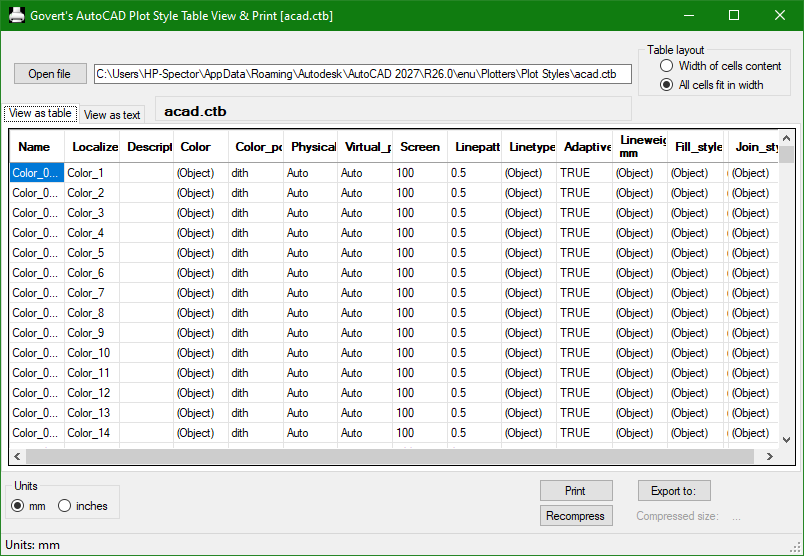
You may find Govert's AutoCAD PlotStyle Viewer helpful: https://www.noliturbare.com/plotprint.php
1 point
-
@Paul Li very impressive answer.1 point
-
There was a time when I generated lisp files using dcl and image buttons to visually insert some typical block categories
1 point
-
Just a comment if a dwg has been made by CIV3D the purge command will not remove objects even un used, you need to run PURGESTYLESANDSETTINGS it can make a big difference. After run normal Purge. Also in CIV3D surfaces are inside a dwg. But you may need CIV3D to run purges&s or remove surfaces. Similar for other CAD 3rd party add ons can have lots of proxy objects, you can use "ZOMBIE KILLER" to remove proxy objects, say in Bricscad the opening screen will show a message dwg has proxy objects.1 point
-
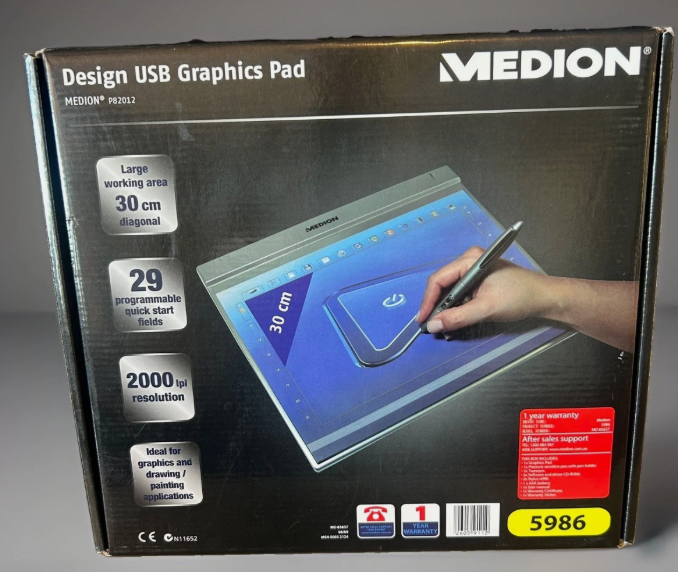
It may now look like a "Medion Design USB Graphics pad". Yes did get it to work with CAD but went back to a mouse, I dont do enough true drafting to really get into using it. Maybe Win 10.
1 point
-
I would like to add another advantage of plotting in paper space is the ability to have multiple vports looking at the same area in the model but using different scales.1 point
-
Welcome You can try distributing plugins using the VedaCAD method, which supports LSP, FAS, VLX, ARX, and DLL format plugins. There's no need to configure paths or copy code anymore; on the user side, a 6-digit VCID = a certain plugin function, and it is directly available.1 point
-
I used to only work in model space and I would never have switched possibly if not for the new office that uses paper space templates.. I see only one advantage of this : publishing automatically all selected pages at once vs plot windows from model space.1 point
-
Here is libreoffice code. Hopefully it is the correct one. Re display answers. The simplest is use Alert just add the "\n" in string for multi lines. Yes can do a dcl its made up of text paragraphs. And message boxes as last idea. (alert "This is line one\nline 2\nline 3") ;;;;;;;;;;;;;;;;;;;;; ; make text dcl from list ; By Alan H july 2026 (defun AHmakepara (lst / fo x dcl_id) (setq fo (open (setq fname (vl-filename-mktemp "" "" ".dcl")) "w")) (write-line "AHpara: dialog {" fo) (write-line (strcat " label = " (chr 34) "Current values" (chr 34) " ;") fo) (write-line " : column {" fo) (write-line " width =25;" fo) (write-line " : paragraph {" fo) (setq x 0) (repeat (length lst) (write-line " : text_part {" fo) (write-line (strcat "label = " (chr 34) (nth x lst) (chr 34) ";") fo) (setq x (1+ x)) (write-line " }" fo) ) (write-line " }" fo) (write-line "spacer_1 ;" fo) (write-line "ok_cancel ; }" fo) (write-line " }" fo) (close fo) (setq dcl_id (load_dialog fname)) (if (not (new_dialog "AHpara" dcl_id)) (exit) ) (action_tile "accept" "(setq ans 1)(done_dialog)") (action_tile "cancel" "(setq ans 2)(done_dialog)") (start_dialog) (unload_dialog dcl_id) (vl-file-delete fname) (princ ans) (princ) ) ; (if (not AHmakepara)(load "Multi para.lsp")) ; (setq lst (list "This is line 1 " "this is line 2" "line 3" "A big line 4 like this")) ; (AHmakepara lst) ;;;;;;;;;;;;;;;;;;;;;; ; this allows for a time so message closes. (defun MsgBox (title options message time / WshShell) (setq WshShell (vlax-create-object "WScript.Shell")) (vlax-invoke WshShell 'Run (strcat "mshta.exe vbscript:close(CreateObject(\"WScript.Shell\").Popup(\"" message "\"," (itoa time) ",\"" title "\"," (itoa options)"))" ) ) (vlax-release-object WshShell) ) (MsgBox "this is me" 0 "have a good day" 1) ; pretty sure can do multi line, using \n or \r ? libre2.lsp1 point
-
@Danielm103 Interesting, so many ways to skin a cat.1 point
-
Nice! I used Nanoflann for the python wrappers, Ge.Point2dTree, Ge.Point3dTree https://github.com/jlblancoc/nanoflann it builds the tree multi-threaded. Nanoflann can be made dynamic in that it can add or remove points, though I didn’t add that in to the python wrappers. I also created a wrapper for AutoLISP here https://github.com/CEXT-Dan/ads_geo Wrappers are limited though, in C++ you can create a payload I.e. { Point Data } Otherwise, you have to create a hashmap to link the point with the payload. A professional C# version might use an interface for X,Y,Z, so you can expand the tree to allow any class or structure that has the proper interface1 point
-
I am kind of a Green Horn when it comes to compiling. I don't even have vstudio. So I still use the legacy csc compiler. On top of that i only have access to acad 2017, so I am not aware of what would be needed to compile it for more recent version of Autocad.1 point
-
Yes outputting results as both may be the simplest way. Re make a dcl, I use say multi radio buttons.lsp as it only needs 3 lines of code to work, you comment out the vla-deletefile, so the dcl code remains, I then use the RLX convert dcl to lisp so paste the converted code into my programs, using the multi just saves typing to make the source dcl. Just another comment, I have a make a radio button dcl from a dwg. RLX was looking into doing similar. I have code also for Libreoffice Calc reading and writing plus more. Happy to post. Opening is not as straight forward as Excel. Where are the grand kids ? I am north of Sydney. Convert dcl 2 lisp rlx.lsp1 point
-
There can be a lot more to it than that. "A closed boundary could not be determined" when creating a hatch in AutoCAD It actually says for one option- "Zoom out until all boundaries are visible. Then specify a new pick point", but I have actually had to zoom way in. "Valid hatch boundary not found." when adding Hatches in AutoCAD Products Also AutoCAD has an issue sometimes Select Object works, even though you should be able to use Pick points. This is about Boundary, but affects Hatches as well... Read the entire thread. Also, you can read this thread, though also boundary related. So basically the issue, besides the obvious gaps, elevations, et al, is summed up by @eldon1 point
-
@SLW210 did a little bit of testing and works ok in Metric dwt. The only thing is the Architectural result. Limited Testing in Bricscad V25. made some shapes and inserted some blocks. A rectang 5000x4000 mm or decimal units. For metric don't need Architectural units. Curve length: 18000 Gaps: 0 Total: 18000 Architectural: 1500'-0" ?? For metric could do dwg is in mm but result is in metres to 3 decimals. You could use the Multi radio buttons.lsp to make choices. As its demand loaded you do not have to add it to your code. Re CSV your more than welcome to use the defuns in Alan Excel.lsp to write direct to Excel. Could demand load a lisp with just the defuns needed as don't need all that is in the lisp. Just a Ps a big file to screen copy maybe also post a file copy.1 point
-
I moved your thread to the AutoCAD 3D Modelling & Rendering Forum. Please start threads in the most appropriate forum.1 point
-
Google AI... (defun C:BBOX ( / ss index ent vlaObj minPt maxPt minExt maxExt pt1 pt2 ) (vl-load-com) (princ "\nSelect objects to enclose in a bounding box: ") ;; Prompt user to select objects (if (setq ss (ssget)) (progn (setq index 0) ;; Loop through all selected objects (repeat (sslength ss) (setq ent (ssname ss index)) (setq vlaObj (vlax-ename->vla-object ent)) ;; Safely catch objects that do not support a bounding box (if (not (vl-catch-all-error-p (vl-catch-all-apply 'vla-getboundingbox (list vlaObj 'minPt 'maxPt)))) (progn (setq pt1 (vlax-safearray->list minPt) pt2 (vlax-safearray->list maxPt)) ;; Initialize or update the overall minimum and maximum coordinates (if (not minExt) (setq minExt pt1 maxExt pt2) (setq minExt (mapcar 'min pt1 minExt) maxExt (mapcar 'max pt2 maxExt)) ) ) ) (setq index (1+ index)) ) ;; Draw the bounding box if valid coordinates were collected (if (and minExt maxExt) (progn ;; Deactivate Object Snap temporarily to ensure precision (setq oldOsmode (getvar "OSMODE")) (setvar "OSMODE" 0) ;; Draw a standard rectangle using the global coordinates (command "_.rectangle" minExt maxExt) ;; Restore original Object Snap settings (setvar "OSMODE" oldOsmode) (princ "\nBounding box successfully created!") ) (princ "\nError: Could not calculate bounding box for selected objects.") ) ) (princ "\nNo objects selected.") ) (princ) ) (princ "\nType BBOX to run the command.") (princ)1 point
-
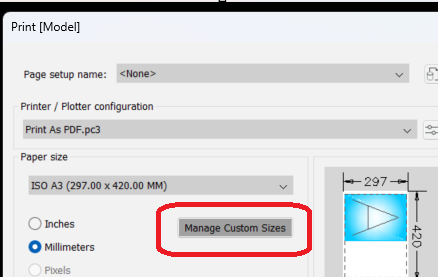
Provided you have made custom sheet sizes in the PLOT dialog. There is no reason why you can not have a title block or rectangle that is used to define the sheet size. Wether it be PDF or plot direct to roll plotter. Using layouts is best as the overall size will be at 1:1 eg 297x2010. Basically the custom size must exist, There was a post about making custom sheet sizes on the fly but very difficult to achieve. Me like a lot of others here can read the layouts and plot, there is plenty of examples of plot lisp's.
1 point
-
Always use a company DWT and problem does not occur.1 point
-
YIL (yesterday I learned) there's a Python interpreter in ArcGIS. It's just a shell, but if you want to dip your toe in the water, it will let you run some code. When I have some time, I'll take it for a spin and report back.1 point
-
As previously stated, used an install lisp, only a few minutes.1 point
-
I forgot all about this thread, meant to get back to it. My apologies. Elmer FEM – open source multiphysical simulation software CALCULIX: A Three-Dimensional Structural Finite Elemente Program use with PrePoMax Structural Analysis & Steel Design Software | AutoCalcs Free Online 3D Structural Finite Element Analysis Software There are some more open-source and free programs out there. These have a free trial. Finite Element Analysis (FEA) Software | Autodesk Download Inventor | Inventor Free Trial | Autodesk FEA Simulation Basics | Autodesk Inventor 20231 point
-
I don't think it was Excel you loaded the data to in the late 70's, perhaps Lotus 1-2-3 Per wikipediea "Microsoft originally marketed a spreadsheet program called Multiplan in 1982. Multiplan became very popular on CP/M systems, but on MS-DOS systems it lost popularity to Lotus 1-2-3. Microsoft released the first version of Excel for the Macintosh on September 30, 1985, and the first Windows version was 2.05 (to synchronize with the Macintosh version 2.2) in November 1987."1 point