All Activity
- Past hour
-

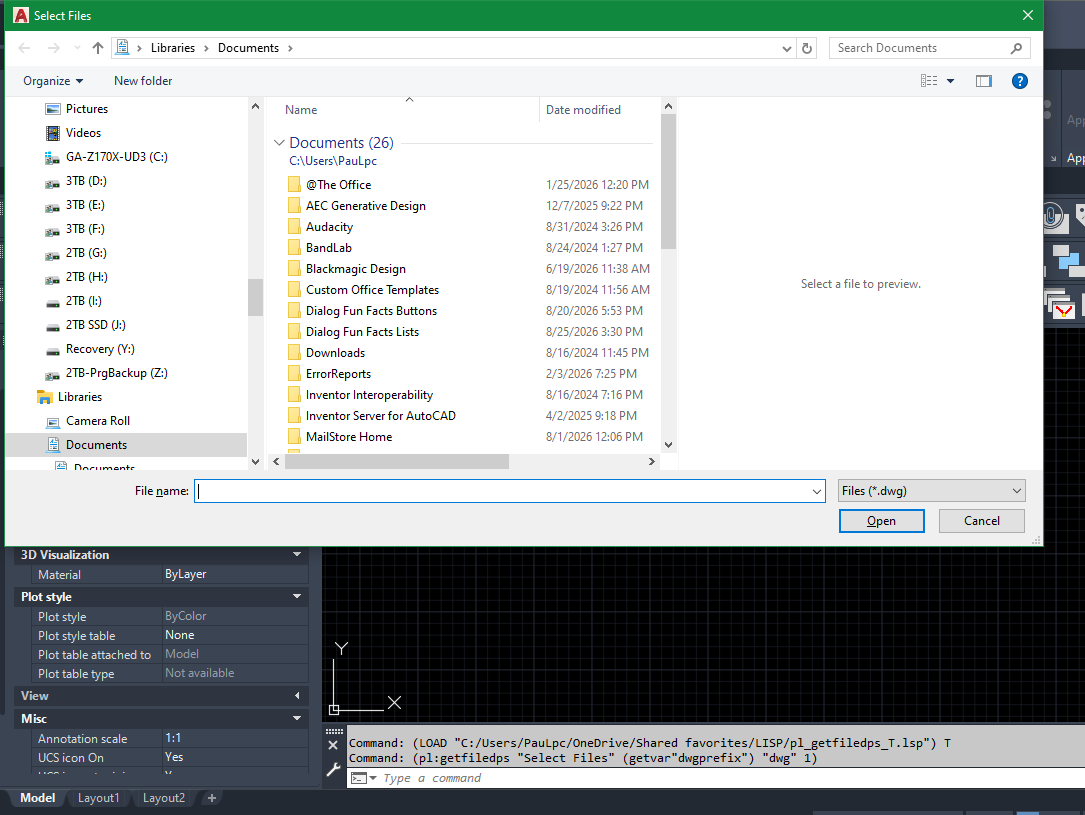
multiple file selection dialog box using lisp & powershell
Paul Li replied to Paul Li's topic in AutoLISP, Visual LISP & DCL
@GLAVCVSI just tried commenting out that line as you recommended but still no joy. The freezing up now also occurs on the Win 11 OS. Even after I unfreeze the Select Files window, I still cannot Cancel out but I must make a file selection to dismiss the window. The behavior just seems very unstable with a persistent powershell setup at least on the systems I tested at my end. But thanks for your feedback & code revisions. Perhaps others here can use this faster alternative if it's stable running the code this way on their systems. - Today
-

multiple file selection dialog box using lisp & powershell
GLAVCVS replied to Paul Li's topic in AutoLISP, Visual LISP & DCL
The last line of code (pl:getfiledps "Hola" "c:\\" "dwg" 1) is for testing purposes and should not be loaded at startup. Comment it out, save the changes, and open a new drawing to reload the code. Once the file has loaded, you can execute (pl:getfiledps "Hola" "c:\\" "dwg" 1). The reason for this is that PowerShell runs asynchronously, and `pl:getfiledps` might execute before the PowerShell instance is available. -
multiple file selection dialog box using lisp & powershell
Paul Li replied to Paul Li's topic in AutoLISP, Visual LISP & DCL
@GLAVCVS Thanks for updating the code. Unfortunately, it still freezes up on me with AutoCAD on Win 10. I'll have to use the method to make either Edge on one computer or Outlook on another computer current to unfreeze the Select Files window. But on both Win 10 & Win 11, I'll encounter another problem. After loading the code on the current dwg and then I open another dwg and run the code there I would encounter problems. The error would read: Command: (pl:getfiledps "Hola" "c:\\" "dwg" 1) ("__ERROR__ The property 'FileName' cannot be found on this object. Verify that the property exists and can be set.") -
multiple file selection dialog box using lisp & powershell
GLAVCVS replied to Paul Li's topic in AutoLISP, Visual LISP & DCL
I've edited the code again, and it seems to have worked this time. -
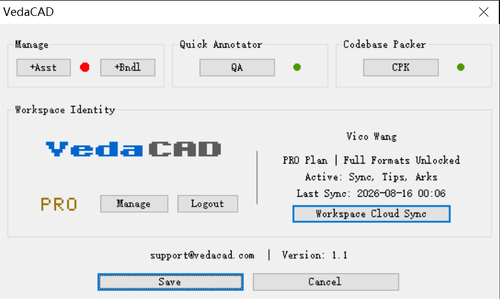
Version 1.1
2 downloads
Note: To install via VCID, you need to install VedaCAD in advance and log in to a free account (or PRO account). Tips: Welcome developers to publish their plugins on VedaCAD and obtain their plugin's VCID for plugin sharing (even free accounts can publish). The following methods can be used to test the installation and deployment of the VedaCAD plugin via the VCID test: [Quick Annotator] VCID: 7JAU18 @ VedaCAD [Codebase Packer] VCID: 0FBGZB @ VedaCAD [VAgent Demo] VCID: PLG96B @ VedaCAD [Gomoku CadCade] VCID: 1G8VY1 @ VedaCAD [Omni Wheel] VCID: US87Y8 @ VedaCAD [Side DIM] VCID: 5EDNWJ @ VedaCAD [Smart Break] VCID: D86938 @ VedaCAD [Wave Animator] VCID: 31E6TS @ VedaCAD -
 rdpk7 joined the community
 -
.thumb.jpg.615654602253be56b2fbd5d064834780.jpg)
Why does a 3D model sometimes look faceted instead of smooth?
indiancad posted a topic in AutoCAD 3D Modelling & Rendering
Have you ever created a curved 3D model that looked smooth while working on it, but the edges appeared faceted or rough? The geometry may be correct. The display can be affected by the visual style and object smoothness settings. For curved solids, I first check the visual style and use SMOOTHMESHCONVERT or the appropriate smoothness tools when working with mesh-based geometry. For solid models, changing the display quality can also make a noticeable difference without changing the actual model. This is one of those cases where the model isn't necessarily wrong—the way it is displayed can make it look wrong. Have you ever mistaken a display issue for a modelling problem? What did you check first? -
For anyone finding this older thread with the same problem: check the SLDPRT version first, and ask the sender for STEP or Parasolid if you need geometry that can be imported and edited in another CAD system. A viewer only confirms what is in the file; it does not restore the SolidWorks feature tree or drawing tolerances. I work on CADProps. Its browser SolidWorks viewer can inspect SLDPRT/SLDASM files, show converted geometry and bounding dimensions, and export STEP when the file parses: https://www.cadprops.com/tools/solidworks-viewer/ . The current guest limit is 10 MiB and files are temporarily processed server-side, so confidential models should only be uploaded if that workflow is acceptable.
-
multiple file selection dialog box using lisp & powershell
GLAVCVS replied to Paul Li's topic in AutoLISP, Visual LISP & DCL
It seems that Cadtutor refused to accept my modification. Basically, I changed *TOUT* to *OUT* and '(if (findfile *PS-READY*)' to '(if (and *PS* (findfile *PS-READY*))' -
multiple file selection dialog box using lisp & powershell
Paul Li replied to Paul Li's topic in AutoLISP, Visual LISP & DCL
@GLAVCVS BTW: I didn't see any changes to your original code. For example I still see the lines using *PS-TOUT* I've tried it on a couple of Windows 10 Pro OS computers running AutoCAD 2021, 2023 & 2027 one at a time and not multiple sessions. Upon further testing the Select Files window can be unstuck by toggling to the Edge browser making that active and then toggling back to AutoCAD. The problem still occurs even when the Edge browser is not running. But as long as I launch the Edge browser (when it's not already running) then the Select Files window would free up to function as designed. This problem does not occur on the single Windows 11 OS computer I tested this on. -
multiple file selection dialog box using lisp & powershell
GLAVCVS replied to Paul Li's topic in AutoLISP, Visual LISP & DCL
You were right I forgot to clean *PS-TOUT* from my test code I've also tweaked something else in the code. Try it again -
multiple file selection dialog box using lisp & powershell
GLAVCVS replied to Paul Li's topic in AutoLISP, Visual LISP & DCL
Which version of AutoCAD are you using? Do you have multiple AutoCAD sessions open? -
multiple file selection dialog box using lisp & powershell
Paul Li replied to Paul Li's topic in AutoLISP, Visual LISP & DCL
@GLAVCVS Thanks for the modified code. But I'm encountering the following errors after attempting to load it: ; error: bad argument type: stringp nil The error is caused by the following lines of code under the PS-EXEC function: ;|Waiting for a Powershell response / Esperar a que PowerShell responda|; (while (not (findfile *PS-TOUT*));(not (findfile *PS-OUT*)) (setq t0 1000) (repeat 1000 (setq t0 (1+ t0))) ) ;|Reading response / Leer respuesta|; (setq fp (open *PS-TOUT* "r"));(open *PS-OUT* "r")) (while (setq lin (read-line fp)) (setq result (cons lin result)) ) (close fp) When I change the following lines of code referencing *PS-TOUT* to what you had commented out using *PS-OUT* then at least it'll load successfully: ;|Waiting for a Powershell response / Esperar a que PowerShell responda|; (while (not (findfile *PS-OUT*));(not (findfile *PS-OUT*)) (setq t0 1000) (repeat 1000 (setq t0 (1+ t0))) ) ;|Reading response / Leer respuesta|; (setq fp (open *PS-OUT* "r"));(open *PS-OUT* "r")) (while (setq lin (read-line fp)) (setq result (cons lin result)) ) (close fp) But after this when I call the pl:getfiledps function using the following line of code: (pl:getfiledps "Select Files" (getvar"dwgprefix") "dwg" 1) The Select Files window would appear on top of my AutoCAD session and then just hang there. I'm unable to select any files from this window or move the window out of the way: I would have to terminate the AutoCAD app from Task Manager But the Select Files window remains. Now the window is freed up for me to select files and drag the window around. Any thoughts as to why this is occurring on my end?
- Yesterday
-
multiple file selection dialog box using lisp & powershell
GLAVCVS replied to Paul Li's topic in AutoLISP, Visual LISP & DCL
You can start a PowerShell instance from LISP and keep it running in the background, ready to receive instructions. I've played around with this idea a little and ended up with the following code. I haven't tested it thoroughly enough, so its robustness could probably be improved. But it may be useful. (defun PS-START (/ fp sh cmd n) (vl-load-com) ;| -------------------------------------------------------------- ; Si existe READY, suponemos de momento que ya está funcionando. ; Posteriormente podemos hacer PS-ALIVE más rigurosa. |; -------------------------------------------------------------- (setq *PS-SERVER* (strcat (getenv "TEMP") "\\PL_PS_Server.ps1") *PS-TCMD* (strcat (getenv "TEMP") "\\PL_PS_Command.tmp") *PS-CMD* (strcat (getenv "TEMP") "\\PL_PS_Command.txt") *PS-OUT* (strcat (getenv "TEMP") "\\PL_PS_Output.txt") *PS-READY* (strcat (getenv "TEMP") "\\PL_PS_Ready.txt") ) (if (and *PS* (findfile *PS-READY*)) T (progn ;|Clean previous files / Limpiar archivos anteriores|; (if (findfile *PS-CMD*) (vl-file-delete *PS-CMD*) ) (if (findfile *PS-OUT*) (vl-file-delete *PS-OUT*) ) ;|Create server script / Crear script servidor|; (setq fp (open *PS-SERVER* "w")) ;|Nombres de los archivos de comunicación|; (write-line "$cmd = $env:TEMP + '\\PL_PS_Command.txt'" fp) (write-line "$out = $env:TEMP + '\\PL_PS_Output.txt'" fp) (write-line "$ouTmp = $env:TEMP + '\\PL_PS_Output.tmp'" fp) (write-line "$ready = $env:TEMP + '\\PL_PS_Ready.txt'" fp) ;|Indicate Powershelll ready / Señalizar que PowerShell está preparado|; (write-line "Set-Content -Path $ready -Value $PID -Encoding Default" fp) ;|Main loop / Bucle principal Powershell remains here for entire session / PowerShell permanece aquí durante toda la sesión|; (write-line "while ($true) {" fp) ;|Is there any pending request? / ¿Hay una orden pendiente?|; (write-line " if (Test-Path $cmd) {" fp) ;|Read ALL code / Leer TODO el código. -Raw permite que PS-EXEC pueda mandar scripts de varias líneas, no solamente una instrucción |; (write-line " $code = Get-Content -Path $cmd -Raw -Encoding Default" fp) ;|Delete request inmediately / Borrar la petición inmediatamente. Esto indica que el servidor ya se ha hecho cargo de ella.|; (write-line " Remove-Item $cmd -Force" fp) ;|Orden para terminar el servidor|; (write-line " if ($code.Trim() -eq '__EXIT__') {" fp) (write-line " break" fp) (write-line " }" fp) ;|Execute code IN THIS POWERSHELL SESSION / Ejecutar código EN ESTA MISMA SESIÓN POWERSHELL|; (write-line " try {" fp) (write-line " $result = Invoke-Expression $code" fp) ;| OUT must always be created so that PS-EXEC knows the process has finished Hay que crear siempre OUT. Incluso si la expresión devuelve $null necesitamos crear el archivo para que PS-EXEC sepa que hemos terminado. |; (write-line " if ($null -eq $result) {" fp) (write-line " Set-Content -Path $ouTmp -Value '' -Encoding Default" fp) (write-line " }" fp) (write-line " else {" fp) (write-line " $result | Out-File -FilePath $ouTmp -Encoding Default" fp) (write-line " }" fp) (write-line " Move-Item $ouTmp $out -Force" fp);rename PL_PS_Output.tmp / renombramos PL_PS_Output.tmp ;|Capturar errores|; (write-line " }" fp) (write-line " catch {" fp) (write-line " ('__ERROR__ ' + $_.Exception.Message) | Out-File -FilePath $out -Encoding Default" fp) (write-line " }" fp) ; close / cerrar 'IF Test-Path' (write-line " }" fp) ;| Sleep / Demorar 10 ms. Prevents resident Powershell instance from continuously using a CPU core while it has nothing to do Evita que el PowerShell residente utilice continuamente un núcleo de CPU mientras no tiene nada que hacer |; (write-line " Start-Sleep -Milliseconds 10" fp) ; cerrar WHILE (write-line "}" fp) ;|PowerShell está terminando|; (write-line "Remove-Item $ready -Force -ErrorAction SilentlyContinue" fp) (close fp) ;|Arrancar PowerShell|; (if (not *PS*) (progn (setq cmd (strcat "powershell.exe " "-NoLogo " "-NoProfile " "-NonInteractive " "-STA " "-ExecutionPolicy Bypass " "-WindowStyle Hidden " "-File \"" *PS-SERVER* "\"" ) sh (vlax-create-object "WScript.Shell") ) (vlax-invoke-method sh 'Run cmd 0 :vlax-false) (vlax-release-object sh) ) ) ;| Esperar a que PowerShell cree READY Máximo: 5 segundos |; (setq n 0) (while (and (not (findfile *PS-READY*)) (< n 500) ) (repeat 10000 (getvar "MILLISECS")) (princ "\rEsperando...") (setq n (1+ n)) ) ;|Result / Resultado|; (if (findfile *PS-READY*) T nil ) ) ) ) (defun PS-EXEC (code / fp lin result t0) ;| Clears any previous result / Borrar posible resultado anterior|; (if (findfile *PS-OUT*) (vl-file-delete *PS-OUT*) ) ;| Write code that Powershell should executed / Escribir el código que debe ejecutar PowerShell|; (setq fp (open *PS-CMD* "w")) (write-line code fp) (close fp) ;|Waiting for a Powershell response / Esperar a que PowerShell responda|; (while (not (findfile *PS-OUT*));(not (findfile *PS-OUT*)) (setq t0 1000) (repeat 1000 (setq t0 (1+ t0))) ) ;|Reading response / Leer respuesta|; (setq fp (open *PS-OUT* "r"));(open *PS-OUT* "r")) (while (setq lin (read-line fp)) (setq result (cons lin result)) ) (close fp) ;| Delete result / Borrar resultado|; (vl-file-delete *PS-OUT*) (reverse result) ) (defun PL-FILEDIALOG-INIT (/ hwnd) ;; HWND de ESTA instancia concreta de AutoCAD (setq hwnd (vla-get-HWND (if (minusp (- (atoi (getvar "ACADVER")) 16)) (vla-get-activeDocument (vlax-get-acad-object)) (vlax-get-acad-object))) ) ;; Windows Forms + OpenFileDialog (PS-EXEC (strcat "Add-Type -AssemblyName System.Windows.Forms;" "$script:f=New-Object System.Windows.Forms.OpenFileDialog" ) ) ;|Small 'wrapper' to convert AutoCAD's HWND into a valid 'IWin32Window' for ShowDialog(owner) Pequeño 'wrapper' para convertir el HWND de AutoCAD en un 'IWin32Window' válido para 'ShowDialog (owner)' |; (PS-EXEC (strcat "Add-Type -TypeDefinition " "'using System;" "using System.Windows.Forms;" "public class WindowWrapper:IWin32Window{" "private IntPtr h;" "public WindowWrapper(IntPtr hwnd){h=hwnd;}" "public IntPtr Handle{get{return h;}}" "}' " "-ReferencedAssemblies System.Windows.Forms" ) ) ;|Locate AutoCAD and create owner Localizar AutoCAD y crear el 'owner' |; (PS-EXEC (strcat "$script:owner=New-Object WindowWrapper(" (itoa hwnd) ")" ) ) T ) (defun pl:getfiledps (title dir ext flg / psquote makefilter code) ;| Escape / Escapar ' PowerShell|; (defun psquote (s / p n) (setq n 0) (while (setq p (vl-string-search "'" s n)) (setq s (strcat (substr s 1 p) "''" (substr s (+ p 2))) n (+ p 2) ) ) s ) (defun makefilter (s / p r x) (setq r "") (while (setq p (vl-string-search ";" s)) (setq x (substr s 1 p) r (strcat r "*." x ";") s (substr s (+ p 2)) ) ) (strcat r "*." s) ) ;|Default values / Valores por defecto|; (if (/= (type title) 'STR) (setq title "Select Files") ) (if (not (and (= (type dir) 'STR) (vl-file-directory-p dir) ) ) (setq dir (getvar "DWGPREFIX")) ) (if (= (type ext) 'STR) (setq ext (makefilter ext)) (setq ext "*.dwg") ) ;| Build only the code needed for this call: Powershell, Forms, f and owner ALREADY EXISTS Construir únicamente el código necesario para ESTA llamada: PowerShell, Forms, f y owner YA EXISTEN |; (setq code (strcat "$script:f.FileName='';" "$script:f.Title='" (psquote title) "';" "$script:f.InitialDirectory='" (psquote dir) "';" "$script:f.Filter='Files (" ext ")|" ext "';" "$script:f.Multiselect=" (if (and (= (type flg) 'INT) (/= flg 0) ) "$true;" "$false;" ) "$r=$script:f.ShowDialog($script:owner);" "if($r -eq " "[System.Windows.Forms.DialogResult]::OK)" "{$script:f.FileNames}" ) ) ;| Execute in the resident Powershell instance / Ejecutar en PowerShell residente |; (PS-EXEC code) ) ;|If Powershell is not already running, start a instance / SI POWERSHELL NO ESTÁ INSTANCIADO, SE CREA UNA INSTANCIA|; (if (not *PS*) (progn (setq *PS* (PS-Start)) (PL-FILEDIALOG-INIT))) ;;;(startapp "notepad" *PS-OUT*) (setq *PS* nil) (pl:getfiledps "Hola" "c:\\" "dwg" 1) How does it work?... When the code is loaded, a PowerShell instance and a base script are created. After that, simply call the pl:getfiledps function whenever you need it. -
You're right, but it doesn't change the properties window behavior. I wonder if this is a Bricscad bug related to the PropertyPreviewDelay setting. For the sssetfirst syntax, I can't be bothered to look up the correct format so I always use the variable in both locations, since the help file says the first argument is ignored.
-
looked at your code closer the first argument needs to be nil in sssetfirst left over from legacy code. https://help.autodesk.com/view/OARX/2023/ENU/?guid=GUID-4076CD9D-1C66-4C73-ACC0-3A6CD0B0D2D8 '(sssetfirst gripset[pickset]) 'gripset 'AutoCAD no longer supports grips on unselected objects, so this argument is ignored. However, if gripset is nil and no pickset is specified, sssetfirst turns off the grip handles and selections it previously turned on. 'pickset 'A selection set to be selected. (setq ss1 (ssget)) (sssetfirst nil ss1)
-
I have dual monitors and properties is always open, it just isn't recognizing objects selected with sssetfirst. However you gave me the idea to toggle it off/of which does refresh it to show the selected objects. Thanks. (command "Propertiesclose" "properties")
-

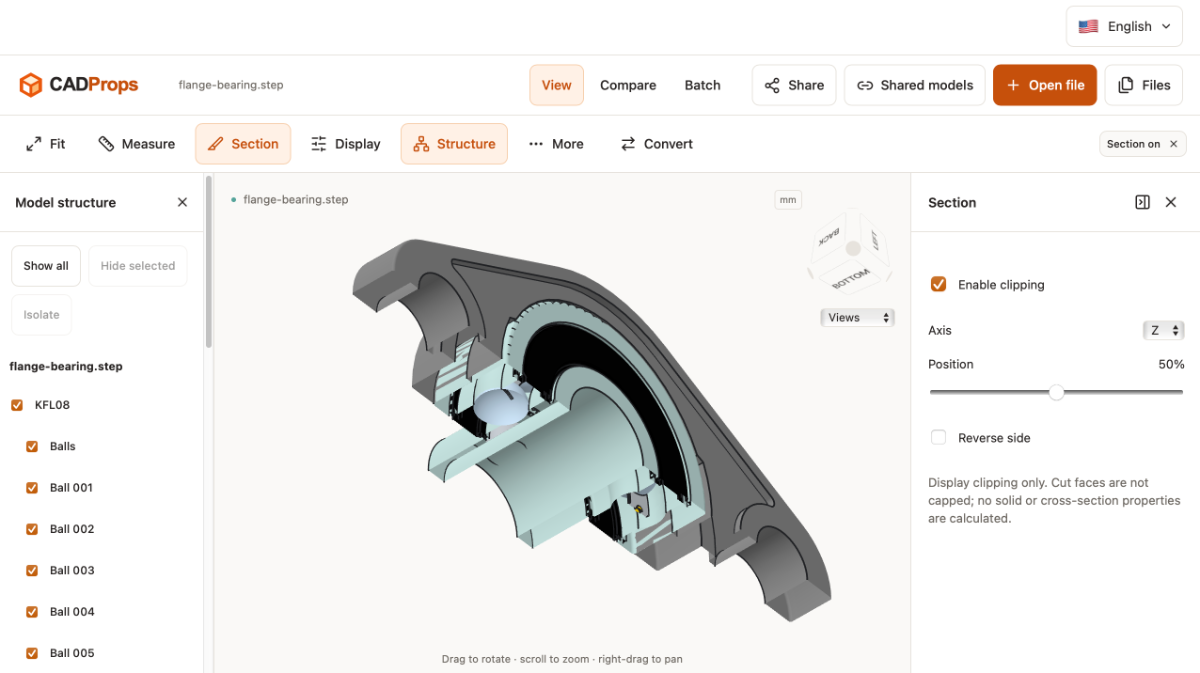
Free Browser-Based STEP/STP Viewer for Quick CAD Inspection
VicoWang replied to cadprops's topic in AutoCAD 3D Modelling & Rendering
Great work!!! From a purely three-dimensional cross-sectional view, unlike the closed cross-sections of conventional three-dimensional software such as SketchUp, if the cut section after this trimming can be sealed off reasonably, it is at least visually more in line with intuition.
-

Why MATCHPROP does not always do what it needs to do
SLW210 replied to indiancad's topic in AutoCAD 2D Drafting, Object Properties & Interface
MATCHPROP has settings, some specific to the object selected. It should match Text Height, etc. and Dimension Styles, etc., it also works between open drawings. AutoCAD 2022 Help | To Copy Properties From One Object to Other Objects | Autodesk AutoCAD 2022 Help | MATCHPROP (Command) | Autodesk This is a good reason to also use blocks, change one and the rest change as well. -
Free Browser-Based STEP/STP Viewer for Quick CAD Inspection
SLW210 replied to cadprops's topic in AutoCAD 3D Modelling & Rendering
Is this a free service? -
Why does PRESSPULL sometimes fail even when the area looks closed?
indiancad posted a topic in AutoCAD 3D Modelling & Rendering
Have you ever tried to use PRESSPULL on what looks like a completely enclosed area, but AutoCAD refuses to create or extrude a 3D solid? I've discovered that sometimes, the visualized boundary can be misleading. The presence of a small gap, overlapping objects, or objects that aren't actually forming a valid closed area can inhibit PRESSPULL's ability to create or extrude a 3D solid. Instead of redrawing everything, I would first try using BOUNDARY on the perceived enclosed area. If it fails to create a closed boundary, I would look at the endpoints and attempt to fix the gap or overlapping geometry. As soon as there is a valid closed boundary, PRESSPULL should be able to do its job. Have you ever encountered this problem while trying to create a 3D model? What was the cause in your case? -

Free Browser-Based STEP/STP Viewer for Quick CAD Inspection
cadprops posted a topic in AutoCAD 3D Modelling & Rendering
Hi everyone, We're building CADProps, a free browser-based tool for quickly opening and inspecting STEP/STP files without installing a full CAD package. It's aimed at mechanical engineers, CNC users, and manufacturing teams who need a fast way to check model geometry before quoting or production: https://www.cadprops.com Full disclosure: CADProps is our tool. We're still improving it, so feedback on real-world STEP files—especially large or complex models—would be very useful. -
cadprops joined the community
-
I usually just keep it docked on the right side and use ctrl+1 to open it if needed. any of these will open properties (command "Properties") (command "PR") (command "CH") (command "MO")
- Last week
-
I use a variation of the ssx.lsp to select objects in the drawing. In Bricscad v15 using (sssetfirst ss1 ss1) would both activate grips and activate the properties window to show info on those objects. For example select all blocks with same name, I could quickly edit the attribute value for all of them. I'm testing upgrade to v26 and the properties window no longer activates unless I manually toggle the property preview button. Is there a system variable to use the old behavior? Here is the simple code: (setq ss1 (ssget)) (sssetfirst ss1 ss1)
-
Honestly, I've been using AI to code in AutoLISP for the past year or so and I think it's more successful at it than I am. I'm not saying it's clean code, but I'm saying it's already useful. I had a sales engineer ask me info on a project that they're selling trying to verify if what they sold was feasible and with the tool the AI built, I could give them concrete details. If I had to finish that tool, it would have taken me months to write it. I had to test it a bunch of times in autocad and give feedback and it'll find the problem. I had to upgrade which models I used if it gets stuck or restart a new chat. I have a bunch of md files for it to remember how the codebase works but it's getting there. I would say the AI didn't code the whole thing, I still gave it most of the ideas to use, it just had to fill stuff in between for the implementation. At the end of the day, I just want it to work. I had it write a debug.txt which it can read after each test run. I had it create toy functions to measure what it did after the fact. There's a couple of good engineering practices still in place, it's just that I'm allowing myself to have 'fuzzy' details about the implementation.
-
 james12 joined the community
 -
Why MATCHPROP does not always do what it needs to do
Paul Li replied to indiancad's topic in AutoCAD 2D Drafting, Object Properties & Interface
Yes, I've encountered that problem...usually that's when I have to go to my lisp library or come up with new code to accommodate for when matchprop falls short