All Activity
- Past hour
-
 L43977 joined the community
 -

How to override text formatting
SLW210 replied to GrahamT's topic in AutoCAD 2D Drafting, Object Properties & Interface
There are several LISP programs around for stripping MTEXT. Solved: strip mtext formatting - Autodesk Community Re: StripMText Issue - Autodesk Community In the MText Editor there is a down arrow on the top right, scroll down to Remove Formatting. - Today
-
 Dannytechpro89 joined the community
 -
I'm unsure how to do this as of now, but I will be looking into it. After playing with the program in ACADE, the way it works is what I want, it just doesn't do it as specifically as I'd like. I've got some learning to do, but I will be trying to adjust the code to work for me. I'm new to coding of any sort, so any advice on how to go about this would be greatly appreciated. Thank you for the pointer.
-

How to override text formatting
GrahamT posted a topic in AutoCAD 2D Drafting, Object Properties & Interface
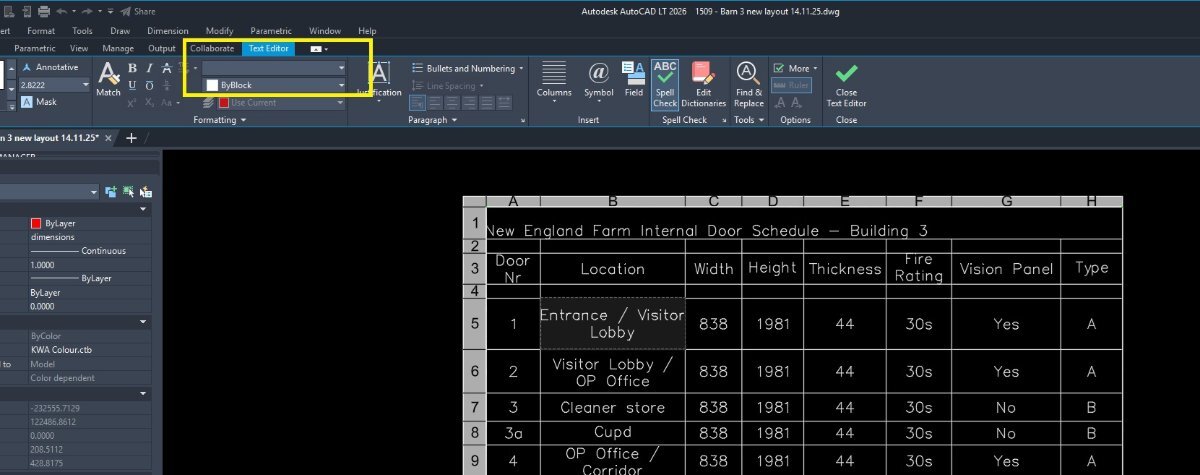
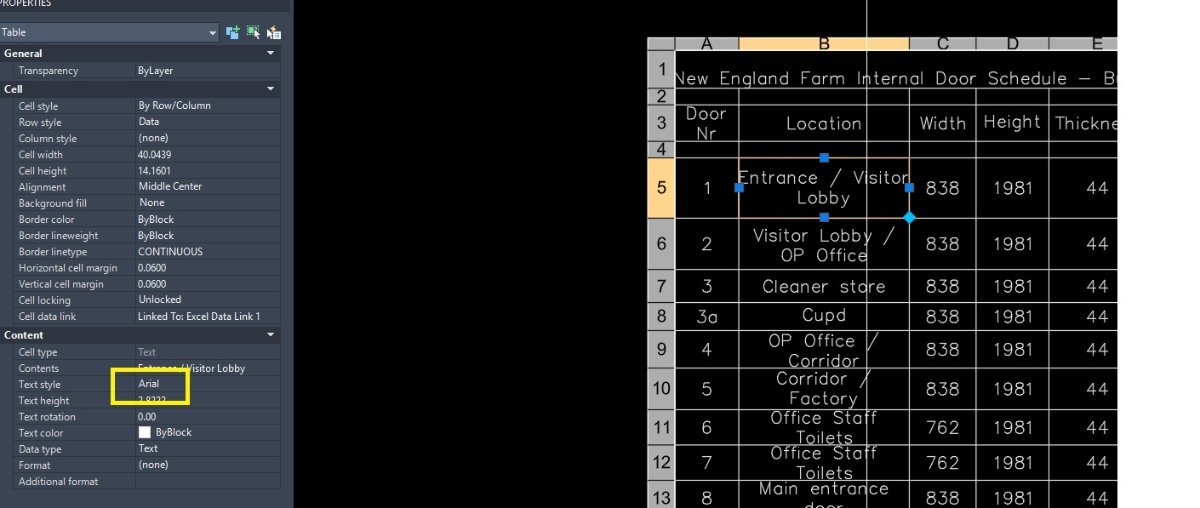
Hello All I keep hitting a problem with text formatting which I just can't solve. When I double click on any MTEXT, it will show the text style as (for example) STANDARD, but when I change that in the properties dialog to (for example) ARIAL, nothing changes in the text style. I've found the only way to change it to the font you want is to go to the text formatting palette and manually change it there for each text item. See example below: You can see that in example2 I've changed the text style to ARIAL but the text remains as SIMPLEX. The only way I can change it is to double click then change it in the text formatting palette to ARIAL as shown in example1. This makes changing the text very cumbersome across a drawing. Please note, the example here happens to be in a table, but it happens outside of tables too. Surely there is a way to stop this happening and make the text change to what you want it to be? Any help greatly appreciated. GrahamT
-
GrahamT joined the community
-
 puran joined the community
 -
 Volf84 joined the community
 -
 andygerrie joined the community
 - Yesterday
-

Need Information About Best Autocard Software For PC
tombu replied to angrythor's topic in Autodesk Software General
Once you find out what AutoCAD software you need for the type of work you do you need to check what System requirements that software needs: https://www.autodesk.com/support/system-requirements/overview You'll get more useful responses if you tell us what type of work you're trying to learn how to do and what educational and professional background you have. My experience is with Land Surveying and Civil Engineering. If you're in a different field I'm sure someone in your field would respond. -
Vehicle Tracking - where to find details for vehicles
tombu replied to Adam - Inspire's topic in Autodesk Software General
We used AutoTurn by Transoft for years as an AutoCAD plugin years before Vehicle Tracking or even Civil 2D was added to AutoCAD. It was a company in England at the time but it's worldwide now and no longer a simple AutoCAD plugin! -
As Lee's code is open you could look at what is going on, to see if it is possible to say do a block name "*" with tagname "Material". I did find this in Lee's code give it a try. "Please Enter a Block Name.\n\n" "Note: Block names are not case-sensitive and may use wildcard patterns" " to match multiple blocks containing the same attribute tag."
-

Vehicle Tracking - where to find details for vehicles
BIGAL replied to Adam - Inspire's topic in Autodesk Software General
Just remember with say a semi you have to turn outward before turning in the direction you want for tight corners, same with exit oversteer corner. It normally took say 3+ goes to get a smooth path. Followed a road train go through multiple roundabouts in Darwin, a road train is 3 x 19m trailers 66 ton. The driver would go left and right crossing 3 lanes but did not go slow, What was that bump ? -
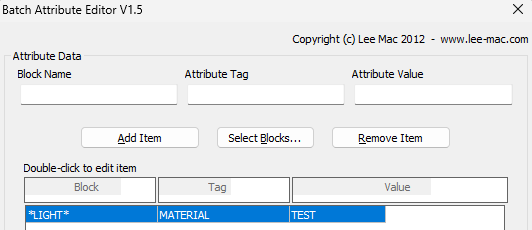
I don't understand what you are trying to do. I used the configuration below, with wildcard for any block named with "light", and set all attributes named with a tag of "MATERIAL" to have a value of "TEST". Worked perfectly on multiple drawings.
-

Vehicle Tracking - where to find details for vehicles
Steven P replied to Adam - Inspire's topic in Autodesk Software General
Thanks Tombu, played a little this morning and demolished some of a virtual London, not the software, my driving skills... but your links look handy -
Vehicle Tracking - where to find details for vehicles
tombu replied to Adam - Inspire's topic in Autodesk Software General
Lot of useful tutorials for Vehicle Tracking on YouTube: https://www.youtube.com/results?search_query=autodesk+vehicle+tracking Used it a lot before I retired. For commercial projects besides entrances access to dumpsters and delivery locations was important. Curves in access roads need to be checked for the longest vehicles that uses them as parts of the vehicle shift inside. -
 Jira Panpremjit joined the community
 - Last week
-

VS Code AutoCAD Lisp Snippets
CivilTechSource replied to CivilTechSource's topic in AutoLISP, Visual LISP & DCL
Thanks for the recommendation. The (repeart (setq x) snippet has been added to the vs code extension. Snippet is fun-loopsel Please let me know if there is anything else I should add? I did add doc-header doc-section to make commenting easier. -
Vehicle Tracking - where to find details for vehicles
Steven P replied to Adam - Inspire's topic in Autodesk Software General
Yes, got vehicle tracking as Civ3D - AutoTurn is a separate thing as far as I can tell Never got chance to look at it properly last week, will see how east the vehicle tracking is to use once I get into it -
Vehicle Tracking - where to find details for vehicles
BIGAL replied to Adam - Inspire's topic in Autodesk Software General
I think Vehicle tracking was part of the CIV3D bundle so was included could be wrong. -
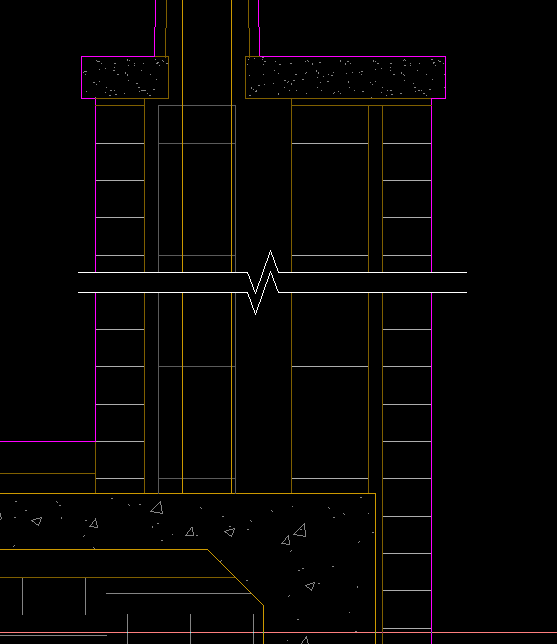
I use a block with mask/wipeout, scaled up, then xclipped to trim the extent of lines. Allows easy moving and 'breaking' of hatch patterns without actually breaking anything. sym-breakline-mask.dwg
-
After playing with it, this program works, kind-of. It edits the attributes on a block basis, not a tag basis. I need something to edit an attribute for every component with that specific tag, so that all like-tagged components have the same data. ACADE does this natively one at a time. I would like to be able to edit multiple at once.
-

AL's Steel Mill not working on BricsCAD
Lee Mac replied to Jgrand3371's topic in AutoLISP, Visual LISP & DCL
What error message(s) do you receive, if any? -

Choose which attributes to display in Block Reference.
CyberAngel replied to fromMlm's topic in AutoCAD Drawing Management & Output
Not sure if this will work the way you want. I created a dummy drawing with a dummy block and a dummy attribute. When you set the attribute to Invisible, you can't see it any more, but you can edit it. I know, that's not what you want. I include it so you don't waste time trying it for yourself. When you set the attribute to Constant, you can't edit it at all. It no longer shows up in the Properties, and it doesn't show up in the block. If you change the attribute back to not constant, you can insert a new block and give it a different value, but it's still invisible and it does show up in Properties. Could be a bug? Or the way I handled it. -
Vehicle Tracking - where to find details for vehicles
Steven P replied to Adam - Inspire's topic in Autodesk Software General
Thanks, looked at this before but CADtools are a special request for us, probably needs signing off by some deity or other -
Vehicle Tracking - where to find details for vehicles
Steven P replied to Adam - Inspire's topic in Autodesk Software General
Thanks BigAl, I was mistaken yesterday, thought AutoTurn had been taken on by AutoCAD so didn't look more into it... but it is a 3rd party add on - looks good and a minimal cost... but for this not sure 'IT' would let me have it... but I'll put in a request... you never know and always good to have new toys to play with -
AL's Steel Mill not working on BricsCAD
SLW210 replied to Jgrand3371's topic in AutoLISP, Visual LISP & DCL
Since this is unrelated to the original post updating the AISC Steel Shapes, I have created a new thread AL's Steel Mill not working on BricsCAD in the AutoLISP, Visual LISP & DCL Forum. -
Vehicle Tracking - where to find details for vehicles
SLW210 replied to Adam - Inspire's topic in Autodesk Software General
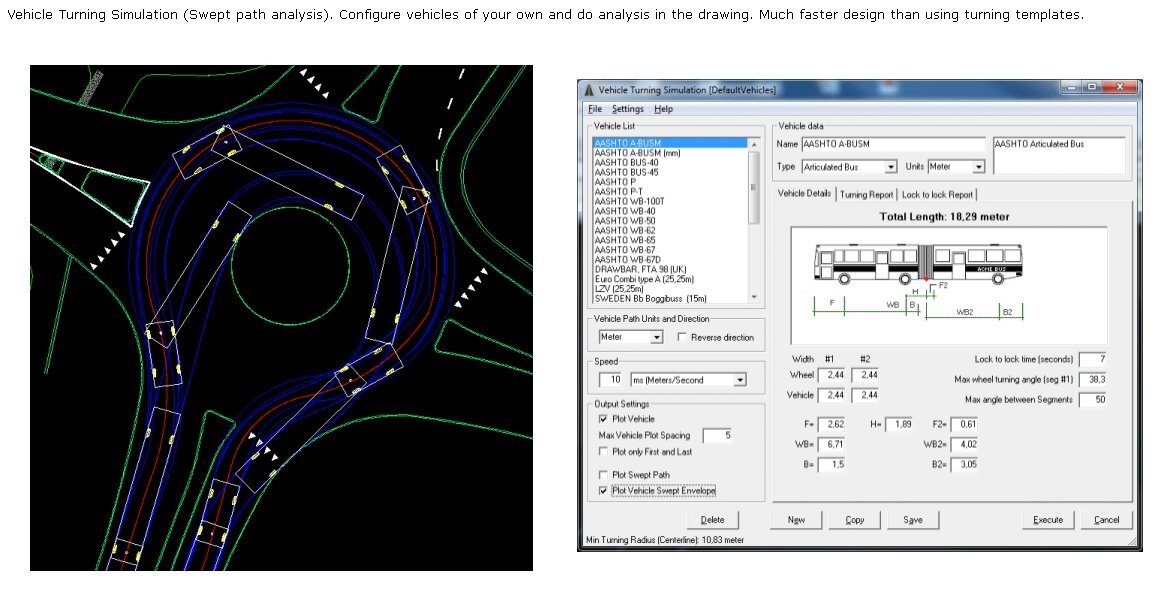
I use the one in CadTools and it has window that opens and you can adjust the parameters and create a custom vehicle.
-

Choose which attributes to display in Block Reference.
fromMlm posted a topic in AutoCAD Drawing Management & Output
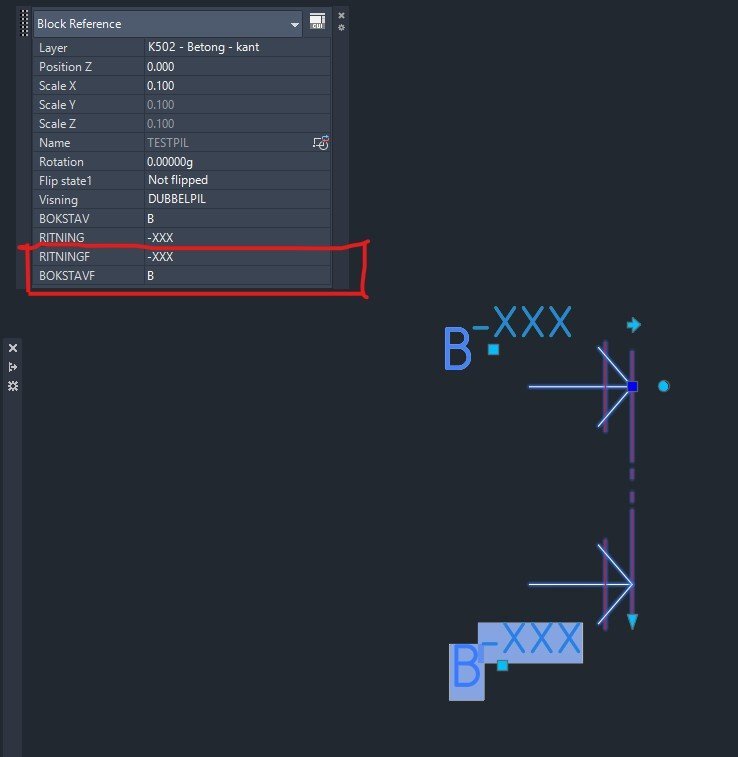
Hi I have two attributes as fields which i dont want to show/display in the Block Reference window. See screenshot. How do I make them disapear there so you dont accidentally change them? Kindly regards Section marker.dwg
-
Vehicle Tracking - where to find details for vehicles
BIGAL replied to Adam - Inspire's topic in Autodesk Software General
Many years ago now I think it was "Autoturn" it popped up a dcl/picture that you put all the values into, so just found one close first and printed it, that gave what values went where. Was it also "Vehicle tracking" by Autodesk ? -
Have you looked at: https://www.lee-mac.com/batte.html
-

AL's Steel Mill not working on BricsCAD
JerryFiedler replied to Jgrand3371's topic in AutoLISP, Visual LISP & DCL
@Jgrand3371 I just loaded the app onto my BrisCAD Pro V26 and it appears to work. I just tested a few of the many options, certainly not an extensive test. This program is great! @gtwatson Thank you for sharing.