All Activity
- Past hour
-
 liamwhitcomb joined the community
 -
VBScript does function here at work. After I need a manual activation, it probably will not be available. Interestingly, it is being deprecated due to Security issues, goes to show how useless and incompetent IT departments are. I might see if I can bypass the Word requirement on the home computer and use LibreOffice. As per advice from Microsoft, PowerShell or JavaScript is to be the replacement. A quick test shows a JavaScript will run, but not sure if it would be locked at some point until I actually try it as a replacement for VBScript. Here is the supposed timeline. VBScript deprecation: Timelines and next steps | Windows IT Pro Blog
- Today
-

Aluminum composite panels parametric templates
emosms replied to emosms's topic in AutoCAD 2D Drafting, Object Properties & Interface
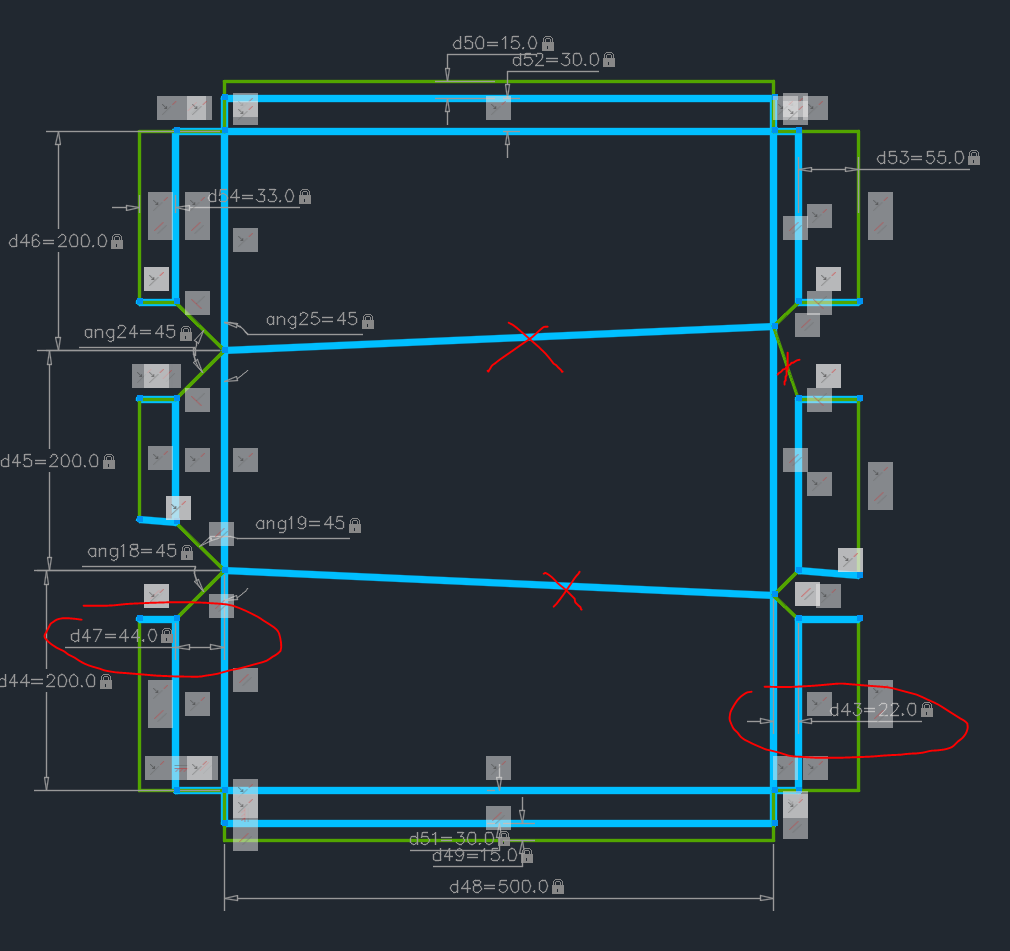
Made parametric sketches and blocks for 1, 2, 3 face panels. Parametric definitions appear as block properties and could be set there along with label tags (detail name and pieces). I spent the whole morning (setting the correct order of constraints) and I didnt come to a clear order how to do that. Autoconstrain does not take into account the constraintsettings dialog. - f.ex. I started mass applying 'coincident'. It applied a lot of other constraints, then I deleted them. - second (if I remember properly) I applied the 45 degree miter locks - then I started moving the inner most flanges (along the miters) with a strech command to see what is going on. - then I applied collinear to all simultaneously moving vertical lines. - then I applied parallel to lock them parallel - added here and there some perpendicular - finally I added horizontal constraint to the bottom horizontal line (now I have to make a new sketch/ block for the same panels if they are rotated 90 degree) - finally finnaly some extra constraints here and there after testing.... I HOPE IT WONT BREAK, but I am gonna need another free half a day to make 4, 5 face and corner templates.... PARAMETRIC.dwg -
.thumb.jpg.615654602253be56b2fbd5d064834780.jpg)
SOLPROF: Keeping projected profiles manageable in complex assemblies
indiancad posted a topic in AutoCAD 3D Modelling & Rendering
When generating 2D profiles from a 3D assembly using SOLPROF, the resulting geometry can become difficult to manage when several components overlap in the viewing direction. Separating visible and hidden profiles is useful, but the number of generated entities can make subsequent editing and drawing cleanup cumbersome. For assemblies that undergo frequent design revisions, this raises a practical question about how to keep the projected drawing maintainable. How do you organize and update SOLPROF-generated geometry when the underlying 3D assembly changes? Do you regenerate the profiles after every revision, or use a workflow that minimizes manual cleanup? -
PROJECTGEOMETRY: When projecting 3D edges onto an inclined face
indiancad posted a topic in AutoCAD 3D Modelling & Rendering
I was considering a situation where existing edges from one part of a 3D model need to be projected onto an inclined face of another part. The difficulty is choosing the correct projection direction so that the resulting geometry lands exactly where intended. With angled faces, projecting along the wrong direction can produce a result that looks reasonable in the current view but does not match the intended geometry. For those who use PROJECTGEOMETRY, how do you control the projection direction when working with inclined faces? Do you normally project perpendicular to the target face, use a specified direction, or choose another method? -

GitHub vs APPLOAD: Why is our global impact invisible?
VicoWang replied to VicoWang's topic in AutoLISP, Visual LISP & DCL
@BIGAL I see you've posted this image in several places, and I have some questions: 1. Is this drawn in pure CAD through plugins? 2. Do these doors, windows, and walls carry BIM information? Can they export an IFC information set format for Revit or ArchiCAD? 3. Although your image doesn't express this, as an architect, I want to ask if you have a complete set of door, window, wall, beam, column, and plate drawing CAD plugins? 4. Since I'm more familiar with ArchiCAD, which has a great mode for obtaining 2D drawings from 3D models, how do you achieve this in CAD? Can you achieve a linked design where changes to the model automatically modify the drawings? To be honest, I've never seen a complete VDC (Virtual Design and Construction) building design method executed in CAD similar to BIM modeling. To put it another way, if your plugin set achieves the rapid 3D modeling of buildings (non-precise), actually exporting to SketchUp avoids the traditional workflow of modeling in SU, and then bridging with D5 or twinmotion can quickly set up scenes and output concept renderings. - Yesterday
-
Why not a step -1 add shapes like circles and rectangs, based on simple offsets, length and width to a pre drawn shape.. Then dimension. eg Rectang with holes.lsp
-
@BIGAL Thanks for the feedback. It's an excellent idea to add the text file output as an option as enabled or disabled.
-
You’ve just given me the reason to stay with powershell scripts. But since @SLW210 your office blocks powershell, I would be curious if it allows for vbscripts to run.
-
I have been pretty busy with the grandkids back and it near Halloween here and the 3D printing, but I did get the CENTERMARK replacement working last week. I created some tough test examples, so there are a few bugs to workout where the native AutoCAD CENTERMARK fails and it uses the crosshairs. I'll try to iron those out next week, the version I have now is working in most situations, the ones not working are blocks that have curve features dimensioned in paperspace through the viewport, and a few odd circles in paperspace, others work in the same layout, I think I know the difference. CENTERMARK command requires an object, so selecting the proper curves by the dimension seems the main issue, though I have that sorted for most situations. This relates back to the samples from my GETLENGTH.lsp and the SOLPROF created viewports and the blocks inside, so normally what I have now should work for most people. If anyone is interested in seeing what I have so far, I might go ahead and post it if there is interest.
-
It might help to give a detailed explanation on what exactly it does?
-
Isn't VBScript going away? I know, they say they're getting rid of all kinds of things and don't, but I read a while back this was definitely getting the axe. I suppose though it wouldn't be on Windows any longer (supposedly next year), you could probably get it and install yourself. I don't use Word at home, I'll have to see if VBScript is available at work.
- Last week
-
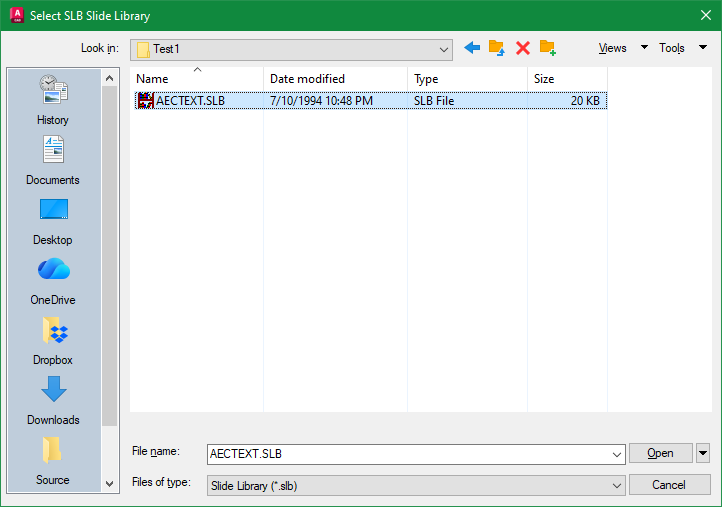
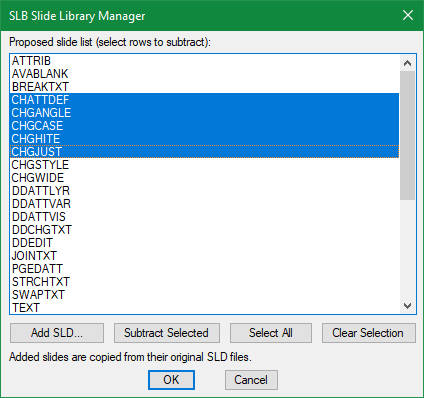
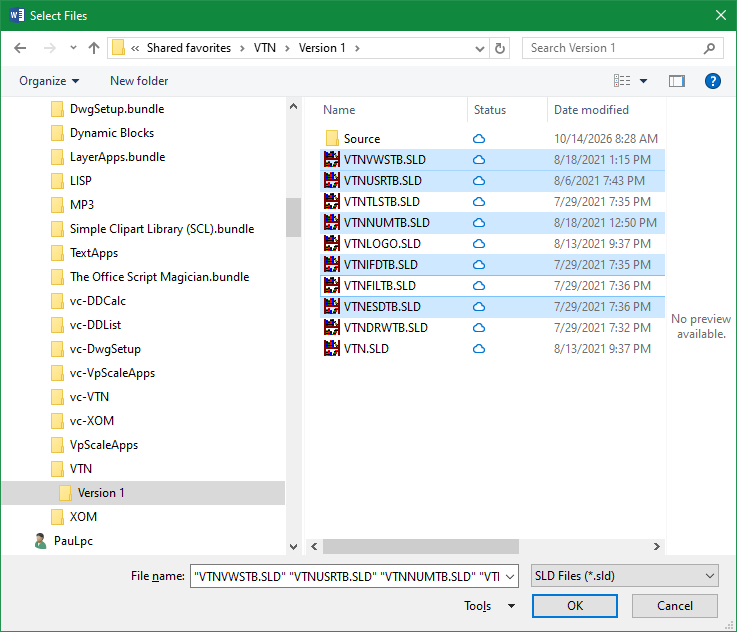
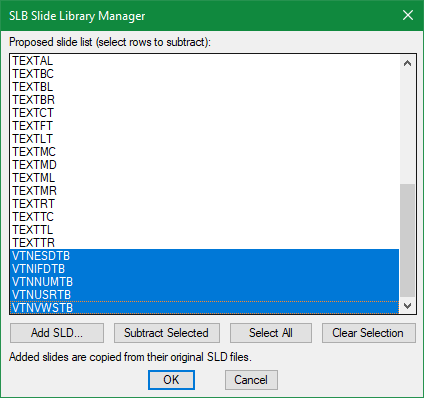
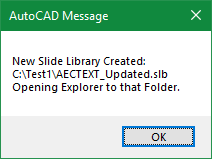
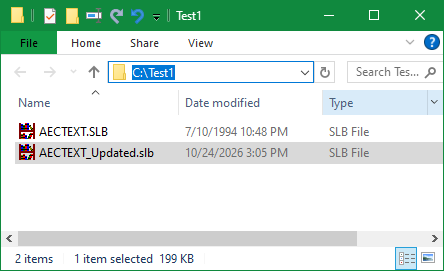
SlbMgr is a Slide Library Manager written in AutoLISP that requires VBScript and Word to be installed. 1) Select an AutoCAD Slide Library (like acad.slb but must be in a writable folder) 2) A Slide Manager window appears listing Slides in the selected Slide Library file 3) Select Slides to Subtract or Slides stored locally to Add 4) File Explorer opens in location where Updated Slide Library file is created Feedback welcome. SlbMgr.lsp

-

Aluminum composite panels parametric templates
BIGAL replied to emosms's topic in AutoCAD 2D Drafting, Object Properties & Interface
Must it be a dynamic block ? Have a look at this video. Do windows.mp4 -
Update V2: https://drive.google.com/file/d/1tKI38W60KEjrlQ-NF4Rh-gctgxSd8HQf/view?usp=drive_link
-
 zac9090v joined the community
 -
Aluminum composite panels parametric templates
emosms replied to emosms's topic in AutoCAD 2D Drafting, Object Properties & Interface
Hi, the 1 and 2 face templates work. The 3 face templates are squared in yellow, one is parametric sketch, the other is a dynamic block, completely messed up now. Seems easier to apply strech action in a dynamic block but I still have to apply TONS of constraints (coincident points, parallel...) I understood I can mass apply them with AUTOCONSTRAIN, but still needs a lot of adjustment and clean up. At least didn't reach the "overconstrained" warining within a dynamic block. PARAMETRIC.dwg -

Aluminum composite panels parametric templates
SLW210 replied to emosms's topic in AutoCAD 2D Drafting, Object Properties & Interface
Welcome to CADTutor! Can you post a .dwg? -
Aluminum composite panels parametric templates
emosms posted a topic in AutoCAD 2D Drafting, Object Properties & Interface
Hi, I am struggling to make this parametric template work. It is always 1 constrain short of making it behave properly. F.ex. in the curent hair pull-off session I can't make the crossed lines stay parallel/ horizontal, the mitre angle lock at 45 degree, the parallel tilted blue lines stay equal or whatever needed to prevent skewing. Somehow I made 1 face and 2 face panel template work properly (it allready was a pain to make the two face and I dont know how I made it work) But I need also 3, 4, 5 face panels, also a corner panel. The problems come when I try to control the innermost side flanges (where the 45 degree miters are). If they are not equal,the sketch skews, but they might not be equal in some occasions. What is the correct order of applying dimensions and constrains? I know the geometry I am trying to force is completely legit (I can draw it manualy) but that is not the point, it is extremely tedious and boring when a lot of panels need to be done. Can I find ready parametric templates for this? The constraints interaction seems to make the task impossible. Regards - Emil
-
emosms joined the community
-
MESHSMOOTH: Controlling unwanted distortion when refining a 3D mesh
indiancad posted a topic in AutoCAD 3D Modelling & Rendering
I was looking into mesh refinement and found that increasing the smoothness level does not always improve the result. Sharp edges can become rounded, narrow features may lose their definition, and the overall shape can drift from the original geometry. This becomes particularly important when the mesh represents a component with both smooth surfaces and features that must retain their shape. For those who work with mesh-based models, how do you preserve critical edges and dimensions while increasing mesh smoothness? Do you adjust the smoothing settings, refine selected areas, or use another approach? -
INTERFERE: Telling overlaps apart from real assembly issues
indiancad posted a topic in AutoCAD 3D Modelling & Rendering
When looking at a 3D assembly with many parts finding interference is just one part of the work. Some overlaps might be meant to happen while others show that parts are in the place where there should be space. In an assembly the problem is figuring out which interference issues are important without spending time on ones that are expected. For people who use `INTERFERE` on mechanical models how do you tell real problems from overlaps that were meant to happen? Do you look at the interference results or do you also use section views and check for space, between parts? -
SOLIDEDIT: How do you handle a face that refuses to offset cleanly?
indiancad replied to indiancad's topic in AutoCAD 3D Modelling & Rendering
That makes sense. If the face offset keeps causing problems, creating a new solid and using Union or Subtract sounds like a practical alternative. I suppose it depends on which approach gives a cleaner result. -
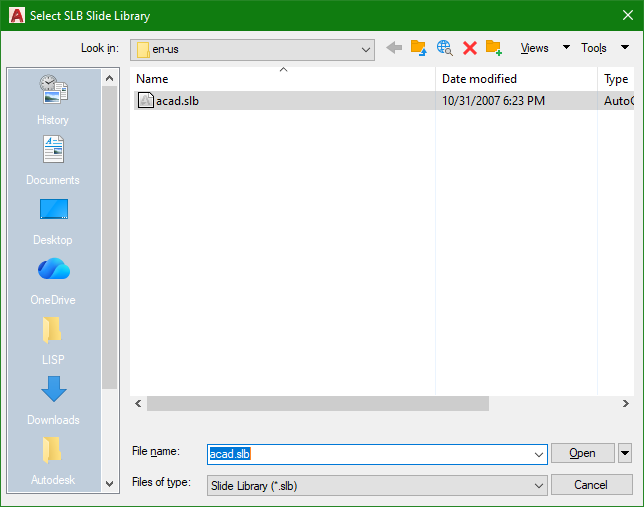
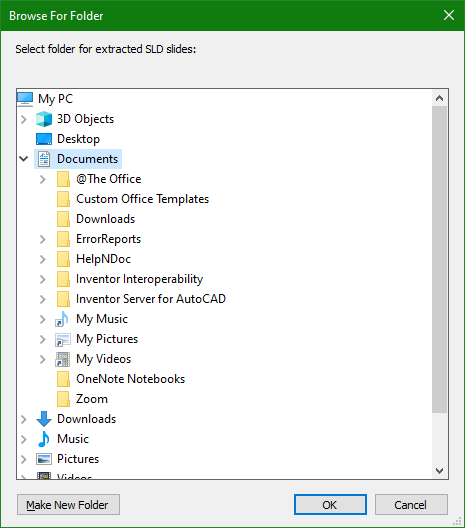
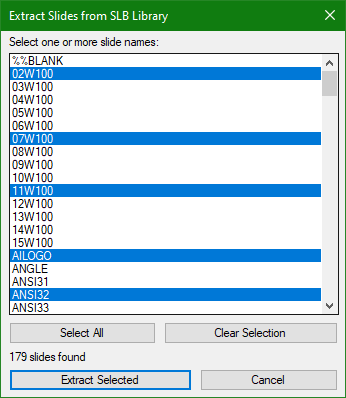
This SlbSelect.lsp is another ChatGpt generated app that extracts Slides (SLD) from inside a Slide Library file (SLB). When executed, the following steps occur: A File selection window appears for a Slide Library file (like acad.slb) to be selected Next a Folder selection window appears to select a location to save the extracted Slides Then the Slide file names inside the selected Slide Library is displayed in a custom dialog List Box for user selection After the selected Slides have been successfully extracted, Windows File Explorer opens to the Folder location for user review SlbSelect.lsp
-
Generated ISO title block DXF: units, attributes and fonts when used in a template
BIGAL replied to Margo App's topic in AutoCAD Drawing Management & Output
"sheet stays 420 x 297 in a .dwt" not a problem various ways of doing this, simplest is have a layout "A3" which has your title sheet as only item in it. The title is at true size ie 420x297. And has say one viewport, just make a layout for each size. Where I worked that is how we did it, 20+ years using a DWT. Make sure add all your Text styles, layers, blocks and linetypes to your DWT, its easy to remove unwanted. Yes can add back in if needed. Part 2 you can use Layout copy to make new layouts with the correct title block. The obvious is delete any sizes you don't want. Part 2a layout T you can use a template for the layout so it will read a layout by name from another dwg. Ok maybe a big helper, there is code out there for making layouts automatically, as part of that the required title block can be chosen. A few choices pick a point in Model plus scale layout made, Use Rectangs as sheet outline and make multiple layouts in one go. Just ask for more detail various authors including myself. As a new person at Cadtutor this may be of interest to you. Welcome aboard. Lisp files DEC 2025.docx
-
@xurshid_viewport Just a comment I use pop menus to display blocks as you will see in an early post here. once the block dwg's are made I use a custom lisp to write most of the mnu code required just saves a bit of time., it just reads a list of dwg names some shorthhand with a full path if required and full dwg name, using a support path makes it easier. So if making lots from scratch worth the coding effort. Happy to help will need to find code been a while since I made a mnu. Using the @Paul Li code to write dwg name is handy. [->LIBRARY] [FURNITURE]^c^C^p(lay_furn);$I=FURN $I=* [SANITARY]^c^C^p(lay_furn);$I=SANIT $I=* [KITCHEN]^c^c^p(lay_furn);$I=KITCH $I=* [BATHROOM]^c^c^p(lay_furn);$I=BATH $I=* [--] [<-TREES]^c^c^p(lay_tree);$I=TREES $I=* ................... ***icon **FURN [FURNITURE:] [CTONE(CHAIR-1)]^c^cINSERT ca3ch-1 DRAG \1;;DRAG [CTONE(CHAIR-2)]^c^cINSERT ca3ch-2 DRAG \1;;DRAG [CTONE(SOFA-1)]^c^cINSERT ca3sof1 DRAG \1;;DRAG [CTONE(SOFA-2)]^c^cINSERT ca3SOF2 DRAG \1;;DRAG [CTONE(TABLE4)]^c^cINSERT ca3tbl4 DRAG \1;;DRAG [CTONE(TABLE6)]^c^cINSERT ca3tbl6 DRAG \1;;DRAG [CTONE(RTAB1)]^c^cINSERT ca3rtb1 DRAG \1;;DRAG [CTONE(RTAB2)]^c^cINSERT ca3rtb2 DRAG \1;;DRAG
-
Tried it in Bricscad V25 worked ok, a side issue it pops open the text file in Notepad which I have to close. I really don't want these TXT files being added to the chosen slb directory. They should be deleted or an option keep or delete.