All Activity
- Past hour
-

Lisp Code for transforming list number to numbered block?
BIGAL replied to dber's topic in AutoLISP, Visual LISP & DCL
Still looking into this the reason being is that if you put your notes into Word you can auto number, then bring back into CAD, you can add or removfe a note and they will auto renumber saving a lot of time and no need to say run a program over the notes again. I have hit a stumbling block in trying to make a True type font. If you want numbers then can have 1-52 as paragraph numbers, the trick is can use A-Z & a-z in word copy into cad these will be seen as numbers in a hexagon 1-52. I did find a Hexagon TTF 1-9 A-Z but my Bricscad does not support a version 1xxx TTF, needs a version 2xxx. I have been going around in circles trying to use Inkscape to make a vector file then Fontforge to make the TTF. So if any one is out there and has used Fontforge to make a TTF would appreciate some help. -

Beyond APPLOAD: A local script manager for those of us with too many LISPs
Paul Li replied to VicoWang's topic in AutoLISP, Visual LISP & DCL
@BIGAL I just want to add more detail to @VicoWang explanation. To begin with, I would like to point out that I have over 11 apps all written in AutoLISP & DCL. When installed successfully the added commands from a typical app are presented with the loading of a partial menu which adds a panel under the Add-ins section of the Ribbon along with Toolbar so the end user knows exactly where to go to access the added commands. Prior to VedaCAD, these apps are all marketed on the Autodesk app store which is now called Design and Make Marketplace. Autodesk has a set a fairly vigorous review standards that must be met in order for a third party app to qualify in their app store. In additional, as a developer, you would have to submit everything to them to generate the msi setup file for user download and installation. This submittal for review process can take a number of weeks to approve before your app can go live on their app store. But then enters VedaCAD. I now can use the VC vlx app to create my own installation bundle without a need to submit my files to another company to review for approval. There's also no need for an msi setup file but instead all that is needed is the VC ID code that references that bundle on the VedaCAD server for complete installation. After the end user loads the VC .vlx app, all that is required is to import that VC ID code and my app is now installed exactly like it is using msi setup file. But the difference with VedaCAD is that the end user must now always load the VC.vlx file in order to have access to the added app. Hope this clarifies a bit more as to what VedaCAD does for you. SCLCLNG.LSP - Today
-

Beyond APPLOAD: A local script manager for those of us with too many LISPs
VicoWang replied to VicoWang's topic in AutoLISP, Visual LISP & DCL
@BIGAL Actually, regarding what the deployed CAD interface looks like: @Paul Li recently shared some of his custom tool suites in our community thread, and I posted a few test screenshots there demonstrating the exact setup—his custom .CUIX ribbons, floating toolbars, and slide libraries seamlessly mounted. You can see the setup screenshots here: To clarify our design philosophy regarding "how an end-user calls up a command": we completely agree that no one can or should memorize 150 commands. We view execution as two complementary workflows: High-Frequency Tools (The Keyboard Route): A draftsman typically relies on keyboard shortcuts for the ~20 tools they use every few minutes. Traditionally, changing the shortcut of a third-party LISP meant opening someone else's source code to alter defun c:... or writing your own wrapper functions. VedaCAD provides built-in custom alias management, allowing users to map and resolve shortcuts for their favorite routines directly from the manager without writing a single line of wrapper code. Visual & Specialized Tools (The Click Route): For the remaining 130 tools, visual access is mandatory. Whether a CAD Manager prefers deploying traditional .CUIX Ribbons / Toolbars, custom POP Menus (like your impressive setup!), or interactive Radial Menus (like the OmniWheel plugin I shared earlier), VedaCAD silently mounts and supports them all natively. The classic pull-down menus you showed in your screenshot are fully supported in our .CUIX pipeline. When a CAD Manager deploys a custom menu via VedaCAD, the end-user doesn't need to know the command names—they simply click your menu items or ribbon icons on the screen, exactly as they do in your office today. VedaCAD is not here to force a specific interface style; it is simply the underlying delivery infrastructure to carry whatever workflow the CAD Manager chooses to design. Since Paul's tool suites are live on the platform, the easiest way to see how this works is to test it firsthand. You are very welcome to grab a free account at app.vedacad.com, type VC, click 'Install via VCID', and try pulling one of his suites (e.g., B-NN9XC for his DDCalc suite). You can see how his visual ribbon, calculator, and tools wire up in your own workspace! -
Beyond APPLOAD: A local script manager for those of us with too many LISPs
BIGAL replied to VicoWang's topic in AutoLISP, Visual LISP & DCL
I am still confused, yes I have around 150 lisps behind 3 pop menu's, and the idea of being simply able to find them I understand, but from a dumb user perspective how do I know how to call up a Lisp program, despite numerous post I still don't see how to call the lisps. There is no way where I worked in a team environment they would know the name of a lisp or a command that ran it. They would just walk away. @VicoWang Maybe show your CAD setup.
-
Beyond APPLOAD: A local script manager for those of us with too many LISPs
VicoWang replied to VicoWang's topic in AutoLISP, Visual LISP & DCL
@aridzv @BIGAL Thank you both for sharing your workflows! Just like drafting in CAD where there are a dozen ways to achieve the same geometric result, managing LISP environments has evolved its own art forms over the decades. Using an Excel sheet to drive autoload lines, or writing custom Install.lsp scripts to unpack ZIPs and inject into the Windows Registry—these are absolute classics. In fact, these exact methodologies are the spiritual predecessors to modern package management. VedaCAD is simply a modernized, "npm-style" iteration of the exact same goals you both achieved manually. By the way, I noticed from your profile signatures that both of you are running BricsCAD Pro. Since VedaCAD is currently compiled as a native AutoCAD .vlx container, you wouldn't be able to load or test the attachment anyway! But I genuinely appreciate you diving into the conceptual discussion with me. @aridzv, regarding your note on open-source: I completely respect your stance. For actual drafting tools, geometry calculators, or productivity scripts, open-source is the absolute gold standard of this forum. However, VedaCAD is not a drafting tool; it is the client-side node of a commercial B2B SaaS infrastructure. Under the hood, it contains hand-rolled JSON parsers, cryptographic modules, and REST API controllers to sync with our Cloudflare edge network, along with Enterprise-grade fleet deployment logic (MDM). Because of this deep backend orchestration and our commercial roadmap, the core client remains closed-source. That being said, because I know firsthand how painful local deployment is for independent draftsmen, we specifically carved out the BASE Mode (100% offline, air-gapped) and the FREE Tier (unlimited VCID sharing protocol) to be permanently free for the community. We wanted to make sure everyone could enjoy modern package management without paying a dime. It’s always a pleasure geeking out over deployment architectures with veterans. Thanks again for the great discussion! - Yesterday
-
Beyond APPLOAD: A local script manager for those of us with too many LISPs
BIGAL replied to VicoWang's topic in AutoLISP, Visual LISP & DCL
@aridzv not sure why your not using a custom Pop menu, Toolbar or Ribbon, then you can demand load any lisp no need to preload lisps. Yes one of my custom POP menus has 130 lisps behind it. I used to run 3 custom menu's. Yes a Startuplisp as well. I have a Word doc "How to make a pop menu"How to make POP menu.docx Part 2 I have a install lisp it uses a zip file of all relevant files and it is un zipped via lisp to correct directory, support paths added, new menu's added. If you look into Regedit you can find the appload list in the registry and change it. -
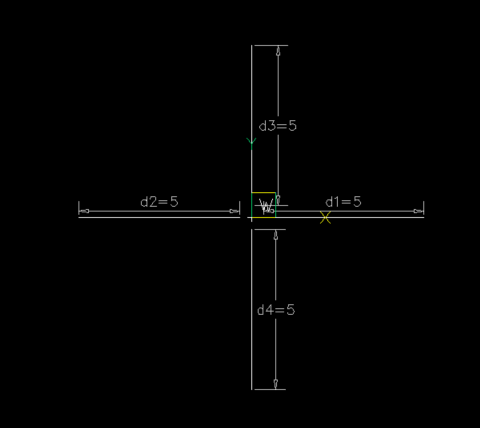
Would going down the dynamic block be a way to always get a Cross at center point of a fixed size then adjust the 4xdistance on the quad legs. Would need a gap distance in the block as say fixed also. I am not the best at dynamic blocks maybe some one else can try it. Using a lisp allows the working out of all the distance parameters and reset them. This would be repeated 4 times. can use D2=D1 and so on. Just did a linear constraint. Trying to remember how to d2=d1.
-

Beyond APPLOAD: A local script manager for those of us with too many LISPs
aridzv replied to VicoWang's topic in AutoLISP, Visual LISP & DCL
1. too many lisp to remember what each one dose. 2. how to bring all of those lisp's up to a new computer. I have 189 lisps at the moment. well, 1. I have a simple excel table of all my lisps, the file name, the command and what they do. every time I add a lisp I add it to the file to keep track and to know what they do if I didn't add description in lisp file at the top as a remark. 2. to load them I don't use appload for each one. I use lisp file with autoload line for each lisp and use appload only for that file,one line only in the appload command. 3. upgrade to a new computer/laptop? copy all the lisp files to the new computer including the autoload lisp, run appload to load that startup lisp, check the "AUTOLOAD" check box and you are done, again - one lisp to load all the others. and if you had dependencies between lisp on the old machine they should work on the new one as well. one side note: for me, When I see a compiled file here on the forum I tend to stay away from it. This forum is built on open source, and compiled code here, at least for me, is some what of a bad taste... -
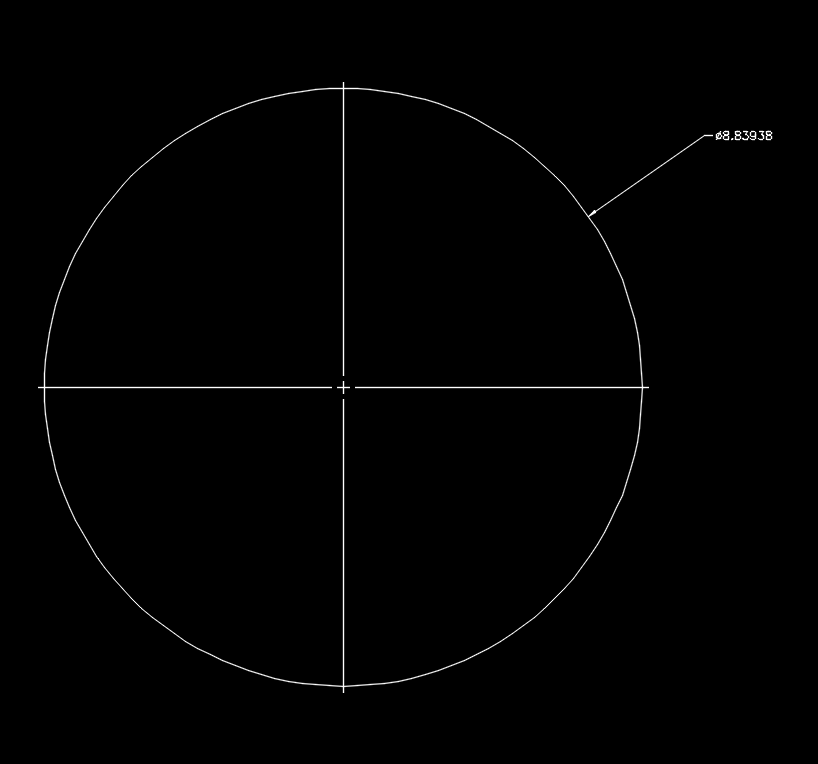
Centerline is good, it's a centerline, the issue is, CENTERMARK, unless it is a small diameter/radius, it is incorrect according to most standards that I could find and my recollection of manual drafting. I do realize, mine would need some tweaking for the center linetype version and the linetype scale depending on how large the center mark. I think many miss the point of my LISP, it is to replace the default center marks from dimradius and dimdiameter. It also doesn't duplicate shared centers. It is a drawing correction tool for replacing the small marks that can't maintain dimension associativity, the line option makes the correct cross hair, but has the same issues with dimensions, you also cannot alter the color of those centermarks associated with dimdiameter and dimradius. What is put in it's place can be changed. I might try getting something better worked out if more people want it upgraded. From what I could find on the WWW from ASME GD&T standard. IIRC, large radii can have the small mark like in the dimradius/dimdiameter, the issue of associative dimension etc. remain though. On doing some experimenting, CENTERMARK can be made correct by replacing the default linetype from Center to Continuous and a few more tweaks maybe. I'll have to do some testing on resetting the defaults for CENTERMARK, that may just work. LeeMac's Centerline doesn't work on arcs or inside a block, just circles the best I could tell.
-
 yoon joined the community
 -
 ois joined the community
 - Last week
-
 Porn Generator joined the community
 -
 SLM4N joined the community
 -
 asf joined the community
 -
Thank you for the reference, I made the Multi getval lisps as had so many lisp's that asked for a value after a value then realise have typed one wrong. Also set default values. The approach being can use in any code, the multi radio buttons being a replace for the Initget function. There are versions like one column or two or even three. Something still on the back burner is write a lisp/dcl code based on dwg objects. Have started.
-
As a "tangent" (pun intended) I really like the CENTERLINE command. I think it's extremely useful how the associativity is made and stays.
-
.thumb.jpg.615654602253be56b2fbd5d064834780.jpg)
How do you modify a 3D solid without rebuilding it?
indiancad posted a topic in AutoCAD 3D Modelling & Rendering
Sometimes a 3D model is nearly complete, but a design change requires altering one section without affecting the rest of the geometry. Depending on how the solid was created, direct face editing may be quicker than modifying the original profiles and repeating the modeling steps. However, complex intersections and connected faces can make these edits less predictable. When revising an existing 3D solid, do you prefer direct face editing or going back to the original geometry and rebuilding the feature? What makes you choose one over the other? -
Come to think of it, why has Autodesk left that useless "Mark" and "Line" option all of these years? Line is even worse option, way too close to the edge of the circle, arc, et.al., IMO. I prefer mine a good bit past the edges as per my manual drafting days. The Centermark object is technically correct, 3mm/.1200 inch past the edge as default, which matches some information I found on creating them with modern CAD. On thinking this over, that may be a good way to steer this, as mentioned by @Paul Li, they stay with the object. They also allow associative dimensions to work. I do not like the large amount of lines and spaces in the Centermark centerline linetype they use, the Line option of the DIMCENTER mark is correct, the cross, a gap, then continuous line just past the edge, but it is barely past the edge. Mechanical's Line option the center mark you can't even snap to an endpoint on it. I suppose on further reflection I should make some adjustments to the size option, I'll think that over. This was mostly to get rid of and replace the one from the dimdia and dimrad, so it does that, as well as provides the use of associated dimensions.
-
I thought about doing that as well, I may still do it. That looks good. My AutoCAD has been freezing/crashing randomly since they updated my work computer to Windows 11 among other issues, no LISP related issues, just random, often when opening a new drawing or switching drawings occasionally during a command. So I have been going through my old LISPs, etc. and trying to clean them up, add and improve options, test them, etc., as I can and/or as I get to them. Mostly so I can quickly adjust, alter, and improve the drawings as quickly as possible before a crash/freeze. Any suggestions, corrections and/or criticisms, etc. are fine, I will slowly post a few I am happy with as I get them cleaned up. As some may have noticed, I sometimes add a comment in the code where to change some hard coded options, I might or someone else can feel free to add a DCL or options on the commandline. There is always @BIGAL's Multievals, etc. if someone newer to LISP wants to add options, I am sure he will help someone out it getting that done. P.S. Most of my posted on the internet code has a header of some sorts, that's generally for some instructions and usually I place a link to where I posted the code as well as my name, etc. That's mostly for my benefit, I would love to see at least the link to where I posted it (particularly if it was in response to another's request), but feel free to "steal" what you like, with no worries, nor do I need credit. On that issue, the header I posted in my first post, I did add some credit for what I knew I had borrowed, it's in the actual LISP file, too. So please leave those in out of respect. If anyone notices anything else I need to credit, please mention it. P.S.S. You may notice I have a description as a first line, I do that for use in an old LISP from CADALYST site that loads a list of LISPs from a specified folder and shows the name and description, but the description has to be the first line. ;;;CADALYST 11/04 Tip1996: LoadLsp.lsp LISP Manager (c) 2004 Jeffery P. Sanders ;;;--- LoadLsp.lsp - Displays lisp programs with a description. ;;; ;;; ;;;--- For AutoCAD Release 2000+ ;;; ;;; ;;;--- Created on 9/2/04 Revision 0 ;;; ;;; ;;;--- Copyright 2004 by JefferyPSanders.com ;;; All rights reserved. It also has some other LISPs and DCL required.
-
Do you always start a complex 3D part as a solid?
indiancad replied to indiancad's topic in AutoCAD 3D Modelling & Rendering
I also prefer starting with 2D profiles and standard solid tools whenever they can achieve the required shape. Surfaces are useful for complex geometry, but gaps and trimming issues can make solid conversion difficult. I think the best approach depends on the shape and the level of control needed. -
Def going to use some coding from this. Thought id share a few different options that i came up with over the years. check error message agaist a list (if (not (member msg '("Console Break" "Function cancelled" "quit / exit abort"))) (princ (strcat "\nError: " msg)) ) using cond inside setq for default option. (initget "Select Current All") (setq mode (cond ((getkword "\nMode [<Select>/Current/All]: ")) ("Select") ) )
-
Sure, I know what you mean. I have my own routine i spun years ago that i still use. i use a linetype scale ratio to keep the center with a single set of gaps and centermark. Although it's not perfect, it's good enough for me.
-
I know of that one, but my LISP replaces the centermarks for dimdiameter and dimradius, by selection, by current or all. I could possibly add reactors to mine, not sure it's necessary.
-
Have you tried: https://www.lee-mac.com/associativecenterlines.html ?
-
I tried and tried to get the new Centermark to work nicely out of the box, too hard to get the proper size for starters and just do not care for it for a replacement for the DIMCENTER, the simple Lines work a lot better and allow you to snap associative dimensions so if something changes the center to center and center to end remain correct.
-
When you mention dimension mark I assume you’re referring to AutoCADs original DIMCENTER command which I agree is quite useless. But I do think the number of commands beginning with the word center introduced back in 2017 were a lot more useful since finally the “marks” can now be made associatively to the objects selected.
-
 jstovall13 joined the community
 -
As I state in the header, I found the AutoCAD dimension "MARK" to be less than useful, so over the years I have used my own, eventually writing some LISP, as well as having found the mentioned LISP by alanjt. I really don't care for mucking around with the new CENTERMARK either. Thought I might as well share it, some may find it handy. ;;; Replace Diameter/Radius dimension CenterMarks with two CENTER2 linetype lines. ;;; ;;; https://www.cadtutor.net/forum/topic/99350-center-mark-replacement/#findComment-680408 ;;; ;;; By SLW210 (a.k.a. Steve Wilson) ;;; ;;;| Since AutoCAD in there infinite wisdom makes the default dimdia and dimrad center marks useless by not allowing them to be associated by other dimensions and not allowing an individual color and linetype I came up with this little routine. Much faster, it was using some commands, I went to removing commands. I used to get rid of the default the drew a centermark and copied from center to center, a bit tedious at best. I started with this from Alan J Thompson, so thanks to him. ================================================================ Turn off the centermark for diameter and radius dimensions https://www.cadtutor.net/forum/topic/18792-request-routint-to-turn-off-center-mark-for-single-entity/#findComment-153451 By alanjt|; ;;; ;;; ================================================================ ;;; ================================================================ ;;; CtrMrkRep.lsp ;;; ;;; Replace Diameter/Radius dimension center marks with ;;; two CENTER2 linetype lines. ;;; ;;; ;;; AutoCAD 2018-2026 should work as well as BricsCAD and others. ;;; ;;; ================================================================ ;;; ================================================================ ;;; Original dimensions are retained. ;;; ;;; Replacement geometry: ;;; Layer : CenterMark ;;; Color : ByLayer ;;; Linetype : ByLayer ;;; Layer Color : ACI 5 (Blue) ;;; Layer Linetype : CENTER2 ;;; ;;; Modes: ;;; Select - manually selected DIMDIAMETER/DIMRADIUS ;;; Current - all such dimensions in current Model/Layout space ;;; All - all such dimensions in all paperspace layouts ;;; ;;; Associated dimension center marks: ;;; Disabled using ActiveX acCenterNone. ;;; ;;; Duplicate centers: ;;; Only one centerline cross is created for each unique center ;;; within each Model/Layout space. ;;; ================================================================ CtrMrkRep.lsp
-

Do you always start a complex 3D part as a solid?
ReMark replied to indiancad's topic in AutoCAD 3D Modelling & Rendering
I followed this method as well. I avoid using surfaces whenever possible due to problems (sometimes) with converting them to solids. -
 priyavkum joined the community
 -
 AYYES changed their profile photo
 -
AYYES joined the community
-
 KhaDo joined the community
 -

Do you always start a complex 3D part as a solid?
SLW210 replied to indiancad's topic in AutoCAD 3D Modelling & Rendering
I normally start with a 2D shape, extrude, sweep, presspull. revolve, et al. -
Issues with MText in different colours
SLW210 replied to GGuzzler's topic in AutoCAD 2D Drafting, Object Properties & Interface
I would probably call it a Windows 11/AutoCAD 2025 issue, the latest update in mid September was to address the Net 10.0 compatibility among other issues. I just dumped my last 2025 product or I could have tried it on that. My AutoCAD 2026 products are crashing every day since they upgraded me to Windows 11.