Leaderboard




Popular Content
Showing content with the highest reputation on 03/03/2026 in all areas
-
I tried this as a test, so finds the #1234 text. It will find 123#456 also. But the lisp as suggested by @Steven P should cater for that. (setq ss (ssget "X" (list (cons 0 "*text")(cons 1 "*#*")))) (princ (sslength ss)) 121 point
-
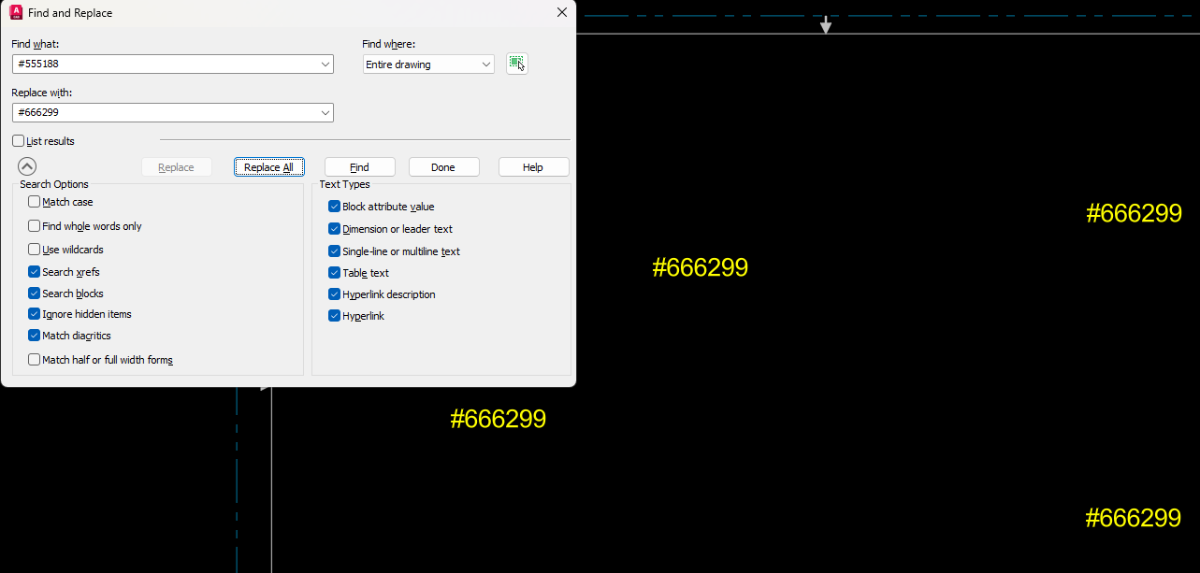
Why not just use the built-in FIND command in AutoCAD? You just have to turn off the "Use Wildcards" option.
 1 point
 -
The OP seems to have exited the conversation, but just for others with the same inquiry. As I have mentioned, this is mostly an issue with your PDF editor, the instructions for using the OCR should be in Foxit Help. If this is something you need to do going forward without any effort, you need to use TTF.1 point
-
As most of us use Microsoft Office products I switched from using AutoCAD's Swiss Lt BT TrueType font to ArialNarrow.ttf like SLW210 suggested as it's horizontally compressed to take up less space while being even more easily readable. While hindsight doesn't fix your immediate problem finding a font that doesn't cause issues with your PDF software before you need to output one to PDF again would solve your issues in the future. I've struggled with the same issue even with the full paid version of Adobe with drawings by others usually because of SHX text with various width factors. Never do that with a DWG you want to output to PDF unless you don't want anyone to convert that text back again.1 point