Leaderboard



Popular Content
Showing content with the highest reputation on 03/30/2026 in all areas
-
I find a solution. I craete a polyline ,then auto dimension the polyline and delete the polyline. Beter tahn nothing Thanks1 point
-
Drawing the line would also pick up 4 lines across the block. would maybe have to do a fence ssget. and if block draw a bounding box to pick up lines but even then could be inaccurate if not a square.1 point
-
That may be part of it, but I think some of it has to do with the answers to many inquiries is available without a login, and yes AI sometimes gives that in the answer to a search. Any search I do with the search engine (DuckDuckGo) gives an AI response at the top, or supposedly a summary of the results, the AI results can be inaccurate to say the least. I do see some posting on this and other forums for correct answers after the AI sends them down the wrong road. I seldom login to AUGI and Autodesk Forums, Autodesk rearranges their forum so much many links, some not even very old, go to a dead end now.1 point
-
Version 4.2.28.0
9,642 downloads
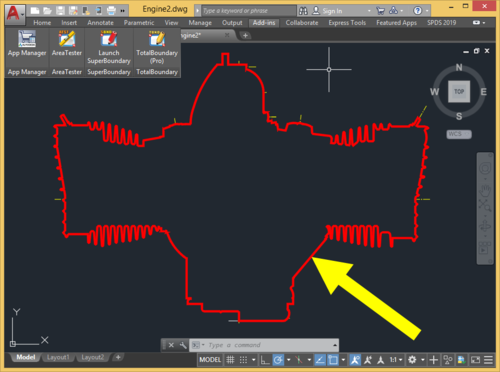
TotalBoundary (Pro) is a professional plugin for generating 2D outline drawings of various degrees of complexity with AutoCAD®. The outline drawings it creates are closed polylines marking the boundaries of various types of objects, which can include elementary entities (lines and arcs) as well as complex blocks and curves (ellipses and splines). What sets the TotalBoundary (Pro) utility apart from AutoCAD's built-in tools (such as BOUNDARY, BPOLY) and from other third-party programs is its high productivity and stability, and also the quality of the outlines it generates. The inbuilt algorithm for detecting spacing (gaps) between neighboring objects allows users to create enclosed outline polylines with exceptional accuracy. The program can process tens of thousands of objects extremely efficiently (in a matter of seconds), flawlessly generating highly complex outline polylines in the selected drawings. Key features: The program's powerful engine allows it to build enclosed polylines rapidly along the perimeter of selected drawing fragments. The original drawing needs no advance preparation (removing superfluous unconnected lines, creating an additional enclosed boundary polyline around the original drawing fragment). When the program creates an outline, it automatically identifies and removes gaps in places where primitives meet. The maximum size of these gaps can be set directly by the user. The program replaces splines and ellipses used in defining an outline with true polylines created by means of piecewise linear approximation. The user can also easily set the thickness and color of the polylines the program generates, if required. The program offers an automatic filling (solid hatching) option for the outlines it generates.1 point -
This is sad news and a little concerning that no explanation is being given. On the face of it, it looks like a complete disregard for the community - I hope that's not true. What is true is that community engagement on forums like this has declined in recent years. Some of that decline is a result of AI. I know that this site has been scraped by LLM bots and, as a result, people seeking answers don't need to visit the site if an AI agent can provide the answer. Just to let you know, I have no intention of closing or suspending this forum any time soon.1 point
-
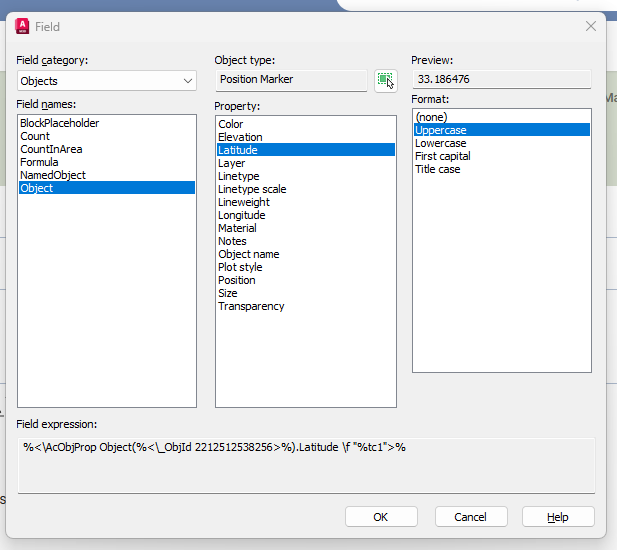
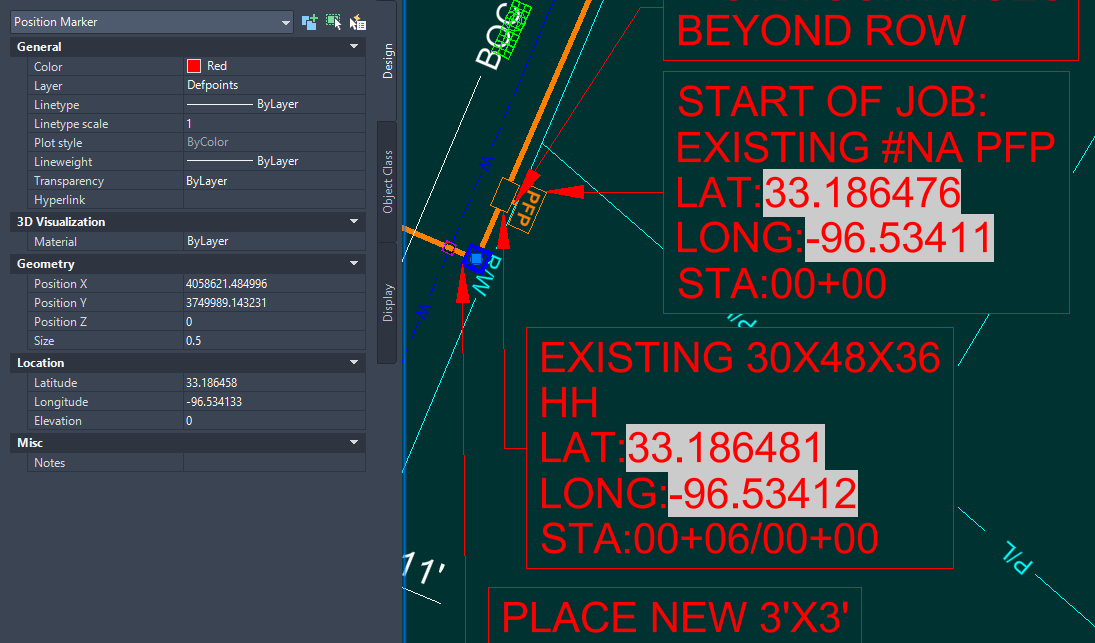
Hello, We have an engineering vendor that submits drawings to us that have mleaders that contain fields correspond to lat and long, making labeling very quick when placing mleaders. Does anyone know this works? Are the mleaders a block? There is a position marker linked to the field with the Lat/Long but I can't imagine they are placing the fields manually each time this wouldn't be a time saver if so. I found a program called smart leader on autocad store, which seems to do this but I was just wondering if this can be achieved through blocks alternatively. Thanks EXAMPLE.dwg
 1 point
 -
Hi Are you able to Add support for Bricscad in the next release? Thank you1 point
-
Hi! Please provide a drawing to understand the task.1 point
-
I have 1000 point in a file "only points" ,will this tool work on that ?1 point
-
woundful autocad plugins, it's suitable for plant plan, to get the smallest file size.1 point