Leaderboard




Popular Content
Showing content with the highest reputation on 09/28/2026 in all areas
-
I use this in visual studio to toggle between header and source. also since I'm a southpaw, I use home and end for copy paste autohotkey is the GOAT! #z::Run www.autohotkey.com ;ALT + XX ; home::send ^c ; end::send ^v ; #IfWinActive ahk_exe devenv.exe ;PgUp::SendRaw `,DS.ARGS() ;misc command ;PgDn::SendRaw `,DS.ARGS({"val:type"}) ;misc command Insert::send ^k^o ;toggle header/source Delete::send ^a^k^f{Esc} ;select all and format #IfWinActive3 points
-
If you use notepad+ as an editor for Autolisp, the CTRL+ALT+b leaves a lot to be desired when it comes to selecting between brackets. The VLIDE double-click is much more satisfying. So here is an AutoHotKey script that gives you this functionnality while preserving the normal Dbl-Click of notepad+: #Requires AutoHotkey v2.0 #SingleInstance Off ; 1. Set up a unique communication highway (MsgNumber 0x401) OnMessage(0x401, ReceiveCloseSignal) ReceiveCloseSignal(wParam, lParam, msg, hwnd) { ExitApp } ; 2. Find any running old instance (ignoring itself) and send it the "Self-Destruct" signal DetectHiddenWindows True if (oldScriptHwnd := WinExist(A_ScriptFullPath " ahk_class AutoHotkey")) { if (oldScriptHwnd != A_ScriptHwnd) { ; Ensure the script doesn't close itself! PostMessage(0x401, 0, 0, , "ahk_id " oldScriptHwnd) WinWaitClose("ahk_id " oldScriptHwnd, , 2) } } ; 3. Automatically relaunch the script using UI Access to bypass UAC entirely if !A_IsCompiled && !InStr(A_AhkPath, "_UIA.exe") { uiaPath := RegExReplace(A_AhkPath, "\.exe$", "_UIA.exe") if FileExist(uiaPath) { try { Run('"' uiaPath '" "' A_ScriptFullPath '"') ExitApp } } } ; 4. Your Application-Specific Hotkeys #HotIf WinActive("ahk_class Notepad++") ~LButton:: { static lastClick := 0 currentClick := A_TickCount if (currentClick - lastClick < DllCall("GetDoubleClickTime")) { KeyWait("LButton") Sleep(60) SendEvent("^!b") lastClick := 0 } else { lastClick := currentClick } } #HotIf Link to download AutoHotKey https://www.autohotkey.com also available on Microsoft app store (Free) NppBrackets.ahk1 point
-
Never thought about that - I always still use ctrl+ V / C - means I have to let go of the mouse every now and then1 point
-
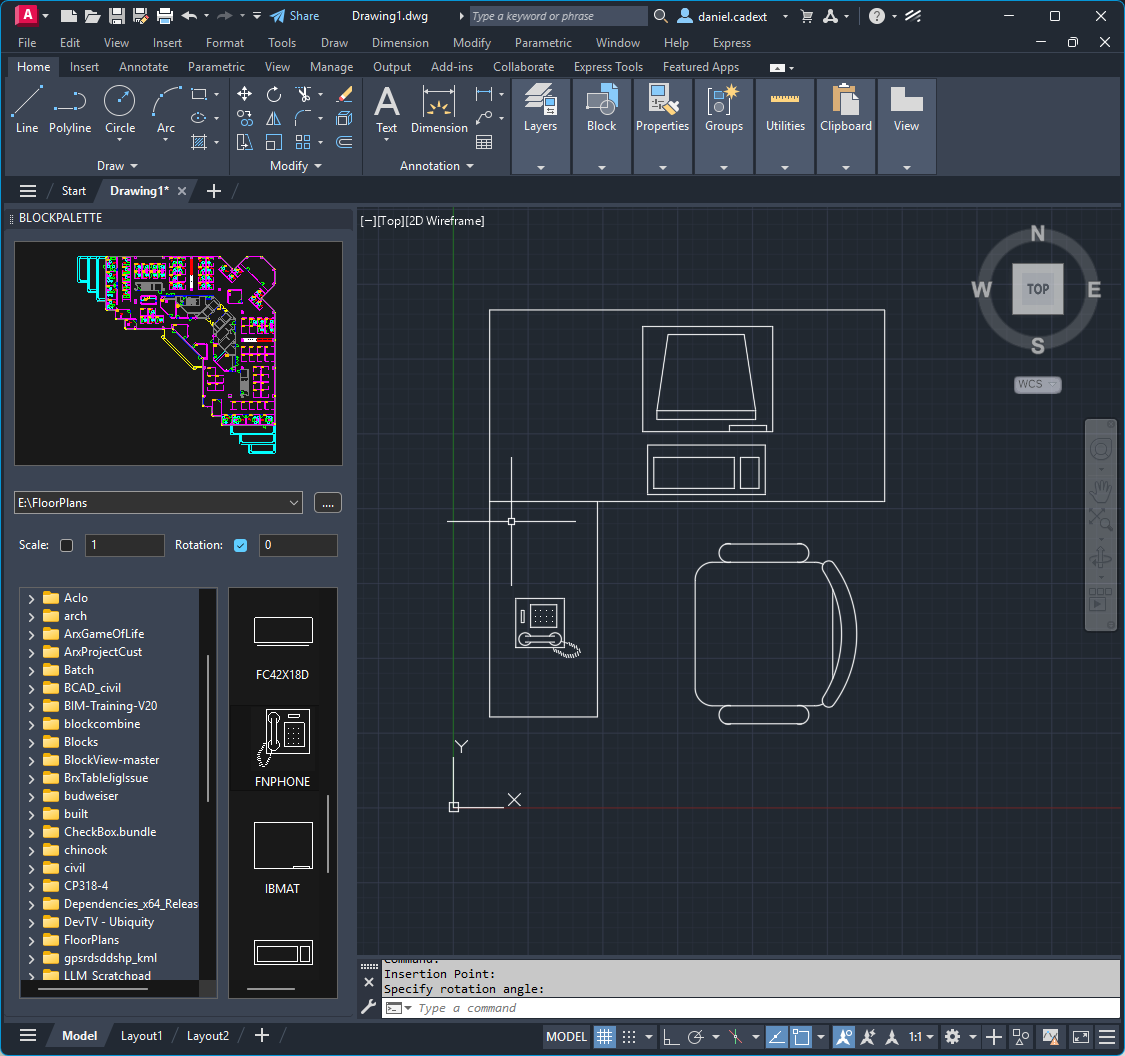
This is a port of BrxBlockMan to Python. should be a good sample of how to use a lot of the API, Palettes, Jigs, Cloning Etc. - select a drawing from the directory control - double click or drag a block from the List control to the current drawing - double click the main preview to insert the whole drawing - click the open folder button to add your favorite folder(s) - use the dropdown to navigate to a favorite folder - right click on a dwg to open it in Bricscad - right click on a folder to add it to favorites - right click on the dropdown ctrl to clear favorites https://github.com/CEXT-Dan/PyRx/tree/main/PySamples/wxPython/BlockMan Requires PyRx, BlockMan.py and BlockMan.xrc should be in the same folder
 1 point
 -
If it doesn't kill us, it makes us stronger...and older! Growing old beats the hell out of the only other option.1 point
-
Hello friends, I have noticed the same intermittent errors. As some have suggested, this seems to be to do with AI bot activity which floods available resources, making it difficult to serve pages to real users. I am hoping this will subside over time, once all models have gorged themselves on our content. Right now we have two choices. We can either add a Capture test that means you need to complete an action before getting access to the forum (this basically filters out the bots) or we just put up with random errors for now. Let me know what you think.1 point
-
That sounds like a fake Norton Pop-Up, ISeeYou, used to be (is?) an older vulnerability for web cams, I guy was activating webcams without the activation light on and blackmailing women with photos, he was caught and arrested a while back. I'll look for the article. Here is the Wiki iSeeYou - Wikipedia This looks to be a good while back.1 point