

Jump to content

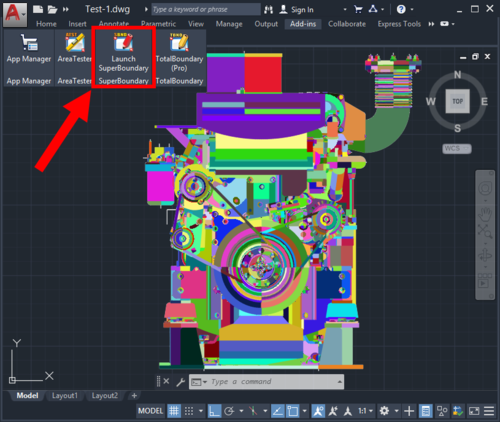
2 Screenshots

About This File

AutoCAD users often have to deal with the BOUNDARY (BPOLY) command, which allows creating boundaries (mostly enclosed polylines) from existing objects forming an enclosed area around the point specified. Unfortunately, its performance as well as the quality and the accuracy of the boundaries (contours) created when run in complex drawings leaves much to be desired. To eliminate these common drawbacks of the standard BOUNDARY command, a project called "SuperBoundary" was implemented.
 

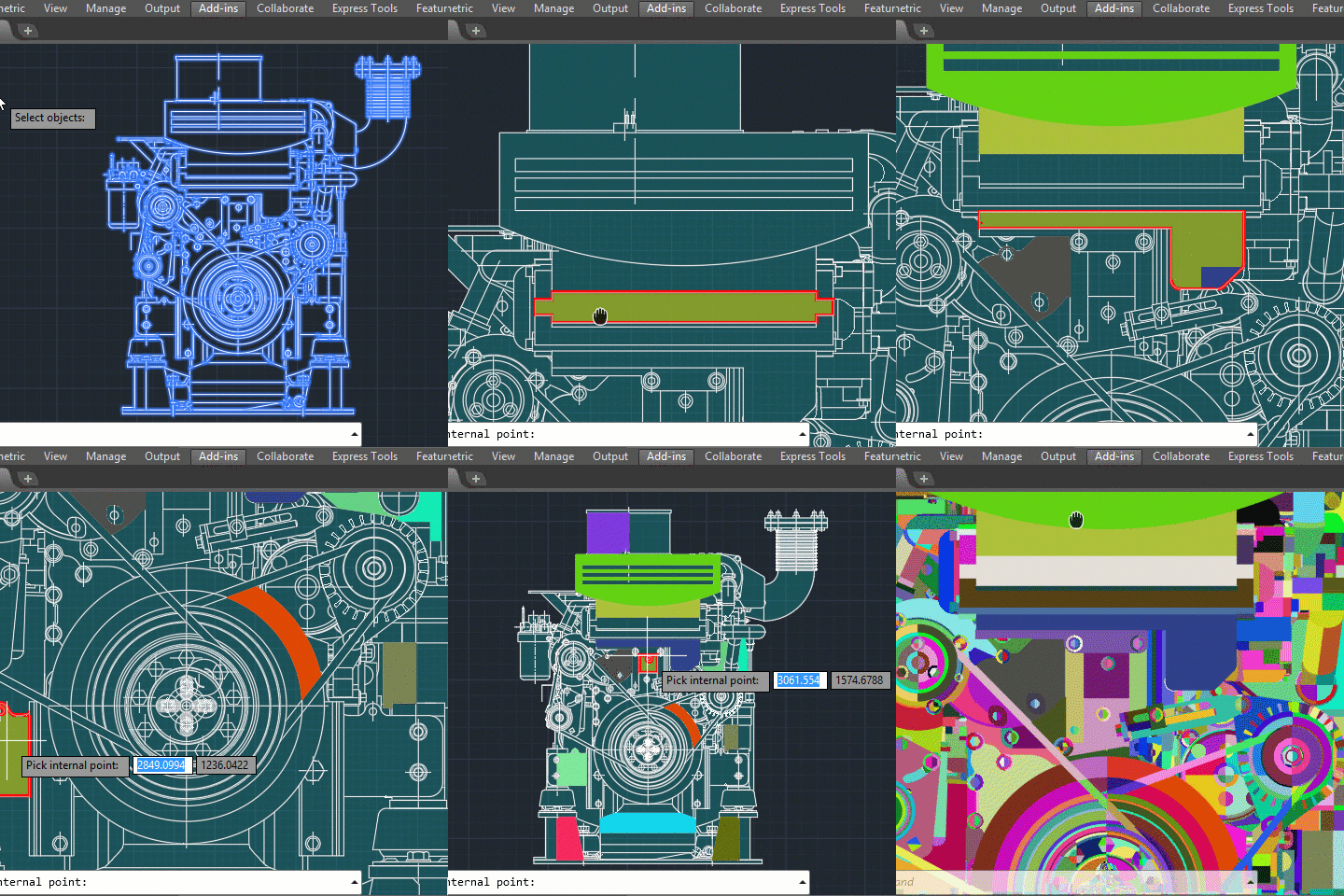
sbnd-demo-1.gif


While BOUNDARY command generates simple contours quite efficiently in relatively simple drawings with a small number of objects on screen, SuperBoundary is intended to provide the user with comfortable workflow in drawings of any complexity. In other words, SuperBoundary is the utility based on the BOUNDARY concept supplemented by super-speed and some super-features.


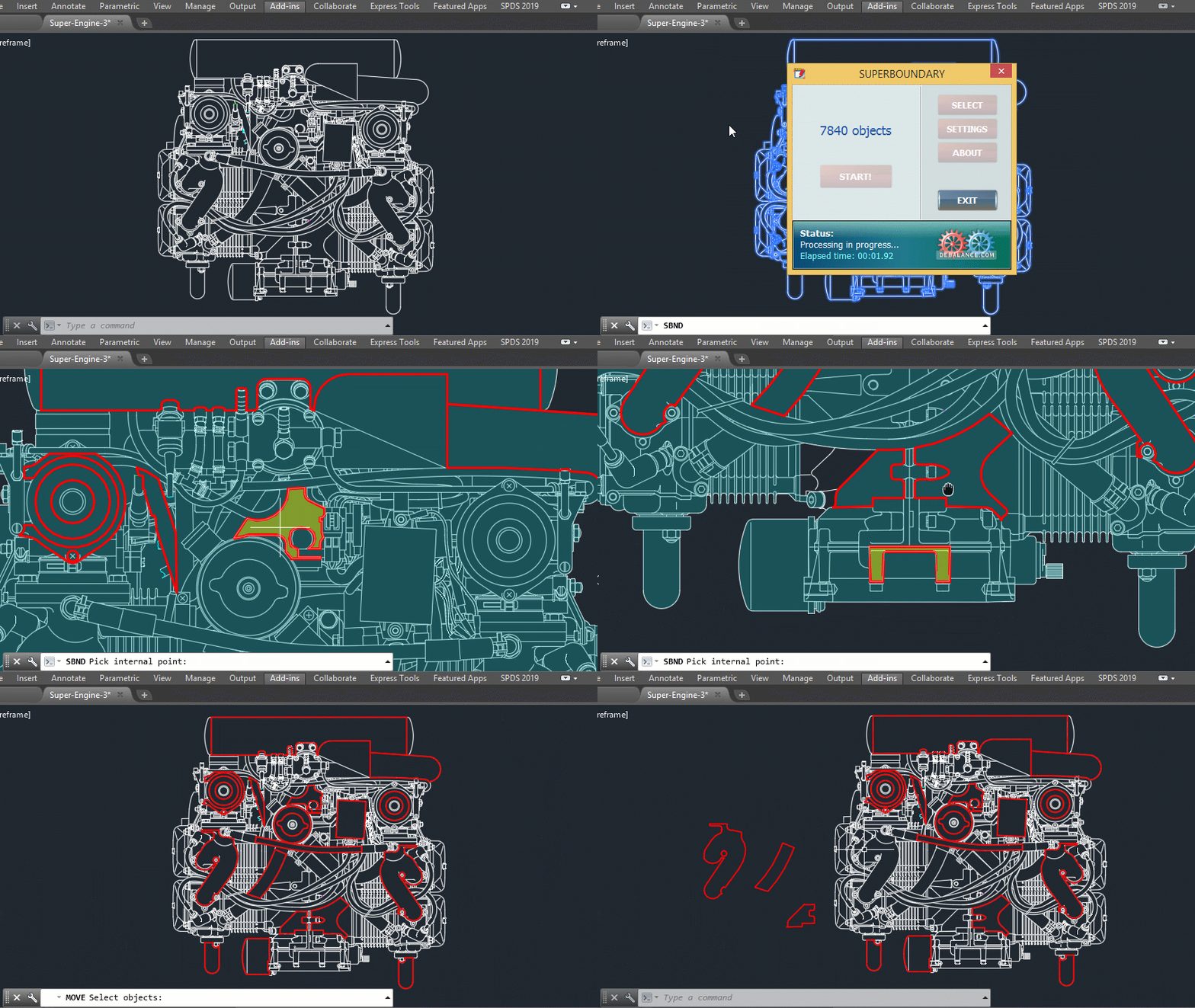
sbnd-demo-2.gif


Key features:

  • High performance. A powerful program engine allows analyzing and generating thousands of boundaries in seconds.
  • High accuracy. When generating a boundary, all elements larger than the specified tolerance factor are considered.
  • The possibility to create boundaries in areas having significant gaps between adjacent objects.
  • The possibility to quickly detect and generate all the enclosed areas in the selected drawing or its part.
  • Easy and accurate external outlines generation in complex drawings.
  • Polylines generation from spline- and ellipse-based boundaries using piecewise-linear approximation
  • Flexible adjustment of the boundaries generated. These are width, color and layer.
  • Simple and convenient installation with classic installer.


List of commands:

  • _SBND - launch the app in classic mode
  • _SBND_PICK - for quick usage in "pick point" mode
  • _SBND_ALL - for quick usage in "build all" mode
  • _SBND_CONFIG - for export / import current settings data as an external INI file

Edited by Debalance


What's New in Version 2.5.36.0   See changelog

Released

Added support AutoCAD 2025

  • Like 2

User Feedback

Recommended Comments

lowebowski

Posted

Does anyone know how to get a hold of the developer of this app? It does exactly what I want, but am unable to purchase a license through the app as the link no longer works and I have had no luck contacting the developer from their company page. Their company page at www.debalance.com also pops up a warning that it may not be safe upon opening, and is not a secure site. Do the mods at CADTutor have any way to contact the author? It seems he used to be quite active on the boards here. Anyways, great little plugin, it just seems too bad there is no way to buy a license!

SLW210

Posted

Looks like the certificate expired a month ago, that's why there is a warning.


They haven't been around in nearly 2 years and appears to be gone from Autodesk APP Store.


There is a YouTube Channel and Facebook page, but others have been trying to contact him since December 2024 with no luck AFAIK.

Hachi

Posted

Dear Members,
 

@mcweb, @lowebowski, @SLW210

Unfortunately, I also encountered difficulties when attempting to purchase a licence. It appears that the developer's website has either disappeared or become inactive. As a result, I decided to develop my own alternative solution.

The software is still under development; however, it has already delivered very good results for the tasks I originally needed it for.

For the time being, I am happy to make it available free of charge under a machine-locked licence. If you are satisfied with the user experience and functionality, feel free to contact me via private message. Suggestions and feedback are also very welcome.

One of the key advantages of this development is that it is not tied to any specific AutoCAD or Autodesk version. It operates as a standalone application, processing DXF files directly and producing DXF output files (please refer to the attached user guide).

I hope this may be of help to others facing similar challenges. It has certainly helped me successfully complete my own projects.

PS: For licence enquiries, please feel free to contact me via private message as well. 🙂

Kind regards,

HATCH-SETUP.rar HATCHI LT User Manual.pdf

Join the conversation

You can post now and register later. If you have an account, sign in now to post with your account.
Note: Your post will require moderator approval before it will be visible.

Guest
Unfortunately, your content contains terms that we do not allow. Please edit your content to remove the highlighted words below.
Add a comment...

×   Pasted as rich text.   Restore formatting

  Only 75 emoji are allowed.

×   Your link has been automatically embedded.   Display as a link instead

×   Your previous content has been restored.   Clear editor

×   You cannot paste images directly. Upload or insert images from URL.

×
×
  • Create New...