All Activity
- Past hour
-

Vehicle Tracking - where to find details for vehicles
BIGAL replied to Adam - Inspire's topic in Autodesk Software General
Just remember with say a semi you have to turn outward before turning in the direction you want for tight corners, same with exit oversteer corner. It normally took say 3+ goes to get a smooth path. Followed a road train go through multiple roundabouts in Darwin, a road train is 3 x 19m trailers 66 ton. The driver would go left and right crossing 3 lanes but did not go slow, What was that bump ? - Today
-
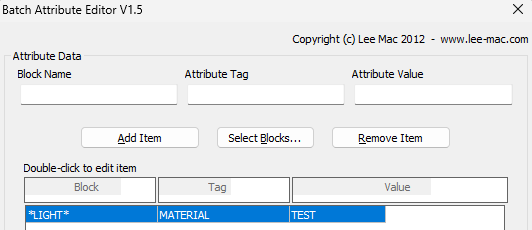
I don't understand what you are trying to do. I used the configuration below, with wildcard for any block named with "light", and set all attributes named with a tag of "MATERIAL" to have a value of "TEST". Worked perfectly on multiple drawings.

-

Vehicle Tracking - where to find details for vehicles
Steven P replied to Adam - Inspire's topic in Autodesk Software General
Thanks Tombu, played a little this morning and demolished some of a virtual London, not the software, my driving skills... but your links look handy -

Vehicle Tracking - where to find details for vehicles
tombu replied to Adam - Inspire's topic in Autodesk Software General
Lot of useful tutorials for Vehicle Tracking on YouTube: https://www.youtube.com/results?search_query=autodesk+vehicle+tracking Used it a lot before I retired. For commercial projects besides entrances access to dumpsters and delivery locations was important. Curves in access roads need to be checked for the longest vehicles that uses them as parts of the vehicle shift inside. -
 Jira Panpremjit joined the community
 - Yesterday
-

VS Code AutoCAD Lisp Snippets
CivilTechSource replied to CivilTechSource's topic in AutoLISP, Visual LISP & DCL
Thanks for the recommendation. The (repeart (setq x) snippet has been added to the vs code extension. Snippet is fun-loopsel Please let me know if there is anything else I should add? I did add doc-header doc-section to make commenting easier. -
Vehicle Tracking - where to find details for vehicles
Steven P replied to Adam - Inspire's topic in Autodesk Software General
Yes, got vehicle tracking as Civ3D - AutoTurn is a separate thing as far as I can tell Never got chance to look at it properly last week, will see how east the vehicle tracking is to use once I get into it - Last week
-
Vehicle Tracking - where to find details for vehicles
BIGAL replied to Adam - Inspire's topic in Autodesk Software General
I think Vehicle tracking was part of the CIV3D bundle so was included could be wrong. -
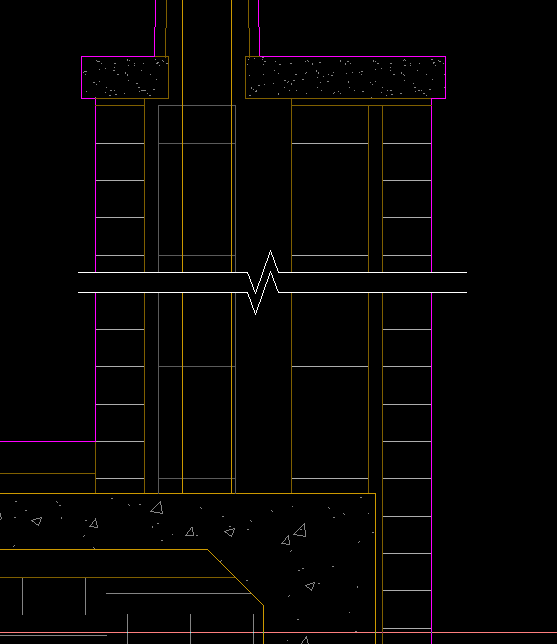
I use a block with mask/wipeout, scaled up, then xclipped to trim the extent of lines. Allows easy moving and 'breaking' of hatch patterns without actually breaking anything. sym-breakline-mask.dwg
-
 rendar70 joined the community
 -
 TheOnCourseEngineers joined the community
 -
 aburnett77 joined the community
 -
After playing with it, this program works, kind-of. It edits the attributes on a block basis, not a tag basis. I need something to edit an attribute for every component with that specific tag, so that all like-tagged components have the same data. ACADE does this natively one at a time. I would like to be able to edit multiple at once.
-

AL's Steel Mill not working on BricsCAD
Lee Mac replied to Jgrand3371's topic in AutoLISP, Visual LISP & DCL
What error message(s) do you receive, if any? -

Choose which attributes to display in Block Reference.
CyberAngel replied to fromMlm's topic in AutoCAD Drawing Management & Output
Not sure if this will work the way you want. I created a dummy drawing with a dummy block and a dummy attribute. When you set the attribute to Invisible, you can't see it any more, but you can edit it. I know, that's not what you want. I include it so you don't waste time trying it for yourself. When you set the attribute to Constant, you can't edit it at all. It no longer shows up in the Properties, and it doesn't show up in the block. If you change the attribute back to not constant, you can insert a new block and give it a different value, but it's still invisible and it does show up in Properties. Could be a bug? Or the way I handled it. -
Vehicle Tracking - where to find details for vehicles
Steven P replied to Adam - Inspire's topic in Autodesk Software General
Thanks, looked at this before but CADtools are a special request for us, probably needs signing off by some deity or other -
Vehicle Tracking - where to find details for vehicles
Steven P replied to Adam - Inspire's topic in Autodesk Software General
Thanks BigAl, I was mistaken yesterday, thought AutoTurn had been taken on by AutoCAD so didn't look more into it... but it is a 3rd party add on - looks good and a minimal cost... but for this not sure 'IT' would let me have it... but I'll put in a request... you never know and always good to have new toys to play with -

AL's Steel Mill not working on BricsCAD
SLW210 replied to Jgrand3371's topic in AutoLISP, Visual LISP & DCL
Since this is unrelated to the original post updating the AISC Steel Shapes, I have created a new thread AL's Steel Mill not working on BricsCAD in the AutoLISP, Visual LISP & DCL Forum. -
Vehicle Tracking - where to find details for vehicles
SLW210 replied to Adam - Inspire's topic in Autodesk Software General
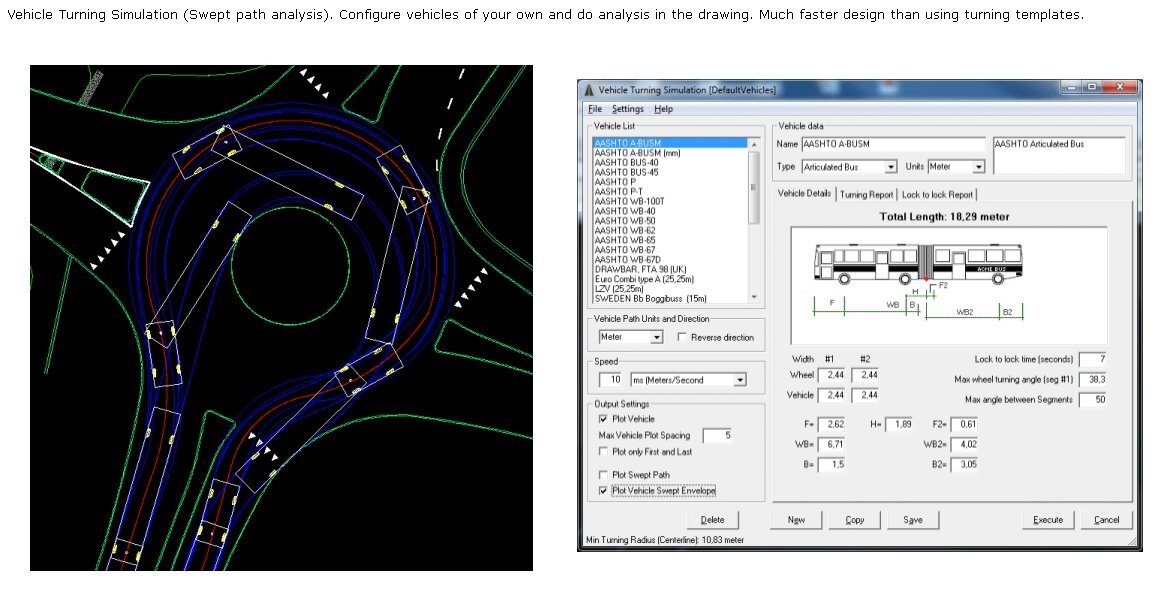
I use the one in CadTools and it has window that opens and you can adjust the parameters and create a custom vehicle.
-

Choose which attributes to display in Block Reference.
fromMlm posted a topic in AutoCAD Drawing Management & Output
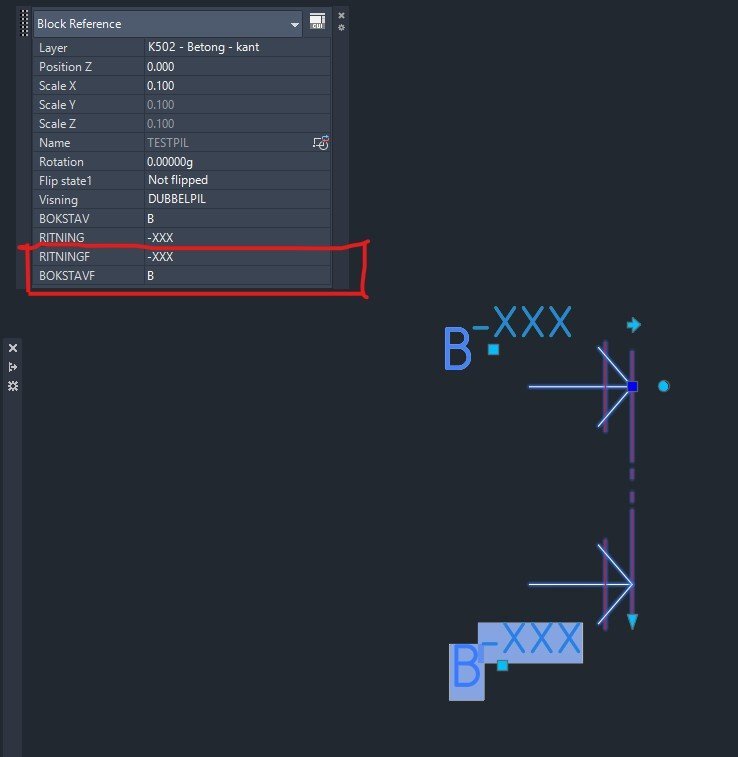
Hi I have two attributes as fields which i dont want to show/display in the Block Reference window. See screenshot. How do I make them disapear there so you dont accidentally change them? Kindly regards Section marker.dwg
-
Vehicle Tracking - where to find details for vehicles
BIGAL replied to Adam - Inspire's topic in Autodesk Software General
Many years ago now I think it was "Autoturn" it popped up a dcl/picture that you put all the values into, so just found one close first and printed it, that gave what values went where. Was it also "Vehicle tracking" by Autodesk ? -
Have you looked at: https://www.lee-mac.com/batte.html
-

AL's Steel Mill not working on BricsCAD
JerryFiedler replied to Jgrand3371's topic in AutoLISP, Visual LISP & DCL
@Jgrand3371 I just loaded the app onto my BrisCAD Pro V26 and it appears to work. I just tested a few of the many options, certainly not an extensive test. This program is great! @gtwatson Thank you for sharing. -
 nkh503 joined the community
 -
Vehicle Tracking - where to find details for vehicles
Steven P replied to Adam - Inspire's topic in Autodesk Software General
Going to resurrect an old thread.... Going to have to do some vehicle tracking this week or next, articulated lorry but extended trailer. I have a PDF of the dimensions. Is there an easy to follow guide out there that shows what values to put where to convert a CAD drawing into a vehicle tracked vehicle? Thanks (My first attempts this morning had the trailer pointing out the front, cutting the driver in half). I guess I can work it out trial and error but jumping that part. And second question which is my default model for new tools, does anyone have an x wing fighter modelled as a 'vehicle'? That might be a weekend thing. Thanks -
I currently am struggling with this issue. There are many ways to update all component attributes within the drawing I'm in. ATTOUT/ATTIN works great for updating all of the necessary information within the active drawing. However, it does not push this update throughout the project to the other instances of the same component tags. I am not sure if this is the correct place to ask for assistance, but I need help figuring out how to force an update to the rest of the project based on the information in the current drawing. Otherwise I have to edit every single component on one drawing, and then utilize task list to update the other drawings, or I have to update every single drawing with ATTOUT/ATTIN. I'm looking for something that would allow a bulk edit of each tags attributes that will also sync project wide.
-
 KStag joined the community
 -
 You need to start a new thread in the AutoLISP, Visual LISP & DCL Forum.
 -
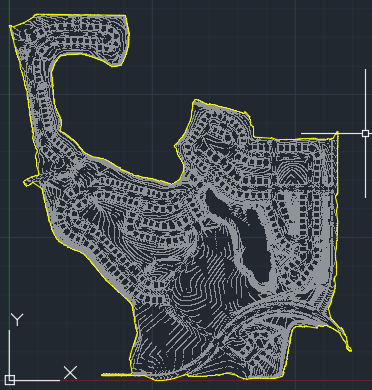
https://github.com/mapbox/concaveman https://github.com/sadaszewski/concaveman-cpp it’s not automatic in that it requires parameters depending on the point distribution. concavity: A relative measure of concavity. A value of 1 provides a detailed shape, while Infinity results in a convex hull. lengthThreshold: Determines the minimum segment length considered for further detailing, with higher values leading to simpler shapes. Chomped through this 280k point set import traceback from pyrx import Ap, Db, Ed, Ge # --- Command for PyRx --- @Ap.Command() def doit0(): try: ps, ss = Ed.Editor.select([(Db.DxfCode.kDxfStart, "POINT")]) pnts = Ge.Point3dArray([Db.Point(id).position() for id in ss]) hull_points = pnts.concaveHull(0.8, 100) db = Db.curDb() pl = Db.Polyline(hull_points) pl.setDatabaseDefaults() pl.setClosed(True) pl.setColorIndex(2) db.addToModelspace(pl) except Exception: traceback.print_exc()
-
- 1
-

-

Python, A Very high performance Delaunay triangle algorithm
Danielm103 replied to Danielm103's topic in .NET, ObjectARX & VBA
This is a great guide working with Delaunator. https://mapbox.github.io/delaunator/ It explains the relationship between half-edges and triangles. in short the triangles are created in an order, you can iterate the triangles while being aware of the adjacent triangles. A [-1] in the half edge list means that edge is on the outside hull. -
Python, A Very high performance Delaunay triangle algorithm
Danielm103 replied to Danielm103's topic in .NET, ObjectARX & VBA
The algorithm is fast because it returns a list of indexes, to your original array, of the points that make up the triangle, it also returns a list of half edges from pyrx import Ap, Db, Ed, Ge, Gi import traceback @Ap.Command() def doit(): try: filter = [(Db.DxfCode.kDxfStart, "POINT")] ps, ss = Ed.Editor.selectPrompt( "\nSelect points: ", "\nRemove points: ", filter ) if ps != Ed.PromptStatus.eNormal: return pnts = Ge.Point3dArray([Db.Point(id).position() for id in ss]) d = Ge.Delaunator(pnts) print(d.triangles()) print(d.halfedges()) except Exception: print(traceback.format_exc()) [0, 4, 3, 2, 1, 0, 0, 1, 4, 3, 2, 0] [8, -1, 11, -1, 6, 10, 4, -1, 0, -1, 5, 2]