All Activity
- Past hour
-
creates a closed polyline in Autocad 2027

-
Does it create a closed poly? or is it open where the two lines don't meet.
-

Unexpected behaviour handling multiline attribute when inserting block with Lisp
Nikon replied to Mr Whippy's topic in AutoLISP, Visual LISP & DCL
Why the error occurs The PAUSE limitation: In AutoLISP, pause only stops the command to let the user interact (e.g., click a point). It does not return the string value to the command sequence. When you reach the attribute part, AutoCAD expects a string, but since pause doesn't provide one, the sequence breaks.Multiline Attribute Format: Multiline attributes in a command-line sequence require specific formatting. If there are line breaks, they must be represented by \P. In Lisp, you must escape the backslash: \\P .Command vs -Command: When using Lisp, it is safer to use the hyphenated version (e.g., -INSERT ) to force the command-line interface and bypass dialog boxes entirely. The Corrected Lisp Routine This routine replaces your DIESEL script. It captures the date automatically (matching your DIESEL format) and prompts for the initials and notes. (defun c:REVNOTE (/ insPt dateStr userInitials revNote) ;; Save current ATTDIA and turn it off (setq oldAttdia (getvar "ATTDIA")) (setvar "ATTDIA" 0) ;; 1. Get Insertion Point (setq insPt (getpoint "\nSpecify insertion point: ")) ;; 2. Get Date (Mimicking your Diesel formatting) ;; This uses a Lisp trick to call the Diesel 'edtime' function directly (setq dateStr (menucmd "M=(edtime,$(getvar,date),DD.MO.YYYY)")) ;; 3. Get User Initials (getstring T allows spaces) (setq userInitials (getstring T "\nEnter Initials: ")) ;; 4. Get Revision Note (for the multiline attribute) (setq revNote (getstring T "\nEnter Revision Note: ")) ;; 5. Execute the Insert command ;; Sequence: BlockName, Point, ScaleX, ScaleY, Rotation, Attr1, Attr2, Attr3, Attr4 (command "-INSERT" "REVNOTE" ; Block name insPt ; User picked point "1" "1" "0" ; Scale and Rotation "P01" ; Attribute 1: Rev Index dateStr ; Attribute 2: Date userInitials ; Attribute 3: Initials revNote ; Attribute 4: Multiline Note ) ;; Restore ATTDIA and Regen (setvar "ATTDIA" oldAttdia) (command "REGEN") (princ "\nRevision inserted successfully.") (princ) ) Key Differences & Improvements: menucmd: This is the best way to get the exact edtime format you used in DIESEL without writing a complex date-parsing routine in Lisp. getstring T: The T flag allows the user to enter spaces (e.g., if the user wants to type "First issue - revised"). Without it, pressing the Spacebar would finish the command. -INSERT: Using the hyphen ensures that AutoCAD doesn't try to pop up a browser window for the block file.Multiline Support: If your revNote contains multiple lines, make sure to type \P where you want the line break, or modify the code to join multiple strings with \\P. - Today
-
 TALWAR joined the community
 -
It seems @Jesper Hedlund hasn't returned. If I am understanding correctly, the issue is with the program used to plot the layouts, it plots Model instead of the actual layouts CTAB value.
-
 AbdelrhmanElkholy joined the community
 -
Worked fine on my home computer with AutoCAD 2000i, but I get the same as @PGia and @ronjonp on AutoCAD 2026 at work.
-

A CODE FOR DIVIDING OBJECTS WITH POINTS AS IN MEASURE AND DIVIDE COMMAND IN AUTOCAD BUT WAY MORE ADVANCED
darshjalal replied to darshjalal's topic in AutoLISP, Visual LISP & DCL
Inside the code there is explanation of the code function. The code does many functions that image can't explain. Kindly check the code and read the description inside. Regards. -
 bayhan joined the community
 -

A CODE FOR DIVIDING OBJECTS WITH POINTS AS IN MEASURE AND DIVIDE COMMAND IN AUTOCAD BUT WAY MORE ADVANCED
BIGAL replied to darshjalal's topic in AutoLISP, Visual LISP & DCL
If your offering something a good idea is to provide images or a movie about what the program does, else the "Why bother" will occur. Just attaching a lisp is not really describing why you should download the program. Think of it as if I was selling the program how would I get people interested. -
 SPk22991 joined the community
 -
DIVCURVES-INSERTING POINTS AS SPECIFIC DISTANCE.LSP
-
 HDD joined the community
 -
 Ken-s joined the community
 -
.thumb.jpg.cd02e68e4454be56b3280a4610ee080b.jpg) fpsstructures changed their profile photo
fpsstructures changed their profile photo -
fpsstructures joined the community
-
 Rog11 joined the community
 -
LT slow, have you looked at doing saves say every 15 minutes as a test, your undo may be coming an excessive size. What is your auto save set to ? We had like 15 minutes as the default. Another where is your "Temp directory" pointing to I have a SSD and normal drive and the ssd is so much faster when saving.
- Yesterday
-
AutoCAD 2027 still has the bug:
-

Multiple tags updated with the same value.
Jeff Kiper posted a topic in AutoCAD Drawing Management & Output
I am a ROOKIE. So please take it easy on me. I've been searching and tried to replicate what others have said works for them with no luck. I'm trying to have 1 "MAIN" attribute that I am prompted to change the value when inserting the block. The other attributes "SUB1" and "SUB2" would update to match the value of the master. I have tried creating these attributes with the ATTDEF. I made the MAIN I then made the SUB1 with the Default a Field category OBJECT Field names Object Object type Attribute Definition ( which is where I can select the MAIN attribute) Property Value. I get the ---- in a Grey block I then select all 3 attributes and create a block with them. When I insert the block I get the prompt to change the value of MAIN and SUB1 & SUB2 have the ---- inside the grey boxes. The value of MAIN is updated but SUB1 and SUB2 still show the ---- Grey boxes. REGENALL amide no difference. I tried doing the same thing in the block editor and got the same results. I "ASSuME" it is just something easy that I am missing. If you can help that would be great. I have about 40 Attributes in 1 block that need to be updated with the value of the MAIN. -
Jeff Kiper joined the community
-
Ouch. See what it does if you hit esc. or hitting the X instead of cancel.
-
 sophiemagazzu joined the community
 -

Unexpected behaviour handling multiline attribute when inserting block with Lisp
Mr Whippy posted a topic in AutoLISP, Visual LISP & DCL
I'm writing a lisp routine to automation drawing revision in lisp. to replace a diesel version. I have come across a problem when inserting the block using lisp, in diesel it works perfectly. The block has four attributes, with the last being a multiline attribute. The routine stumbles at this point and misinterprets the pause for user input as \ and returns the error 'unknown command'. The diesel code that works is below. attdia;0;-I;REVNOTE;\;1;;P01;""$m=$(edtime,$(getvar,date),DD.MO.YYYY)"";SMS;First issue;;attdia;1;rea; The same in lisp below (command "attdia" "0") (command "_Insert" "REVNOTE" pause 1 1 0 "P01" Date Initials pause) (command "attdia" "1") (command "REA") Any ideas on why this is happening as i'm stumped, unless its a bug in AutoCAD. many thanks REVNOTE.dwg -
@rlx Your Kung-Fu is Strong! Nice work!
-
Updated first post , added a few new options and killed a little bug in the get-subfolders routine.
- Last week
-
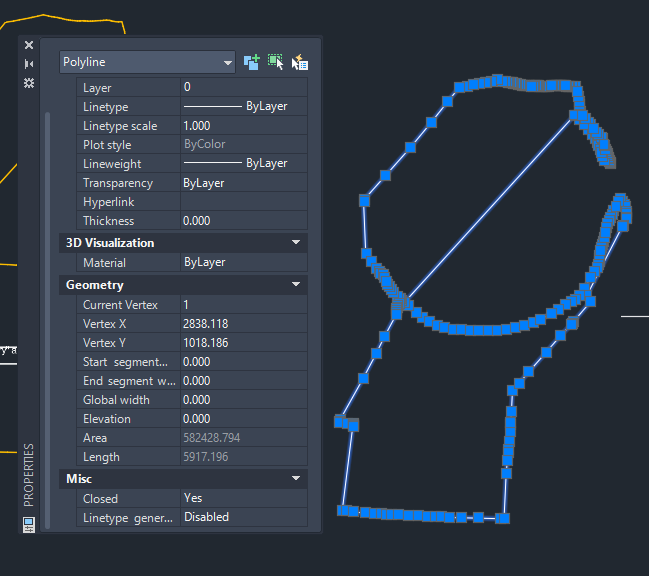
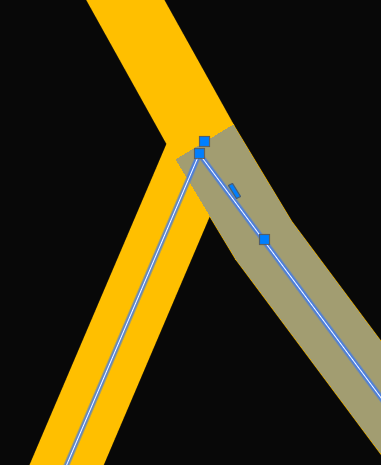
I’m using AutoCAD 2015. "boundary" is supposed to return a perimeter exactly matching the geometry surrounding the point specified to the command. I run the command using the option to identify boundaries by 'pick' on screen. I haven’t tried exploding the polylines into lines yet. I’ll give it a try, but I suspect the result will be the same.
-
Must be an AutoCAD thing works in BricsCAD. you could just join the other 3 polys and get the same effect.
-
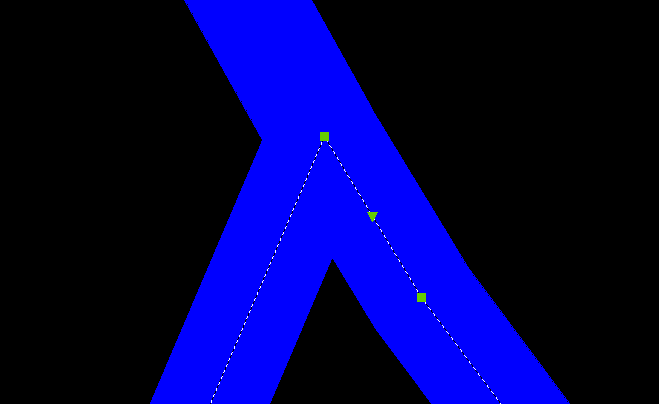
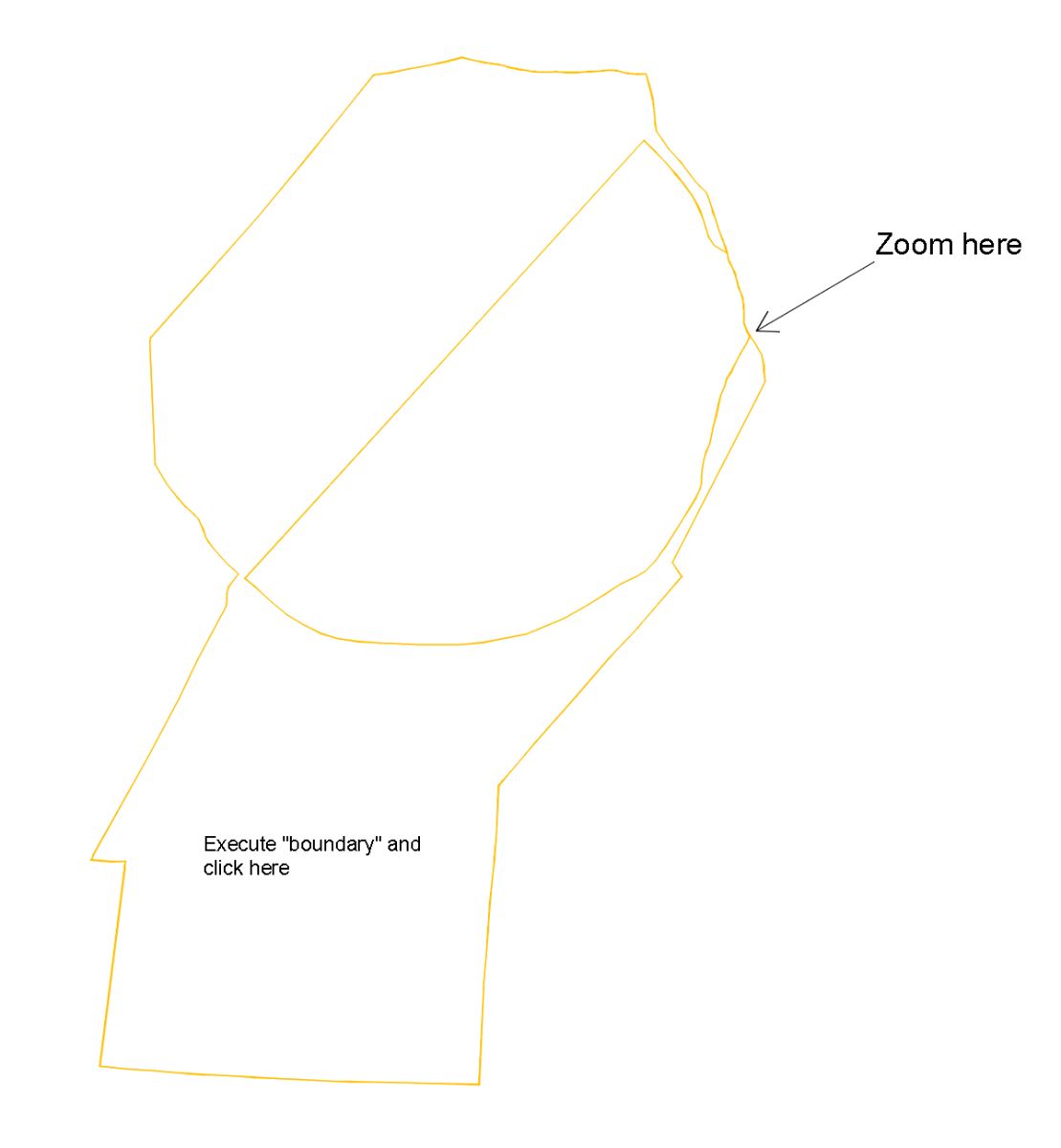
So the problem is that the darker lines should intersect in the top square glyph instead of the next to the top square glyph? Which CAD are you using? When I run BOUNDARY or HATCH here in Bricscad V26 the boundary is always to the upper square glyph, not to the next to the top square glyph as shown in your drawing. What are the parameters you are using for the BOUNDARY command? Do you get the same error if you explode the plines before you run BOUNDARY?
-
I think I didn’t explain myself properly. The idea is to run "boundary" and click inside the largest closed area shown in the image. After checking the result — by zooming into the area indicated by the arrow — you’ll understand what the image in my previous message is referring to. I’ll attach a drawing. Boundary.dwg
-
Thanks Danielm103 if using mtext field, I am sure have seen get total count. I think count was in this Lee-mac program for layout number and count. https://www.lee-mac.com/layoutfield.html
-
https://lee-mac.com/polyoutline.html or https://lee-mac.com/advpolyoutline.html will outline a pline. https://jtbworld.com/autocad-hatchb-lsp willoutline a hatch. I can't tell what might be required to automate the process without a DWG of a full pline set or hatch set example.
-
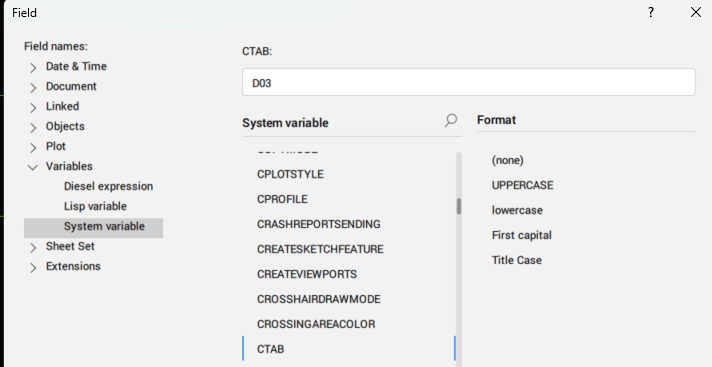
sure it is, try $(getvar,"ctab") full field is %<\AcDiesel $(getvar,"ctab")>%
-
There is a field property Ctab, in my Bricscad V25 it is not supported, but it is in Acad. There is also pretty sure total We just did a simple lisp that walked through all layouts and updated title block attributes like "Page No" of "howmanysheets" updated the actual layout name we used like "DXX", handy when re-ordered layouts. pretty sure there is a total number of layouts field formula will have to find again.
-
No idea what the thick yellow line is ? If its a pline with a width then boundary is correct, it does not recognise pline thickness. I am sure there is ways to make a outline of the plines can then run boundary. If it's a hatch then can get outlines of hatch's then should be able to do a boundary.
-
You can generate the expression yourself; you can probably do this yourself with lisp. This is just a sample of generating the expression, but I can imagine it would be possible to set the field across all layouts. Caveat, it’s not automatic like CTAB db = Db.curDb() id = db.currentLayoutId() expr = '%<\\AcObjProp Object(%<\\_ObjId {}>%).Name \\f "%tc1">%'.format(id.asOldId()) print(expr) %<\AcObjProp Object(%<\_ObjId 2842273914048>%).Name \f "%tc1">%