Search the Community
Showing results for tags 'blocks'.
-
Hi, I'm trying to purge some blocks. I'm successful in deleting them, but after a while they reappear so I have to repurge. Any explanation to this dilemma?
-

VBA Selction sets. Select a list of blocks that exist on a specific layer
callvey posted a topic in .NET, ObjectARX & VBA
Hi I have this code; Sub selectABlockOnALayer() Dim sset As AcadSelectionSet Set sset = ThisDrawing.SelectionSets.Add("EXCEPTIONS-BLOCK3") Dim filterType As Variant Dim filterData As Variant Dim p1(0 To 2) As Double Dim p2(0 To 2) As Double Dim grpCode(0 To 1) As Integer grpCode(0) = 8 grpCode(1) = 2 filterType = grpCode Dim grpValue(0 To 1) As Variant grpValue(0) = "FXPM" grpValue(1) = "4PLUG" filterData = grpValue sset.Select acSelectionSetAll, p1, p2, filterType, filterData Debug.Print "Entities: " & str(sset.count) sset.Delete End Sub I understand the code only selects 1 type of block on a layer but I cant even get that to work! I am trying to select 89 different types of block that exist on a specific layer. Is this something that can be done using VB? Any advice would be great. Thanks Tom -
I have difficult time finding a command that would match a block's attribute (text height, text rotation, and text scale) with a source block. I had found a LISP routine that would match the block itself with a source block but it did not include attributes. I don't need to match attibute values, just the properties. I'm using AutoCAD 2012 with regular blocks (not dynamic)
-
I am trying to move specific block names to specific layers. I can get the block and change it, but it only works in the current tab. How do I select all instances of the block name, to change it to a specific layer? Here is a copy of what I have so far: ;;move block name to layer 0 (prompt "\nType BTL to move blocks to layer specific layers") (defun C:BTL () (setq Blks (ssget "_x" '((0 . "INSERT")(2 . "TB_8x11")))) (command ".chprop" "p" "" "la" "0" "") (princ) )
-
Hopefully I can explain this well enough, I've been pounding my head on this for weeks. I have created an autonumbering lisp routine for block attributes that has a start value, increment, insertion order-forward or reverse, so I can autonumber blocks with a specific scheme. I work with wiring and electrical systems. My problem now is I have new blocks I've created for devices that need to be autonumbered, but they need to have a scheme like X3-1, where X3 is an alias and -1 is a wire location. I can have #1-24 on the wire location, then the next block needs to start at X4-1 and go through 24 again. How can I add a loop and range to my lisp to accomplish this or does someone have another idea? We work with hundreds of devices so it is not practical to number by hand like I have been. Any input would be appreciated. Thanks
-
Hey guys! Was wondering if anyone knows where to get free blocks for small civil projects? I am putting a roundabout in on our site and they are **** :twisted:about AS. its not a public road but need a block to see hoe they usually set these things out. thanks in advance. BiTSeeDeR
-

Blocks "spontaneously" renaming, relayering and duplicating themselves?
architte posted a topic in AutoCAD Drawing Management & Output
Hi everyone, I'm a noob to this forum and to 2013... I was using 2006 for too long, and now have finally made the switch to 2013 (yay?) So I (and some colleagues as well) have been having a problem with our blocks. Upon opening some of our files, we have noticed that the blocks in the file have duplicated themselves, also renaming themselves with the extension "-flat-1", "-flat-2", and so on, for as many instances of that block that exist in the drawing. Also, the block layer has changed to 0, and the linework layers within the block have changed to the layer that block was on previously! This is EXTREMELY annoying and problematic for our workflow, obviously, as it essentially removes the convenience of blocks! Recently this happened with a file that was very "clean" to start, and with extremely "clean" blocks... with the exception of having some xrefs from an international client (Turkey). We're trying to replicate this occurence intentionally to try to troubleshoot, without any luck. Is this something we're doing unintentionally, or could it be something viral from our "dirty" xrefs?? ps... my colleagues are using 2010 and 2012. **fingers crossed that someone has an answer!!** Thanks! multipule block error.pdf -

How to resize Blocks?
provas_ce posted a topic in AutoCAD 2D Drafting, Object Properties & Interface
Hei there, I am downloaded some blocks from Internet but can't use them. Cause they are unfit for my figure. Some are Bigger then from my requirment and some are smaller. How can i fix this problam? Waiting for your suggesion..... Provas. -
I am in the process of converting our drawings from 2D to 3D I need to change or make a diffuser from our standards to 3D what would be the command or procedure. Appreciate your help.
-
Im having some troubles inserting a block into a line. See image. The block on the left inserts into the line and has attachment points (AutoCAD P&ID Provided) the block on the right i created. Im unable to get it to insert within the line without manually breaking the line after insertion, the result being the line through my block. Any ideas? Thanks. http://imageshack.us/photo/my-images/545/79756741.png/
-
Hi, I need a lisp routine to change the plot style of blocks in my drawing to 'bylayer' rather than the selected plot styles that they have been put on when they were created (by others). I would really appreciate if anyone had a lisp routine that would do this easily as there are many blocks in my drawings that need to be changed and going through the block editor is very time consuming. I have a lisp routine that can change the colour to one of my choosing but as I am not very good at lisp I do not know how to edit it to do the plot style rather than colour. Any help is greatly appreciated.
-

Dynamic Blocks able to be table driven?
akchristian posted a topic in AutoCAD Drawing Management & Output
Hi. I am new to this forum but not necessarily new to cad. I have been working with dynamic blocks lately and I am fascinated with the tool and its capabilities. However, something that I have not been able to figure out and not sure if its this is doable ----> ???Can you make a dynamic block table driven, say from an excel table??? -For example, lets say you have a dynamic block with parameters/actions set up that allow you to set the width, length, height, distance from edge, # of object arrays, etc. Rather than grabbing each grip and specifying the desired dimension, can you make it so the dynamic block is table driven? such as, where you might have a list of desired dimensions (say in excel) and you want to quickly input them into a table in autocad, so that the dynamic block will adjust to those dimensions??? -
Hello, new to the forum but have been scouring the internet to no avail. My problem is this... working with blocks, I want to be able to simple turn on and off certain layers of the blocks appropriate for the work I am doing at the time. However, no matter how I construct my blocks, on what layer i made them or insert them, I can only get one layer to turn on and off freely. Is there something I am missing with blocks to get it to work more smoothly? Example... a door block with swing and frames. When you want to hatch a floor pattern, you have to click inside and outside the swing arc to hatch, and even then... there should be a line across the frame to close the opening... I just want to turn off the door and swing line, keeping the door frame and threshold line to make hatching easier... What am I missing?
-
Hello Everyone, I'm new to AutoCAD.. Basically learning to use it myself because my boss expects an engineer to know a drafter's job I was just beginning to learn about attribute editor and adding text with input commands. Currently working with making a section cut thing that will be capable of revolving, text input, etc. I am confused as to how saving a drawing file and a block works. Do I have to save individual drawing files with individual blocks (and you can't name the block the same as the dwg. file I noticed.) Or can I make one dwg and save several blocks? I would like to organize my blocks by folder ie. details, elevations, layout, title.. I'm far from it, but I read on the internet that attributes can be opened up in one excel file and easily changed there, and then updated in my drawings. Is this possible in LT and is it useful? Also, I'm having trouble understanding how to import my block, do I have to import the dwg file? As you can tell, I'm totally lost, if you guys have suggestions or commands or anything that would be great. I generally read threads and learn new commands and new ways of doing things and that seems to be the most helpful. Also, what is the best way to organize my blocks?? Thanks to anyone who attempts to help!
-
Anyway so here's the problem: I am struggling to edit the standard set of blocks that comes with AutoCAD such as receptacles junction boxes etc. I want to edit the standard blocks and then save my changes for future use. Right now the blocks come in at different sizes then I would like. I try to edit them in the block editor however the changes I make only apply to the drawing I am currently working on. The changes do not apply across the board on all drawings in all files. Please help me, any and all help would be hugely appreciated! Thank you!
-

Edit standard blocks and symbols (MEP 2012)
sinbad92 posted a topic in AutoCAD Drawing Management & Output
Hey I am struggling to edit the standard set of blocks that comes with AutoCAD such as receptacles junction boxes etc. I want to edit the standard blocks and then save my changes for future use. Right now the blocks come in at different sizes then I would like. I try to edit them in the block editor however the changes I make do not apply to any other or new drawings that I make. Please help me, any and all help would be hugely appreciated! Thank you! I have attached an image of the differing symbols and sizes. I want them to be consistently sized.
-

Search and Replace exploded blocks?
wakeboarder205 posted a topic in AutoCAD 2D Drafting, Object Properties & Interface
I have enough experience in Civil 3d to know I am 99% sure there is no way to do this, but I thought I would at least ask. We received a drawing in which every single block has been exploded, they are just a bunch of polylines now. The company we received it from says they don't have a drawing with the original blocks...sure... The long and the short of it is that we need to replace every exploded block with our standard blocks. Is there some crazy way to search and replace a pattern of lines or basically, search and replace the exploded blocks. A lisp routine, anything. There are thousands of exploded blocks by the way, thousands. Any ideas from people who have had similar problems would be greatly appreciated. Thanks! -
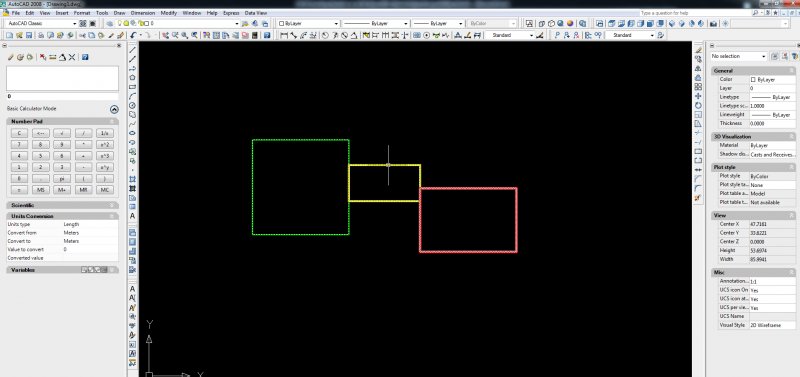
For example I have this block and I want the square (in red) not to show inside the drawing, but it is there inside the block. thanks
-

Blocks not retaining their settings from drawing to drawing
firealarmcad posted a topic in AutoCAD Drawing Management & Output
Hi guys I am brand new here and I am a beginner in autocad. I have an issue that I continue to run into. This is my issue: I am editing an existing block to change the lineweight and have tried using the REFEDIT command as well as double clicking the block to take me into the block editor and making my changes there. I am sucessfully able to edit my block and make the changes using both of these methods. Where I am running into an issue is that the block I have edited only retains its new settings within the drawing that I changed it in. If I insert that same block into a new drawing I have to re-edit the block again the make the changes that I want. Why are my blocks not retaining their settings from drawing to drawing. It is very annoying to have to re-edit these blocks in every single drawing. All help is greatly appreciated! -

Blocks that rotate to different Viewports - possible?
Chramesly posted a topic in AutoCAD Drawing Management & Output
Hi, I am currently doing a series of drawings with multiple viewports across the same level. To fit them all on an A1 drawing, I have to orientate the viewports in different fashion. This means that the symbols (blocks) look different depending on the viewport rotation. Is there any way to make it so blocks are displayed with a Rotation of X (say, in this case, '0') on each viewport? Thank you in advance. Any help in this would be greatly appreciated! Regards, Chris -
Apologies if this has been posted already - been searching everywhere for an answer to this one! Here is the problem with the process put simply: Start with a new drawing Drawn a rectangle. Place a block which has an attribute with a number at each corner. ie. 1-4. Convert all objects into one single block. (the attributes become nested). If you use data extraction and retrieve the attribute number, position X and position Y, and output to a table the information displayed is correct. HOWEVER, if you rotate the block and update the link the coordinates become incorrect? This seems to be an issue with nested blocks?
-
Hello to all, I am new at forums, this is my first post, but i expect to remain here. I am an Autocad noob (started this year at college). Our exercise was to create this Construction Detail in 3D using autocad, I made most of it but in the end i just made it using SketchUp and then converted to Autocad. The problem is that my professor wants all the 3d stuff, 3DSOLIDS. But all there is in my model is BLOCKS. (i use cmd LIST to check). Do you know how to convert these into 3Dsolids? Its very important. Thanks! BTW, i will leave attach the file so you can have a look at it better. File Link: http://d.pr/mpyF (If you are an Autocad pro and don't mind converting all those blocks to 3dsolid, that would be perfect, but i am here to learn too so an explanation is always welcome. I hope one day i can help around here:) ) PS: out of curiosity, i recorded most of the process and speeded it up:
-

Need a way to count blocks in specific ROOMS
mmCAZ posted a topic in AutoCAD Drawing Management & Output
Hello All, I need a way to count furniture blocks that are located in specific ROOMS. More specifically, I'm looking for a way to select MULTIPLE different blocks at once (with a WINDOW selection) and label them a specific room number. I don't want every block with the same properties universally updated (since some will be in other rooms). I also don't want to have to select each block in every room and update its attributes manually (this would both take a long time and things may be re-located over time). I would like to be able to print a report and compare it to our Microsoft Access database. I know there are other furniture-CAD programs that will do this, but is AutoCAD capable of doing this on its own? I have millions of square feet to check furniture for and this would save me days- if not weeks of time! PLEASE HELP! -
Hi community, my job is to make an editor for blocks in C#. There should be a WPF-window were the user can see a list of blocks. He selects one and than he should see an overview about block attributes like insertionpoint, basepoint, rotation and scaling and he should be able to edit these attributes in this form. I know how i can populate a list of block names, but I fail at finding an opportunity to edit these attributes. I get the blocktablerecords, but then? I am very, very new to Autocad, and I've googled the last five hours unsuccessfully for a solution which is suitable for my problem. Please help me, it is very urgent! Kind regards, Klaus
-

changing all colors in drawing regardless of layer, block
NoelStalker posted a topic in AutoCAD 2D Drafting, Object Properties & Interface
I want to change the color of everything in my drawing except for 3 layers. There are hundreds of layers and blocks in this drawing, even after purging. I want to avoid just exploding everything and putting it on one layer. I want to change everything to grey except for the 3 layers I'm working in. I'm using ACAD LT so I can't create a script to do the job. The only thing I can think of is going into the layer properties window and selecting each layer and changing the color one at a time. I'm wondering if there's a better way of doing this. Any help is appreciated!