
 From: AutoCAD Productivity Articles #101
Originally published: May 2011
Add Selected and Select Similar
Here's a couple of "under the radar" features that can really speed up your drawing work.
Add Selected
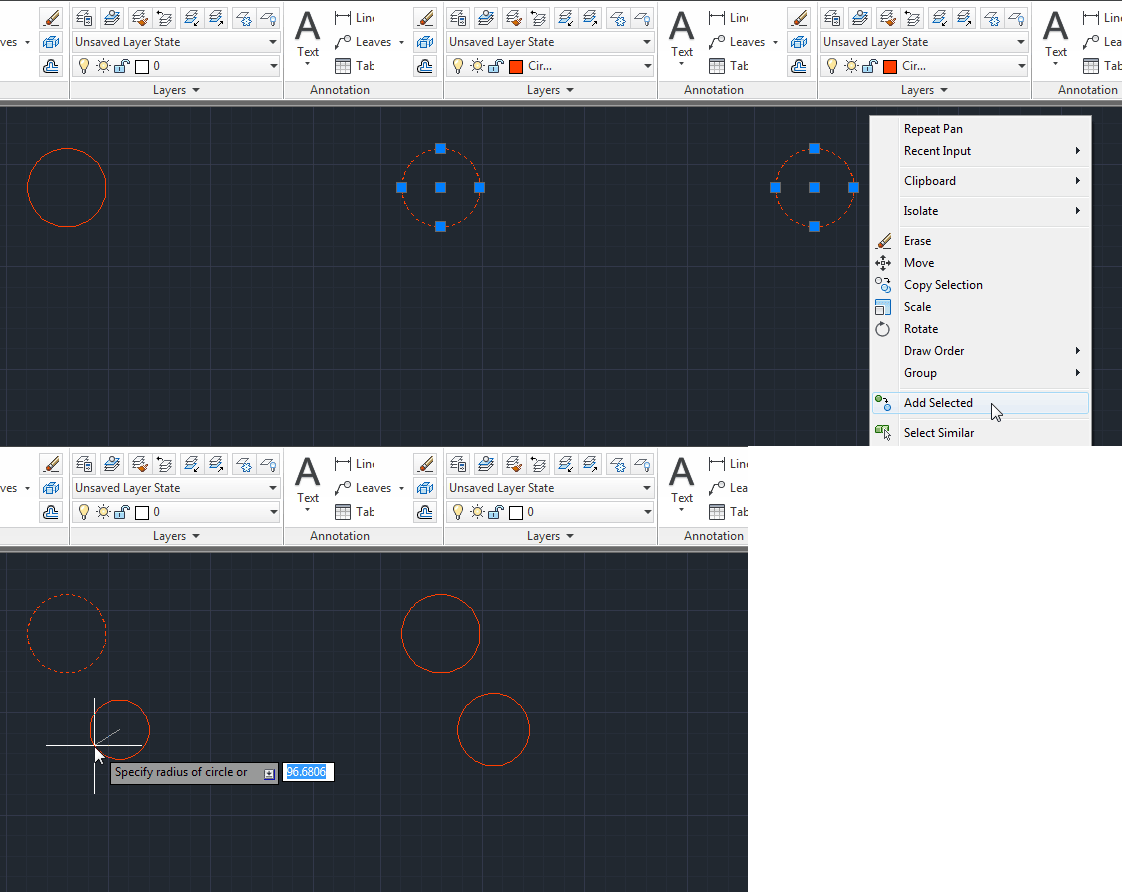
Add Selected made its debut in AutoCAD 2011 but I must admit that I didn't really notice it until quite recently. Essentially, it invokes the command used to create ant selected object. Moreover, it will match the properties (layer etc.) of the selected object. This allows you to (for example) draw a circle on the same layer as the selected circle, even if that layer is not current. It's a great timesaver and the fact that it's on the right-click menu means that it's really efficient to use too.
Select Similar
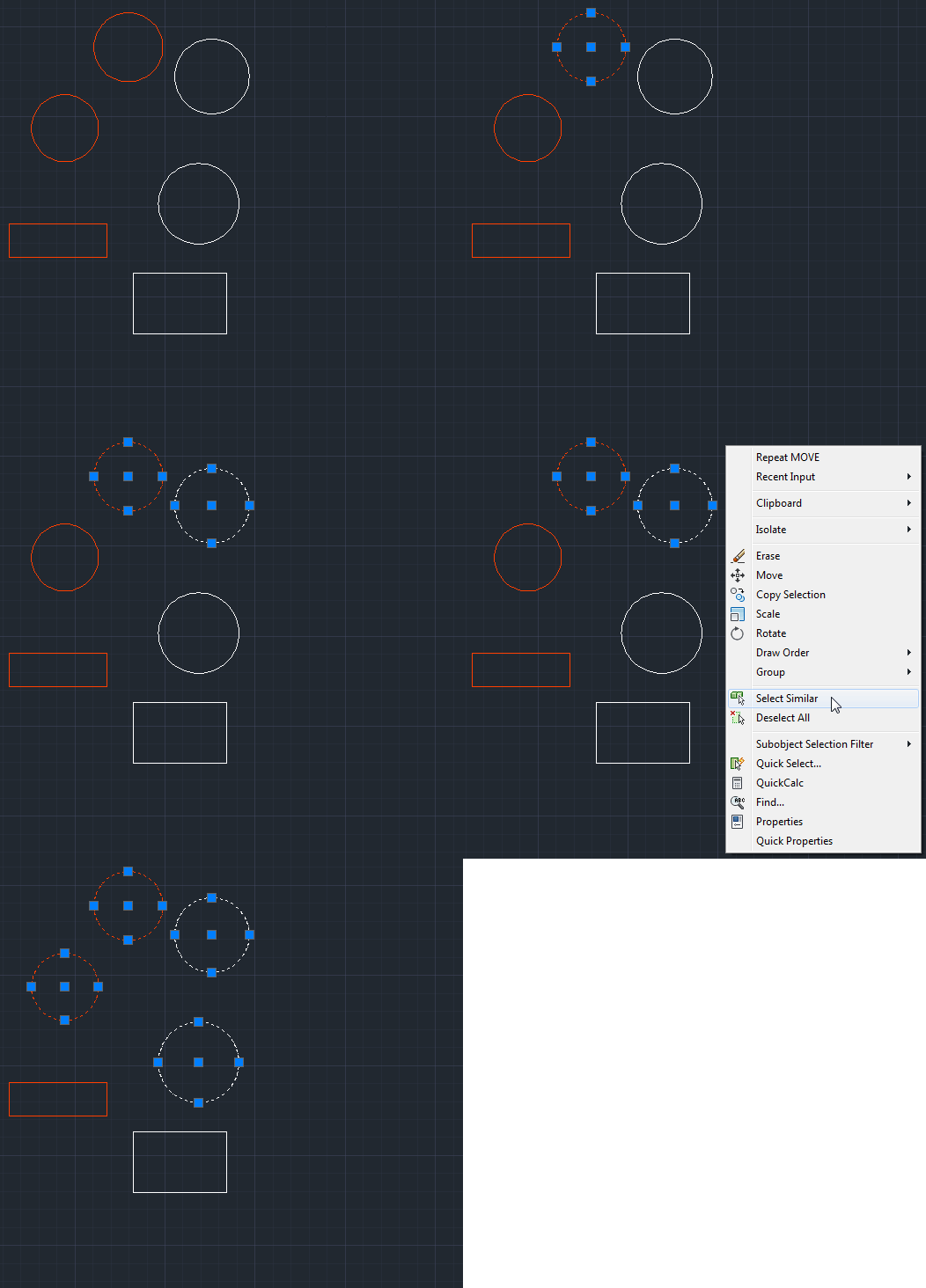
Select Similar is another recent tool that works by matching properties - it's a kind of quick selection filter that can be used to select any objects that match the selected object or objects.
In the example below, I have drawn a bunch of objects (circles and rectangles), some on a layer called "Circle" and some on layer 0. If I want to select all circles on both layers, all I need to do is select one circle on each layer, right-click and select Select Similar from the menu. It's yet another very simple but effective productivity tool.
See all the articles published in May 2011
See this article in the May 2011 Corner
Donate to CADTutor
If you found this article useful, you might like to consider making a donation. All content on this site is provided free of charge and we hope to keep it that way. However, running a site like CADTutor does cost money and you can help to improve the service and to guarantee its future by donating a small amount. We guess that you probably wouldn't miss $5.00 but it would make all the difference to us.
Note from Michael: I want to thank all of my customers for continuing to retain my training services (some for over three decades!) and let you know your donations do not go to me personally, but to the ongoing maintenance of the CADTutor ship as a whole and to support the yeoman efforts of my friend and CADTutor captain, David Watson, to whom I am grateful for this monthly opportunity to share a few AutoCAD insights.


