

AutoCAD Productivity Articles - 2013
2013
December - Double Down
For those of you unable to make it to this year's main event—Autodesk University 2014—this month's offering includes a couple items from my AU Hands-On Lab, Click My Ride: Customizing Autodesk AutoCAD for How You Work. I'm really looking forward to showing the 86 registered attendees several of the features that have been presented in previous Corner articles on how to optimize AutoCAD for maximum productivity.
This edition will also usher in the new bi-monthly publication of Michael's Corner. There's a possibility I may be adding a couple other products to my "Training Menu" in the upcoming year, so I figured eleven years of four-articles-per-month would warrant a downshift in my Corner offerings. And although, I'm the one with his face on this page, Michael's Corner is ONLY possible because my tireless colleague, Professor David Watson (the chief cook & bottle-washer of CADTutor.net), takes my lowly Word document and works his HTML magic to create the pages you see here.
So with that introduction, this edition brings you these AutoCAD productivity insights…
…How—and Why—to export a Zip file containing your AutoCAD settings
…Where to find the "Hide-A-Key" ACAD.CUIX file that AutoCAD already has saved for you
…The importance of creating a Workspace early on
…Easy Tab & Panel creation from my AU2014 Lab: Click My Ride
Wishing you all a glorious and joyful Christmas season and I hope your New Year is chockfull of exciting new adventures and opportunities!
Be Responsible: Think Ahead
Easy Tab & Panel: Customizing the Ribbon
October - The Year Was 1953…
Birthday cards and greetings are always welcome as I turned 60!! this month! In addition to family, I invited lots of customers to our favorite Mexican restaurant, Fiesta Mexicana. Unfortunately, the one in Shelbyville was not ready in time for my birthday (there was a fire in February so they're rebuilding in a new location), but the food—and margaritas—are just as wonderful at their Louisville location.
And although I'd love to go on about me, here are a few things I thought I'd set you to thinking about while you ponder… whether or not it's worth the trip to Louisville.
…A 3D application for split views in Model space
…How to resolve the crosshair color in Paper space
…The solution to displaying the Layer states in List form, rather than a ‘checkerboard’
…An easy way to get text from your Microsoft Word® document into Multiline text
This month I'm speaking at the Tennessee ASID Chapter Conference in Nashville, then at the CET Designer User Conference in Grand Rapids, so I'm quite excited about seeing many of my current Customers and meeting new Designers.
Fall is a beautiful season in our part of the planet, and I hope it is equally glorious for you, too!
Split Views in Model Space
Crosshair Color on the Layout Tab
Layer State List… or Checkerboard?
Word® Text Into Multiline Text
September - Less Than Intuitive
There are some things in AutoCAD that are not right there in front of you. It's not really an ‘outside-the-box’ thing, maybe just an ‘under-a-rock’ thing. All of these articles came directly from my customers' questions, and all of them are ‘Need To Know’, but maybe not on a daily basis. For example…
…Do you know more than one way to modify an attribute value?
…Do you know more than one way to begin a Metric drawing?
…Do you know more than one way to create a Window when selecting objects?
…Do you know what to do when you try to Rotate an object… and it's not quite what you were expecting?
And that's what I mean by ‘less than intuitive’.
Hope this finds you all with great memories of your summer. It's been a bit toasty here in Kentucky, but at least I'm not mowing twice a week!
Enjoy!
Alternatives for Global Attribute Editing
How to Start a Metric Drawing
What To Do With Geometric Constraints?
When Picking ‘Air’ Isn't Working
August - Fun at the CAD Beach
If you take a look at a cross-section of AutoCAD users, there's probably a sizable slice of that pie chart that includes ‘DIY’—Do-It-Yourself, i.e., Customizers. Whether you're making sandcastles at the beach on a hot August day, or working your way to the weekend when you can come up with something new on the grill, you like to do your own thing.
So whether you're just returning from a four week western United States vacation (like our intrepid captain Professor Watson), or you're just looking forward to 5:00, when you get back to the AutoCAD Beach, did you know that you could:
…Create a custom Ortho angle?
…Add your own ‘AutoCorrect’ text for when you type commands and variables?
…Display your favorite toolbar(s) and still have the Ribbon?
…Toggle the visibility of layers in a PDF?
Hope you all have a wonderful August!
Customize your Ortho with SNAPANG
Edit the AutoCorrect Listing
Toolbars with the Ribbon
Plotting a .DWG to .PDF
July - Settings and Savings
Today it will be 118 degrees Fahrenheit in Phoenix… and it probably still is when you're reading this. "We just want to give our visitors a warm welcome." Thanks, Mary. The point being, sometimes we're just too hot or tired or busy (trying to avoid ‘lazy’) to repeat common procedures, so this month I'm looking at saving steps by…
…Saving a Custom View that you can access from the Viewport Controls
…Selecting objects using often-overlooked default options
…Setting up ‘Trusted Locations’ in A2014 to enable loading of external programs or routines
…Snagging a Layout from another drawing and copying it to your current drawing using DesignCenter
I'm also happy to say that my proposed lab for Autodesk University 2013 was accepted! In the next few months, I may ‘practice’ my presentation here. If you're going to be attending, sign up for ‘Click my Ride: Customizing AutoCAD for the Way You Work’! That will make the third major conference where I will be presenting this year; NeoCon in Chicago last month, Metrocon in Dallas next month, and AU in Las Vegas in December.
Hope you're able to find some time to relax and get refreshed this season!
Custom View in Viewport Controls
Default Selection Options
Trusted Locations
Copy a Layout Tab Using DesignCenter
June - The Big Three: Layers, Text, & Blocks
When you boil down a drawing—(so, what would that be? Alphabet soup?)—the key ingredients are Layers, Annotation, and Blocks. To communicate effectively, every drawing must have some component of each of those. You could probably go without having blocks, but what drawing doesn't contain blocks these days? This month, I touch on each of those.
…Merge Layers is a new arrival in AutoCAD 2014
…Another trick for the Single Line text devotees: Symbols ala Mtext
…An Mtext setting that will make you want to use Single Line text (until you figure it out)
…Clarification of what the Wblock command can do for you
This month I return to NeoCon with my Revit for Dealership Designers [Monday, 6/11, 4:00] in the official NeoCon seminar listing, and I'll also be presenting an off-site AutoCAD Toolbelt seminar [Tuesday, 6/12, 2:30], graciously hosted at the Kimball showroom across from the Merchandise Mart in downtown Chicago (my favorite U.S. destination).
Looks to be a great month ahead. Hope yours is, too!
Merge Layers in AutoCAD 2014
Hexadecimal Code in Dtext
AutoCAPS in Mtext
Block to .DWG with Wblock
May - Shedding a Little Light on Things
As I get more into 3D—I know, I'm just a little late to that party—I'm finding more and more fun stuff. I'll soon have a collection to put on my own Panel on the Ribbon! I think you'll find the following to be a fun collection of insights and it even includes a wonderful improvement I found in AutoCAD 2014!
…Without a default ‘floor’, use Ground Shadows, then experiment with some Visual Style buttons
…For the macro-minded, learn how to repeat a favorite
…When you inherit a drawing with Annotative text, there's a Need-To-Know rotation setting
…Options for selecting objects, including a really great improvement in A2014
Keep in mind that Autodesk has a YouTube channel in case you want to find more out about the new fleet of products available.
Here's to greater productivity for us all!
Shadows & Visual Style Settings
Repeat a Command in a Macro
Annotative Text that Doesn't Rotate "Normally"
Selection Options & A2014 Improvements
April - Graphicisms
As is often the case, after writing the articles, I notice a ‘theme’, of sorts. It's never intended, since I keep notes during my training sessions, then pick a few and start in. This month, all four articles came from the training since the beginning of the year and they all have a graphic component. Well, except the Doughnut command, but I guess that does have a graphic element to it, too.
…Update a drawing with a material
…Select a color that will be immune from a Monochrome/Grayscale plot style assignment
…Make your Zoom features snap to the result instead of gently sliding to the view
…Create a dot with a donut
As for the recent release of AutoCAD 2014, I usually let all the other bloggers have their way with the announcement and slowly fold in my own observations as the months go by. I will say, however, that I think displaying tabs for the open drawings along the top of the drawing window was a nice touch.
Hope you all have a wonderful April!
Loading Materials
RGB Color with Monochrome Plot Style Table
VTOPTIONS
The Doughnut/Donut
March - The AutoCAD Workbench, 2nd Edition: Finally a Reality!
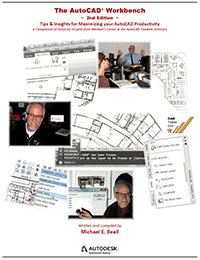 It's quite humbling, actually, and a pretty significant body of work, weighing in at 330 pages if you start numbering from the front cover and go to the back.
If you're interested in purchasing a copy—the ring-bound book, the .PDF or both—the best thing to do would be to visit my website, www.cadtrainerguy.com where you will find a PayPal button, as well as the Order Form.
To answer a question that has already come in, this edition contains everything from the first edition, plus an additional 70+ topics, all updated to AutoCAD 2013. It looks like I'll be putting the first ones in the mail on March 15th if all goes according to plan.
However, you will want to continue your subscription to Michael's Corner, because two of the topics this month aren't in AWB2. Does that mean there will be an AWB3? Most likely!
In the meantime, here are a few things you can take a look at while you wait for your copy to arrive!
…See how to copy a default panel from the Express Tools to your custom tab.
…Learn how to zoom up to a ‘dot’ in space without scrolling.
…Add a path to your Support File Search Path list to point to an exported tool palette file [.XTP]
…Create an Angular dimension and edit a couple of the properties.
At the risk of being repetitive, I want to thank David Watson, our CADTutor webmaster and prolific professor at University of Greenwich for providing the opportunity, and an all-inclusive ‘Thank You!’ also goes to my hundreds of customers who provide the bulk of the content for these pages.
With a grateful heart to you all.
Copy a Default Panel to Your Custom Tab
Zoom to an Object
Source File vs. Support File Search Path
Angular Dimensions
February - Got Text?
Maybe it has to do with Groundhog Day (the movie) and doing things over again, but this month it turns out that three of the four articles involve Text. Purely unintentional, honest. The lead article, however, actually comes from my friend, Ben Senior. Ben did the tech edit on the 2nd Edition of The AutoCAD Workbench, and as I was going through his edits in Chapter Two on Creating & Editing, I came across his comment on editing the insertion point of a block. In store this month:
…Adjust the Insertion Point of a Block
…Edit the UCS condition to add text to a 3d view
…Change the highlight color in the Single Line text editor
…Snap to the insertion point of text
Hopefully next month I can announce the release of the 2nd Edition, but in the meantime, keep an eye on my website, www.cadtrainerguy.com where I will make the announcement as soon as the first one rolls off the press.
Thanks to all of you for your continued support and friendship!
Change the Insertion Point of a Block
Adding Text to a 3D View
Highlight Color for Single Line Text
Snap to Text
January - There's Always Something New in the Year
None of us knows what's in store for 2013, but one thing we DO know, is that there's always something new to learn about. I hope this finds you all well and looking forward to the new things that lie ahead in your respective areas of expertise.
Many years ago when I was working with Hugh Bathurst and presenting the 'Mastering Today's AutoCAD' series around the USA, I met folks who used AutoCAD in some very unique industries; fire plug design, rail car design, and prison cafeterias were some of the ones that come to mind. Absolutely fascinating and very 'new' to me. If you work in an industry with similar unique drawing requirements, I would be interested in seeing a small sample drawing of your work.
This month, ask yourself the following questions, and then see if your answers are the same as what I came up with. You may just find something new!
…Do you know how to add a dimension to a 3D object?
…Were you aware of the Layer option when you use the Offset command?
…Have you ever noticed the background mask in Mtext needs adjusting?
…When you plot a Window from Model space, do you know how to estimate the plot scale?
Thank you all so very much for your continued support of Michael's Corner and CADTutor, and we hope you have a fabulous New Year!
Adding Dimensions to a 3D Object
Offset with the Layer Option
Mtext Wrinkles
Estimating a Plot Scale
…to Embedding an Image
The Basics
- Dual Dimensions in a Dim…
- UCSICON Options
- "Best of" Basics: Irreg…
- Tool Palette Basics
- Original Dimension Value
- Possible Solutions to th…
- Avoid Using 'Standard' i…
- Shorten the Plot Scales…
- Update the Source File B…
- User Increment Angles fo…
- Drawing Information
- 'Sign Language'
- Rotate with the Copy Opt…
- Use the INSERT Osnap on…
- To or From the Current L…


